Claude Code Monitor: Token Dashboard
Real-time Claude Code token usage in your VS Code status bar. Dashboard, charts, gamification. Zero config, fully local.
Screenshots
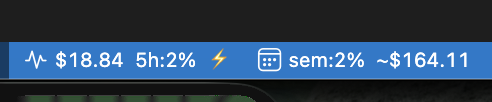 Two status bar items: 5h window (cost · percentage · burn rate) and weekly summary (percentage · total cost)
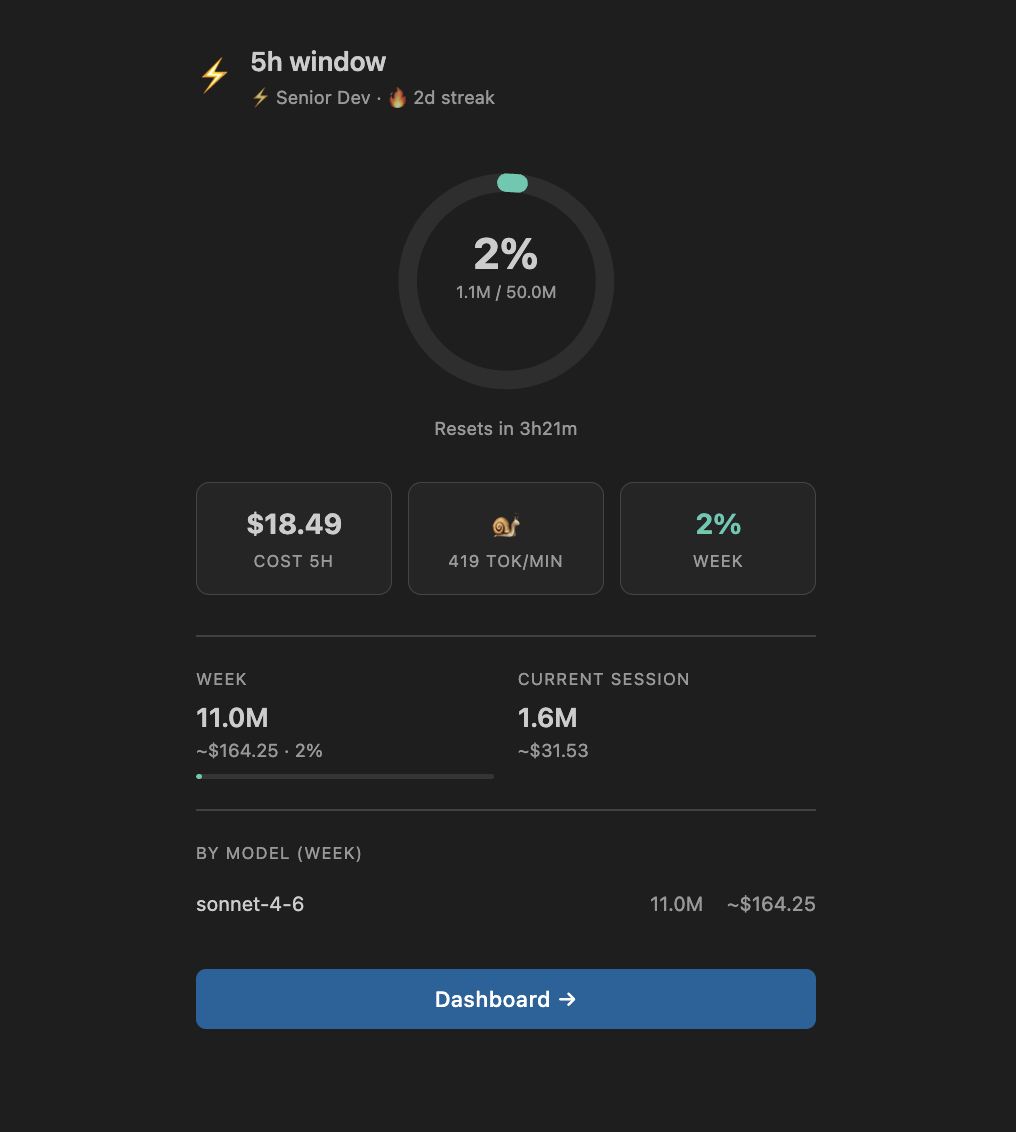 5h window arc gauge with burn rate, weekly progress and top models
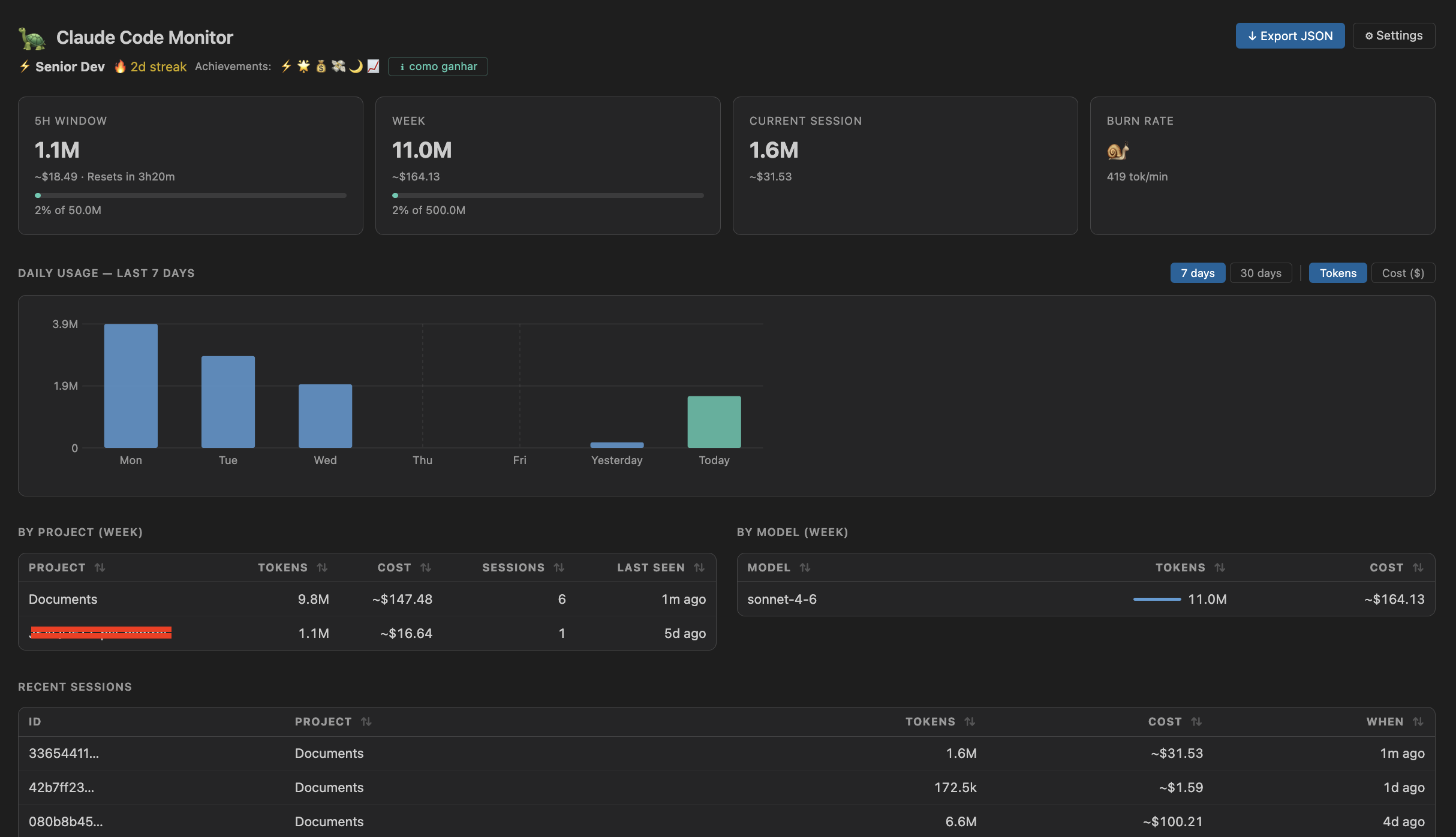 Dashboard with 7-day chart, project/model breakdown and gamification header
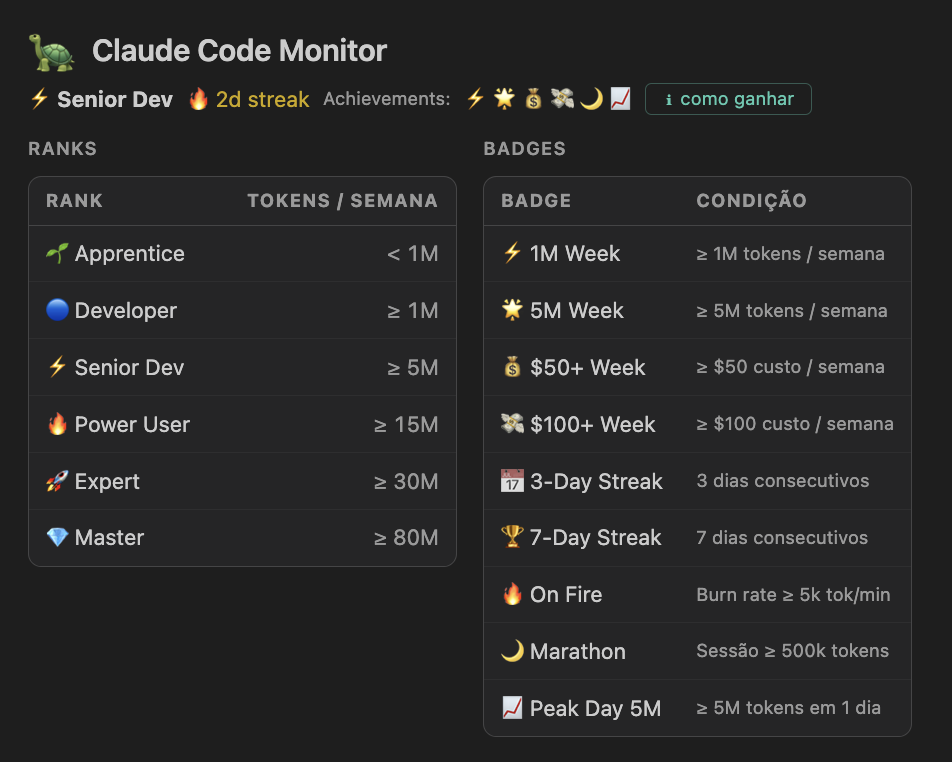 Rank and badge legend, expandable inline in the dashboard header
Features
Status Bar
- 5h window — cost + percentage + burn rate icon, always visible
- Weekly — weekly percentage + total cost in a second item
- Color alerts — yellow at 70%, red at 90%
- Hover tooltip — progress bar, reset countdown, model breakdown
Dashboard
- Interactive chart — 7d / 30d toggle, Tokens / Cost ($) toggle
- Sortable tables — projects, models (with inline usage bars), recent sessions
- Stale data warning — banner when Claude Code has been inactive 15+ min
- JSON export — full snapshot with tokens, costs, projects, models, sessions
5h Details Panel
- Arc gauge showing 5h window consumption
- Burn rate, week progress, top models
- One-click link to the full dashboard
Gamification
- 6 rank tiers — Apprentice → Developer → Senior Dev → Power User → Expert → Master
- Daily streak — consecutive days of activity, tracked over 30 days
- 9 badges — 1M Week, 5M Week, $50+, $100+, 3-Day Streak, 7-Day Streak, On Fire, Marathon, Peak Day 5M
- Inline legend — click ℹ como ganhar in the header to see how to earn each rank and badge
Intelligence
- Zero config — auto-detects Pro vs Max plan from your usage history
- Live quota — reads real 5h limit from Anthropic API when
ANTHROPIC_API_KEY is set
- Real-time — file watcher fires within 500ms of new Claude Code activity
- PostToolUse hook — optional instant refresh via
~/.claude/settings.json
11 Languages
Automatically adapts to your VS Code display language:
PT-BR · EN · ES · FR · DE · ZH · JA · KO · IT · RU · PL
How It Works
Claude Code writes every conversation turn to JSONL files at:
~/.claude/projects/<project>/<session>.jsonl
This extension reads those files directly — no API keys, no telemetry, no external servers. Everything runs locally.
Requirements
Getting Started
No setup needed. Install the extension and it starts reading your Claude Code data immediately.
For near-instant refresh (reacts to every Claude Code tool call):
- Open the Command Palette (
Ctrl+Shift+P / Cmd+Shift+P)
- Run Claude Usage: Install PostToolUse Hook
Commands
| Command |
Description |
Claude Usage: Refresh |
Force refresh now |
Claude Usage: Show 5h Details |
Open the 5h window details panel |
Claude Usage: Open Dashboard |
Open the full dashboard |
Claude Usage: Export Data (.json) |
Export a full usage snapshot |
Claude Usage: Install PostToolUse Hook |
Register hook for instant refresh |
Configuration
| Setting |
Default |
Description |
claudeUsage.limitTokens5h |
50000000 |
Token limit per 5h window (auto-detected if not set) |
claudeUsage.limitTokensWeekly |
500000000 |
Weekly token limit (auto-detected if not set) |
claudeUsage.refreshIntervalSeconds |
30 |
Polling interval in seconds |
claudeUsage.claudeDataPath |
"" |
Custom path to ~/.claude (leave empty for default) |
claudeUsage.enableNotifications |
true |
Show warning/error notifications near the 5h limit |
claudeUsage.notificationThreshold5h |
80 |
% of 5h quota that triggers a warning |
Plan limits (used when auto-detection is inconclusive):
| Plan |
5h limit |
Weekly limit |
| Max |
50M |
500M |
| Pro |
8M |
80M |
Privacy
All data stays on your machine. The extension only reads files from ~/.claude/projects/ and never sends anything to any server.
License
MIT — github.com/joubertsaquett/claude-usage-statusbar

