Build with the language server: Install the server · Embed in an application · Wire protocol
Start editing
- Install Paradox Modding Toolkit (
JDeffner.px-toolkit), then open Start Here in the PX Toolkit sidebar. Create a mod or find an existing one by name. Add it to the current workspace to see its files in Explorer, or open it in a new window.
- Run Paradox: Run Setup & Health Check. Check the detected game, mod and data paths. CK3 and Victoria 3 include vocabulary snapshots; EU5 needs your own
script_docs dump.
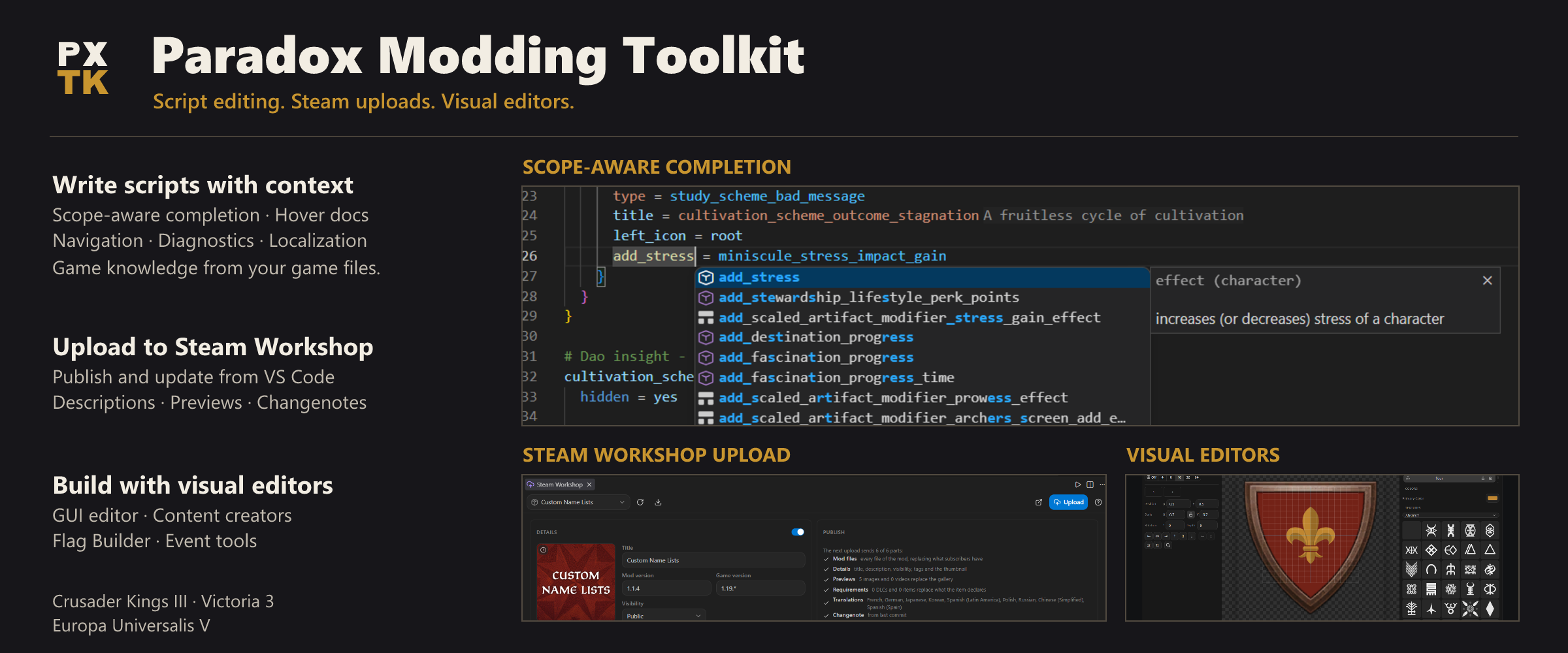
- Open a script file. Completion offers engine words and indexed definitions; hover explains the word under the cursor. The Project panel opens the visual tools and publishing commands. Use Paradox: Validate Mod from the Command Palette to check your mod.
New to modding? Follow Your first CK3 mod. For an existing project, use Getting Started. If setup does not work, start with Troubleshooting.
This is a beta. Check generated content in the game before publishing it. After game patches, regenerate your dumps to match the installed version.
At the cursor
Live editing: suggestions, navigation and rename follow unsaved edits. Problems update when referenced events or required translations change in another file.
Completion templates: choose Minimal, Examples or Names with px.completion.mode. Preview inserted code and expected values, or run Paradox: Export Generated Snippets (HTML / Print) to browse, copy and print the full catalogue.
Completion and navigation: scope-aware ranking, definitions, references, rename, symbols and block skeletons. Items outside the inferred scope are annotated rather than hidden.
Documentation from the game: hover descriptions, scope information, localized text and texture previews, plus searchable vanilla examples.
Graphics assets: CK3 and Victoria 3 .asset indexing, context-specific completion, reference navigation and DDS previews. Use px.indexAssets to toggle scanning.
Section folding: ### Title or longer hash headings fold through the next heading or the end of the file, across closing braces.
Validation: instant structural checks for malformed files, encodings and folder mistakes. CK3 and Victoria 3 also integrate tiger for deeper validation.
Localization: coverage, inlay hints, quick fixes and workflows for adding languages or making a translation mod.
Context actions: right-click files, definitions, overrides and localization references to open, compare or edit the selected source. Project shows the current mod, with All Tools and Customize in its title bar.
BBCode preview: choose BBCode Preview from VS Code's editor selector or open it beside the source. Preview includes unsaved edits and preserves the BBCode language mode.
Build and inspect content
The Flag Builder, Coat of Arms Designer and DDS viewer have bottom-left background controls: dark, light, custom color and reset. Each tool remembers its choice in the workspace.
The Event Simulator walks an event and its options beside the source. The Event Graph follows firing chains and lets you edit event content. Both are static tools; they do not execute the game.

The GUI Editor lets you select, move and resize widgets, inspect inherited properties and save source-preserving edits. Its preview models supported layout rules; runtime bindings still need an in-game check. CK3 also has forms for traits, cultures, traditions, legacies, dynasties and coats of arms. Victoria 3 and EU5 have the Flag Builder.

The Dynasty Tree supports copying DNA for mod files or the game, including lookup in dependency mods and pasting portrait-editor DNA.
Convert batches of DDS, PNG, JPEG and WebP images from Utils or file context menus, with progress, cancellation and a choice to skip or overwrite existing outputs. The Project panel also opens game launch options, custom calendars, multi-mod indexing and the Steam Workshop Panel. Workshop uploads use your running Steam client and show the parts being uploaded before confirmation.
Choose your workflow
Game and client support
| Feature |
CK3 |
Victoria 3 |
EU5 |
| Script language core |
Yes |
Yes |
Yes; own engine dump needed |
| Tiger validation |
Yes |
Yes |
No |
| Visual GUI editor |
Yes |
Yes |
No |
| CK3 content creators |
Yes |
No |
No |
| Coat-of-arms editor |
Designer |
Flag Builder |
Flag Builder |
EU5's schema is community-sourced and has not been verified against a live install. Read Supported Games for the full matrix and dump commands, and Platform Support for local, remote and non-Steam setups.
The standalone language server is available as @px-lsp/server, with a tested Neovim setup. Zed and Helix integrations are currently unverified. Application authors can use the Embedding guide, including the browser library. Tiger and the visual tools remain VS Code features.
AI-agent modding skills live in the separate paradox-ai-modding project.
Contributing & feedback
This is a beta shaped by the people who use it. The best thing you can do is
tell me what breaks and what is missing:
- File an issue for
bugs, false diagnostics, or feature ideas. Concrete examples from real mods
are gold. Wrong or missing folder mappings, especially for EU5, have their
own "Schema gap" issue form.
- PRs are welcome. The per-game schema tables
(
packages/server/src/games/<game>/schema.ts) are deliberately small and
community-editable: adding a folder kind or loc requirement is a good first
contribution.
- Fork it and take inspiration. If a piece of this is useful in your own
tooling, use it. It is GPL-3.0-or-later, so keep distributed derivatives open.
- Join the Discord for release notes,
quick questions and modding help. The extension links to it from the bottom
of the Project panel and from
Paradox: Join the Discord.
Dev quickstart
pnpm install
pnpm run compile      # esbuild bundles dist/extension.js (client) + dist/server.js
pnpm run typecheck
pnpm test             # vitest; copy dev-paths.example.json to dev-paths.json to also run the vanilla corpus suites
Layout (pnpm monorepo): packages/vscode/ (this extension) ·
packages/server/ (language server: parser, index, scopes, features, per-game
profiles, bundled data) · packages/protocol/ (types, wire protocol, shared
helpers) · packages/*/test/ (vitest suites incl. corpus/fixture tests). The extension is a
client/server LSP split: the thin client runs in the extension host, all parsing
and analysis lives in a separate server process. Everything game-specific sits
behind one GameProfile boundary that CI enforces. The architecture map and
conventions are in AGENTS.md.
Acknowledgements
The extension stands on work by others. The key sources and inspirations:
- tiger by amtep, the validator behind the
ck3-tiger and vic3-tiger diagnostics integration.
- cwtools and cwtools-vscode, for the
landscape and design inspiration.
- kaiser-chris/cwtools-eu5-config,
the source of the EU5 folder schema (MIT, pinned commit; the Victoria 3
equivalent was used as a cross-check only). Full notices in
THIRD-PARTY-NOTICES.md.
- jesec/ck3-modding-wiki, the source
of the bundled CK3 fallback token lists (CC BY-SA 3.0, see
ATTRIBUTION.md).
- Paradox's own in-game
_*.info format docs, the primary ground truth for the
CK3 schema layers. No game assets are redistributed.
The complete table with licenses is on the
Credits wiki page.
License
GPL-3.0-or-later. In short: use, modify and redistribute freely, but any
distributed fork or derivative must publish its source under the GPL too. See
LICENSE. Bundled third-party data keeps its own terms (the CK3 wiki
token lists are CC BY-SA, see ATTRIBUTION.md;
the EU5 schema import is MIT, see THIRD-PARTY-NOTICES.md).