XML Visual Editor
Multi-platform toolkit for advanced XSD schema-aware XML editing, with an XMLSpy-style hierarchical Grid View for any XML document.
Preview Release (v0.6.0) — This extension is in active development. Features are functional but the API may change. Feedback and bug reports are welcome!
Features
Core Features
- Grid View (Read-Only, new in 0.6.0) — XMLSpy-style hierarchical grid view of the document (see section below)
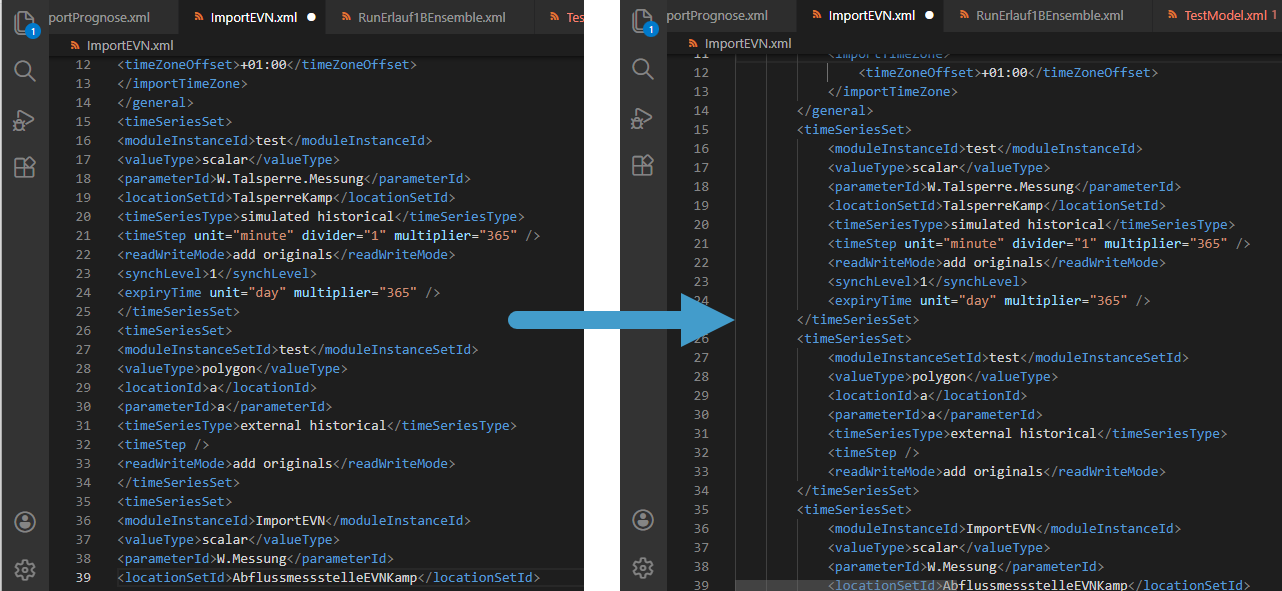
- Pretty-Print — Reformat XML with configurable indentation (2/4 spaces, tab, or editor setting)
- Linearize — Compact XML to a single line, removing unnecessary whitespace
- Strip Whitespace — Remove all non-significant whitespace from the document
- Tag Autoclose — Automatically insert
</tag> when you type >
- Copy XML Path — Copy the XPath of the element at the cursor to the clipboard
- Copy XML Path with Predicates — Copy XPath with index-based predicates (e.g.
/root/item[2])
- Context Menu — Right-click menu with formatting, validation, and navigation commands
- Select Current Element — Select the entire element (open tag through close tag) at the cursor
- Go to Matching Tag — Jump between opening and closing tags
- Expand Self-Closing Tag — Convert
<tag/> to <tag></tag>
Schema-Aware Features
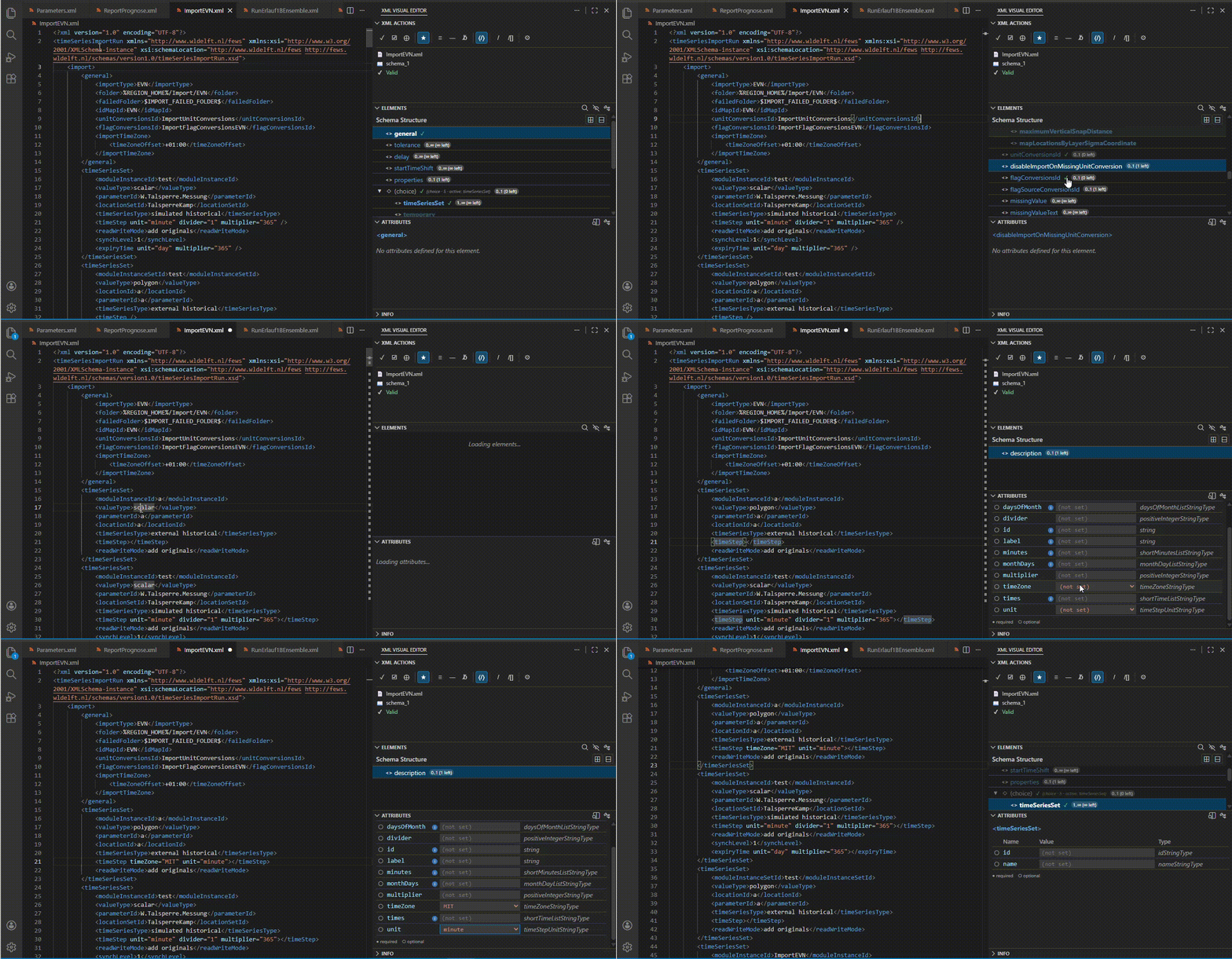
- Real-Time XSD Validation — Validates as you type (500ms debounce), on save, and on open; inline markers, gutter icons, and Problems panel integration
- Interactive Elements Panel — Content model tree with compositor badges (sequence/choice/all), cardinality display, instance state styling, insert buttons, and focus algorithm
- Interactive Attributes Panel — Editable form with enum dropdowns, fixed-value locks, required/optional indicators, add/remove buttons, and documentation tooltips
- Interactive Info Panel — Collapsible sections with type info, documentation, compositor context, instance state, and enumeration values
- Schema-Aware Completions — Context- and Scehma aware element, attribute name, attribute value, and text content completions with rich documentation popups and "Insert Required" mode
- Schema Management — Auto-detection from
xsi:schemaLocation / xsi:noNamespaceSchemaLocation, HTTP/HTTPS downloading with recursive import/include resolution, persistent local caching, and manual loading via file picker
Grid View (Read-Only)
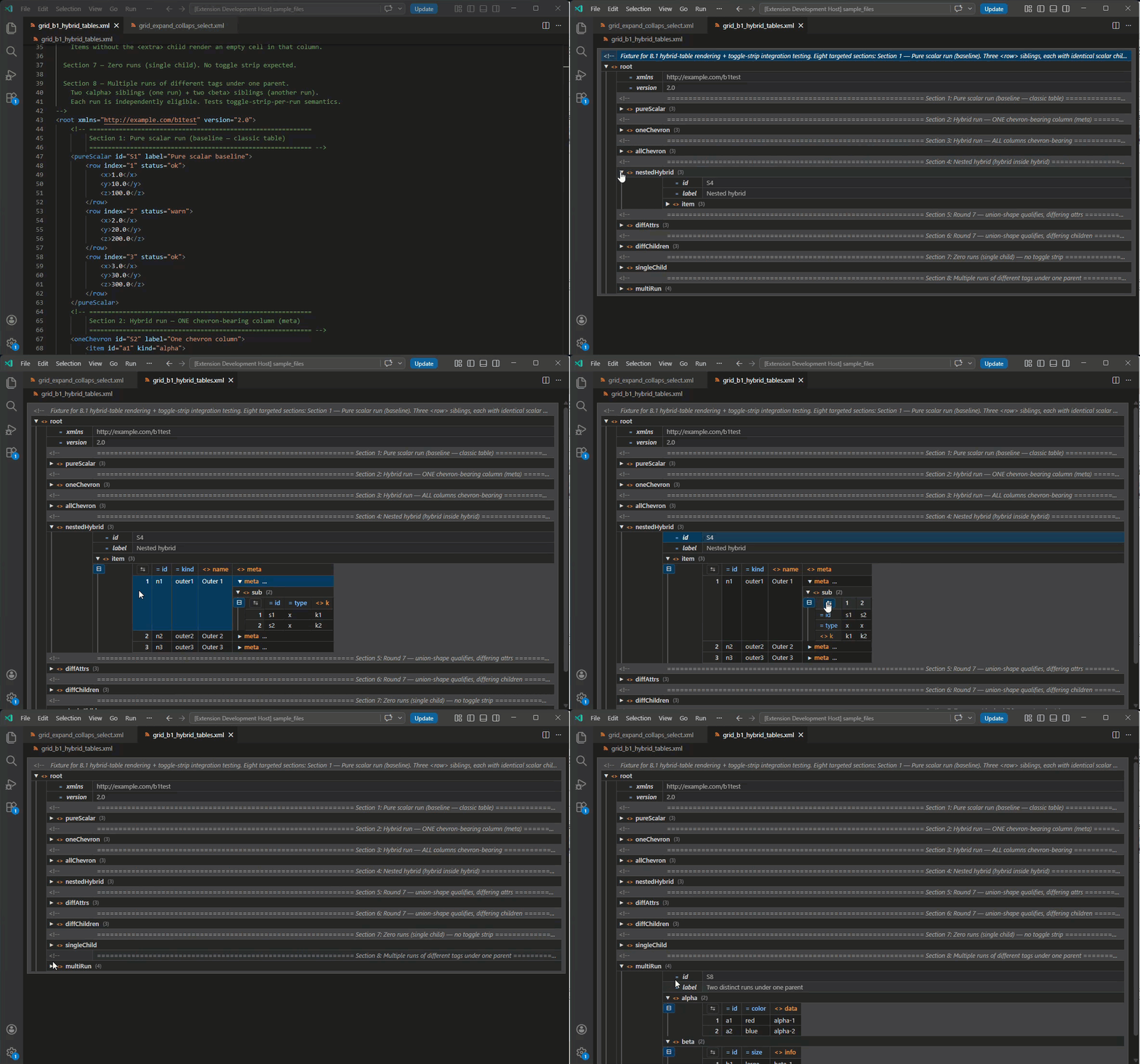
New in v0.6.0. The Grid View renders any XML document as an interactive hierarchical grid — inspired by XMLSpy's Grid/Table view — in the same tab as the text editor. Launch it via the XML: Toggle Grid View command, the XML Actions toolbar button, or the right-click context menu. Repeated-sibling groups are auto-detected as tables (including hybrid tables that mix scalar and sub-element columns), chevron cells drill down in place within their own column, sections can be flipped rows↔columns or toggled between tree and table mode, and rows/columns support multi-select with +/- batch expand/collapse. Grid state is preserved across tab switches.
Read-only in this release. Inline editing and bidirectional text↔grid sync are planned for the next release — for now, switch back to the text view to edit.
Schema-Aware Editing
When an XSD schema is loaded — either auto-detected from the document or loaded manually — the extension unlocks a full suite of schema-aware features. The C++ engine parses the schema and provides real-time content model information, validation, and completions as you edit. All schema-dependent panels and completions update live as you move the cursor.
Interactive Helper Panels
Three interactive sidebar panels provide contextual information and editing capabilities based on the cursor position in the XML document.
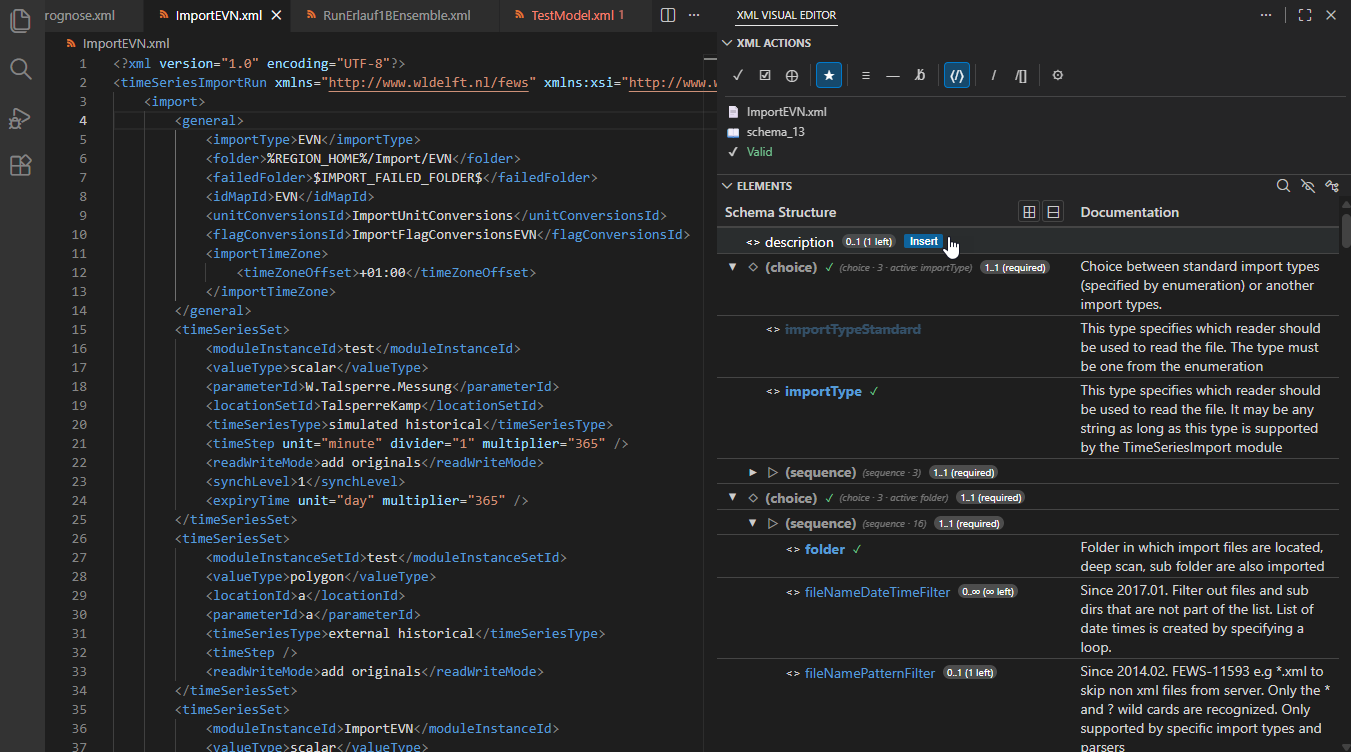
Elements Panel
Displays a content model tree for the element at the cursor. Shows allowed child elements with compositor structure (sequence, choice, all), cardinality constraints, and instance state. Use the insert buttons to add elements at the correct position. Filter, expand/collapse, and toggle documentation/type columns from the toolbar.
Attributes Panel
Displays an editable form for the attributes of the element at the cursor. Enum attributes show dropdown selectors, fixed attributes show a lock icon, and required attributes are clearly indicated. Add missing attributes or remove optional ones with a single click.
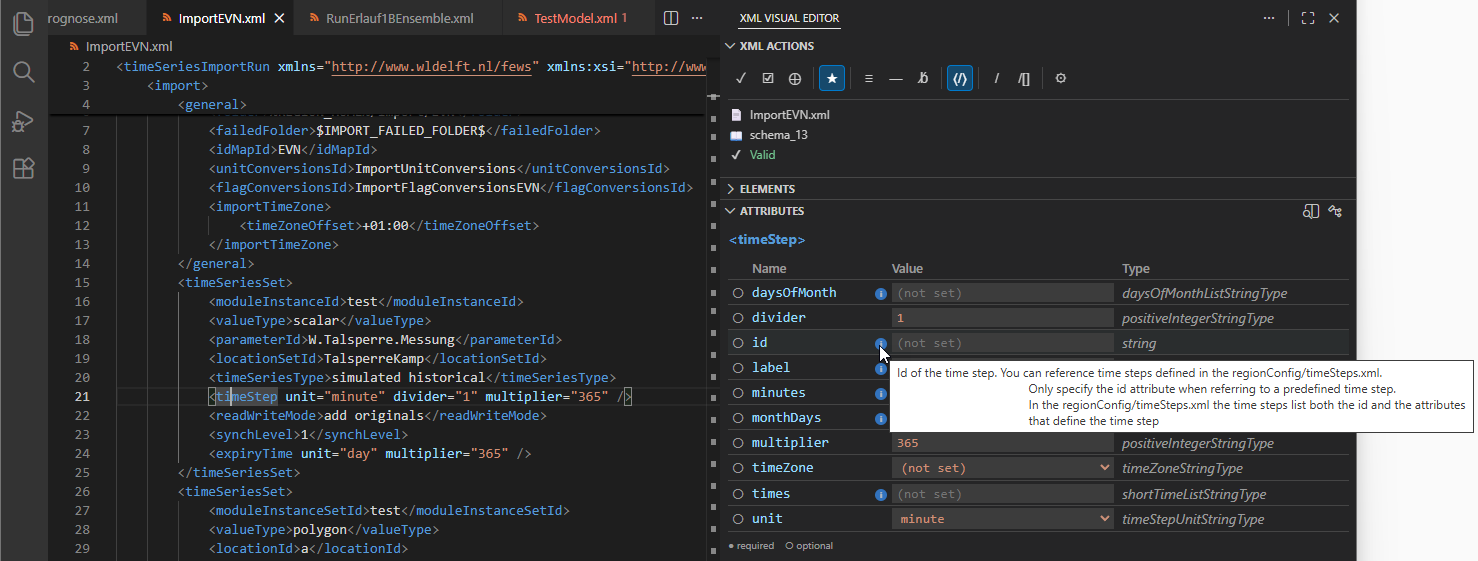
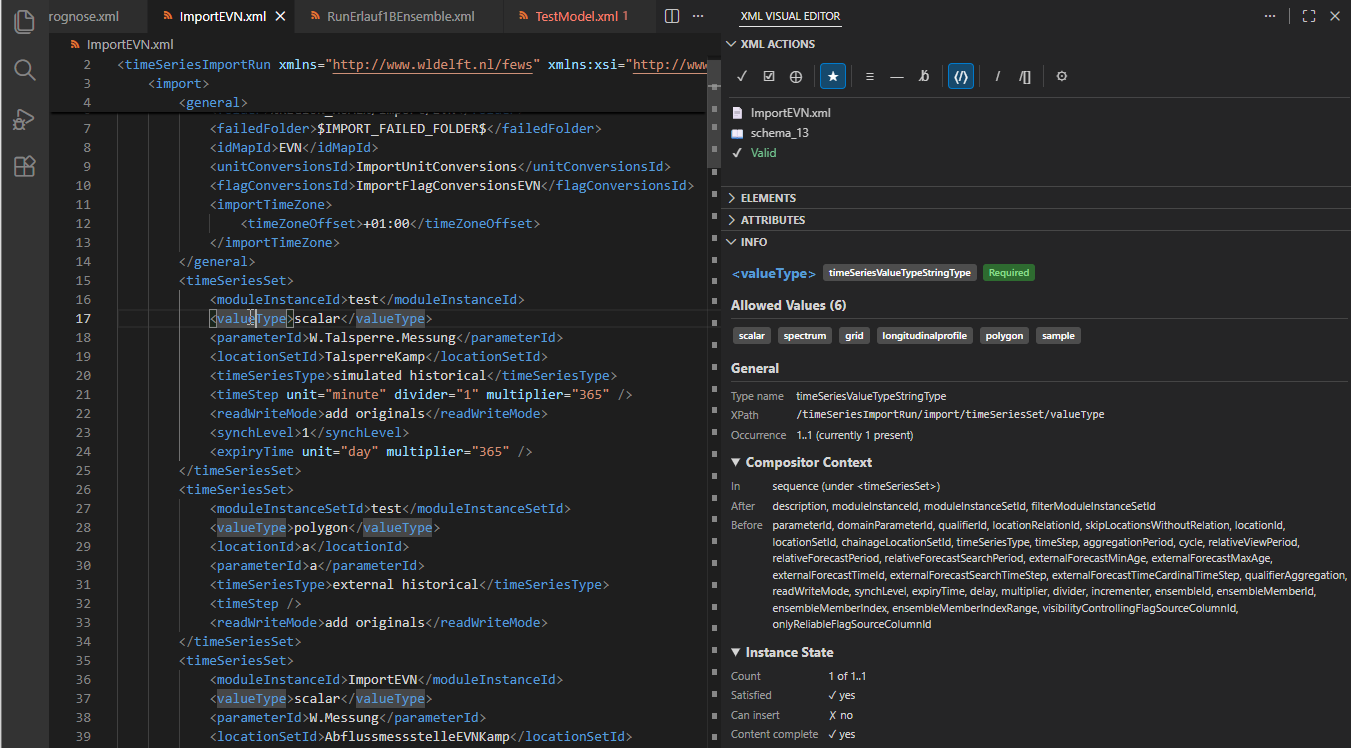
Info Panel
Displays detailed schema information for the element at the cursor. Includes collapsible sections for type information, documentation, compositor context, instance state, and enumeration values. Useful for understanding schema constraints without leaving the editor.
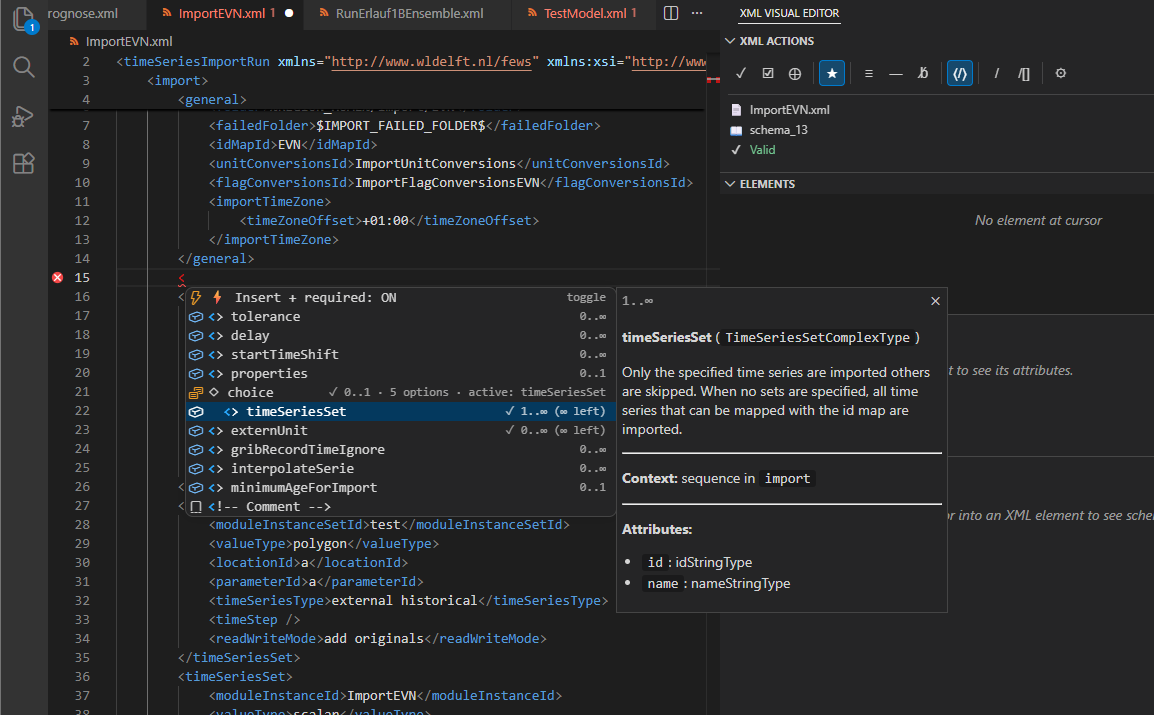
Schema-Aware Completions
Context and Schema-aware completions appear as you type inside XML elements and attributes. Element completions show the content model tree with compositor structure. Attribute name completions list allowed attributes with required/optional indicators. Attribute value completions offer enum values and documentation. The "Insert Required" mode recursively inserts all required children and attributes in one action.
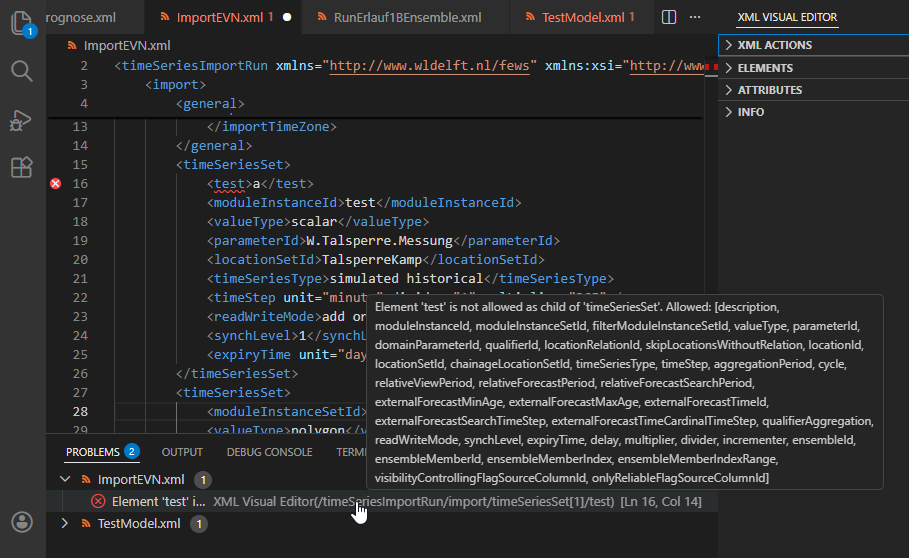
Validation
Real-time XSD validation reports errors and warnings as you type. Validation runs automatically on open, on save, and while typing (with a configurable debounce delay). Results appear as inline squiggly underlines, gutter icons, and entries in the Problems panel with line/column positions and descriptive messages.
Format XML documents with Pretty-Print (configurable indentation), Linearize (compact single-line), or Strip Whitespace. Tag Autoclose inserts closing tags automatically. Copy the XPath of any element to the clipboard. Access all commands from the right-click context menu or the Command Palette.
Requirements
- Visual Studio Code 1.85.0 or higher
- No additional dependencies — the C++ engine binary is bundled with the extension
Extension Settings
| Setting |
Default |
Description |
xmlVisualEditor.enginePath |
"" |
Path to xve-engine binary. Leave empty to use bundled binary. |
xmlVisualEditor.validateOnSave |
true |
Validate XML documents when saving. |
xmlVisualEditor.validateOnOpen |
true |
Validate XML documents when opening. |
xmlVisualEditor.validateOnType |
false |
Validate XML automatically as you type (debounced). |
xmlVisualEditor.validationDelay |
500 |
Delay in milliseconds before validation runs after typing stops. |
xmlVisualEditor.validation.showInlineDecorations |
true |
Show inline error/warning decorations in the editor. |
xmlVisualEditor.validation.showGutterWarnings |
true |
Show warning/error icons in the editor gutter. |
xmlVisualEditor.validation.maxProblems |
100 |
Maximum number of validation problems reported per document. |
xmlVisualEditor.autoCloseTag |
true |
Automatically insert closing tag when typing >. |
xmlVisualEditor.indentation |
"editor" |
Indentation style for Pretty-Print: editor, 2, 4, or tab. |
xmlVisualEditor.panels.autoReveal |
true |
Automatically show the sidebar when an XML file is opened. |
xmlVisualEditor.panels.fontSize |
0 |
Font size for helper panels (0 = inherit from editor). |
xmlVisualEditor.panels.fontFamily |
"" |
Font family for helper panels (empty = inherit from editor). |
xmlVisualEditor.completion.fontSize |
0 |
Font size for the completion dropdown (0 = inherit from editor). |
xmlVisualEditor.completion.fontFamily |
"" |
Font family for the completion dropdown (empty = inherit from editor). |
Known Limitations
- Preview/Beta release — Features are stable but the extension is under active development. Feedback welcome!
- Grid View is read-only in this release; editing and bidirectional sync are planned for the next phase.
- Platform support: Windows x64 fully supported. Linux and macOS binaries coming soon.
- Schema support: XSD (XML Schema 1.0) only. RelaxNG and DTD are not supported.
- No XML tree view / outline — Planned for a future release.
- No code actions / quick fixes for validation errors — Planned for a future release.
License
MIT License
Third-Party Notices
This extension uses pugixml and nlohmann/json, both under the MIT License. See THIRD_PARTY_LICENSES.md for full license texts.

