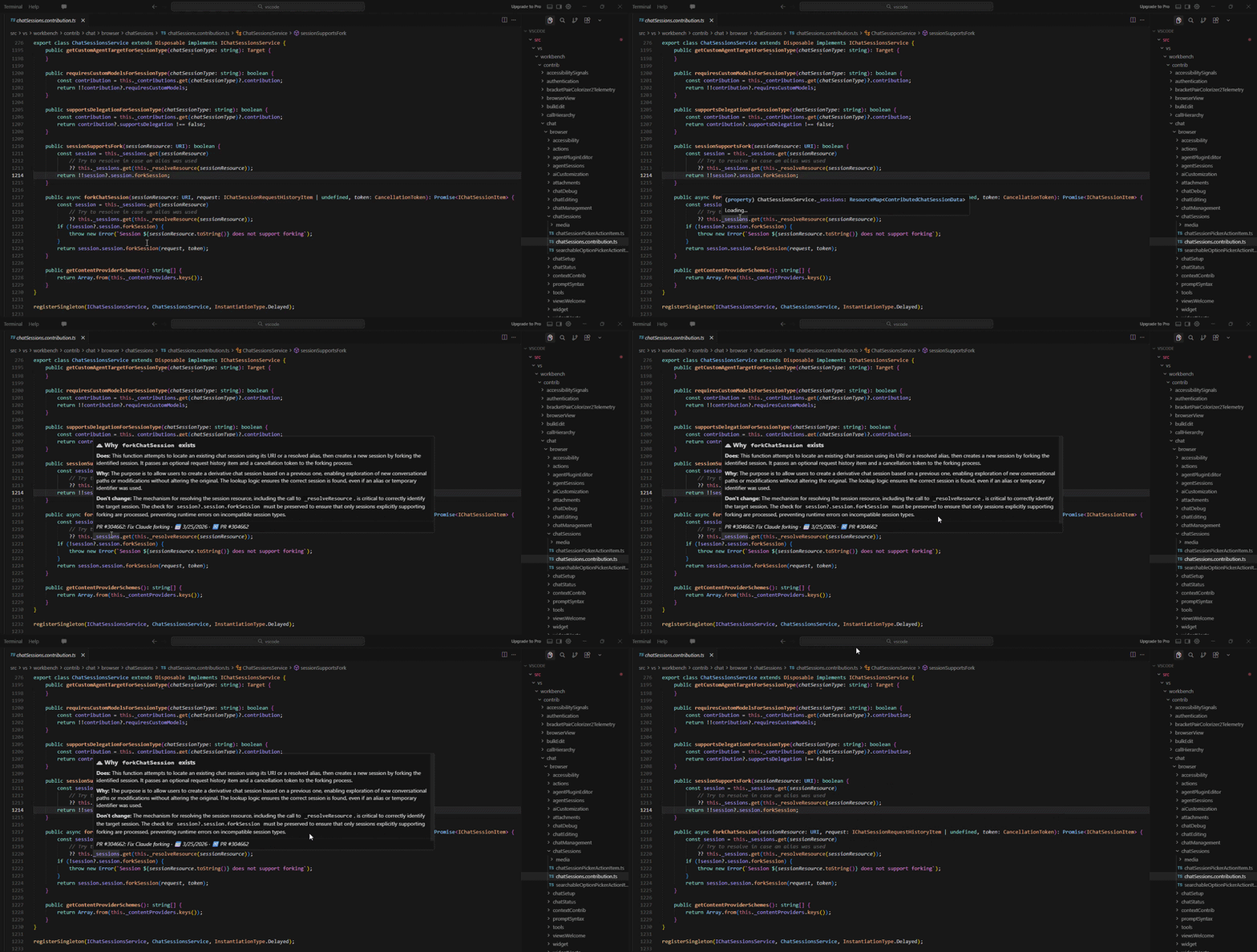
Hover over any line of code to see why it was written — powered by your Git history, GitHub PRs, and Google Gemini AI.
Git Time Machine indexes your repository's pull request and commit history, then uses AI to explain the intent behind any line of code when you hover over it in VS Code.
Features
AI-powered hover explanations — hover over any line to get a plain-English explanation of why that code was written
Function-aware context — detects the enclosing function/method and explains the whole symbol, not just a diff line
Episode linking — traces code back to the PR, issue, and date it came from
Local SQLite storage — all indexed data is stored locally via sql.js, no external server required
Secure credential storage — GitHub token and Gemini API key are stored in VS Code's SecretStorage, never in plain settings
Configurable indexing — control how many PRs, commits, and issues to index
Requirements
A GitHub repository with a git remote pointing to GitHub
Install the extension from the VS Code Marketplace
Open a workspace that contains a GitHub-hosted git repository
Run Git Time Machine: Set GitHub Token from the Command Palette (Ctrl+Shift+P)
Run Git Time Machine: Set Gemini API Key from the Command Palette
Run Git Time Machine: Index Current Repo — this fetches your PR and commit history
Once indexing completes, hover over any line of code to see its story
Commands
Command
Description
Git Time Machine: Set GitHub Token
Securely store your GitHub PAT
Git Time Machine: Set Gemini API Key
Securely store your Gemini API key
Git Time Machine: Index Current Repo
Fetch and index PRs, commits, and issues
Git Time Machine: Clear Explanation Cache
Clear cached AI explanations (re-generates on next hover)
Git Time Machine: Reset All Data
Wipe all indexed data and start fresh
Settings
Setting
Default
Description
gitTimeMachine.geminiModel
gemini-2.5-flash
Gemini model used for explanations
gitTimeMachine.maxPRs
50
Number of recent merged PRs to index (max 500)
gitTimeMachine.maxUnlinkedCommits
50
Commits not tied to a PR to also index (max 500)
gitTimeMachine.maxIssues
200
Issues to index — set to 0 to skip (max 2000)
Gemini Model Options
Model
Notes
gemini-3.1-flash-preview
Latest preview model — may change without notice.
gemini-2.5-flash
Best quality explanations (recommended default).
gemini-2.5-flash-lite
Faster and cheaper, slightly less precise
How It Works
Indexing: On first use, the extension fetches your merged PRs, linked issues, and standalone commits from GitHub's API and stores them in a local SQLite database
Hover: When you hover over a line, git blame identifies the commit SHA that last touched it
Symbol detection: The language server detects the enclosing function/method
Explanation: The function's live source (or the diff hunk as a fallback) is sent to Gemini along with the PR title, PR body, and commit message for context
Caching: Explanations are cached locally so the same line never hits the API twice