Skip to content
| Marketplace
Sign in
Visual Studio Code>Other>Dependency DiagnosticsNew to Visual Studio Code? Get it now.
Dependency Diagnostics

Dependency Diagnostics

Iancovski

|
3 installs
| (0) | Free
Detect and fix missing or incorrect dependencies across all `package.json` files in your workspace.
Installation
Launch VS Code Quick Open (Ctrl+P), paste the following command, and press enter.
Copied to clipboard
More Info

Dependency Diagnostics

Dependency Diagnostics is a Visual Studio Code extension that automatically checks whether the dependencies declared in all package.json files in your workspace are installed and match the expected versions, making it suitable for monorepos and multi-package repositories.

If a dependency is missing or out of sync, Dependency Diagnostics highlights it and lets you fix the issue quickly.

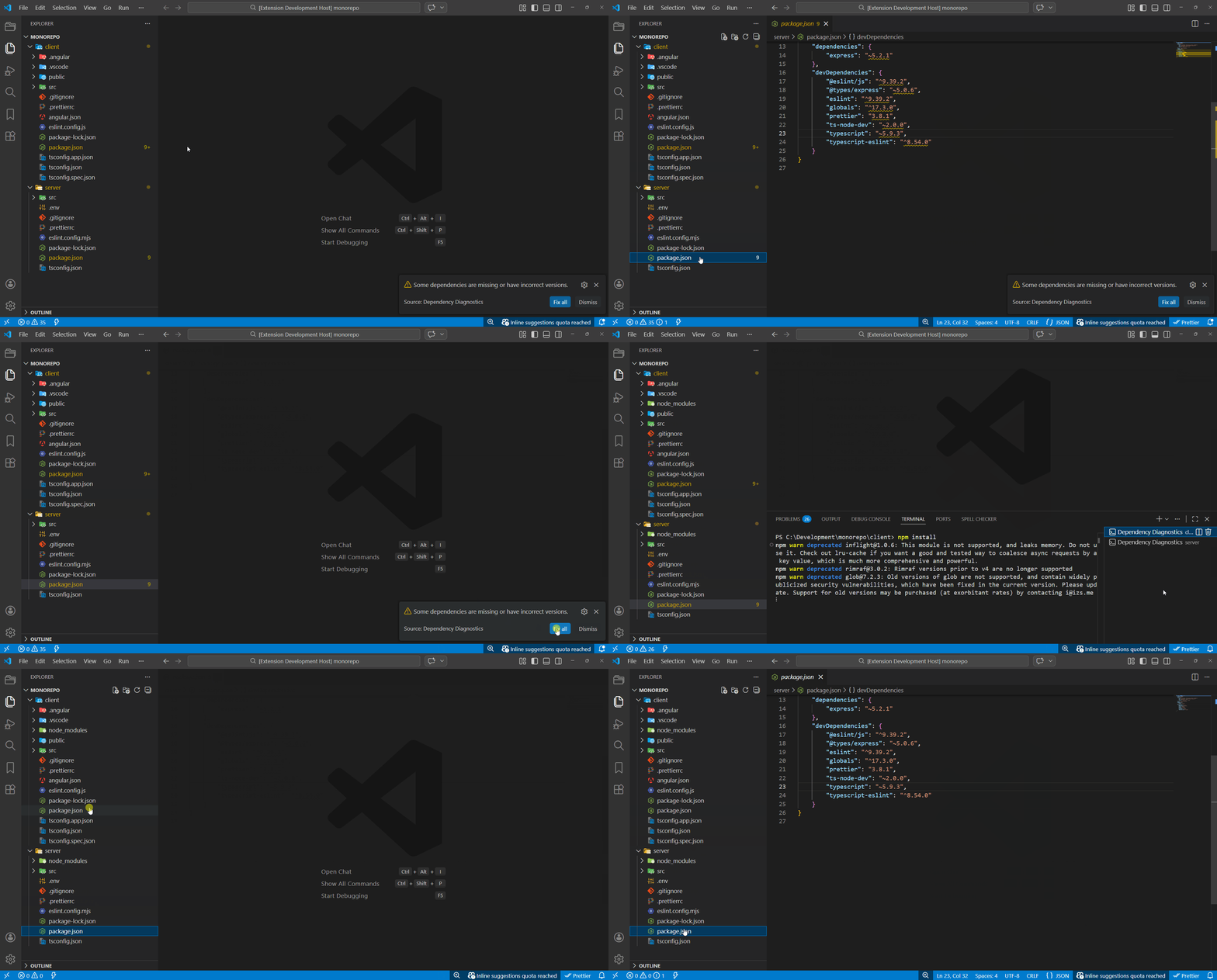
Demo

Fix all

Fix all

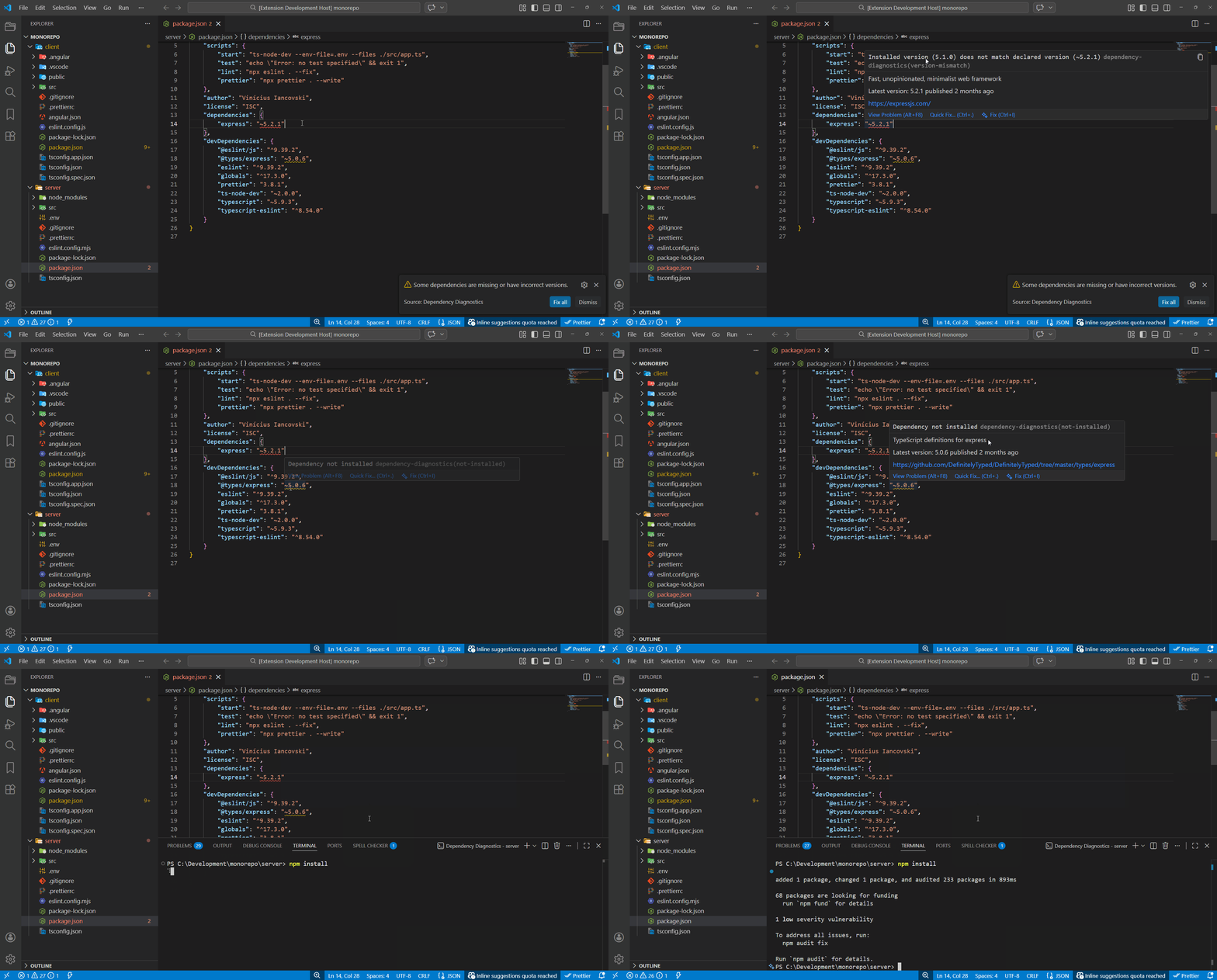
Diagnostics and Quick Fixes

Diagnostics and Quick Fixes

Features

  • Detects missing dependencies
  • Detects version mismatches between package.json and installed packages in node_modules
  • Works automatically across the entire workspace (no need to open files)
  • Shows a notification to install all dependencies
  • Provides diagnostics and quick fixes to install dependencies

Supported Package Managers

Dependency Diagnostics automatically detects the following package managers for installing dependencies:

  • npm
  • yarn
  • pnpm

Supported Dependency Types

The extension checks the following sections of package.json:

  • dependencies
  • devDependencies

Ignored Locations

To avoid false positives and unnecessary processing, Dependency Diagnostics ignores package.json files located in the following folders:

  • node_modules
  • .angular

Contributing

Issues and pull requests are welcome.

  • Contact us
  • Jobs
  • Privacy
  • Manage cookies
  • Terms of use
  • Trademarks
© 2026 Microsoft