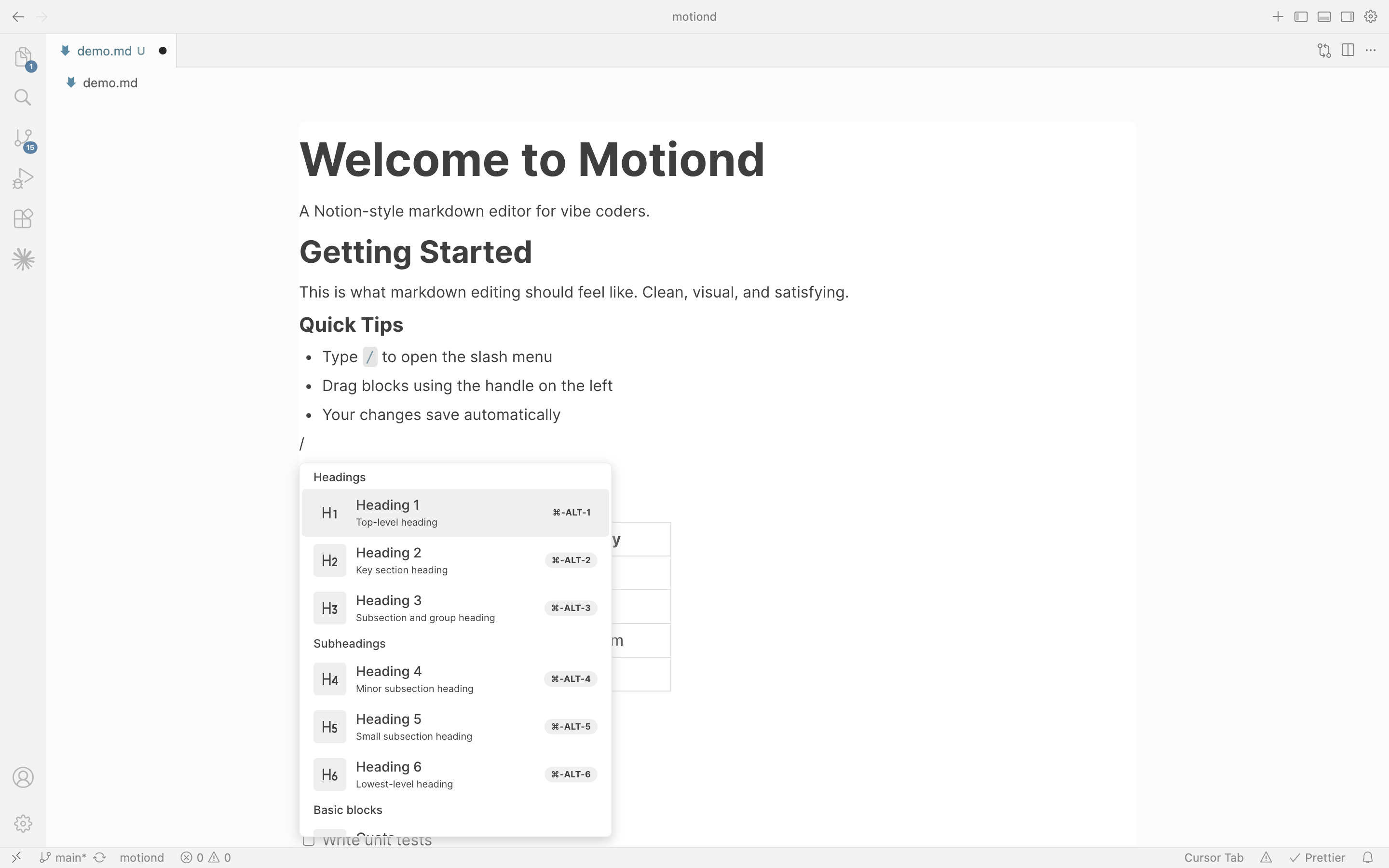
Tired of writing docs in 'code'? Motiond brings the best Notion-style editing experience to your IDE — visual blocks, slash commands, drag-and-drop. Your files stay as plain .md, so they are still git-friendly and AI-friendly.
Features
Visual Block Editing — Write in blocks, not in code
Slash Commands — Type / to insert anything
Syntax Highlighting — 20+ languages, auto-themed
Drag & Drop — Reorder blocks effortlessly
Light & Dark Mode — Follows your VS Code theme
Image Support — Paste or upload, stored locally
Real-Time Sync — Edits save instantly to your .md file
Supported Blocks
Block Type
Markdown Output
Headings (H1-H6)
# to ######
Bullet Lists
- item
Numbered Lists
1. item
Checklists
- [ ] / - [x]
Code Blocks
``` with language
Tables
Standard markdown tables
Quotes
> blockquote
Images
![alt] + (path)
How to Use
Open any .md file
Right-click → Open With... → Motiond
Start writing
Known Limitations
Text colors/highlights don't persist (not supported in standard markdown)