Claude Code Scouter
Like a Dragon Ball scouter — instantly measure the "power level" of every command Claude Code wants to run.


Demo
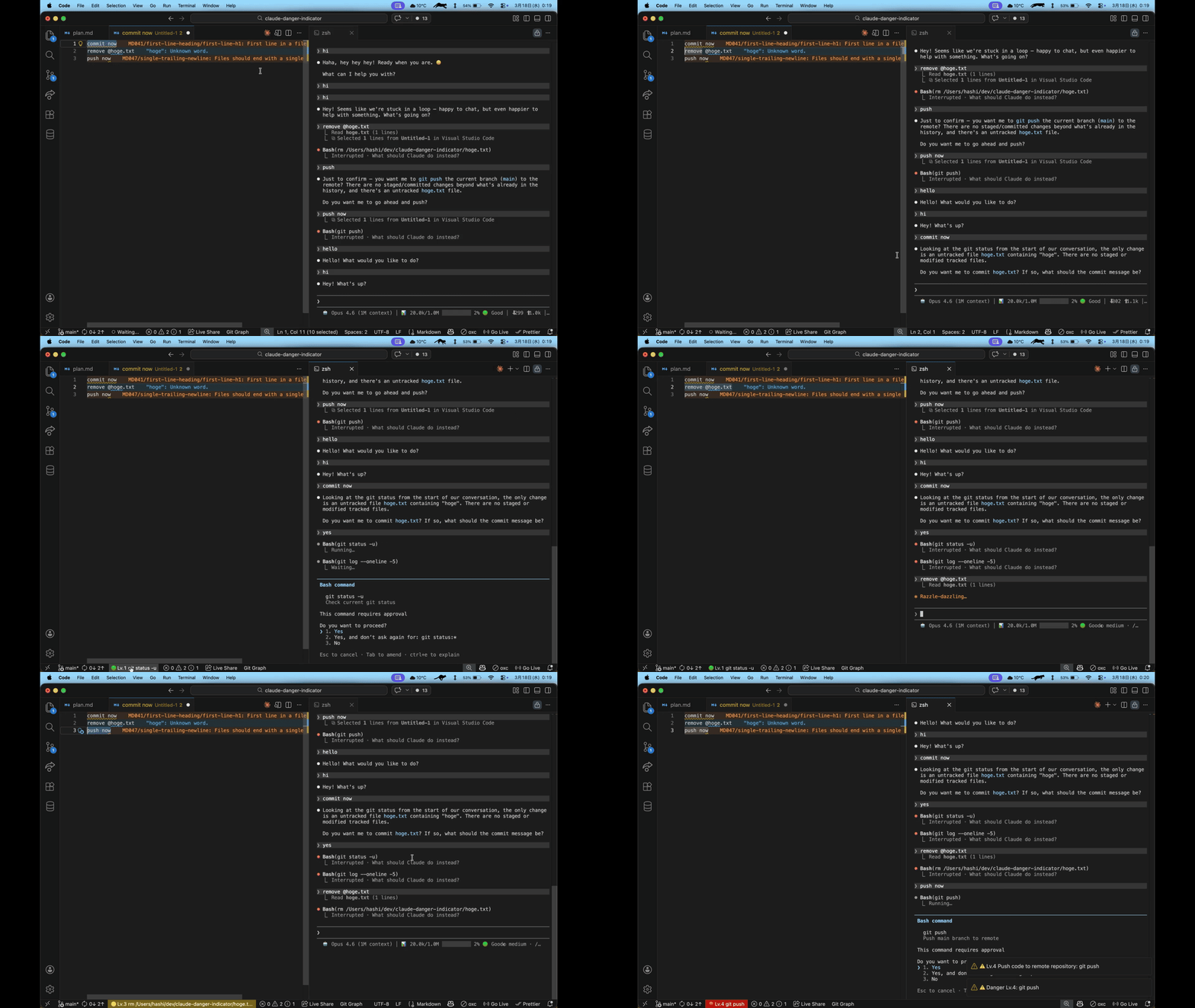
Why?
Don't know what a command does? Now you don't have to. This extension tells you whether to approve or think twice — before you click Yes.
Features
4-Level Danger Assessment
Every command is scanned and classified by its real-world impact:
| Lv |
Icon |
Status Bar |
Meaning |
Examples |
| 1 |
🟢 |
Normal |
Safe — Just reading, no changes |
cat, ls, grep, git status |
| 2 |
🔵 |
Normal |
Low — Makes local changes, easy to undo |
git add, mkdir, cp, npm install |
| 3 |
🟡 |
⚠️ Yellow |
Caution — Could delete files or run arbitrary code |
rm, kill, git reset, make |
| 4 |
🔴 |
🚨 Red |
Danger — Sends data externally, irreversible, or needs admin rights |
sudo, rm -rf, git push, curl |
Unknown commands default to Lv.3 (Caution) so they don't slip through unnoticed.
What You See
- Status bar — Always-visible indicator at the bottom of VSCode showing the danger level + command summary
- Hover tooltip — Shows what the command does in plain English (e.g., "Delete files", "Push code to remote repository")
- Warning popup — Automatic notification for Lv.4 commands so you never accidentally approve something dangerous
- Click for details — Click the status bar item for full command text and the matched pattern
How It Works
- On activation, the extension automatically registers a Claude Code hook (
PreToolUse)
- Before every Bash command, the hook script scans the command against 80+ regex patterns
- The result (level + summary) is written to a temp file
- The extension watches the file and updates the status bar in real time
Zero configuration required — install and it just works. On uninstall, everything is cleaned up automatically.
Requirements
| |

