Codebase ExplorerVisualize file dependencies and structure as an interactive graph Installation Launch VS Code Quick Open ( Ctrl+P), paste the following command, and press enter.Copied to clipboard |

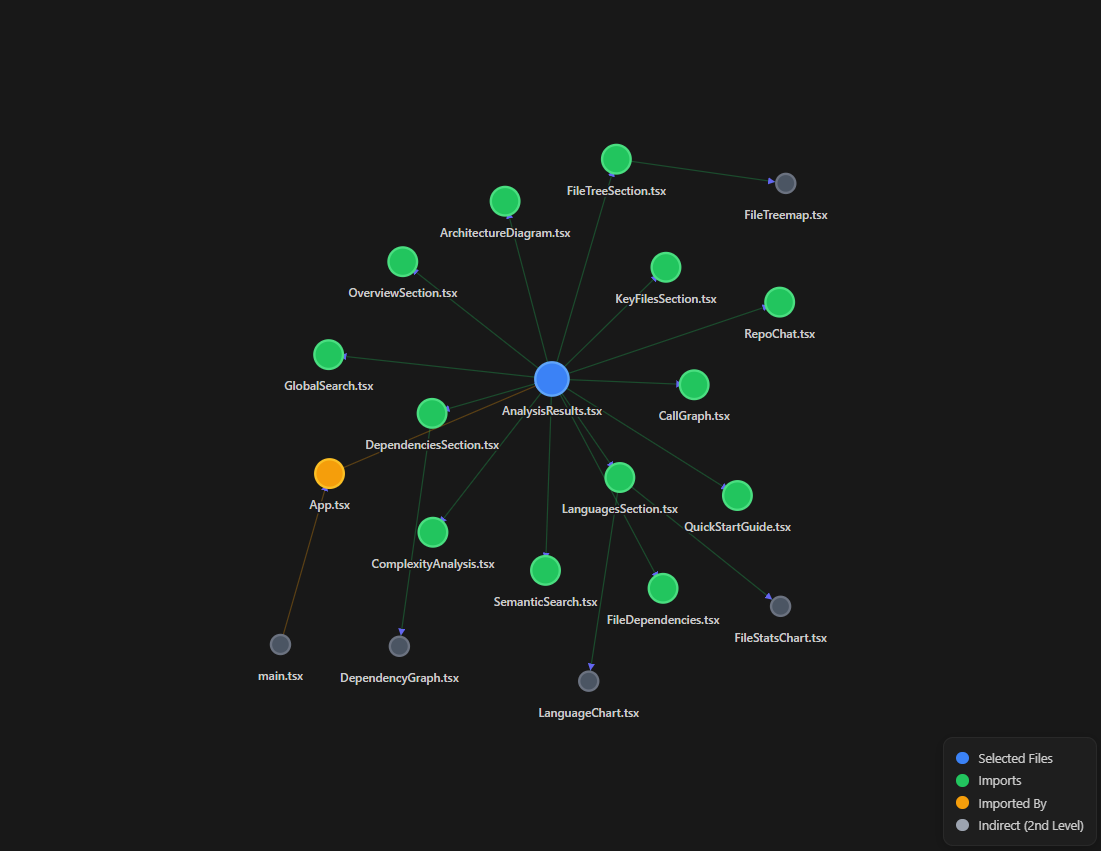
Codebase ExplorerVisualize your project's architecture with a stunning, interactive dependency graph directly inside VS Code. Stop guessing how your files are connected and start seeing the big picture. Complex Relationship Mapping
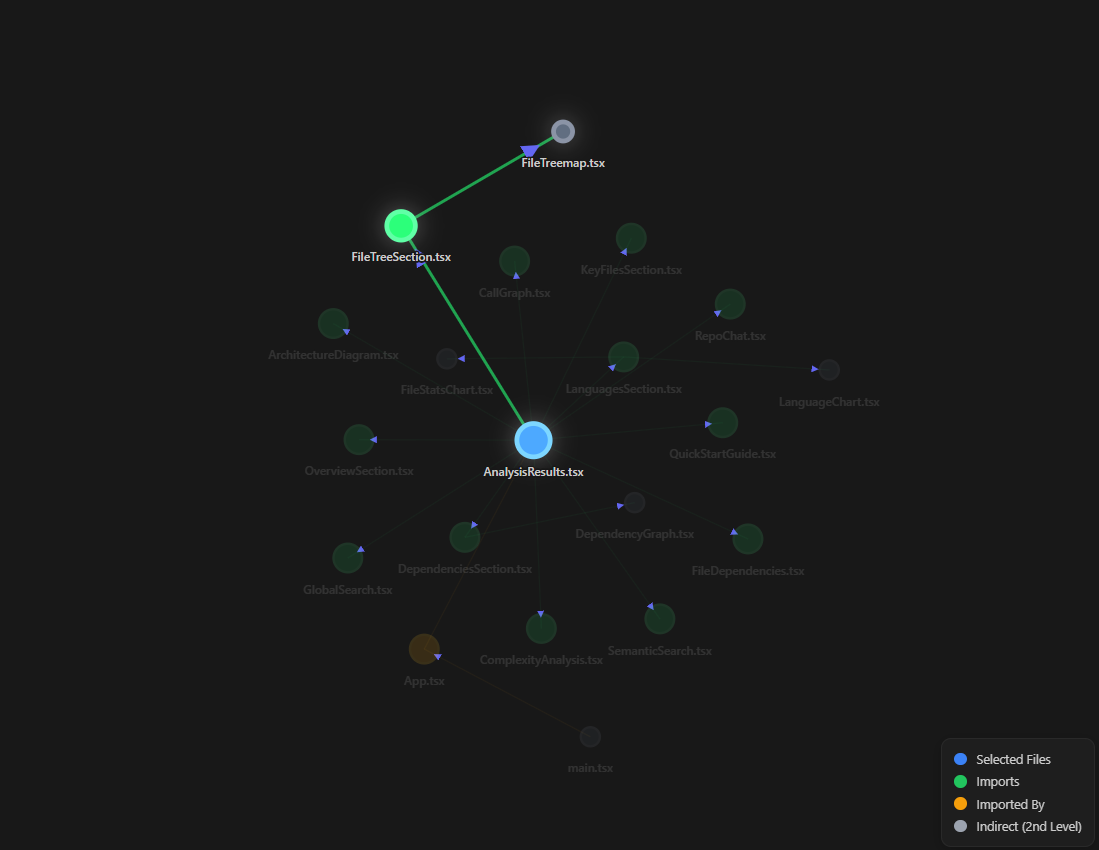
Path Highlighting
Core FeaturesLive Dependency GraphAn interactive D3.js force-directed graph integrated into the Explorer sidebar, giving you a clear visual map of your codebase. Real-time UpdatesThe graph updates automatically as you open or edit files, keeping everything in sync with your current context. Bi-directional VisualizationUnderstand both sides of your code relationships:
Interactive Controls
Full Screen ModeExpand the graph into a dedicated editor tab for exploring large and complex projects. Visual Guide
Usage
Supported Languages
Why This Extension?Most dependency tools show static graphs or require manual interaction. This extension stays aligned with your workflow by updating in real time and keeping navigation tightly integrated with your editor. LicenseMIT © Harshit Bareja |