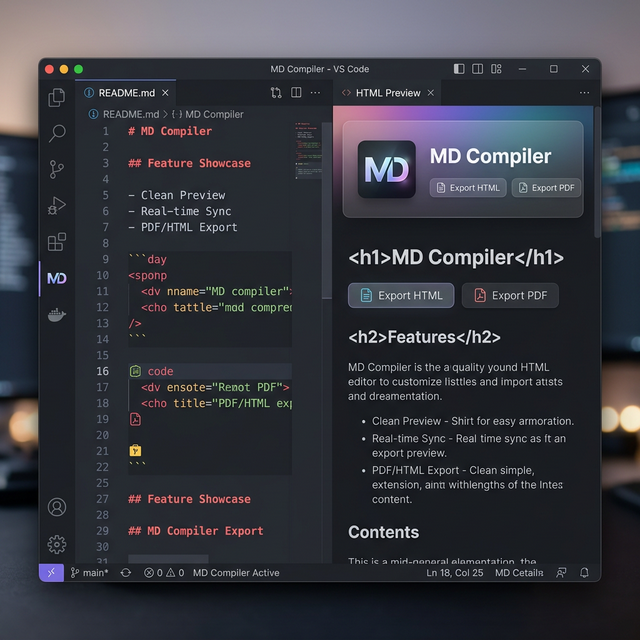
Transform your Markdown into professional documents instantly.
MD Compiler is a high-performance VS Code extension designed for developers and technical writers who need a seamless workflow from writing to publishing.
✨ Key Features
Double-Format Compilation: Generate both .html and .pdf files simultaneously.
Live Styled Preview: View your Markdown with premium typography (Inter & Outfit fonts) and glassmorphism UI.
Multi-Format Export: One-click export to HTML, PDF, and DOCX directly from the preview panel.
Mermaid Diagrams: Full support for rendering flowchart, sequence, and Gantt charts.
Context Menu Integration: Compile or Preview directly from the File Explorer or the Editor with a simple right-click.
🚀 Getting Started
Install the extension from the Marketplace.
Open any Markdown (.md) file.
Preview: Right-click -> MD Compiler: Open Preview to see your work in real-time.
Compile: Right-click -> Compile Markdown to generate your artifacts.
🛠 Settings
Customize your experience via Ctrl+,:
mdCompiler.autoCompile: Automatically compile on every save.
mdCompiler.autoOpenPreview: Open the side-by-side preview automatically when you open a Markdown file.
💎 Premium Aesthetics
Enjoy a sleek, modern interface that matches your professional standard. Whether in dark or light mode, your documents and previews will look stunning.