Skip to content
| Marketplace
Sign in
Visual Studio Code>Other>Claude ScrollNew to Visual Studio Code? Get it now.
Claude Scroll

Claude Scroll

Halil Akkaya

|
5 installs
| (1) | Free
Watch YouTube Shorts while Claude thinks — auto-opens when Claude is working, auto-closes when done
Installation
Launch VS Code Quick Open (Ctrl+P), paste the following command, and press enter.
Copied to clipboard
More Info

Claude Scroll

Watch YouTube Shorts while Claude thinks — automatically.

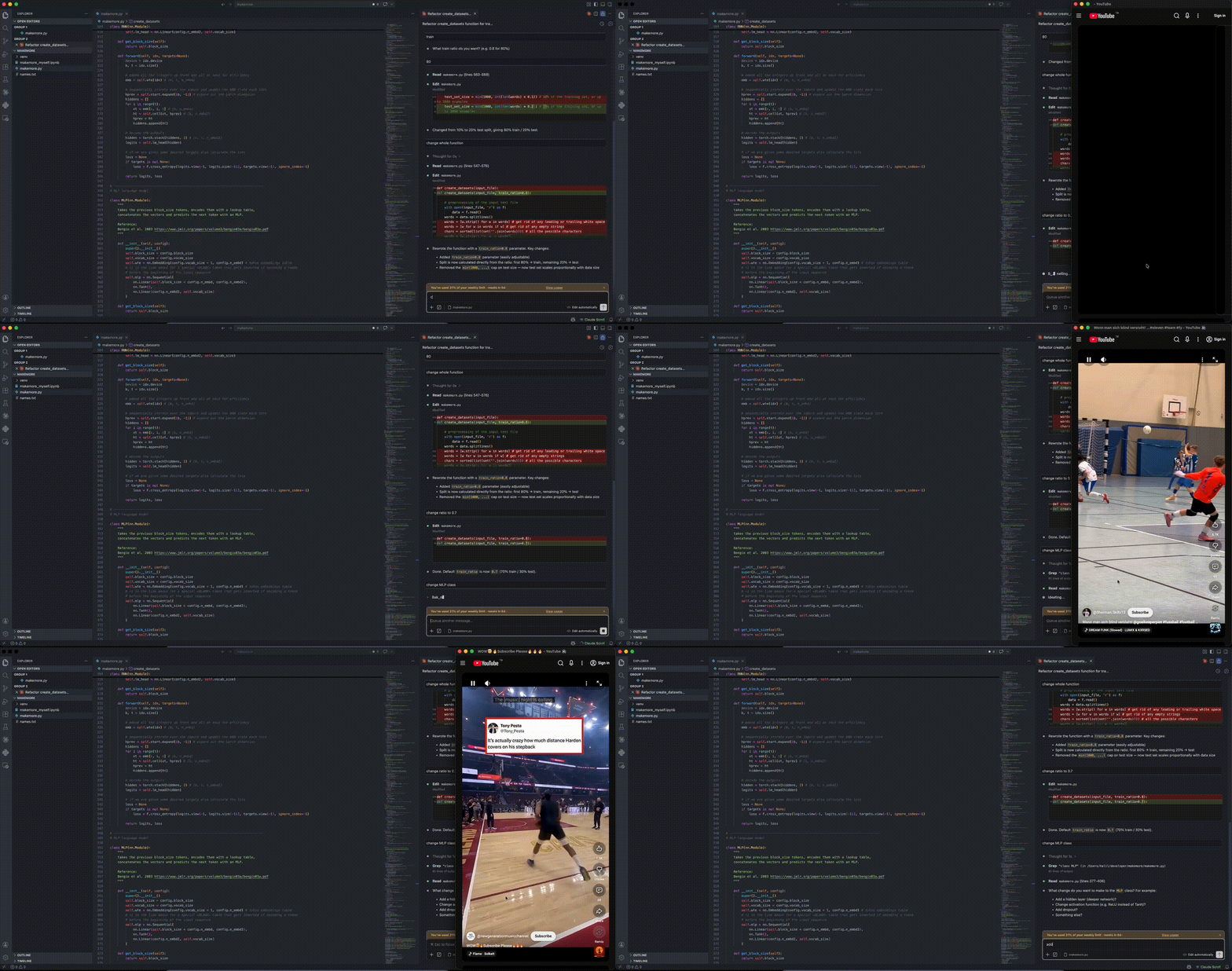
When Claude is working, a YouTube Shorts window opens next to your editor. When Claude finishes, it closes. No clicks needed.

Claude Scroll demo

Requirements

  • Claude Code CLI installed and running
  • Google Chrome, Chromium, or Brave browser installed

How it works

Claude Scroll monitors Claude's session files to detect when Claude is actively working. When it detects activity, it opens YouTube Shorts in a browser window positioned next to VSCode. When Claude finishes, the window closes automatically.

Settings

Setting Default Description
claude-scroll.windowWidth 400 Width of the Shorts window in pixels (200–1200)
claude-scroll.windowSide right Which side of VSCode to open the window (right or left)

Status bar

The Claude Scroll button in the status bar shows the current state:

  • Green — active, will open Shorts when Claude works
  • Red — disabled, click to re-enable
  • Spinning — Claude is working, Shorts window is open

Click the button to toggle the extension on/off.

Platform support

Platform Status
macOS ✅ Fully supported
Windows ✅ Supported
Linux ✅ Supported (requires xdotool)
  • Contact us
  • Jobs
  • Privacy
  • Manage cookies
  • Terms of use
  • Trademarks
© 2026 Microsoft