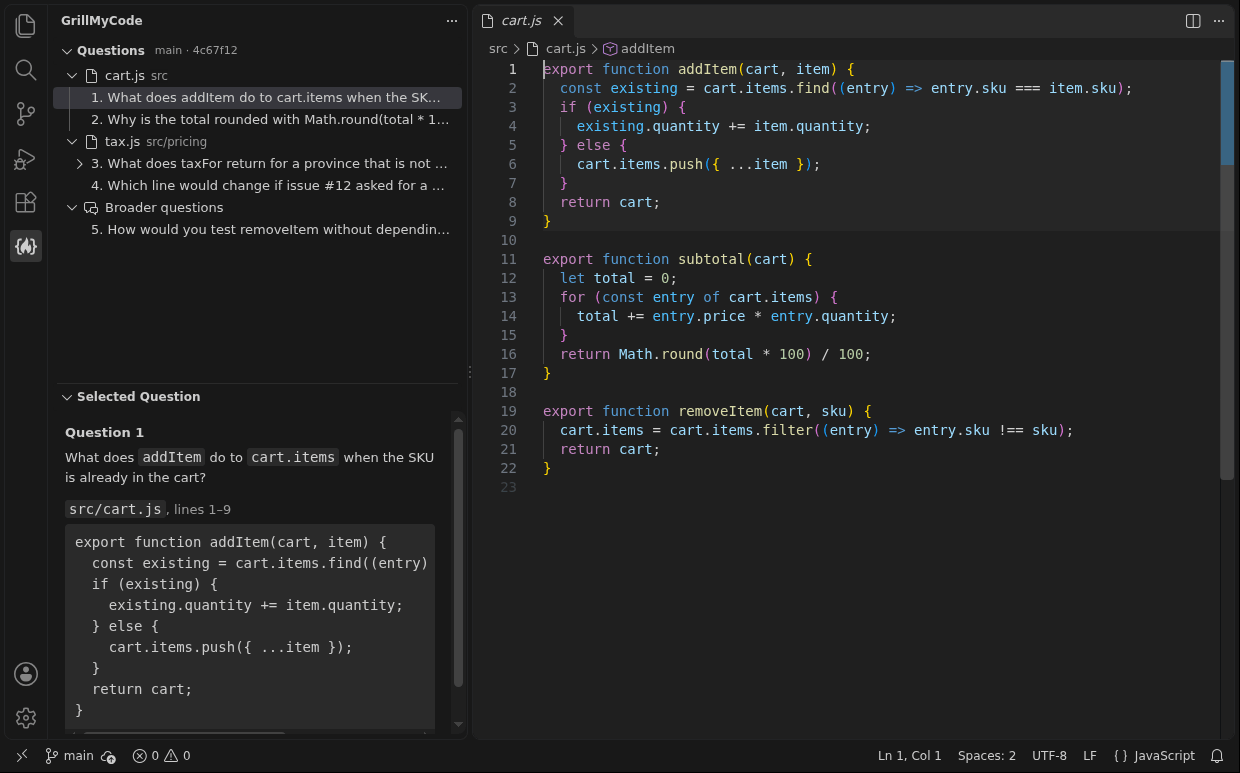
GrillMyCode CompanionThe companion to the GrillMyCode GitHub Action. Shows the questions it wrote about your code, beside the code they ask about. Installation Launch VS Code Quick Open ( Ctrl+P), paste the following command, and press enter.Copied to clipboard |

GrillMyCode CompanionThe companion to GrillMyCode in VS Code. See the questions GrillMyCode wrote about your code, right beside the code they ask about. GrillMyCode is a GitHub Action your instructor adds to an assignment. Each time you push, it reads what you changed and posts a set of comprehension questions as an issue in your repository. GrillMyCode Companion brings those questions into the editor.
What it does
Getting started
Your questions appear once you have pushed and the GrillMyCode workflow has finished. Use Refresh Questions after a later push. VS Code opens a walkthrough of these steps when the extension is installed. To see it again, run Welcome: Open Walkthrough... from the Command Palette and choose Get Started with GrillMyCode Companion. If the repository has questions for more than one branch or submission, use Choose Which Questions to Show. What it needsThe extension reads the questions issue in your repository through your GitHub account. GitHub offers one permission for reading a private repository this way, which is full access to your repositories, so that is what the sign-in asks for. The extension uses it only to read the questions issue. It changes nothing on GitHub and sends nothing anywhere else. Not yetGrillMyCode Companion does not generate questions and does not show answers. The questions come from the GrillMyCode action your instructor set up. |