Skip to content
| Marketplace
Sign in
Visual Studio Code>Linters>ROFLNew to Visual Studio Code? Get it now.
ROFL

ROFL

Preview

Grafema Labs

|
1 install
| (0) | Free
ROFL: a notebook of checked invariants over your code — ask, explain (why / whynot), what-if
Installation
Launch VS Code Quick Open (Ctrl+P), paste the following command, and press enter.
Copied to clipboard
More Info

ROFL notebooks

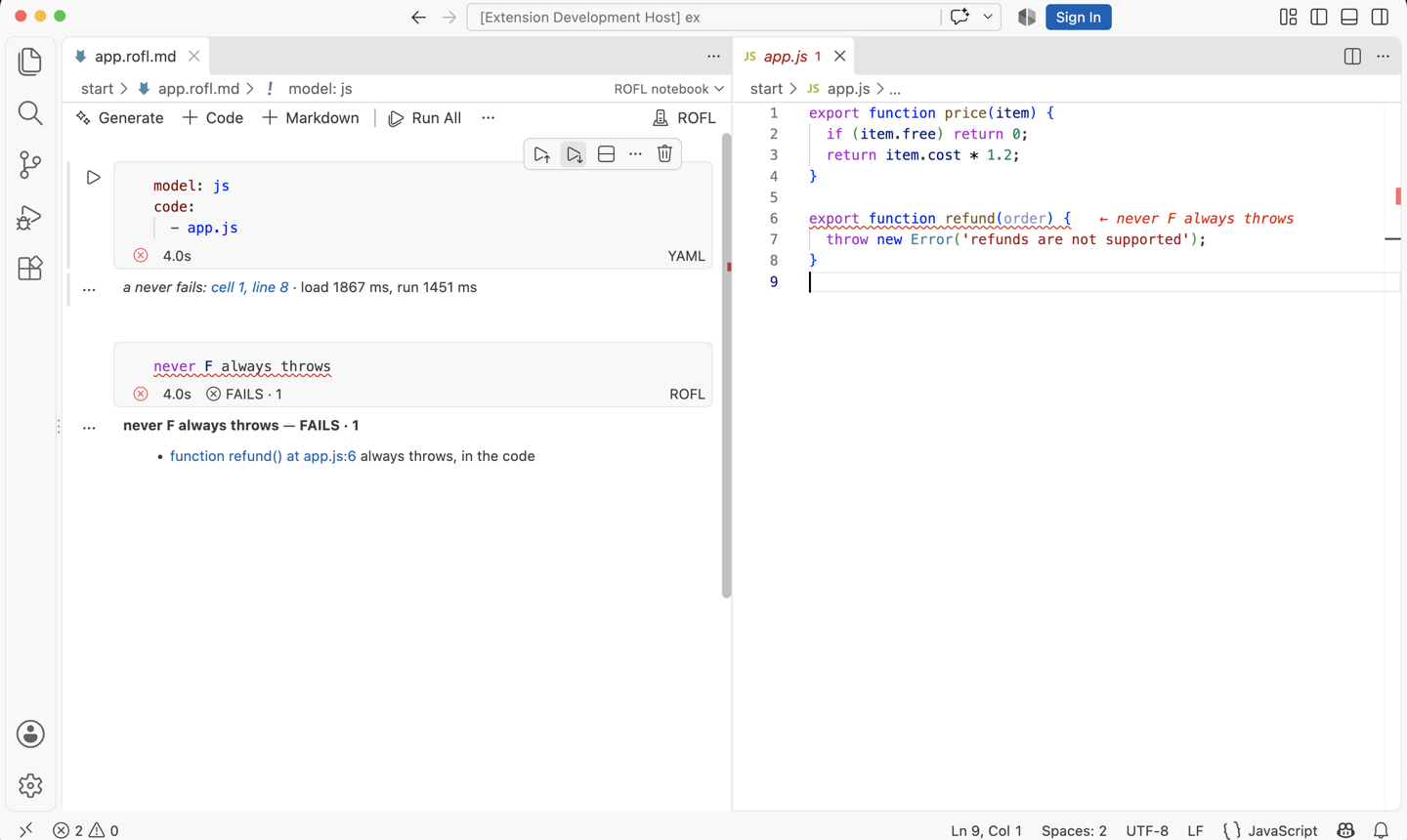
ROFL checks what you say about your code. A notebook (.rofl.md) is Markdown with sentences, rules and questions; it answers the questions and marks every never that fails, on the line in your code where it fails.

A notebook over a JavaScript file: answers under each question, and a failing never marked in the code

Use it

  • Open any .rofl.md file: it opens as a notebook. Press Run All.
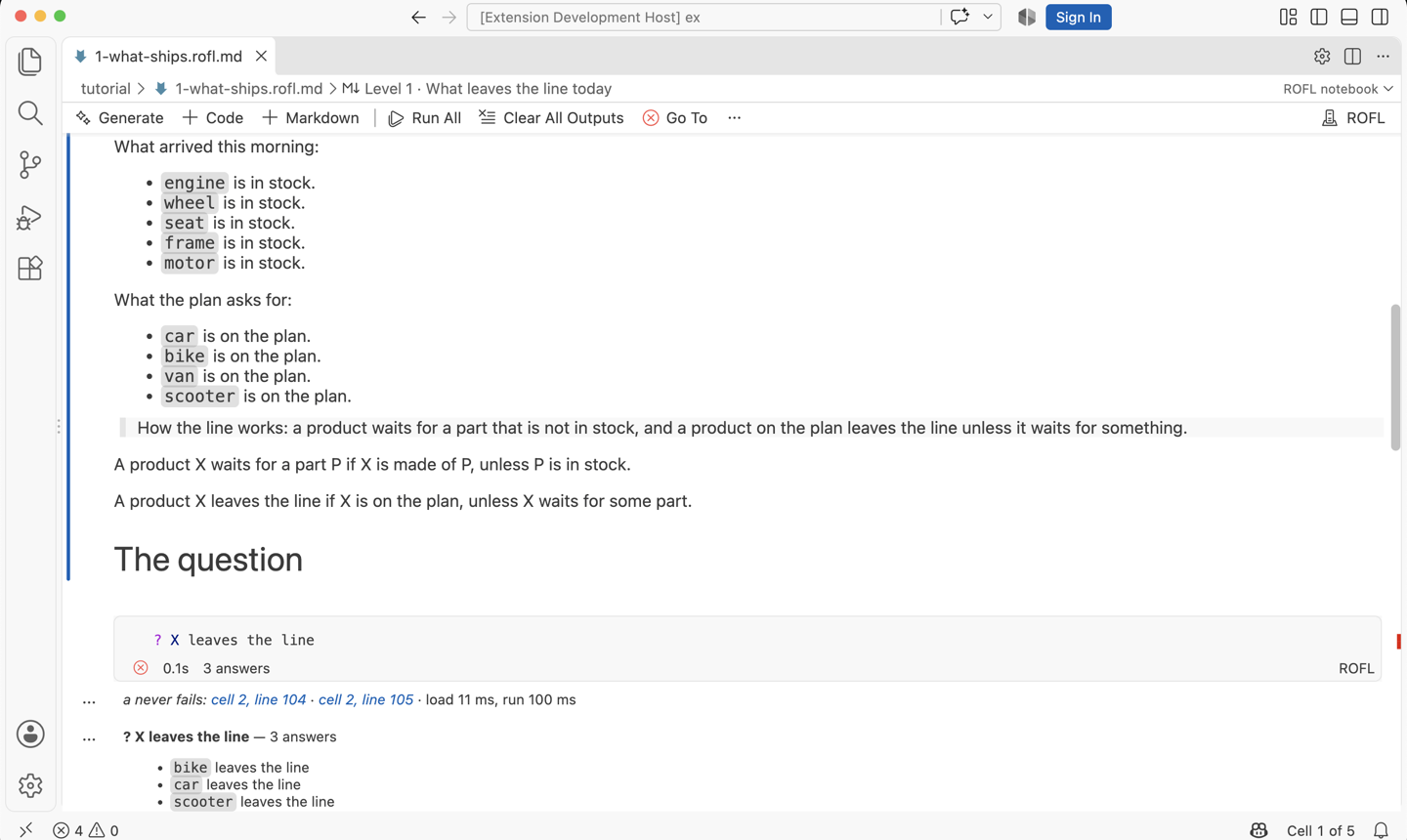
  • New here? Play the tutorial: six short levels, one new word each. Get it with the rofl-nb command, or from GitHub.

Level 1 of the tutorial, run

  • A .rofl file gets errors on their lines, hover, go to definition and completion.

Learn

  • Quickstart
  • Concepts
  • Writing sentences and rules
  • Cheat sheet

Good to know

  • Desktop VS Code only; not in the browser.
  • No telemetry. Nothing leaves your machine, except:
  • Translate (natural-language cells) sends the notebook text to the model you chose: VS Code's language model (e.g. Copilot) or a CLI (ROFL: Choose model).
  • A notebook reads the code files its front matter names, so it runs only in a trusted workspace.

  • Contact us
  • Jobs
  • Privacy
  • Manage cookies
  • Terms of use
  • Trademarks
  • Your Privacy Choices
  • Consumer Health Privacy
© 2026 Microsoft