Skip to content
| Marketplace
Sign in
Visual Studio Code>Other>VSIX UpdaterNew to Visual Studio Code? Get it now.
VSIX Updater

VSIX Updater

Gonzalez Dev

|
3 installs
| (0) | Free
VSIX from the VS Code Marketplace for Cursor and similar editors-watch list, deps, auto-check.
Installation
Launch VS Code Quick Open (Ctrl+P), paste the following command, and press enter.
Copied to clipboard
More Info

VSIX Updater - Cursor (Microsoft VS Code Marketplace)

Install and update extensions from the official Microsoft Visual Studio Code Marketplace using VSIX files-without depending on your editor’s built-in extension gallery.

This is especially useful in Cursor (and similar VS Code–based editors) when an extension exists on the VS Code Marketplace but does not appear in Cursor’s Extensions view. You get the same publisher builds as VS Code: the extension downloads as a VSIX from the public gallery and is installed locally.


What it does

  • Lets you define a watch list of extensions (exact IDs, a whole publisher, or an ID prefix).
  • Resolves each entry against the Marketplace, optionally pulls transitive dependencies from the Marketplace, and downloads VSIX payloads.
  • Installs through the editor’s supported VSIX install flow (e.g. workbench.extensions.command.installFromVSIX).
  • Can notify you after startup when something on your list is missing or not on the latest Marketplace version, with a one-click Install action.
  • Logs a concise trace to the VSIX Updater output channel (View → Output).

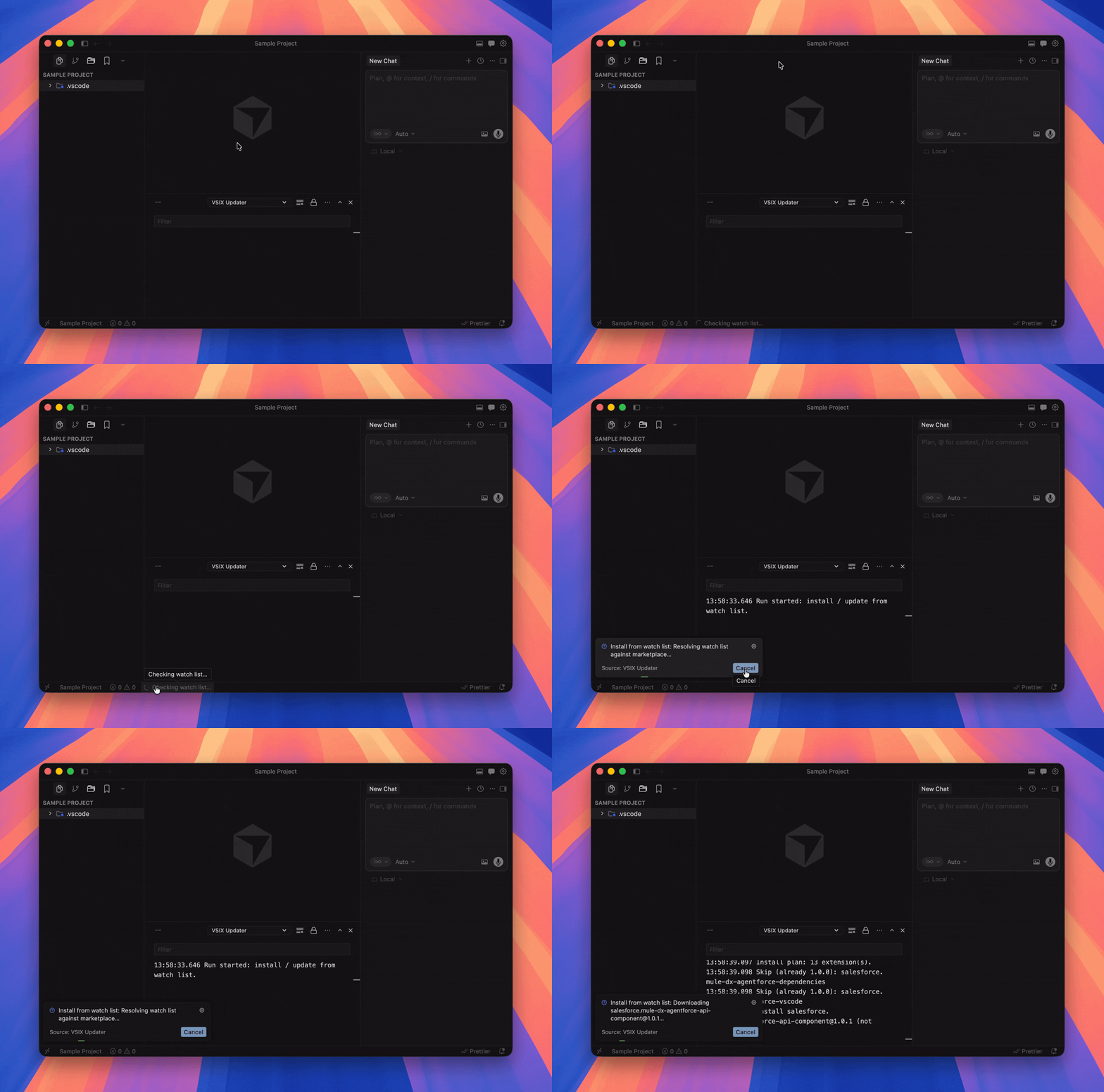
Demo

Demo

Quick start

  1. Install this extension.
  2. Open Settings and search for VSIX Updater.
  3. Set vsixUpdater.extensionPatterns to the extensions you care about (see Watch list patterns).
  4. Run VSIX Updater: Install / Update Watch List (from Marketplace) from the Command Palette (Ctrl+Shift+P / Cmd+Shift+P).

Use VSIX Updater: Check Watch List for Marketplace Updates anytime to compare installed versions to the Marketplace without installing.


Commands

Command What it runs
Install / Update Watch List (from Marketplace) vsixUpdater.installOrUpdate - resolve patterns, download VSIX, install updates.
Check Watch List for Marketplace Updates vsixUpdater.checkOutdated - read-only check + optional Install prompt.

All commands appear under the VSIX Updater category in the palette.


Configuration

Settings live under the vsixUpdater section.

Setting Type Default Description
extensionPatterns string[] [] Watch list entries (see below).
autoUpdateCheck number or "STARTUP" 0 After each window load (and after startupCheckDelayMs): 0 = off; positive integer = run a check only if at least that many whole hours have passed since the last successful auto-check (stored per profile/machine); "STARTUP" = check on every load, no hour throttle. If updates are needed, you get a notification with Install.
startupCheckDelayMs number 5000 Milliseconds to wait before running an automatic check (only when autoUpdateCheck is enabled).
resolveDependencies boolean true Recursively add Marketplace dependencies declared by watched extensions before install.
maxPublisherGalleryPages number 50 Max gallery pages (100 items each) when resolving publisher.* or prefix* patterns (cap 200).
openOutputOnInstallCommand boolean true Open the VSIX Updater output channel when you run Install / Update (editor focus is preserved).

Example settings.json fragment

{
  "vsixUpdater.extensionPatterns": ["salesforce.mule-dx-*", "ms-python.python"],
  "vsixUpdater.autoUpdateCheck": 24,
  "vsixUpdater.resolveDependencies": true
}

For a check on every window open (no hourly throttle):

{
  "vsixUpdater.autoUpdateCheck": "STARTUP"
}

Watch list patterns

Each string in extensionPatterns is one of:

Pattern Meaning Example
Exact id Single extension. ms-python.python
publisher.* All extensions from that publisher (within maxPublisherGalleryPages). salesforce.*
publisher.namePrefix* Extensions under that publisher whose full id starts with the prefix (excluding the trailing *). salesforce.mule-dx-*

Matching is case-insensitive. Built-in vscode.* dependencies are not fetched from the Marketplace (they ship with the editor).


Output and troubleshooting

  • Log: View → Output → choose VSIX Updater in the dropdown. Useful when a download fails or a pattern does not match.
  • Large extensions: Some VSIX downloads are very large; the first run can take several minutes.
  • Cursor / VS Code differences: If an internal install command is unavailable, the extension falls back to the app CLI when possible. If something fails, the output channel usually shows the reason.

Requirements

  • VS Code engine ^1.85.0 (Cursor builds based on compatible versions are supported).

Privacy

The extension talks to the public Visual Studio Code Marketplace Gallery API and CDN to query metadata and download VSIX files-only for extensions you list in extensionPatterns (and their resolved dependencies when enabled). It does not add its own telemetry.

Only add extensions you trust to your watch list: anything that matches extensionPatterns is what this tool will query and potentially download from the Marketplace.


Contributing

Contributions are welcome. If you run into a bug, have an idea for a feature, or want to improve docs or code, please open an issue or pull request in this repository. A short description of what you changed and how you tested it helps a lot.


License

MIT - see LICENSE.

  • Contact us
  • Jobs
  • Privacy
  • Manage cookies
  • Terms of use
  • Trademarks
© 2026 Microsoft