Gitquarium 🐟
Your Git history as a living aquarium, right inside VS Code.
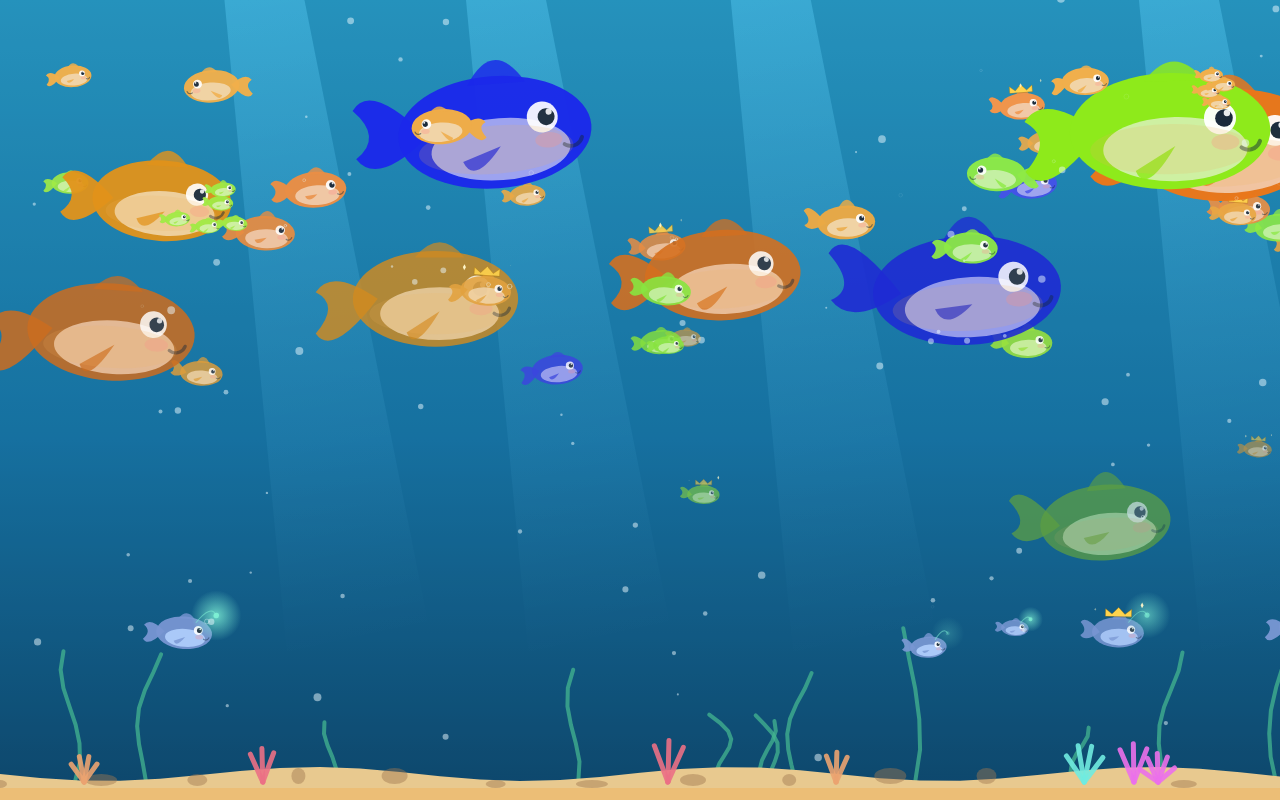
Gitquarium turns a repository's commit history into a cosy animated reef. Every
commit becomes a fish that is born, swims, ages and finally settles in the sand.
It runs in a panel next to your code and updates live as you commit.
Everything stays on your machine — no telemetry, no network, no analytics.
Features
- Commits become fish. Each commit's type, size and time of day decides its
species, size and behaviour.
- Live feeding. A new commit sprinkles food and the fish dart over to it.
- Depth & life. Recent commits swim near the glass, older ones recede into a
hazy background; fish are curious about your cursor.
- Species to discover — open the 📖 collection panel:
| Commit | Fish |
|---|---|
|
feat: | Standard fish (author's color) |
| fix: | Nervous fish, zigzagging |
| refactor: / huge diff | Whale |
| committed 1–5 am | Bioluminescent abyssal fish |
| release / version bump | Rare golden fish 👑 |
| merge | A little school |
| branch unmerged 90+ days | Skeleton on the sand |
- Achievements. Unlock trophies as your aquarium grows (first fish, five
species, a release, a 7-day streak, 3+ contributors, 100/500 fish…).
- Force-push tsunami and murky water for long-abandoned repos.
- 19 species, 30 hats, 12 themes, particle ambiances and a calm mode
that respects reduced-motion preferences.
Usage
- Open a folder that is a Git repository.
- Click the Gitquarium 🐟 icon in the activity bar (left side) — the
aquarium shows up as a live preview in the sidebar. From its title bar you can
open the full aquarium in the editor or add a decoration.
You can also run “Gitquarium: Open the aquarium” from the Command Palette
(
Ctrl/Cmd+Shift+P).
- Watch your history swim. Keep coding — new commits feed the fish live.
Customize the shared aquarium (from the menus, no JSON to write by hand)
The aquarium is shared through the repo. Everything is reachable from menus,
not just the Command Palette:
- From the Aquarium view title bar (activity bar): open the full aquarium,
➕ add a decoration, set the team title, or edit the shared file. More
actions live in its
… overflow menu.
- Right-click
.gitquarium.json in the Explorer (or its editor tab) for the
same actions.
- Click a fish in the aquarium to pin it — give it a name, an optional
crown and a shared hat.
What you can customize for the whole team (all from the menus):
- A title banner shown at the top of the tank.
- Find my fish — mark your own commits (color / hat / badge) by your git
email; and an optional author legend in the corner.
- A persistent team mascot creature, and an ambiance lock (time of day,
weather, bubble density) you can set by editing the file.
- Pinned fish: name, crown, a shared hat (30 to choose from), a color,
plus a size, speed, speech bubble or tombstone (via the file).
- Decorations (19 kinds incl. text signs and milestone buoys) placed
on the sand or floating in the water, at any size. Hit ✏️ Edit layout
in the aquarium to drag them around — every move is saved, and a commit is
offered when you're done.
- Clear decorations to start fresh.
Personal, local-only options live in the gitquarium.* settings: a personal
hat for your own fish, highlight my commits, a color-vision accessibility
mode, and a cursor-following pet.
All of this writes a .gitquarium.json at the repo root and offers to commit
it. Because it lives in Git, everyone on the repo sees the change on their next
pull. No server, no network. You can also edit .gitquarium.json by hand —
a bundled JSON schema gives you autocomplete and validation as you type.
Settings
| Setting |
Default |
Description |
gitquarium.theme |
lagoon |
12 themes: lagoon · abyss · reef · pond · sunset · midnight · arctic · volcano · candy · synthwave · forest · golden |
gitquarium.commitLimit |
500 |
Max commits to read |
gitquarium.calmMode |
false |
Reduced motion |
gitquarium.skin |
default |
Personal fish skin (Classic, Neon, Pastel, Sunset, Noir) |
gitquarium.particles |
none |
Personal particle ambiance (hearts, sparkles, petals, fireflies) |
Personal cosmetics
Everything is free. Personal cosmetics — fish skins (Neon, Pastel, Sunset,
Noir), particle ambiance and the extra themes — are set right in the
gitquarium.* settings. They are personal: only you see them, they are never
committed.
Privacy
Gitquarium reads your local Git history with git log and renders it locally.
Nothing is sent anywhere. No telemetry, no network calls.
Development
npm install
npm run build        # tsc (host) + vite (webview bundle)
npm run package      # build a .vsix
Press F5 to launch the Extension Development Host, then run the
command from the palette. The aquarium engine and Git parser are shared with the
desktop build; the extension host reads the repo and posts ready-made fish to a
webview that never touches Git.
License
Proprietary — see LICENSE.txt.

