Schema Atlas
ERD diagrams for your schema and migration files — auto-arranged like
DBeaver, freely draggable like draw.io — without leaving VS Code.
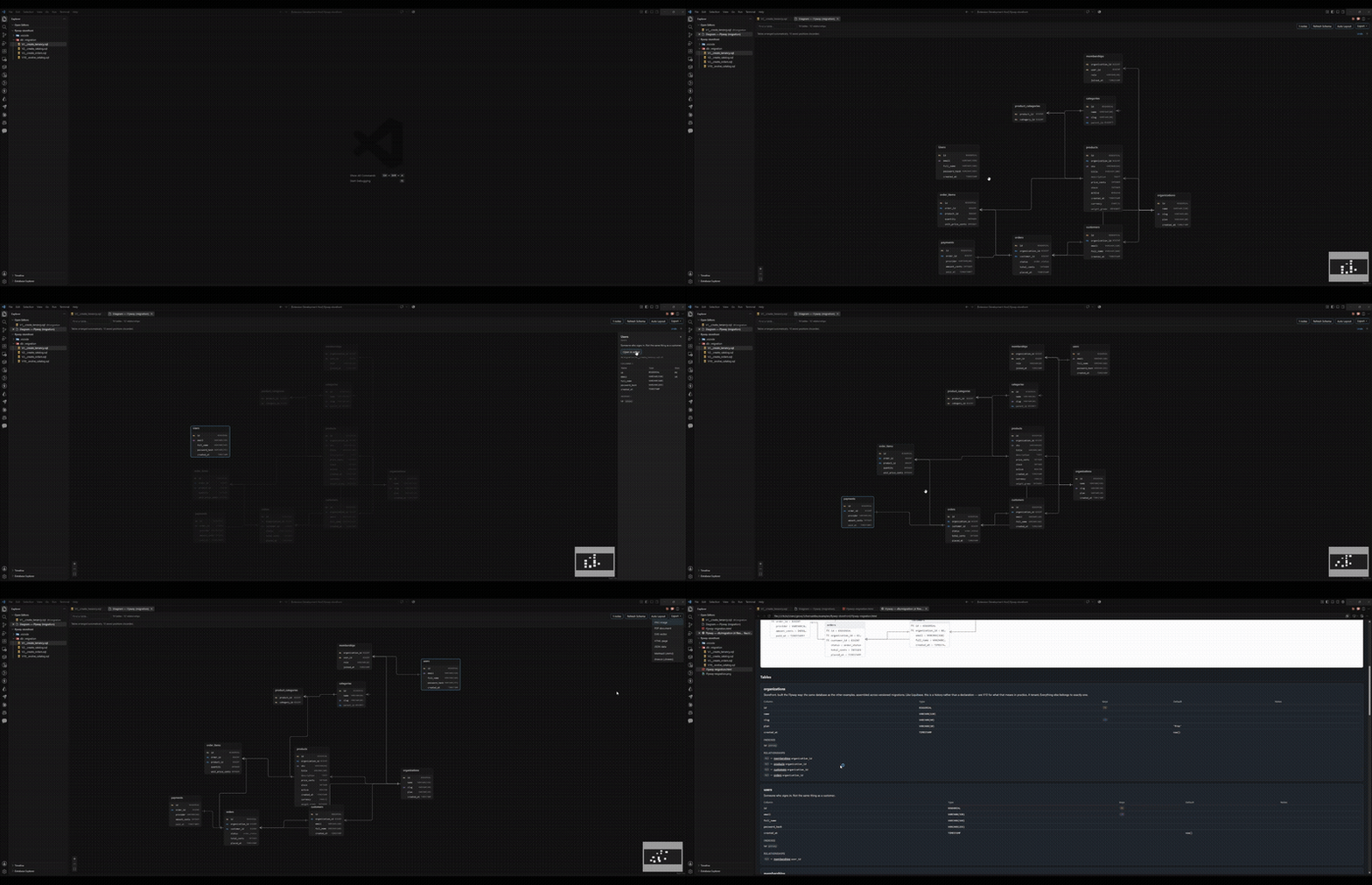
Schema Atlas reads the schema and migration files already in your
repository — Prisma, TypeORM, Drizzle, Hibernate/JPA, Liquibase, Flyway —
and turns them into an interactive ER diagram. No database connection, no
leaving the editor, no config beyond opening the folder.
Install
Search Schema Atlas in the Extensions view (Ctrl+Shift+X /
Cmd+Shift+X), or run:
ext install GiovanaPR22.schema-atlas
What it does
Detects your schema automatically. Open a workspace containing a
supported schema and a Database Explorer appears in the sidebar, listing
tables, columns, enums and anything found while parsing.
Draws an ERD that behaves like two tools at once. Open the diagram and it
arranges itself, the way DBeaver does. Drag a table and it stays exactly
where you put it, the way draw.io does — no mode to switch on. Positions save
to .vscode/schema-atlas.layout.json, which you can commit so your team
shares one layout. Auto Layout puts everything back in order when it gets
messy, and can be undone.
Shows the real relationships. Crow's-foot markers come straight from the
parsed cardinality (1:1, 1:N, N:1, N:N), so the picture cannot
disagree with the schema. Primary, foreign and unique keys are marked per
column.
Explains a table when you click it. A side panel lists columns with
types and nullability, relationships in both directions, indexes, and the
doc comments from the schema itself. "Open in editor" jumps to the line that
declares it.
Exports. PNG and PDF for sharing, SVG for documentation, a self-contained
HTML page with a data dictionary, JSON for other tools, Mermaid for a
README, and .drawio for further editing — all at the coordinates you see
on screen.
| Format |
Reads |
| Prisma |
model, view, enum, @id/@@id, @unique/@@unique, @relation, @map/@@map, @@index, @db.* native types, /// doc comments |
| TypeORM |
@Entity, @Column and the primary/date/version column decorators, all four relation decorators, @JoinColumn/@JoinTable, @Index/@Unique, columns inherited from a base class |
| Drizzle |
pgTable/mysqlTable/sqliteTable, the column builder chain (.primaryKey(), .notNull(), .unique(), .default(), .references()), index/uniqueIndex/primaryKey in the third argument, pgEnum |
| Hibernate / JPA |
@Entity, @Table, @Id, @Column, all four relation annotations, @JoinColumn/@JoinTable, @MappedSuperclass inheritance, @Transient, indexes/unique constraints, Javadoc |
| Liquibase |
XML, YAML and JSON changelogs, include/includeAll, changeset replay across table/column/constraint/index changes, plus raw <sql> blocks |
| SQL |
Flyway migrations (ordered numerically), numbered migration folders, and standalone scripts — CREATE/ALTER/DROP TABLE, constraints, indexes, enums |
Commands
| Command |
Re-reads files |
Changes positions |
Schema Atlas: Open Diagram |
— |
— |
Schema Atlas: Refresh Schema |
yes |
no — your layout is kept |
Schema Atlas: Auto Layout |
no |
yes — discards manual positions and rearranges everything (undoable) |
Schema Atlas: Export Diagram... |
— |
— |
Nothing here changes what's on screen without telling you first. Editing a
schema file doesn't trigger a silent rebuild — a banner and an amber row in
Database Explorer wait for you to click Refresh Schema, and your saved
positions survive it. Auto Layout discards manual positions too, but
offers an undo right after. Anything a parser can't read shows up in the
Problems list instead of just disappearing.
Settings
| Setting |
Default |
Purpose |
schemaAtlas.parsers.enabled |
all six |
Which formats to look for |
schemaAtlas.prisma.schemaPath |
(auto-detect) |
Explicit schema.prisma path |
schemaAtlas.typeorm.include |
["**/*.entity.ts"] |
Globs for TypeORM entity files |
schemaAtlas.drizzle.include |
["**/schema.ts", …] |
Globs for Drizzle schema files |
schemaAtlas.jpa.include |
["**/*.java"] |
Globs for Java sources — narrow this on large projects |
schemaAtlas.liquibase.changelogPath |
(auto-detect) |
Explicit master changelog path |
schemaAtlas.exclude |
node_modules, dist, build, out |
Never scanned |
schemaAtlas.maxFileSizeKb |
5120 |
Files above this are skipped and reported |
schemaAtlas.maxFiles |
500 |
Cap on files read per parser run |
schemaAtlas.layout.file |
.vscode/schema-atlas.layout.json |
Where manual positions are stored |
Privacy
Everything happens on your machine. The extension reads files, parses them,
and draws — it never connects to a database, never runs your code or your
migrations, and makes no network requests of any kind. The webview's content
security policy has no connect-src at all, so the diagram page couldn't
phone home even if something tried. See docs/SECURITY.md.
Contributing
Want to add a parser, poke at the architecture, or run the six example
workspaces this repo ships with? That's all in
docs/CONTRIBUTING.md — kept out of this file on purpose,
since this one is what you saw before you installed.
License
MIT — see LICENSE.md.

