ResX Editor Pro — Visual Editor & Translator for .resx/.resw
The .resx editor VS Code was missing.
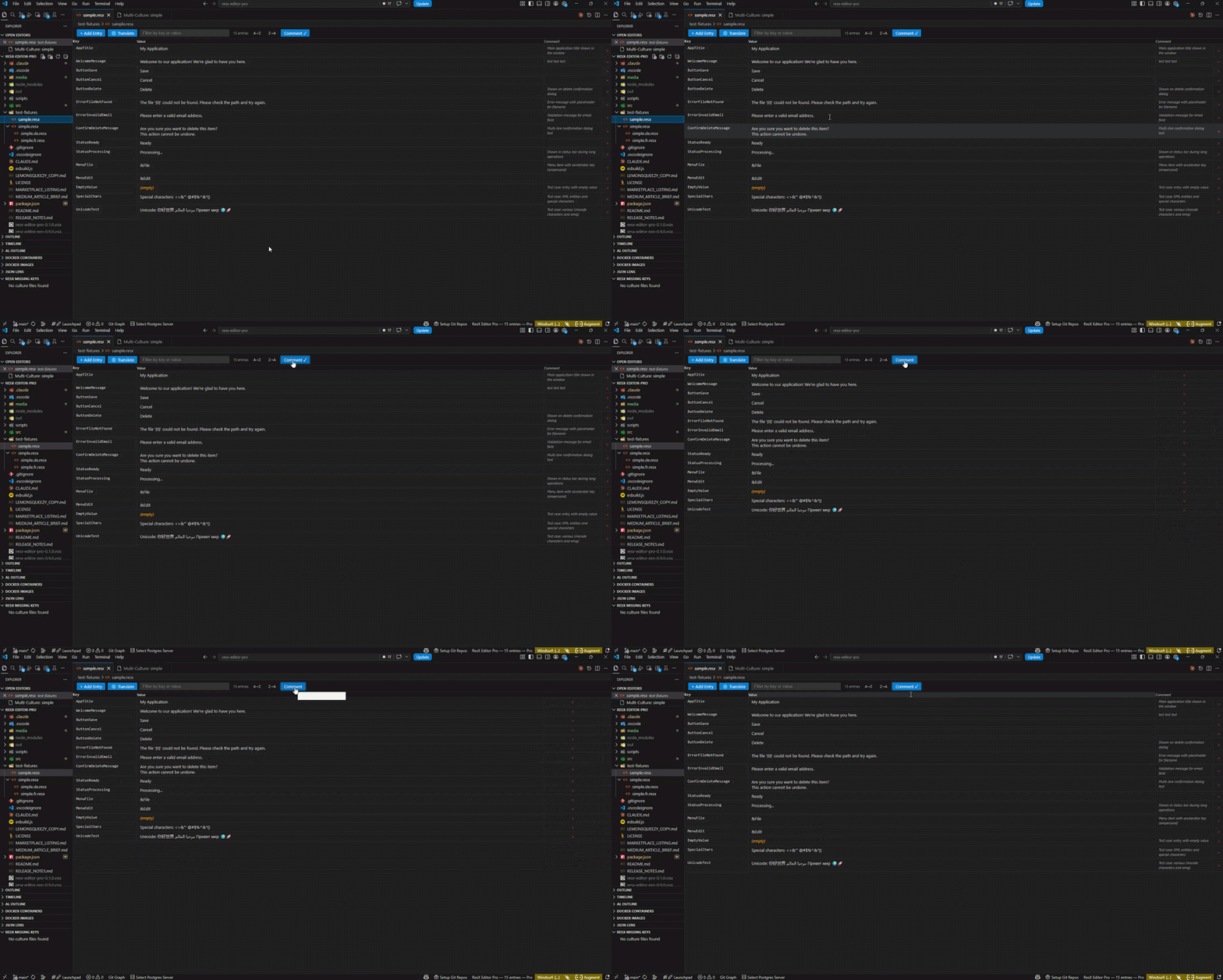
ResX Editor Pro is the visual grid editor and localisation translator for .resx and .resw resource files in VS Code. Edit, translate, and manage multilingual strings without touching raw XML. Built for .NET developers — especially those migrating from Visual Studio for Mac after its 2024 deprecation.
- Translate missing strings with DeepL or Google Translate (Pro)
- Export/import Excel round-trip for collaborative translation
- Multi-culture grid view — manage all language files side-by-side (Pro)
- Zero XML editing — visual grid, automatic formatting, lossless saves
Installation
- Open VS Code Extensions (Ctrl+Shift+X / Cmd+Shift+X)
- Search for ResX Editor Pro
- Click Install
- Open any
.resx or .resw file — the visual grid editor activates automatically
No configuration needed. Free tier works out of the box.
Why Choose ResX Editor Pro?
The most-installed .resx extension (39k installs) has been dead since 2020. Every alternative has critical flaws:
| Extension |
Problem |
| DominicVonk ResX Editor |
Dead since Sep 2020 — no updates, no translation, no sort |
| Tim Heuer resx-editor |
Rewrites entire file on save — Git diffs show every line changed |
| ResXpress |
No translation, no multi-file view, no Excel support |
| VS 2024 Resource Explorer |
Deletes .Designer.cs files, corrupts ResXFileRef encoding |
ResX Editor Pro fixes all of this.
Features
Free
- Visual grid editor — click, type, Tab to next field. No raw XML.
- Lossless saves — only the changed
<data> node is written. Git diffs show exactly what changed.
- Inline CRUD — add, edit, delete, duplicate. Comment field optional.
- Duplicate key detection — inline error badges block save until resolved.
- Sort & filter — A→Z, Z→A, filter by key, value, or comment.
- Toggle comment column — hide/show per preference, persisted across sessions.
- New file wizard — creates a properly-formed
.resx with correct Microsoft ResX 2.0 headers.
- File nesting — offers to nest
Strings.fr.resx, Strings.de.resx under Strings.resx in Explorer.
- Git diff fix — auto-configures
editorAssociations so .resx files show as text in Git diffs.
- Merge conflict detection — safe error state with "Open as Text" button instead of silent corruption.
Pro — £29.99/year · £79.99 lifetime
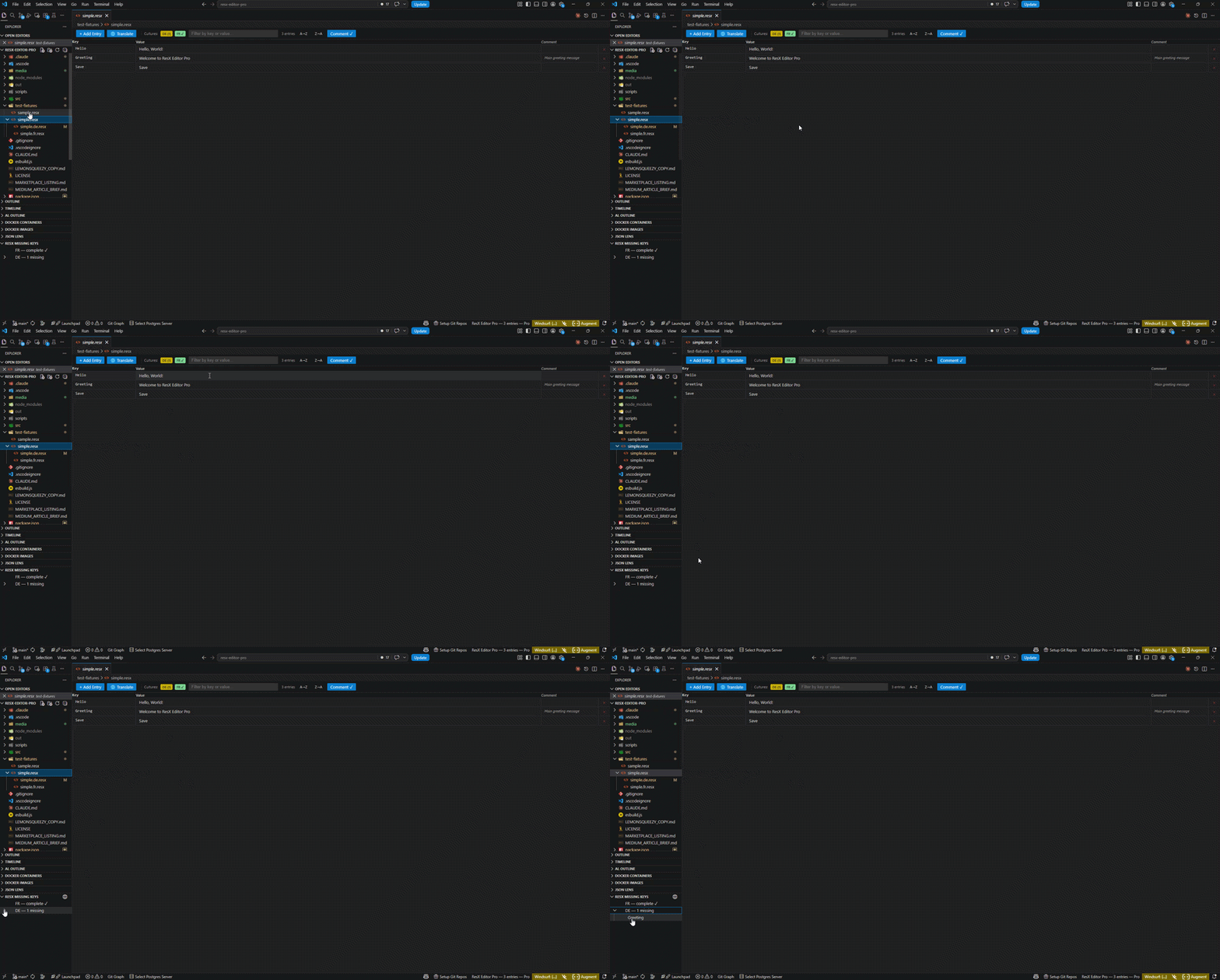
🌍 Translate missing strings
Connect your own DeepL or Google Translate API key. Detect missing strings per culture, translate in one click, preview before applying. Your API key is stored in VS Code's SecretStorage — never sent to our servers.
📊 Multi-culture grid
All culture files side-by-side. Strings.resx, Strings.fr.resx, Strings.de.resx — one grid, all cultures, inline editing. Missing values highlighted amber. Values identical to base highlighted yellow.
📋 Excel round-trip
Export all cultures to .xlsx: Key | Comment | EN | FR | DE. Send to translator, receive back, import. Every .resx file updated atomically.
🔍 Missing keys sidebar
Explorer panel showing per-culture completion. Click a missing key to open that culture file. One-click translate all missing.
⚙️ Auto-generate .Designer.cs
Regenerates the strongly-typed resource class on every save — in-process, no resgen.exe required. Includes the OmniSharp .csproj fix VS Code skips by default.
FAQ & Troubleshooting
How do I translate my resource strings?
Pro only. Run ResX: Translate Missing Strings (Cmd/Ctrl+Shift+P) and connect your DeepL or Google Translate API key. Your key is stored securely in VS Code — never sent to our servers.
How do I manage translations for multiple languages?
Multi-culture grid (Pro). Open the grid with multiple culture files (.fr.resx, .de.resx) — they appear in one synchronized view. Edit all languages side-by-side.
Can I work with Excel?
Yes (Pro). Export all cultures to .xlsx, send to translators, import back. Every .resx file updates atomically.
Why does my .resx file look different in Git diff?
You're not using ResX Editor Pro yet! Other editors rewrite your entire XML on every save — Git shows every line changed. ResX Editor Pro only modifies changed strings, keeping Git diffs clean.
Is this free?
Yes, with optional Pro. Core features (grid editing, sorting, validation, file creation) are always free. Pro adds translation ($29.99/year or $79.99 lifetime).
.resx (standard .NET resource files) and .resw (Windows Resources). XLIFF (.xlf) support coming in v1.1.
Quick Start
What People Search For (And What We Solve)
| Search Term |
What ResX Editor Pro Does |
| resx editor VS Code |
✅ Full visual grid, not XML |
| .NET localization editor |
✅ Free + Pro localisation manager |
| translation editor .resx |
✅ DeepL/Google integration (Pro) |
| Excel to resx |
✅ Excel round-trip import/export (Pro) |
| multilingual .NET |
✅ Multi-culture grid view (Pro) |
| i18n editor |
✅ Internationalisation workflow complete |
| resource file manager |
✅ Full CRUD + validation |
| how to translate resx files |
✅ One-click DeepL translate (Pro) |
- Install ResX Editor Pro
- Open any
.resx file — the grid activates automatically
- Click any cell to edit inline. Tab moves between fields. Ctrl+Enter adds a new row.
To activate Pro features, run ResX: Enter Licence Key from the command palette (Ctrl+Shift+P).
Translation Setup (Pro)
DeepL (recommended):
- Sign up at deepl.com/pro-api — generous free tier (500k chars/month)
- Run ResX: Translate Missing Strings — you'll be prompted for your key on first use
- Your key is stored in VS Code SecretStorage (OS keychain). It never leaves your machine.
Google Cloud Translation:
- Enable Cloud Translation API and create an API key in Google Cloud Console
- Set
resxEditorPro.translationProvider to google in Settings
Free vs Pro
| Feature |
Free |
Pro |
| Visual grid editor |
✅ |
✅ |
| Lossless Git-friendly saves |
✅ |
✅ |
| Inline add / edit / delete |
✅ |
✅ |
| Sort & filter |
✅ |
✅ |
| Duplicate key detection |
✅ |
✅ |
| New file wizard |
✅ |
✅ |
| File nesting auto-config |
✅ |
✅ |
| Git diff compatibility fix |
✅ |
✅ |
| Translate missing strings (DeepL/Google) |
— |
✅ |
| Multi-culture side-by-side grid |
— |
✅ |
| Excel round-trip (export + import) |
— |
✅ |
| Missing keys sidebar panel |
— |
✅ |
| Auto-generate .Designer.cs |
— |
✅ |
→ Get Pro — £29.99/year · £79.99 lifetime
Known Limitations
.resx files containing only image/file references (ResXFileRef) are read-only in the grid — these entries are never modified to prevent corruption- XLIFF (
.xlf) support is not included in v1.0 — planned for v1.1
.Designer.cs auto-generation must be enabled manually in Settings (resxEditorPro.generateDesignerOnSave)
Support & Feedback
- Issues & feature requests: GitHub
- Licence support: support@gingerturtle.dev
Built by Ginger Turtle — developer tools that fill the gaps.

