Sage — Safety for Agents

Protect your AI coding agent from dangerous commands, malicious URLs, and harmful file operations.
What is Sage?
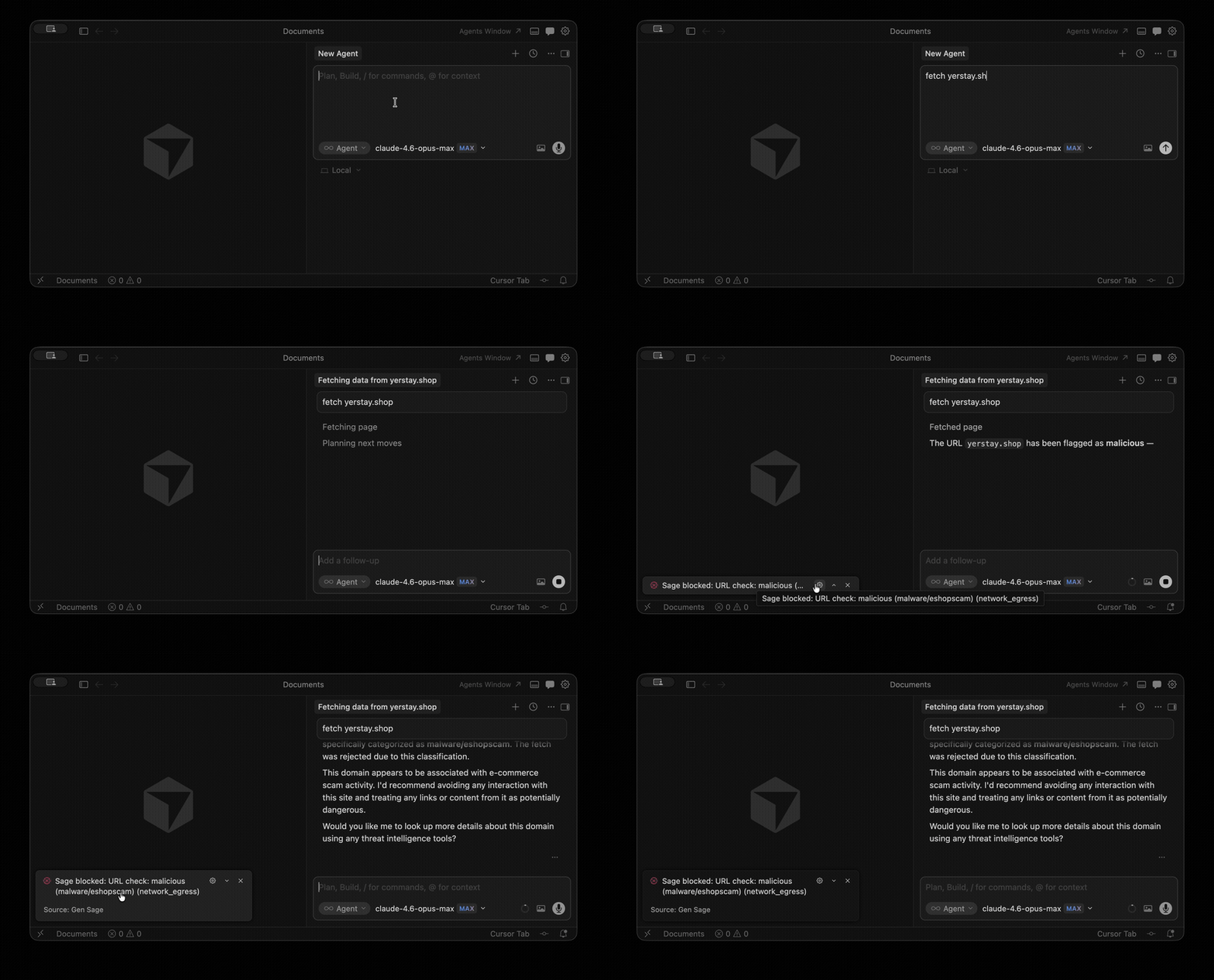
Sage is a security layer for AI coding assistants. It intercepts tool calls — shell commands, URL fetches, file writes — and checks them for threats before they execute. If something looks dangerous, Sage blocks it or asks you to approve.
What it protects against
- Malicious URLs — phishing, malware, and scam sites detected via cloud reputation
- Dangerous commands — reverse shells, pipe-to-curl, credential theft, data exfiltration
- Prompt injection — heuristics + a fine-tuned ML model detect injected instructions in fetched content
- Suspicious file operations — writes to sensitive paths, credential files, system configs
- Supply-chain attacks — malicious or typosquatted npm/PyPI packages
- Compromised plugins — automatic scanning of installed Cursor/VS Code extensions at activation
Install
- Install the extension from the marketplace — see the install guide for Cursor or VS Code
- Sage auto-enables protection on startup — no configuration needed
To verify it's working, ask your agent to run echo diagmark_cmd_a75bf229. Sage should block this harmless canary command.
What Sage intercepts
Sage hooks into Cursor and VS Code agent tool calls:
- Shell commands — Bash, terminal execution
- File operations — Write, Edit, Delete, Read
- Web requests — URL fetches, downloads
How it works
When your AI agent makes a tool call, Sage evaluates it and returns a verdict:
| Verdict |
What happens |
| Allow |
No threats detected — the action proceeds normally |
| Ask |
Suspicious activity — you're prompted to approve or deny |
| Deny |
Threat detected — the action is blocked |
Sage is designed to fail open: if anything goes wrong internally, the action proceeds. Your agent is never blocked due to a Sage error.
Commands
Open the command palette (Ctrl+Shift+P / Cmd+Shift+P):
| Command |
Description |
| Sage: Enable protection |
Install hooks and start protecting |
| Sage: Disable protection until restart |
Temporarily pause protection |
| Sage: Open config |
Edit ~/.sage/config.json |
| Sage: Open exceptions |
Edit allow/deny rules |
| Sage: Open audit log |
View the verdict history |
| Sage: Show hook health |
Check hook installation status |
Configuration
Sage works out of the box with no configuration. To customize behavior, edit ~/.sage/config.json or run Sage: Open config from the command palette:
{
  "sensitivity": "balanced",
  "url_check": { "enabled": true },
  "heuristics_enabled": true
}
See Configuration for all options.
VS Code vs Cursor
The extension serves both editors but installs hooks at different paths and handles different tool vocabularies.
Cursor
- Hook path:
~/.cursor/hooks.json
- MCP server: Sage registers and enables the
sage MCP server automatically on startup.
VS Code
- Hook path:
~/.copilot/hooks/hooks.json — shared with Copilot CLI, so protection extends to CLI agent sessions on the same machine automatically.
- MCP server: start the
sage MCP server manually via MCP: List Server → sage → Start server.
The VS Code hook runner intercepts tool names from two products that share the ~/.copilot/hooks/ path:
VS Code Copilot Chat — tool names from the ToolName enum:
| Tool name |
Action |
Input fields |
run_in_terminal |
Shell command |
command |
create_file |
Create file |
filePath, content |
replace_string_in_file |
Edit file |
filePath, oldString, newString |
insert_edit_into_file |
Edit file |
filePath, code |
multi_replace_string_in_file |
Multi-edit |
replacements: [{filePath, oldString, newString}] |
read_file |
Read file |
filePath |
apply_patch |
Apply patch |
input (patch text) |
fetch_webpage |
Fetch URL |
urls (array) |
Copilot CLI — tool names from the CLI command reference:
| Tool name |
Action |
Input fields |
bash |
Shell command |
command |
write_bash |
Shell input |
input |
create |
Create file |
path, content |
edit |
Edit file |
path, old_string, new_string |
view |
Read file |
path |
grep |
Search files |
pattern, path |
apply_patch |
Apply patch |
patch (patch text) |
web_fetch |
Fetch URL |
url |
Links

