GanttPulse for Claude CodeSee Claude's plan come alive: every plan Claude Code makes becomes a live Gantt chart, right next to your code. Installation Launch VS Code Quick Open ( Ctrl+P), paste the following command, and press enter.Copied to clipboard |

Every plan Claude Code makes becomes a real Gantt chart.
It needs GanttPulse 1.8.0, and the free beta opens in mid-November. ganttpulse.com Plans become a GanttApprove a plan and Claude pushes it: phases, steps, links and milestones, on real working days.
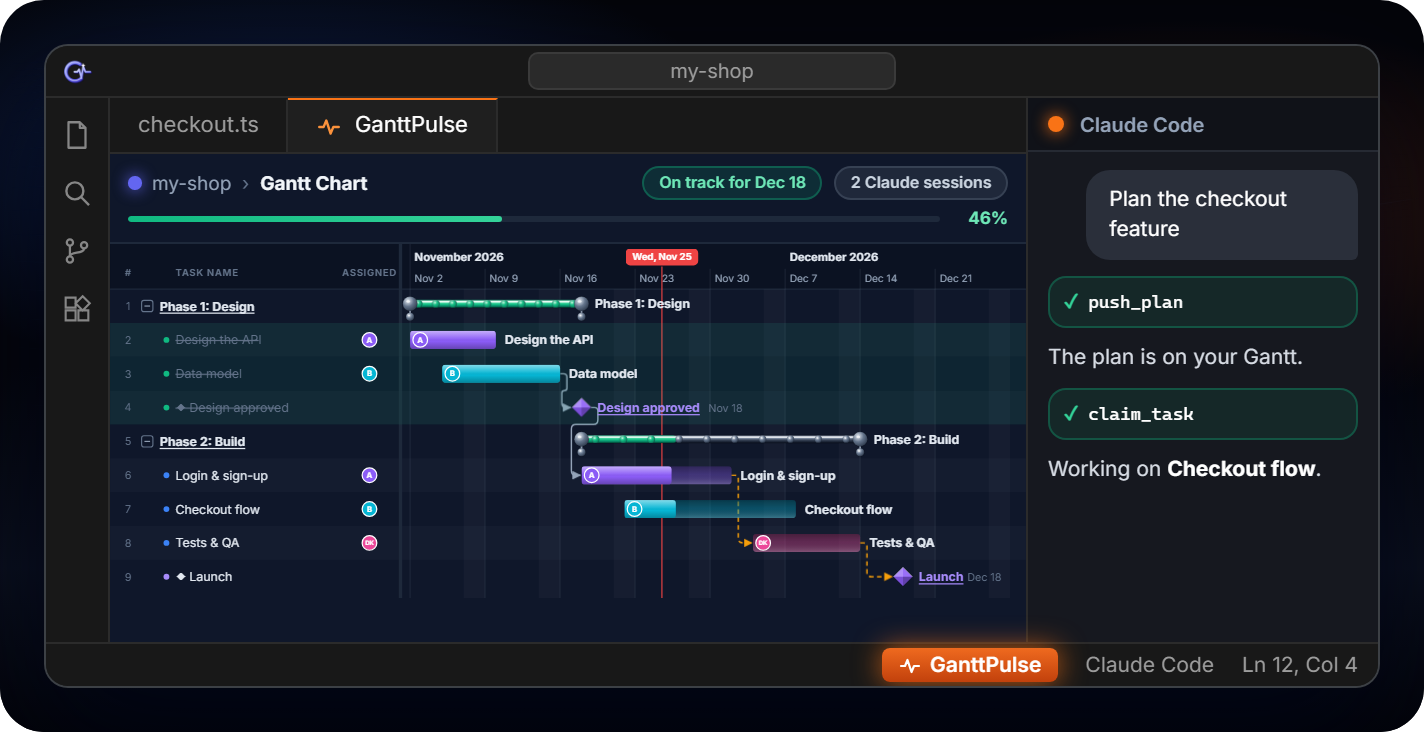
Right next to your codeClick GanttPulse in the status bar and your live Gantt opens in a VS Code tab, on this folder's project.
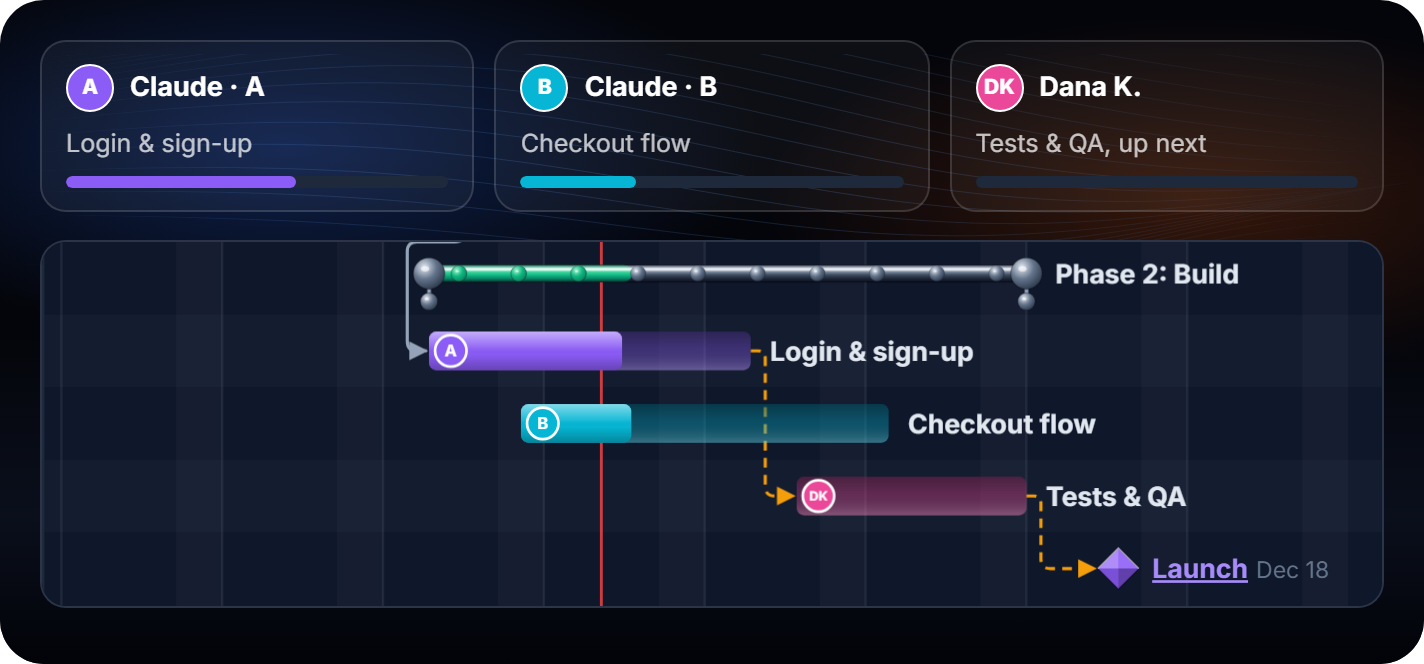
Many sessions, no collisionsEach Claude session takes its own step and shows as its own worker, next to your team. Bars fill and the real start and end dates are recorded as the code gets written.
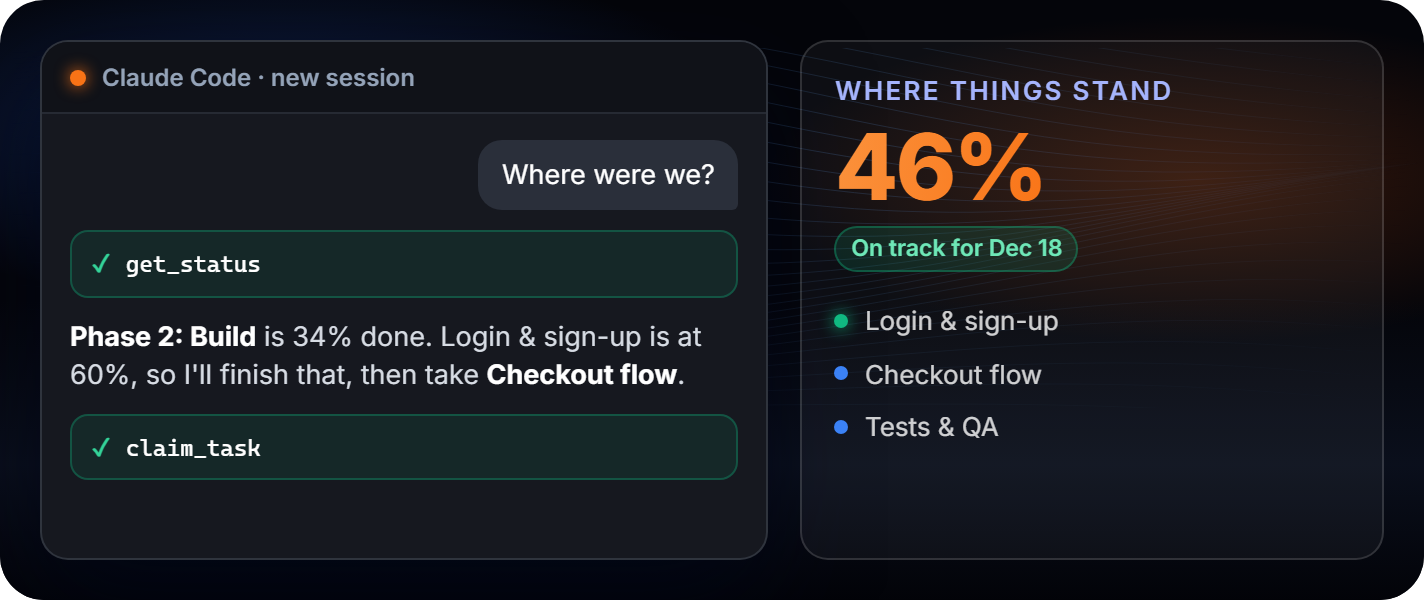
Picks up where you left offA new session asks GanttPulse where things stand, and carries on with the next step.
Own your projectsGanttPulse runs on your PC and keeps your projects in a file on your machine. Nothing is ever sent to GanttPulse. Claude Code works as usual: what Claude reads goes to its AI provider.
Get started
Good to knowYou need: Windows, the Claude Code extension (installed with this one), Node.js 18 or later (nodejs.org), and the GanttPulse desktop app, version 1.8.0 or later. This extension installs the GanttPulse plugin into Claude Code, and updates it whenever the extension updates. Until GanttPulse is on your PC, the plugin stays out of the way: no tools and no messages in your Claude sessions, and the tab shows what GanttPulse does and how to join the free beta. When GanttPulse isn't running, the tab shows a Start button, and it notices the app by itself once it runs. Disabling the extension keeps the plugin; uninstalling removes it. Permissions. Once GanttPulse is on your PC, the extension asks once, at a VS Code start, whether Claude may update your GanttPulse plan without asking each time. Allow adds one rule for the GanttPulse tools to your Claude Code user settings; nothing is written in your code folders. You can remove the rule at any time with GanttPulse: Remove the Claude Code permission (or /permissions in Claude Code), and uninstalling the extension removes it too.
To uninstall, remove this extension in the Extensions view and restart VS Code. That also removes the plugin and its rule from Claude Code, with the plugin's own notes there (its folder-to-project links and totals). GanttPulse and your projects stay as they are. |