React Refactor Assistant
Find → Preview → Fix messy React code — instantly and safely.
Demo
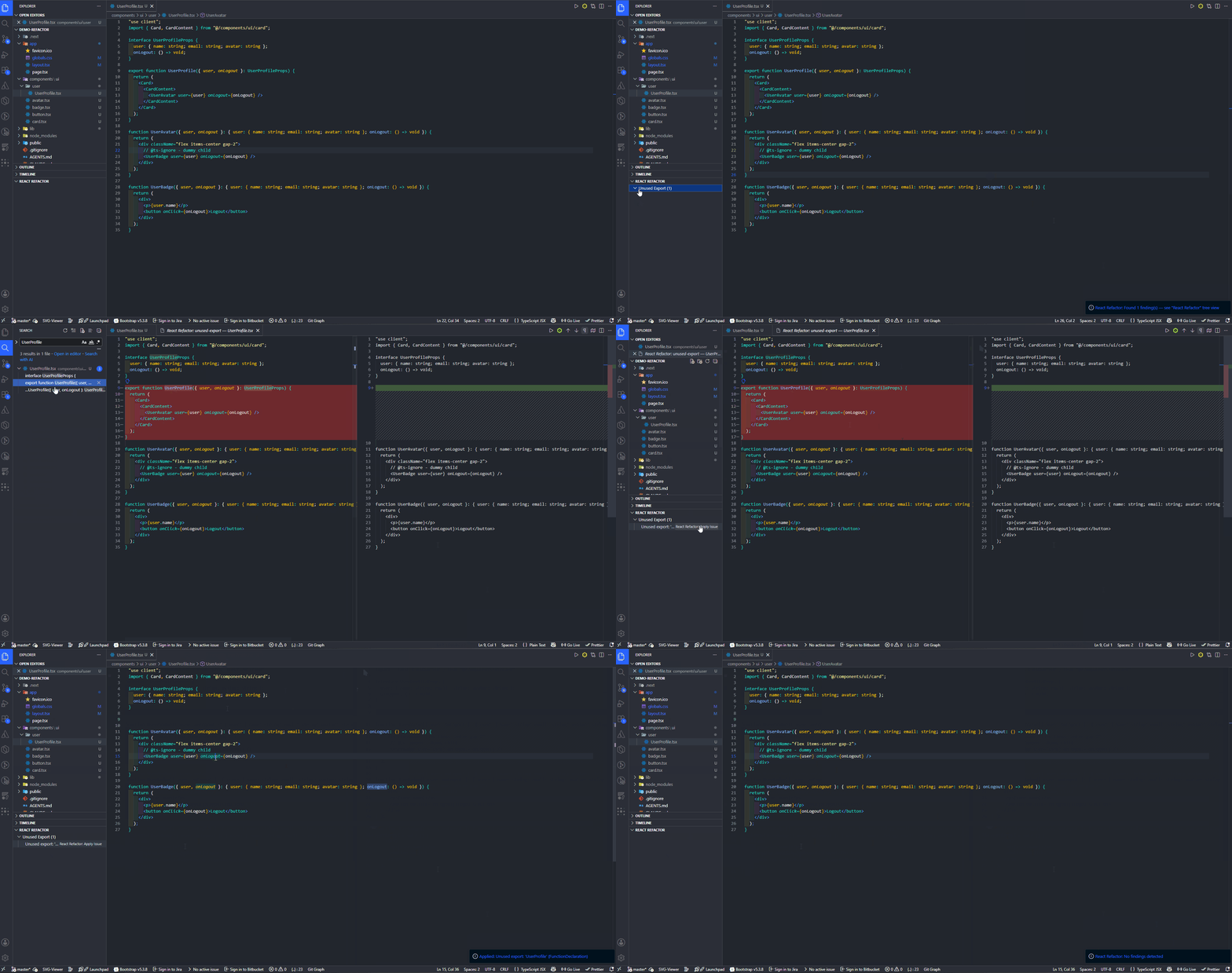
What it fixes
Prop drilling across 5+ components
Props drilled through layers that never use them → one-click React Context generation.
Unused exports in large codebases
Functions, components, and types exported but never imported anywhere → safely removed.
Wrapper components that do nothing
Components that exist only to forward props to a single child → collapsed; parent uses child directly.
Messy props interfaces
Interface fields your component doesn't destructure → automatically cleaned up.
How it works
Nothing is applied without your approval. Every change is previewed and fully reversible.
- Click Analyze — scans your React project.
- Review — issues appear in the Explorer tree view. Click any issue to see a diff preview.
- Apply — fix individually or batch-select multiple. Every change is verified against TypeScript.
- Safe by design — if something breaks, the tool rolls back everything automatically.
No config files. No CLI. No pipeline to set up.
Quick start
# Install from VS Code Marketplace
# Or search "React Refactor Assistant" in Extensions view
- Open a React/TypeScript project.
Ctrl+Shift+P → React Refactor: Analyze Workspace.- See findings in the React Refactor tree view.
- Click any issue → diff preview.
- Right-click →
Apply to fix.
Real examples
Prop drilling
// Before: 3 components, one prop
<Page>
  <Sidebar user={user}>
    <Profile user={user} />  {/* only Profile uses 'user' */}
  </Sidebar>
</Page>

// After: one click → context auto-generated
<Page>
  <UserProvider>
    <Sidebar>
      <Profile />
    </Sidebar>
  </UserProvider>
</Page>
Unused export
// Before: exported, but nothing imports it
export function formatDate(date: Date): string { ... }

// After: safely unexported
function formatDate(date: Date): string { ... }
Forwarding wrapper
// Before: WrapperBox forwards everything to Card
<Page>
  <WrapperBox>
    <Card />
  </WrapperBox>
</Page>

// After: parent uses Card directly
<Page>
  <Card />
</Page>
Safety
- Preview first — see exactly what changes before they happen.
- TypeScript verified — every apply runs a full type check.
- Automatic rollback — if verification fails, zero side effects.
VS Code commands
| Command |
What it does |
React Refactor: Analyze Workspace |
Scans your project and lists all issues found. |
React Refactor: Apply Issue |
Fixes a single selected issue. |
React Refactor: Batch Apply |
Opens a checklist — pick which issues to fix at once. |
Issues also appear as 💡 Quick Fix suggestions at the cursor position in any .ts / .tsx file.
Requirements
- VS Code 1.85+
- TypeScript 4.0+
- React project (JSX components)
License
MIT

