AI Task Manager

Persistent task tracking for AI coding sessions. Your AI picks up where it left off — tasks, context, and progress survive between sessions.
Works with Claude Code, Cursor, Copilot, Windsurf, and any AI that can read/write files.
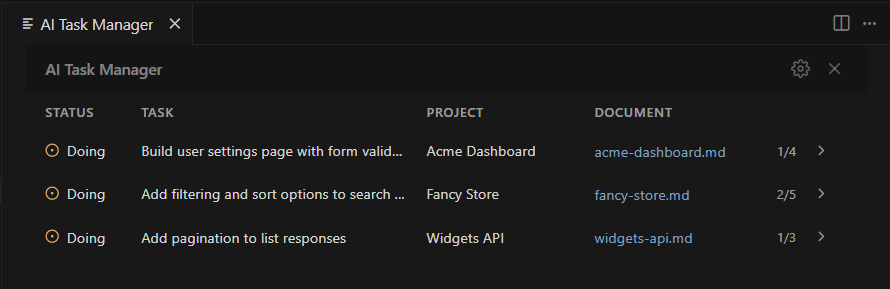
All projects at a glance. Expand for full task lists with statuses, priorities, and timestamps.
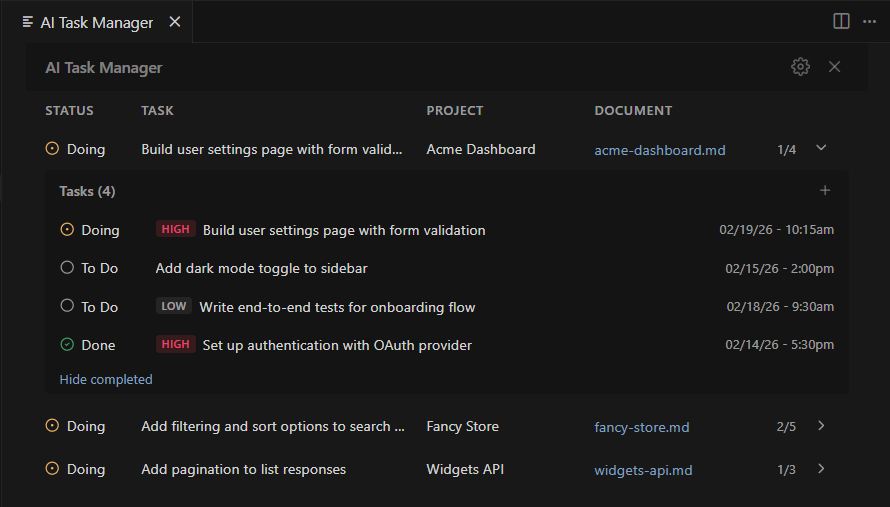
Right-click to change status, priority, or remove. Add tasks with the + button.
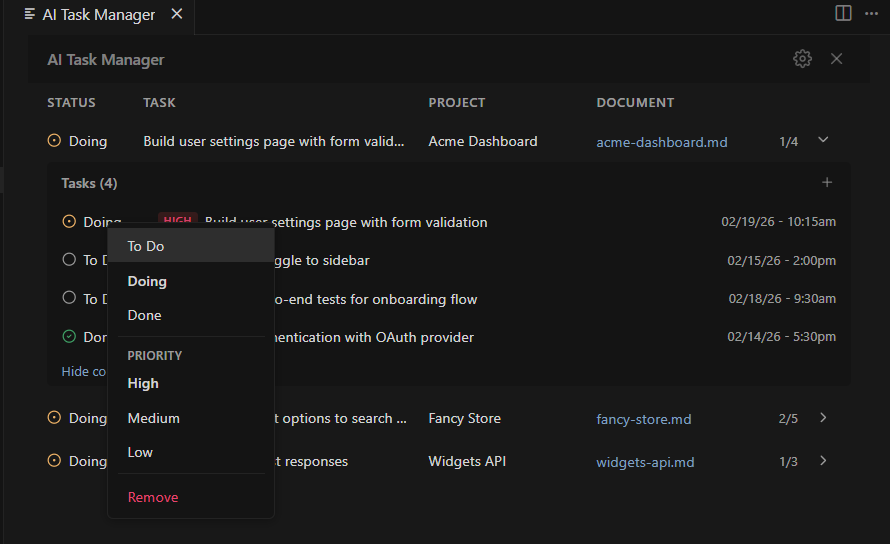
Right-click any task to change its status, update its priority, or remove it.
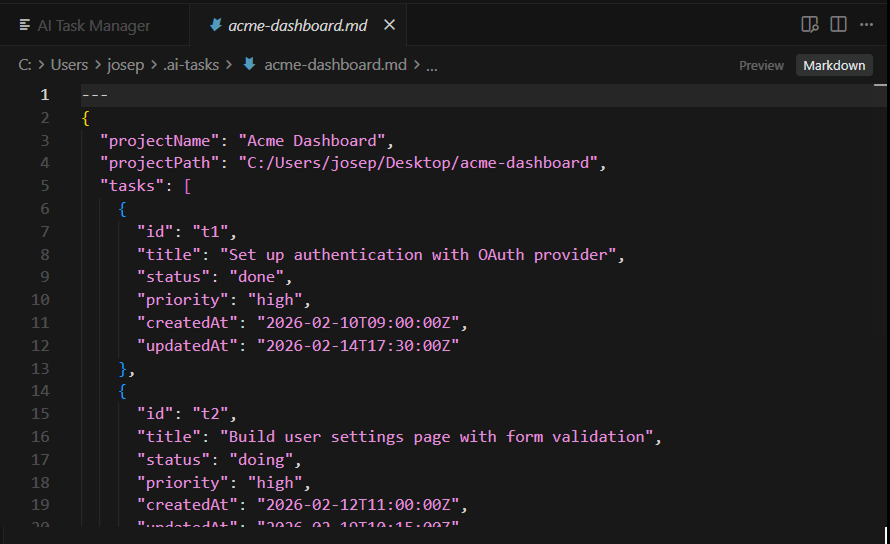
All task data lives in a single Markdown file per project — easy to read, edit, and version control.
How it works
- Install — auto-configures your AI assistant on first launch
- Open a project — prompted to create a task file if none exists
- Work — AI tracks tasks and writes session context to disk
- Next session — AI reads the file and continues where it left off
Tasks live in ~/.ai-tasks/ as plain Markdown with JSON frontmatter — git-trackable, human-editable.
They're session-scoped. Close the terminal, everything's gone. This persists to disk.
Features
- Persistent — tasks and project context survive across sessions
- AI-agnostic — any tool that reads files works, no vendor lock-in
- Auto-setup — configures your AI assistant on first launch
- Live updates — file watcher picks up changes instantly
- Status bar — shows current active task
- Git-friendly — plain Markdown files
- Schema-checked — common mistakes in hand-edited files are corrected automatically; the rest show as warnings
- Session digest — optional Claude Code hook injects a short open-task summary at the start of each session
The task helper
A small CLI, task-helper.js, is placed in your tasks folder. AI assistants are pointed at it instead of editing the JSON by hand, which keeps ids, timestamps and the schema correct and avoids re-reading whole files:
node ~/.ai-tasks/task-helper.js digest              # open tasks for the current project, one line each
node ~/.ai-tasks/task-helper.js add <file> "Title"  # add a task (--priority, --type optional)
node ~/.ai-tasks/task-helper.js set <file> t3 status done
node ~/.ai-tasks/task-helper.js archive <file>      # fold done tasks into the notes body
node ~/.ai-tasks/task-helper.js lint <file> --fix   # check and repair the schema
Settings
| Setting |
Default |
Description |
aiTaskManager.tasksFolder |
~/.ai-tasks |
Folder containing task files |
aiTaskManager.autoCheckTasks |
true |
AI auto-reads tasks at session start |
aiTaskManager.autoRemoveDoneTasks |
0 |
Auto-remove oldest done tasks when count exceeds this (0 = off) |
Commands
- Toggle AI Task Manager — open/close the panel
- AI Task Manager: Init Project — create a task file for the current workspace
- AI Task Manager: Clear Completed Tasks in All Projects — bulk cleanup with a per-project breakdown
- AI Task Manager: Install Claude Code Session Digest Hook — inject the open-task digest at the start of each Claude Code session
Requirements
VS Code 1.85+ (or compatible: Cursor, Windsurf, VSCodium)
Bugs & Feedback
Open an issue on GitHub
License
MIT with Commons Clause

