Firebridge DynamoDB Explorer for VS Code
Browse, query, inspect, and edit DynamoDB tables without leaving VS Code.
This extension is designed for everyday DynamoDB work: opening tables quickly, exploring PK/SK data shapes, running targeted queries, inspecting records in multiple formats, editing data, and generating sample datasets for testing.
Quick Links
- Website: https://www.firebridge.app/vscode-dynamodb
- Documentation: https://www.firebridge.app/documentation/dynamodb
Why Use It
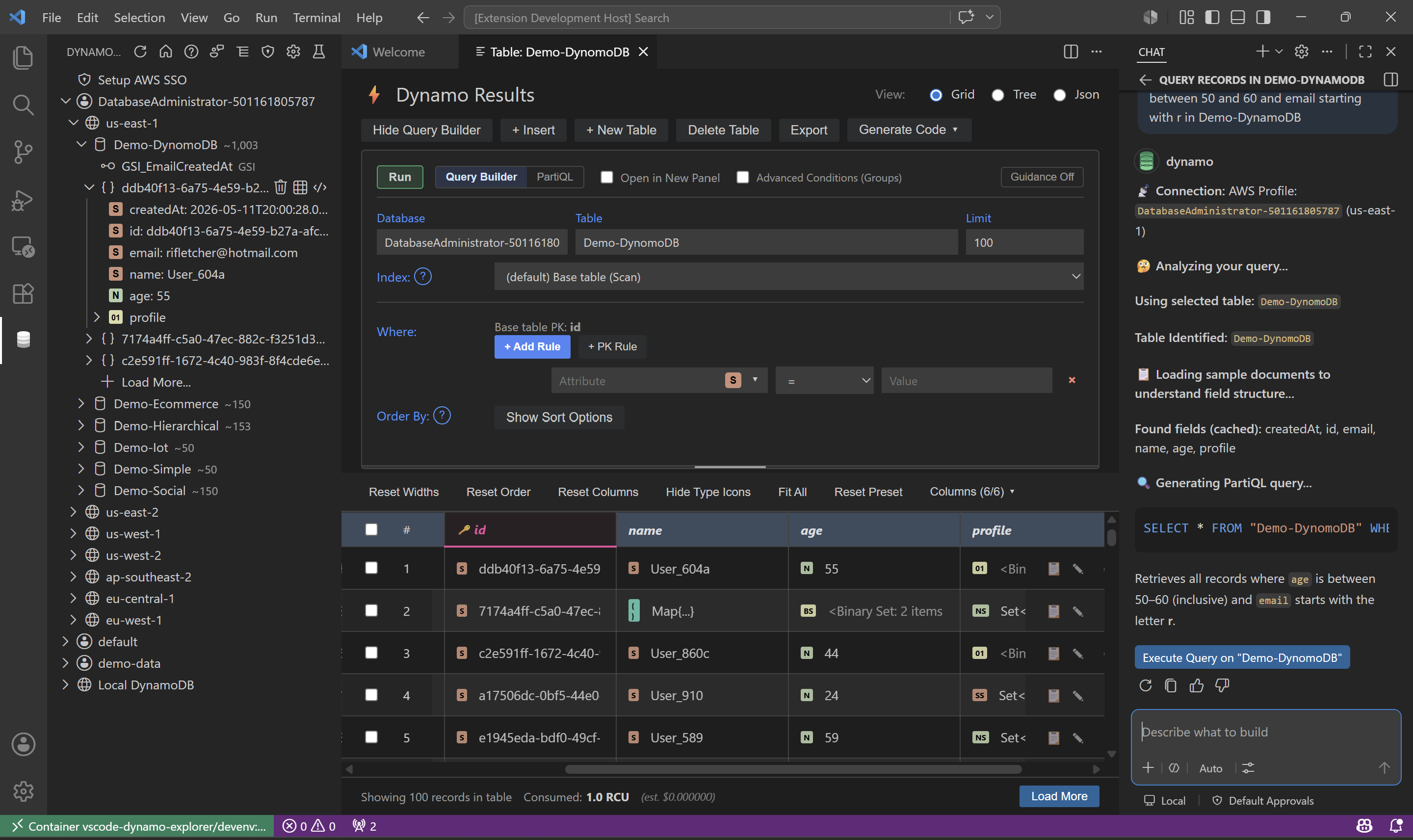
Instead of bouncing between the AWS Console, ad hoc scripts, and JSON dumps, you can work with DynamoDB directly in one place.
Use it to:
- Browse AWS and local DynamoDB tables from a left-side explorer.
- Open tables in an interactive grid with staged editing.
- Query by PK/SK visually or run PartiQL directly.
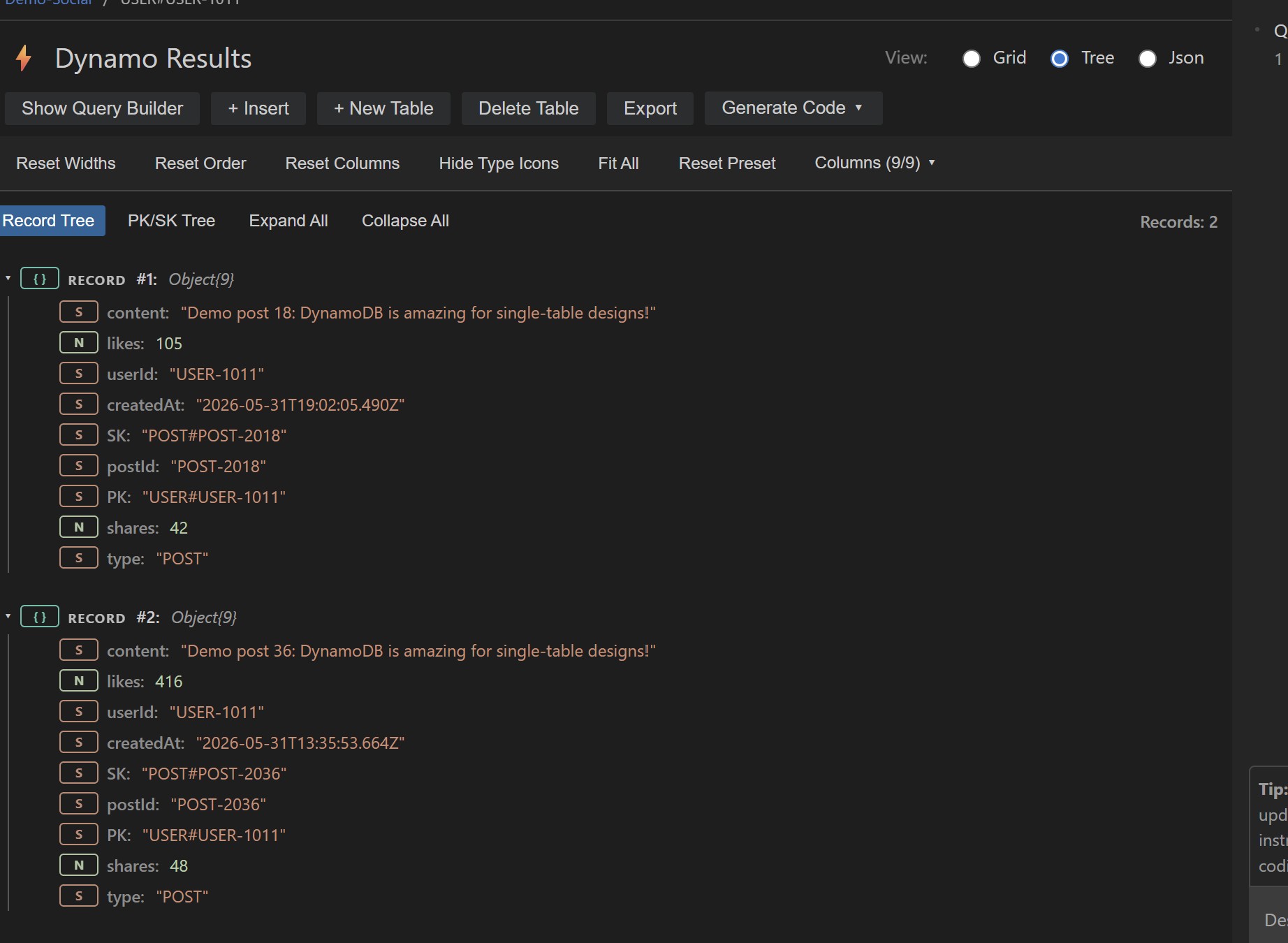
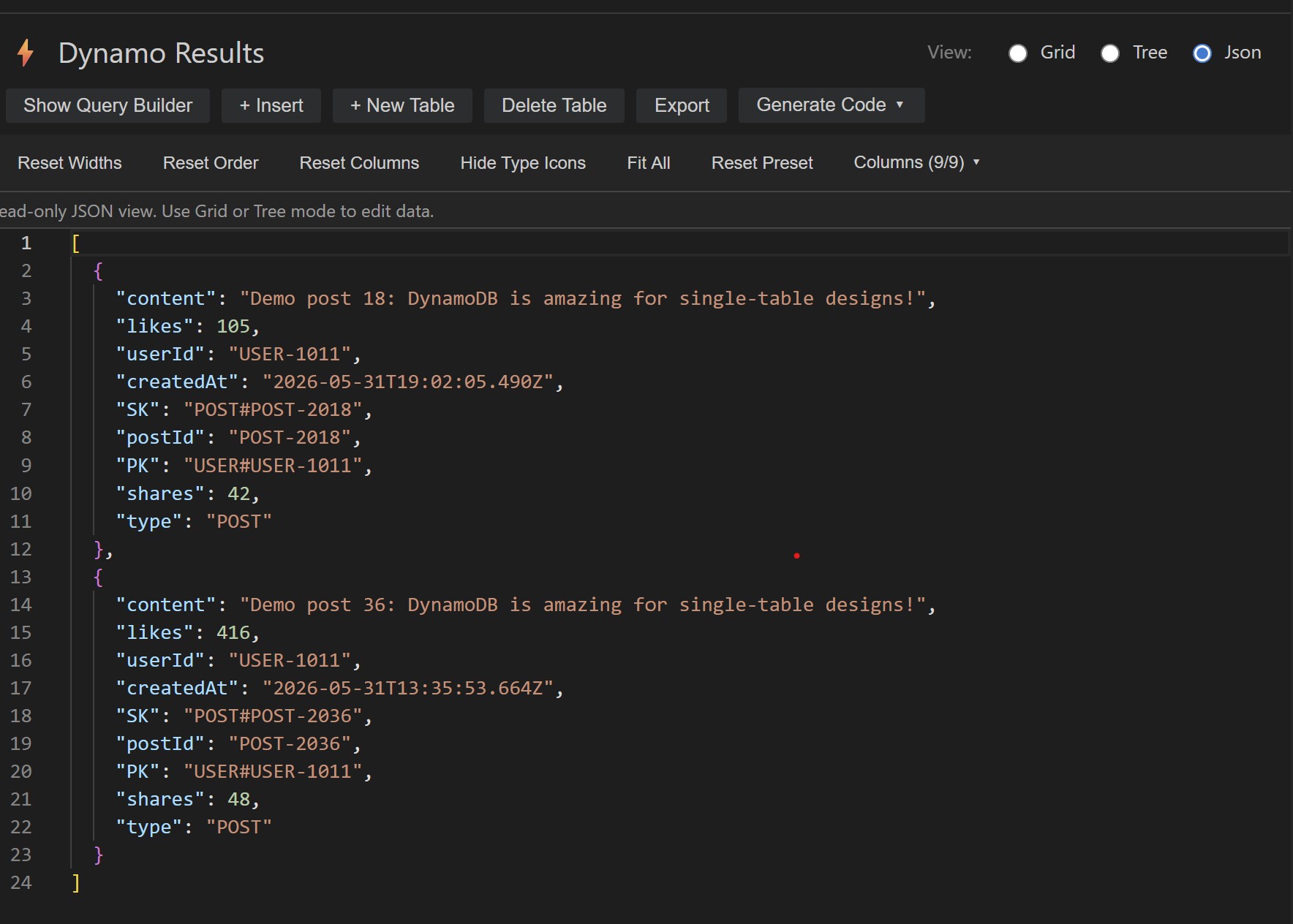
- Inspect results in Grid, Tree, or JSON views.
- Explore PK/SK folder groupings for hierarchical-style sort keys.
- Export results and generate SDK code.
- Generate demo data for testing and demos.
Core Capabilities
Explorer for AWS and Local DynamoDB
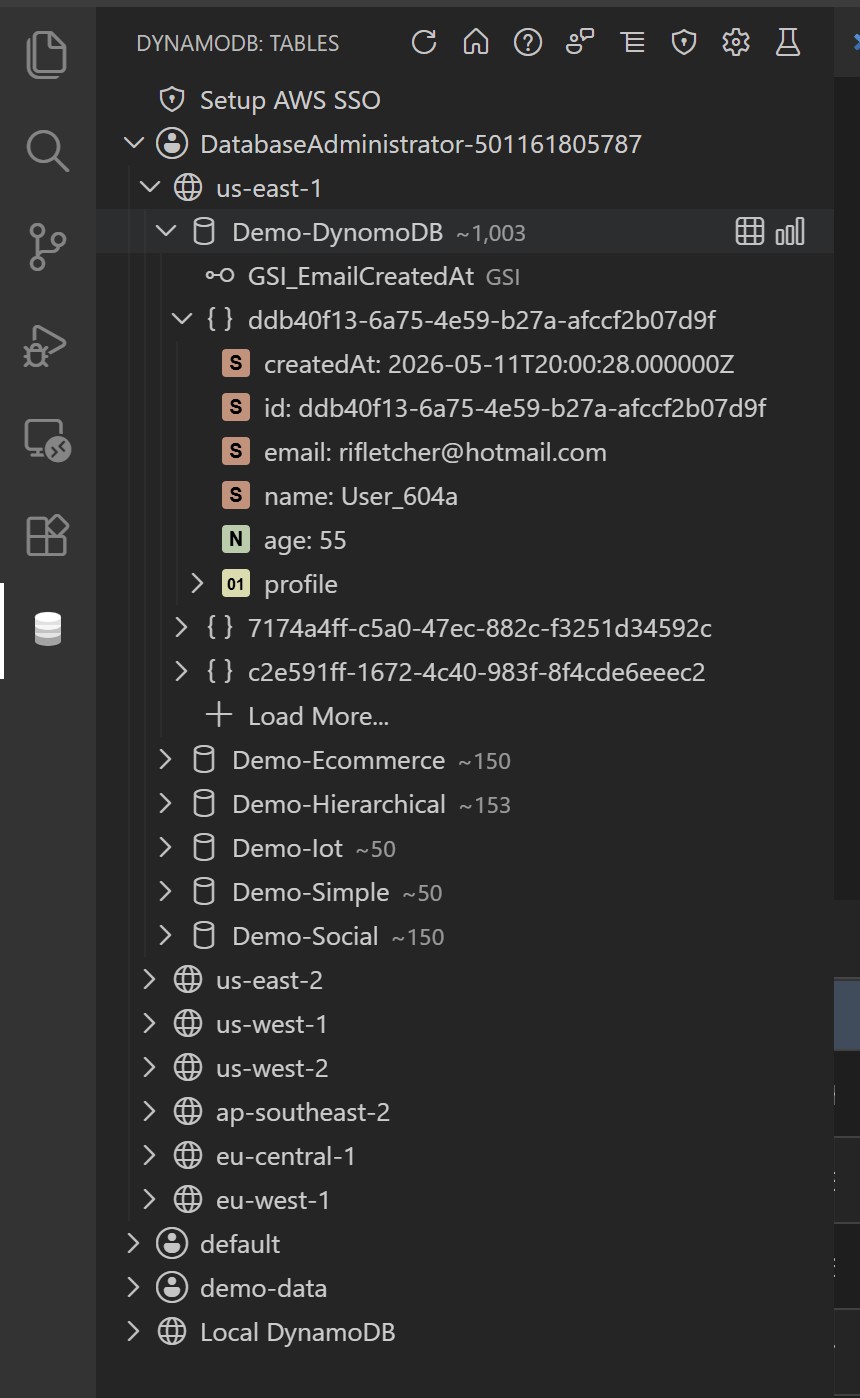
The explorer supports:
- AWS profiles and regions
- AWS SSO login flow
- Local DynamoDB connections
- Table, index, record, and attribute nodes
- Table actions such as open, delete, and metrics
- Record actions such as open in grid, open in JSON, delete, and copy primary key
Query Builder and PartiQL
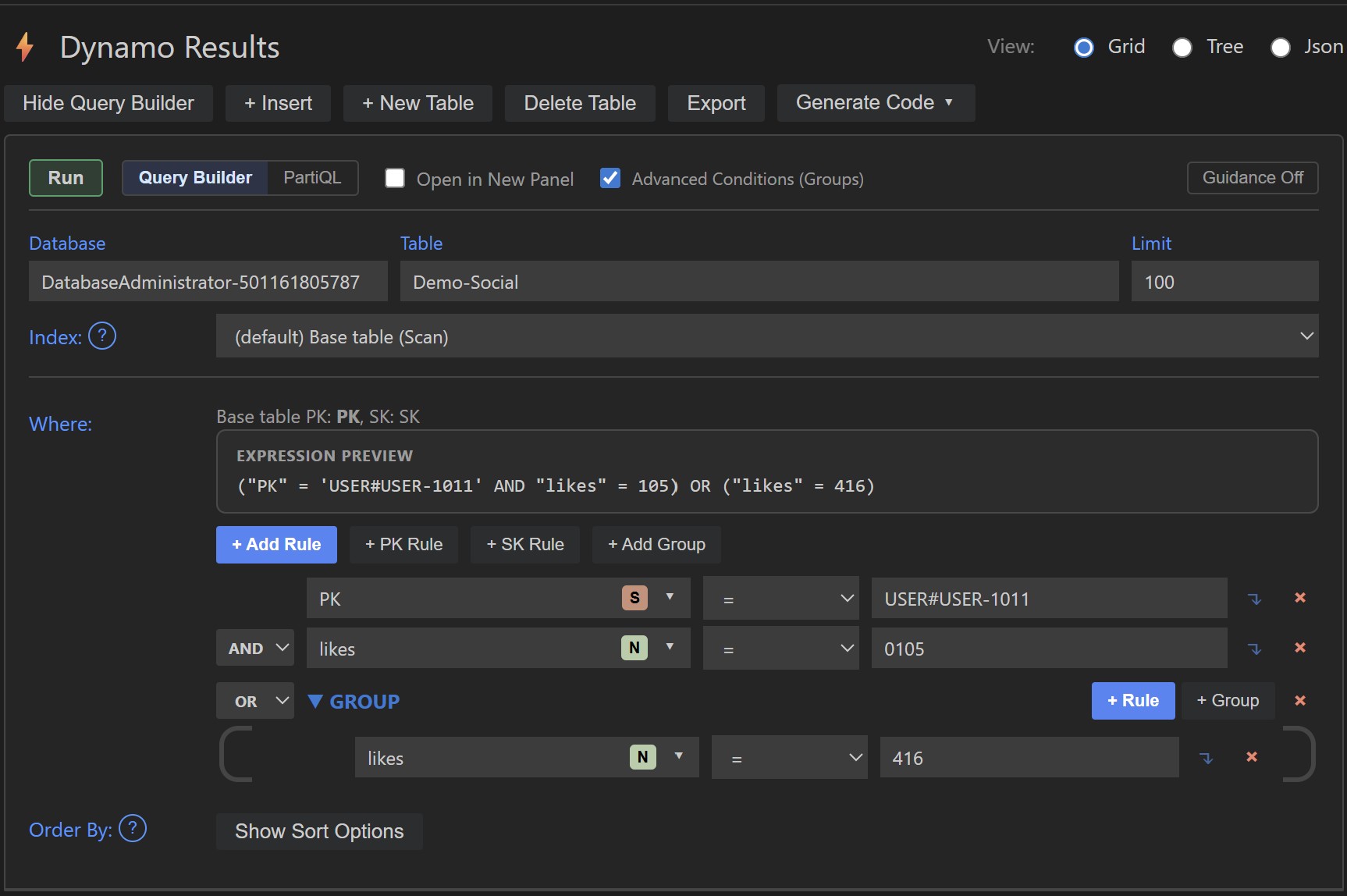
You can query data using either:
- Query Builder for visual rule-based queries
- PartiQL for direct statement execution
Query Builder includes:
- PK and SK helper buttons
- Index selection
- AND/OR and grouped conditions
- Query-vs-scan behavior guidance
- Sort direction controls for queryable sort keys
Grid, Tree, and JSON Views
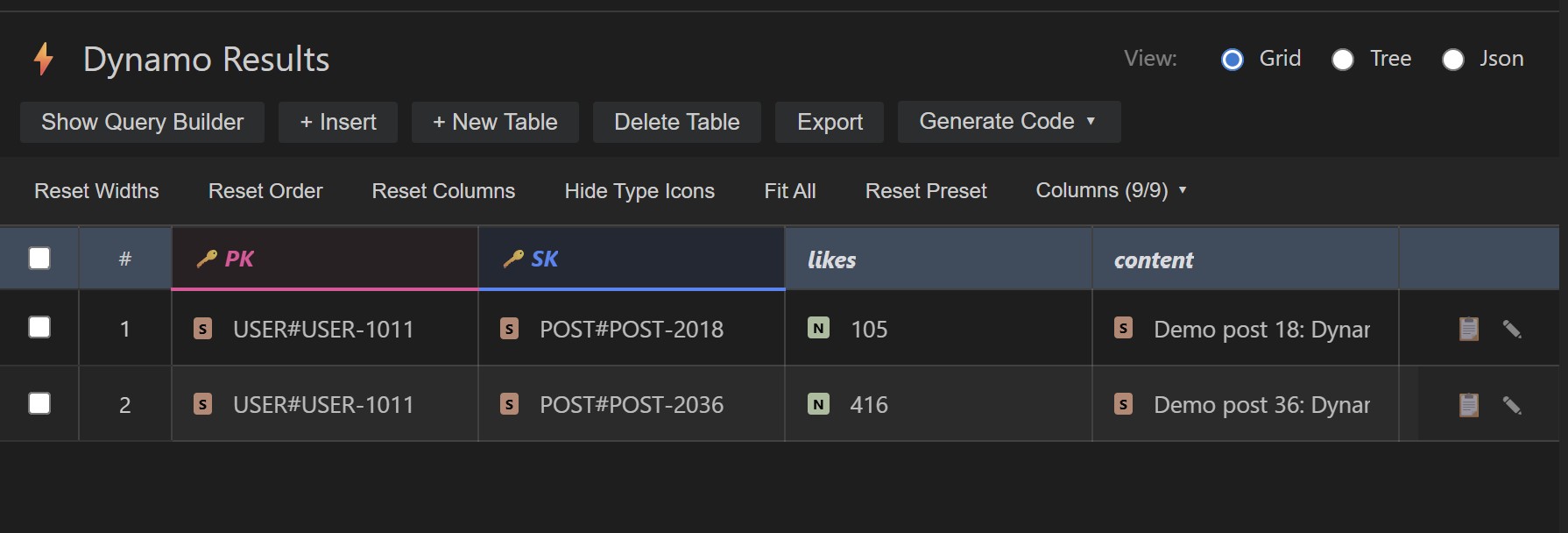
After opening a table, results can be inspected as:
- Grid for editing and scanning many rows
- Tree for nested record browsing
- JSON for raw record structure
Tree mode also supports a PK/SK tree view when the loaded data includes both key attributes.
Editing and Data Operations
The webview supports:
- Inline cell edits
- Insert new rows
- Delete rows
- Undo staged changes
- Save staged changes
- Create table
- Delete table
Export and Code Generation
Export the current result set as:
- JSON
- CSV
Generate code samples for:
- TypeScript
- JavaScript
- Python
- Go
- Java
- C#
Demo Data Generation
Generate ready-to-use sample datasets directly from the explorer.
Available scenarios include:
- ecommerce
- iot
- social
- hierarchical
- simple
This is useful for demos, local testing, and validating PK/SK browsing behavior.
Getting Started
Credential setup first:
- AWS profile: run aws configure.
- AWS SSO: run aws configure sso, then aws sso login --profile your-profile-name.
- Local DynamoDB only: set firebridge-dynamodb-explorer.localEndpoint and firebridge-dynamodb-explorer.localRegion.
How to get your-profile-name:
Run aws configure list-profiles and pick the profile you set up.
Or open your AWS config file and use the name after profile in a header like [profile dev-account].
If you use the default profile, the name is default.
Install the extension.
Open the Firebridge DynamoDB activity bar view.
Expand an AWS profile and region, or Local DynamoDB.
Open a table.
Use Query Builder to add a PK rule and run your first query.
Local DynamoDB Support
For local development, configure:
- firebridge-dynamodb-explorer.localEndpoint
- firebridge-dynamodb-explorer.localRegion
Then expand Local DynamoDB in the explorer.
Configuration Highlights
Useful settings:
- firebridge-dynamodb-explorer.localEndpoint
- firebridge-dynamodb-explorer.localRegion
- firebridge-dynamodb-explorer.explorerPreviewLimit
- firebridge-dynamodb-explorer.explorerGroupingMode
- firebridge-dynamodb-explorer.awsSsoStartUrl
Explorer grouping mode supports:
- auto
- grouped
- flat
Who This Is For
This extension is useful if you:
- Work with single-table DynamoDB designs
- Need to inspect PK/SK-heavy datasets quickly
- Want to query DynamoDB without constantly writing scripts
- Need local DynamoDB support during development
- Want a faster inspection/editing workflow inside VS Code
Documentation
For a full task-based guide, see the user manual in the repository.
Telemetry
This extension uses VS Code extension telemetry for anonymous usage and reliability events.
Notes:
- No table payloads or item values are collected.
- Telemetry follows VS Code telemetry settings.
- A ready-to-import Azure Monitor workbook is included in TELEMETRY_WORKBOOK.json.
- Workbook queries are backward compatible with older event names where possible.
Telemetry Workbook
Use the included workbook to monitor adoption, query activity, and stability over time.
- Open Azure Monitor Workbooks and create a new workbook.
- Open Advanced Editor and paste the contents of TELEMETRY_WORKBOOK.json.
- Save the workbook scoped to your Application Insights resource.
What you can track:
- Daily active users.
- Specialized editor usage and table open patterns.
- Query executions by operation and status.
- Reliability signals from extension and webview errors.
Release Notes
1.0.2
- Added canonical query execution telemetry with operation, status, and duration.
- Added session and runtime telemetry context, including editor host tagging.
- Added first-run telemetry signal for onboarding funnel analysis.
- Expanded telemetry workbook with editor host and query execution panels.
- Fixed Stability and Crashes workbook query to avoid schema-specific exception field failures.
1.0.0
Initial release of Firebridge DynamoDB Explorer.
- Browse AWS and Local DynamoDB tables.
- Visual Query Builder and PartiQL editor.
- Grid, Tree, and JSON views.
- Inline editing and staged changes.
- Demo data generation.
- Export to JSON and CSV.
- AWS SSO support.

