📁 Folder Structure Generator
Generate a beautiful folder tree directly from the VS Code Explorer — right-click any folder and you're done.
Usage
- Right-click any folder in the Explorer sidebar
- Hover over "📁 Generate Folder Structure"
- Pick your depth:
| Option |
Description |
| Top Level Only |
Immediate children only |
| 2 Levels Deep |
Children + their children |
| 3 Levels Deep |
One more level down |
| Custom Depth... |
Type any number from 1–20 |
- A panel opens beside your code with the generated tree
Output
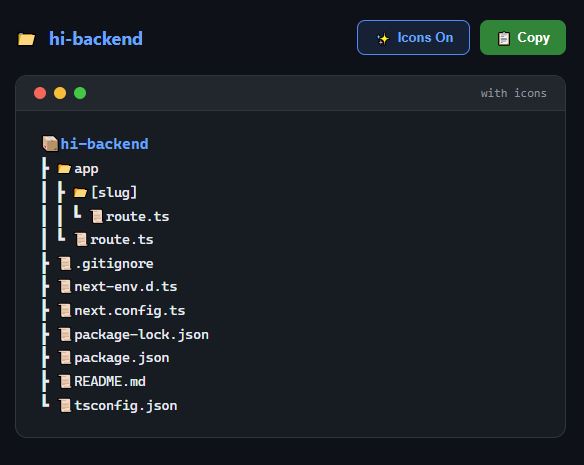
Panel Controls
- 📋 Copy — copies the full tree to your clipboard
- ✨ Icons On / 🚫 Icons Off — toggle emoji icons on or off
Settings
Go to Settings and search "Folder Structure" to customize:
| Setting |
Default |
Description |
folderStructure.ignore |
node_modules, .git, dist... |
Items to skip |
folderStructure.showFiles |
true |
Show files alongside folders |
| |

