Fallout for VS Code
Explore, run, and visualize your Fallout (the NUKE successor) build targets without leaving the editor.
Your build is a C# console app. This makes it feel like part of the IDE: every target listed, one click to run, go-to-definition onto the Target X => … declaration, and the whole dependency graph as a diagram.
Features
Build view
A dedicated Fallout container in the activity bar lists every target in the build. The default target is marked, unlisted targets are dimmed, and each target's relations — depends on, runs after, triggered by, triggers — expand as children, recursively, so you can walk the graph in either direction.
The same tree is also docked in the Explorer, collapsed by default, for when you don't want to leave the file tree.
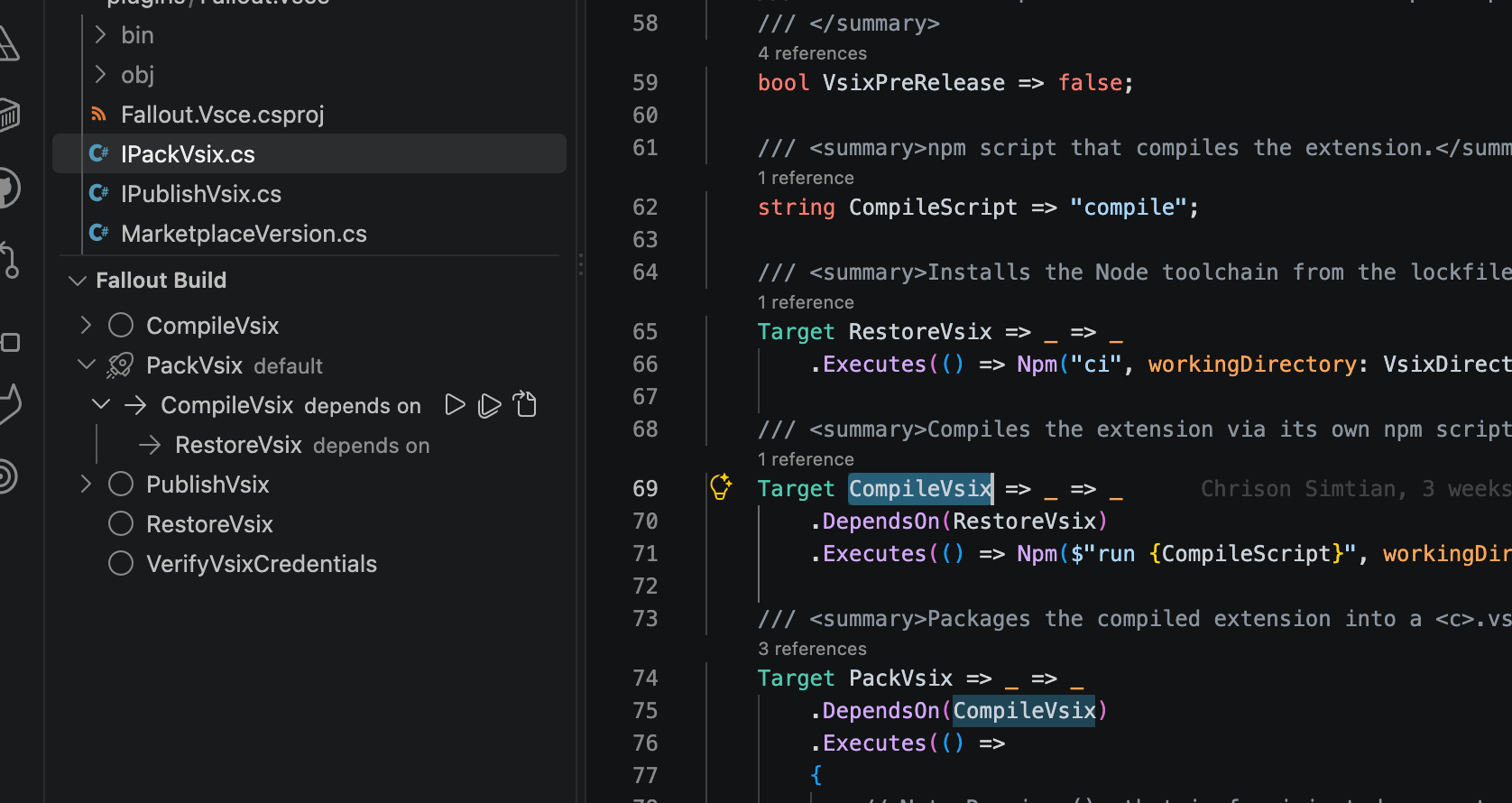
The tree is a view of your C#: expanding PackVsix shows the DependsOn chain exactly as the build declares it.
Run a target
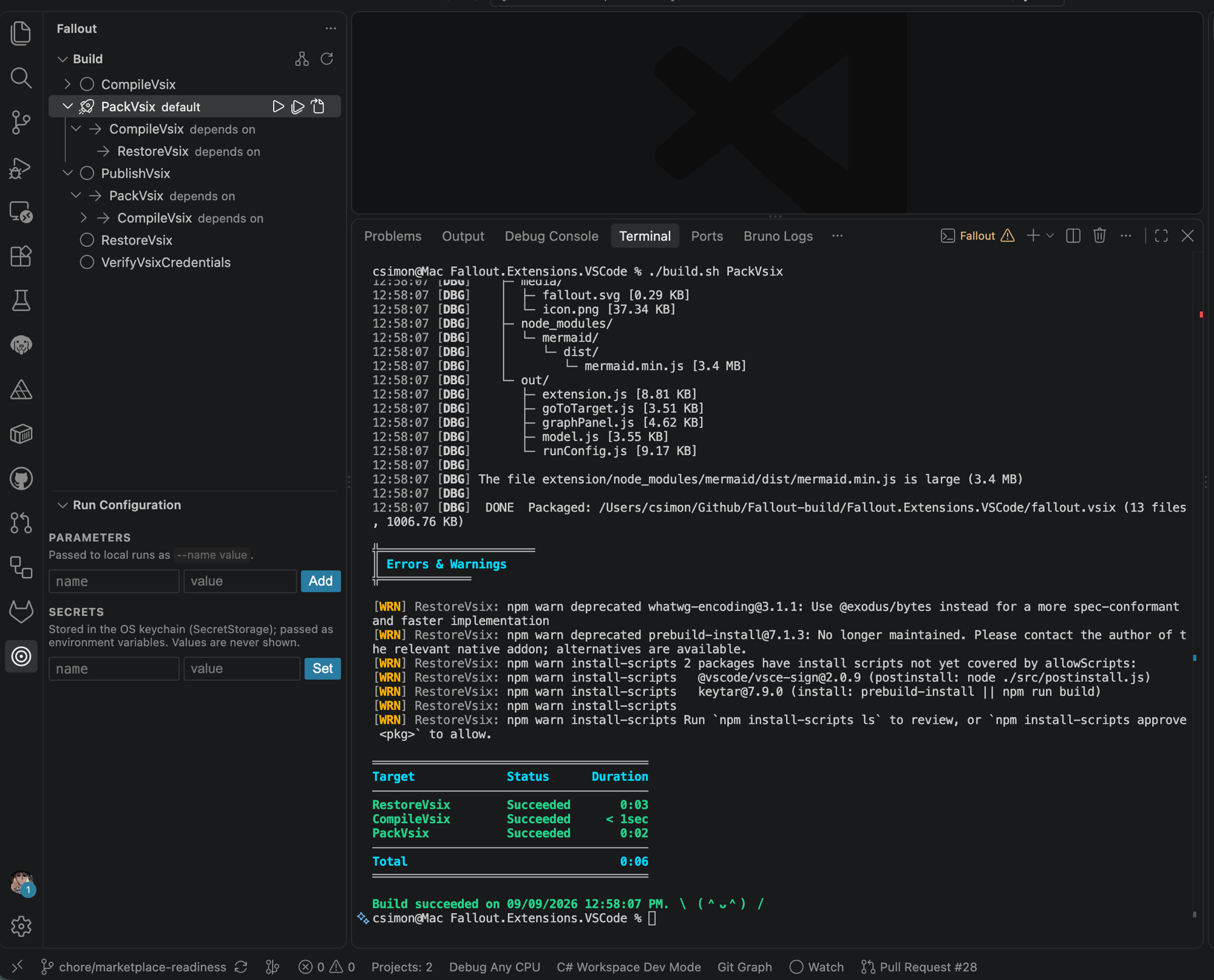
Inline ▶ on any target runs it in an integrated terminal — ./build.ps1 on Windows, ./build.sh elsewhere. Run Target with Parameters… runs the same target with your saved run configuration applied.
Run Configuration
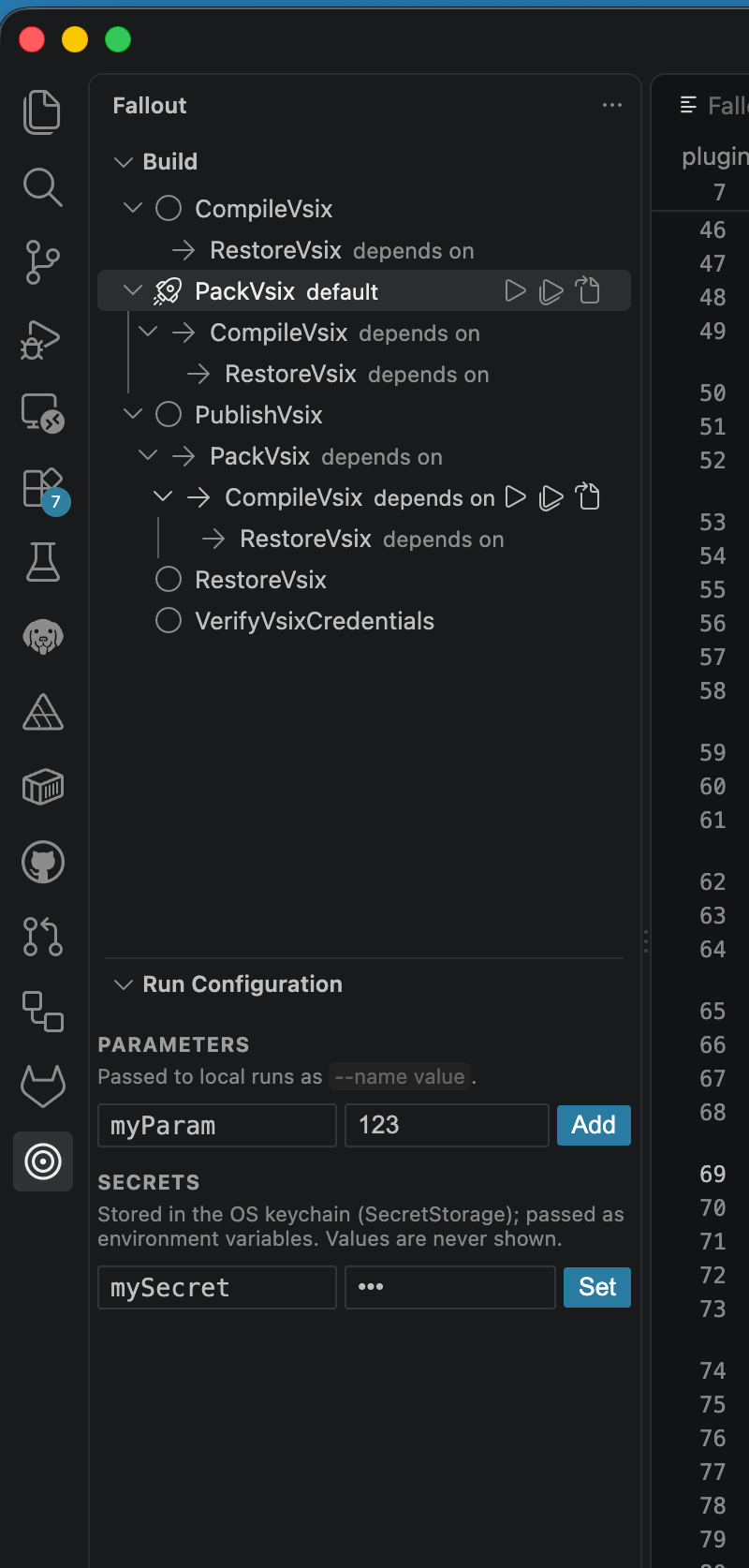
A form for the parameters and secrets your build takes:
- Parameters are passed as
--name value arguments and stored per workspace.
- Secrets are stored in VS Code's SecretStorage — OS keychain-backed — and passed as environment variables, so they never reach your shell history, the process list, or a log. Values are never rendered back into the view; only names are.
Go to definition
Jump straight to the Target X => … C# declaration. Uses the C# language service when it's warmed up and falls back to a workspace scan, and disambiguates by declaring type when several components declare a target of the same name.
Build graph
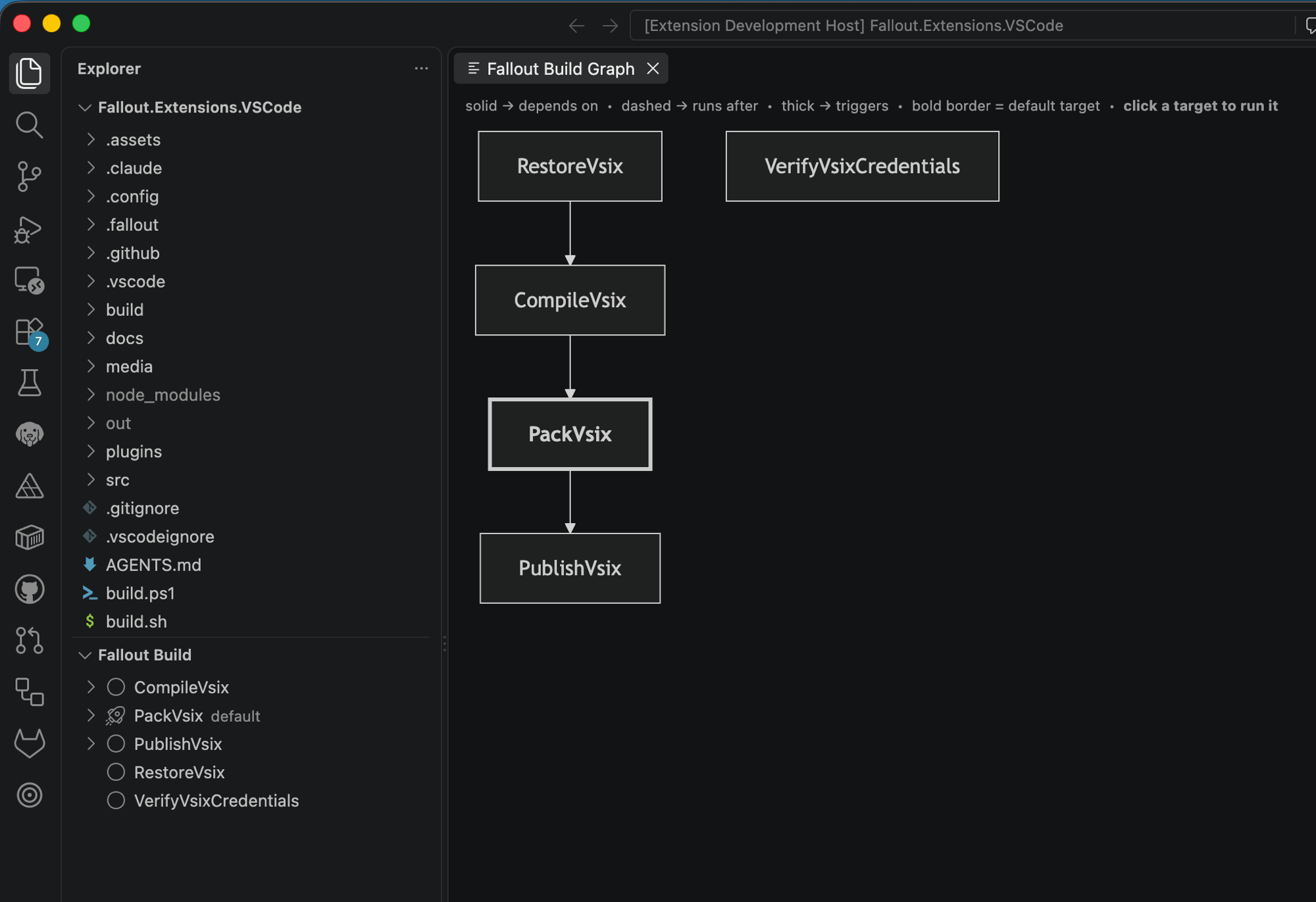
A Mermaid diagram of the whole dependency graph, with the same edge semantics as the framework's own --plan output — solid for an execution dependency, dashed for an order dependency, thick for a trigger. Click any node to run that target.
Everything auto-refreshes as the build graph changes, so a target you add shows up as soon as the build re-runs.
Requirements
Fallout 10.4.0 or later. The extension reads a build-graph.json that the Fallout build writes into .fallout/temp/ (or the legacy .nuke/temp/) on every build initialization. Emission landed in 10.4.0, so older versions produce no graph at all and the views stay empty.
Run the build once to generate it:
./build.sh --plan # ./build.ps1 --plan on Windows
Settings
| Setting |
Default |
What it does |
fallout.deployment.enabled |
false |
Shows the Deployment view. Off by default — the continuous-delivery graph isn't emitted by any released Fallout version yet, so the view can only show a placeholder. Turn it on to follow the work. |
Versioning
The extension's major.minor track the Fallout release line it targets — 10.4.x builds against Fallout 10.4 — while the patch moves independently. A mismatch between the extension and the framework your workspace builds with surfaces as a non-blocking warning.
Versions are computed by Nerdbank.GitVersioning from version.json, the same as the framework itself; the build fails if the declared line drifts from the Fallout version it actually references. Release candidates are published as GitHub pre-releases only.
Contributing
This repository uses GitFlow: branch from develop, PR back into develop. Press F5 to run the extension from source — see docs/developing.md, plus docs/branching-and-release.md, docs/ci.md and docs/releasing.md.
AGENTS.md is the canonical brief on how this repo is built and released — conventions, the generated-CI rule, the versioning contract. It serves human contributors and AI tools alike; GitHub Copilot reads it natively and CLAUDE.md points to it.
License
MIT

