MIAO - AgentPal — Your coding agents, at a glance
English | 简体中文 ↓
English
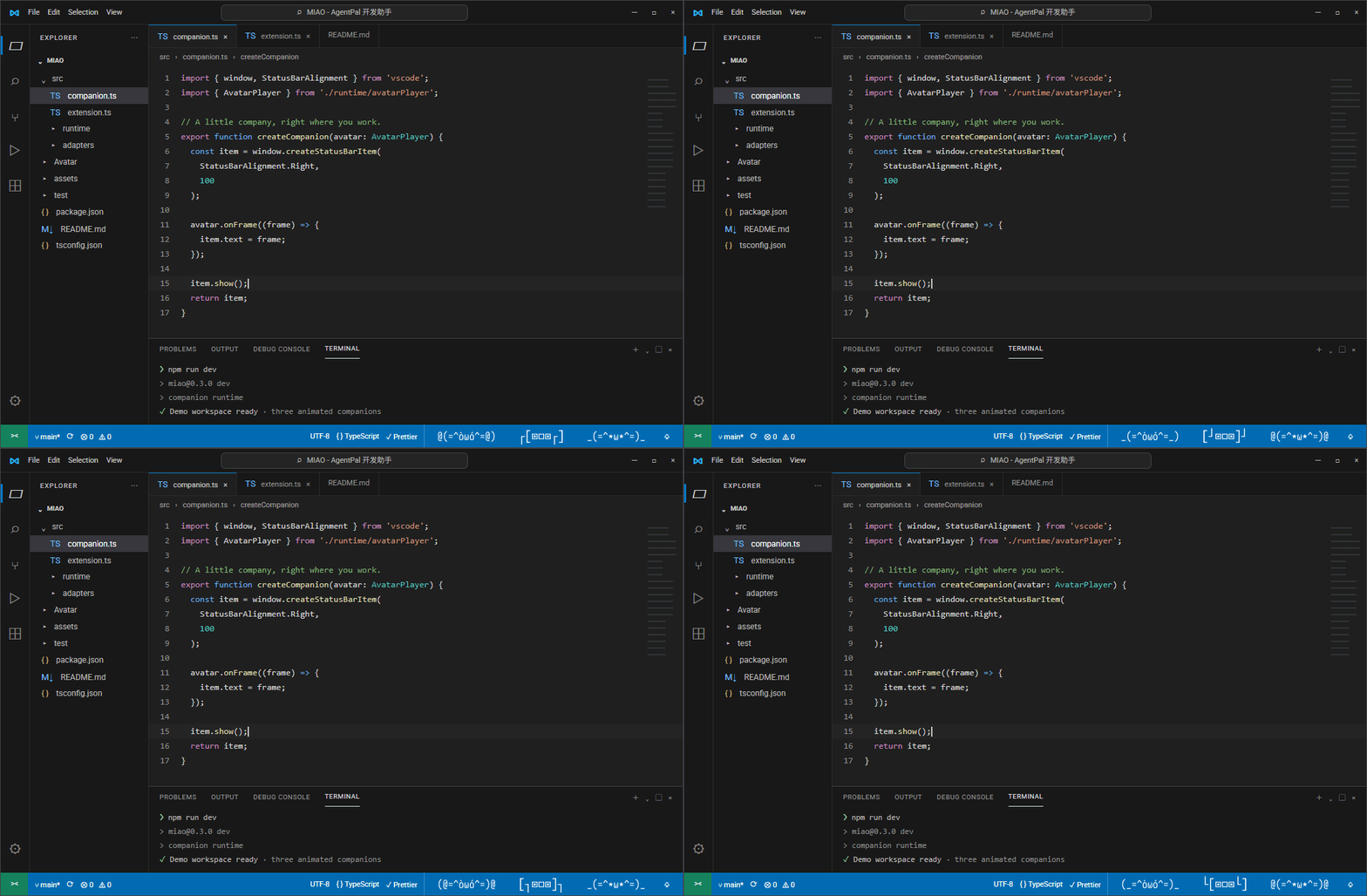
MIAO - AgentPal is a lightweight coding companion in the VS Code status bar. It supports Claude Code, KiloCode, Codex and OpenCode, observing their local sessions and using built-in animated avatars to show whether a project is working, waiting for input, or finished.
Check progress without repeatedly switching terminals: glance at the status bar, then click an avatar to view its project's sessions and connection diagnostics.
Features
- One project, one avatar: sessions in the same project share an aggregated display while retaining independent session states.
- Five states: idle, working, waiting, success and error. Projects prioritize waiting, then error, working, success and idle.
- Built-in avatars and colors: choose a built-in avatar, project color and name. Saved appearance and order survive session completion.
- Session details: view the source, directory, title and state, and assign a custom session name.
- Sound alerts: independently enable or disable sounds for waiting, completion and errors that require human action.
- Display scope: show only the current workspace or all known projects.
- Local diagnostics: inspect source availability and enablement settings in the management panel.
- Localized interface: English, Simplified Chinese and Traditional Chinese.
Supported agents
| Source |
Connection |
Availability |
| Claude Code |
Local hook events |
Install hooks explicitly from the MIAO - AgentPal panel to observe state |
| KiloCode (beta) |
Local Kilo server |
Requires an available local server; coverage depends on versions and available events |
| Codex (beta) |
Local session data and logs |
Derives available state from local data; coverage depends on the Codex version and data availability |
| OpenCode (beta) |
Local HTTP/SSE server |
Requires an available OpenCode local server; this is a MIAO - AgentPal integration, not an officially endorsed bridge |
MIAO - AgentPal does not provide AI chat or replace these agents. Enabling a source does not install the corresponding agent or guarantee a connection. Detecting a source does not confirm complete session-state coverage.
Getting started
- Install the extension and open your project workspace.
- Run MIAO - AgentPal: Show Status from the command palette, or click a MIAO - AgentPal avatar in the status bar to open the management panel.
- For Claude Code, install hooks from its connector card. For other sources, first make sure the required local data or server is available.
- Run your coding agent and inspect source diagnostics and session states in the panel.
- Choose a project avatar, color and name, then save with the project card's Apply button. Save global toggles and timing settings with Save settings.
Save connector settings saves source modes only; it does not apply other pending settings.
Display and configuration
Project scope
- Current workspace: combines the roots of the current multi-root workspace into one displayed project.
- All known projects: shows runtime-known projects and workspace observations within the retention period. It does not enumerate all open VS Code windows.
Project appearance and fixed order synchronize within the same VS Code profile, not across profiles. A path identifies a project, not a window.
Animation and alerts
Disable animation, adjust playback speed, or independently turn off waiting, completion and error sounds. When animation is disabled, states still update using the corresponding static avatar.
Success/error display durations and session retention are configurable. Diagnostics provides simulated display states for checking avatar rendering only; it does not change agent state. Select Live / Auto and save settings to restore live display.
Releasing completed sessions
Release clears only a completed session's display state. It preserves project settings and agent conversations, and does not stop agents or delete chat history. Later events can restore the session display.
Current limitations
- Only built-in connectors and avatars are exposed. In-panel custom connector installation and runtime custom avatar/emoji import are not supported.
- Beta integrations may provide different state granularity. The display maps local events and data; it is not an independent verification of every task's outcome.
- SessionEnd is not connected yet. Immediate display cleanup on agent exit or window close is not guaranteed.
- This is an early public release; cross-platform and real-host behavior still require further validation.
Data and privacy
MIAO - AgentPal has no cloud service of its own and does not upload agent content to a MIAO - AgentPal service. It reads local lifecycle, title and connection metadata.
Local events may include truncated input-derived titles and notification/message summaries. Do not treat local event files as entirely free of input fragments. MIAO - AgentPal's local behavior does not change the connected agents' own data-handling policies.
中文说明
Back to English ↑
在状态栏查看 Agent 的工作状态
MIAO - AgentPal 用经典颜文字表情动画展示 Claude Code、KiloCode、Codex 和 OpenCode 的工作状态,并显示在 VS Code 状态栏。不用一直盯着终端,看一眼状态栏就知道 Agent 是在工作、等待你确认,还是已经完成。
功能
- 每个项目一个形象:同一项目的多个会话会合并显示,各会话的状态仍然独立。
- 五种状态:空闲、工作中、等待操作、完成、错误。项目形象会优先显示最需要你注意的状态。
- 内置形象和颜色:为项目选择形象、颜色和名称,设置会保存下来。
- 查看会话:点击状态栏形象打开面板,查看会话的来源、目录、标题和状态,也可以给会话重命名。
- 声音提醒:等待操作、任务完成和错误提示音可以分别开关。
- 显示范围:可以只显示当前工作区,也可以显示所有已知项目。
- 界面语言:支持简体中文、繁体中文和英文。
支持的 Agent
MIAO 目前支持 Claude Code、KiloCode、Codex 和 OpenCode。
MIAO 只显示状态,不提供对话功能,也不会代替这些工具。使用前请先安装并运行对应的 Agent。部分来源的状态显示可能因 Agent 版本不同而有差异。
开始使用
- 打开项目,从命令面板运行 MIAO - AgentPal: Show Status,或点击状态栏上的形象。
- 在面板中确认来源已启用,并按需完成连接设置。
- 为项目选择形象和颜色,点击应用即可。声音、动画等设置也在面板中修改。
注意事项
- 状态显示可能存在延迟,任务结果请以 Agent 本身为准。
- “全部已知项目”指 MIAO 观察到的项目,不是所有打开的 VS Code 窗口。
- 面板中的“释放”只会清除已完成会话的显示,不会停止 Agent,也不会删除对话记录。
数据与隐私
MIAO 在本机读取 Agent 的状态信息,没有自己的云端服务,也不会将对话上传到 MIAO。本地记录中可能包含截断的会话标题、输入片段和通知摘要,分享日志前请先检查内容。

