atdesk
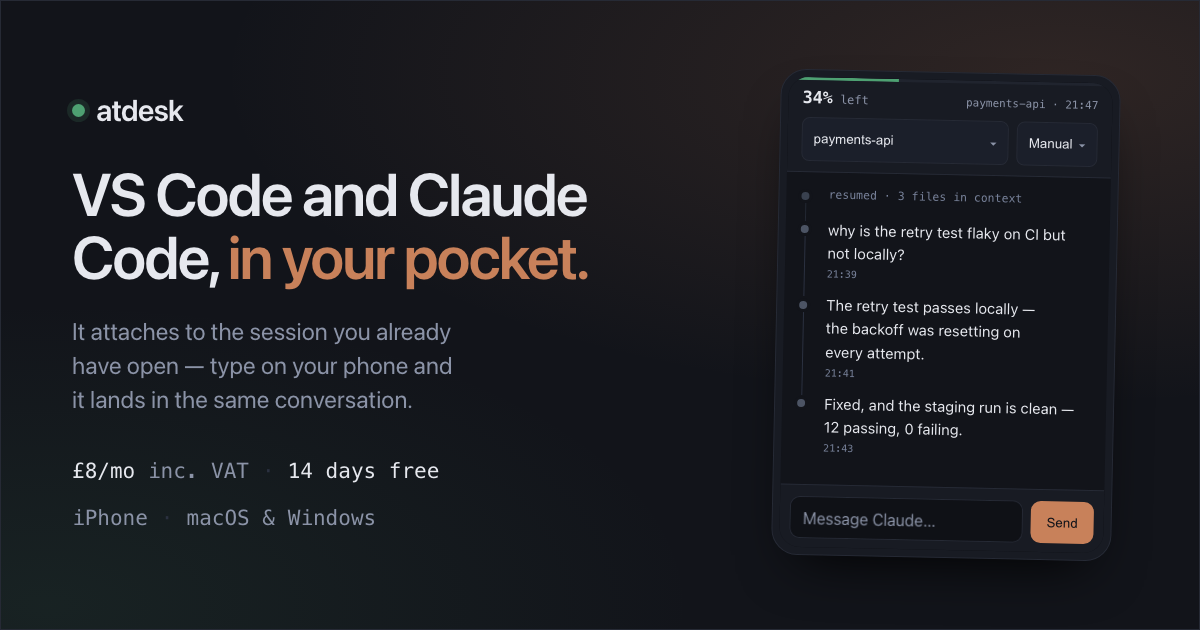
Your live Claude Code session, on your phone. Read it, type into it, approve
tool calls, and see how much context is left as a percentage.
atdesk is a paid subscription — £8 a month including VAT, with a 14-day free
trial and cancellation any time. A card is required to start the trial, and you
need an iPhone. This extension on its own does not put
anything on your phone: it walks you through installing the atdesk service on
this computer and pairing it. That service runs in the background and starts
at login, listening on loopback only. Price, terms, cancellation rights and privacy
notice are at atdesk.io.
About the publisher. atdesk is published by Exceedity Ltd, a UK company —
registration details at the foot of this page. When you install, VS Code will
tell you we are not a verified publisher. That is accurate: Microsoft's
verification requires a six-month track record of published extensions and this
is our first, so it is not open to us yet. What we hold about you, and what the
software does on your computer, are written down in the
privacy notice and the
terms, and support is a real address answered by a
person — atdesk.io/support.
It attaches to a session you already have open. Nothing is forked or copied —
type on your phone and it lands in the same conversation you are looking at in
VS Code, on the computer you left it running on.
What this extension is
This is the VS Code half of atdesk. Installed on its own it shows a setup
walkthrough — what you need, how to subscribe, and how to install and pair the
service. The context gauge, the phone link and the menu all arrive once that
service is installed and your subscription is active.
What you get
- Your real session, not a copy. It drives the Claude Code panel already
open in VS Code, so it reaches conversations you never set up for it — and the
work stays there as a tab when you sit back down.
- A push when it needs you, with the command and the diff it wants to run,
and Allow / No. You answer every approval; nothing runs unattended.
- Context left, as a percentage, in the status bar and on the phone, so you
know whether a turn can even finish.
- From anywhere. No VPN, no tunnel, no port forwarding, and nothing
listening on your home network — your computer makes an outbound connection.
- Your phone and your computer hold the keys. Messages are sealed end to end
and the relay forwards bytes it has no key for. Add it to your home screen and
it behaves like an app; there is nothing in an app store.
Getting started
- Install this extension.
- Start your free trial at atdesk.io — you get an
activation code straight away, and by email.
- Paste your activation code into the walkthrough's install step. The
extension asks atdesk which release that code entitles you to, shows you the
exact command, and runs it only after you say yes. You can still paste the
whole command yourself instead — it is in your email and on your welcome page.
- Scan the pairing QR code with your phone.
What you need
- An iPhone. There is no Android app, and notifications need iOS 18.4 or later.
- macOS or Windows, and VS Code
- Node 20 or newer — https://nodejs.org
- Claude Code, installed in VS Code and opened at least once, with your own Anthropic
subscription. atdesk does not include, resell or proxy Claude.
- Typing, approving and switching project from the phone all need VS Code's
local debugging port. Setup asks in plain words rather than switching it on
quietly. Say no and reading, the gauge and turn-finished notifications still
work — but every approval has to be answered at the computer.
Privacy
What this extension sends, and when. Only ever when you press a button, and
never anything about you or your work. "Check this computer" asks
relay.atdesk.dev whether it can be reached, and sends nothing but this
extension's version number. The install step, once you paste an activation
code and confirm it, sends that code to the same host to ask which release the
code entitles you to download. That is the complete list. There is no call on
start-up, nothing in the background, and nothing you did not press a button for.
Your clipboard is read only to pre-fill that box, so you do not have to paste.
Nothing leaves this computer until you press Enter — and then what is sent is
exactly the value shown in the box, so check it is your activation code first.
There is no account and no password. We hold an install identifier, a hash of
its token, a label and two dates. Your subscription is billed by Stripe, who hold
your billing details — we never see your full card number. We never see your
session content — it is encrypted between your phone and your computer. There are no analytics, no
trackers and no third-party scripts on our site or in the app.
Privacy notice ·
Terms ·
Cancellation and refunds ·
Status
Support
inbox@exceedity.com — a person reads it, and we answer within 3 working days.
atdesk is a product of Exceedity Ltd, registered in England and Wales,
company number 14683104. Registered office: Willoughby House, 2 Broad Street,
Stamford, PE9 1PB, United Kingdom. VAT registration GB437416589.
atdesk is not affiliated with, endorsed by, or connected to Anthropic,
Microsoft or Apple. Claude, Claude Code, VS Code and iOS are trade marks of
their respective owners. atdesk is an independent tool that drives VS Code.

