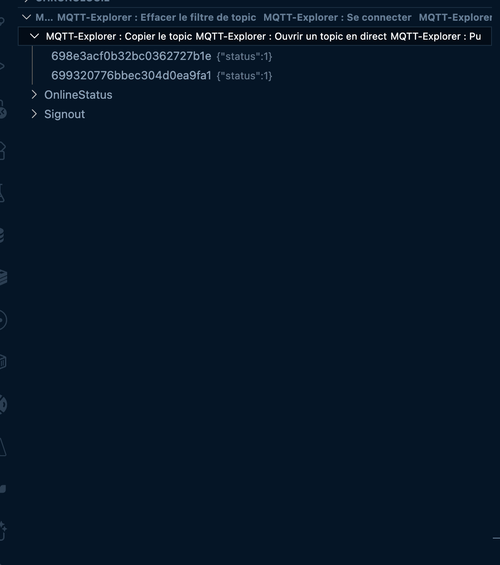
Inspection of the last message received on a topic
Live panel to follow a topic in real time
Posting messages
Quick Start
Open the MQTT Explorer view in the file explorer.
Run the MQTT Explorer: Connect command.
Orders
MQTT Explorer: Connect
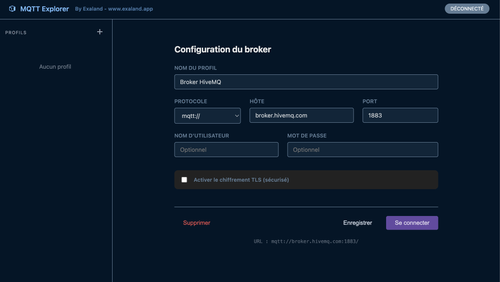
MQTT Explorer: Open Connection Manager
MQTT Explorer: Connect Profile
MQTT Explorer: Save Connection Profile
MQTT Explorer: Delete Connection Profile
MQTT Explorer: Disconnect
MQTT Explorer: Publish Message
MQTT Explorer: Inspect Message
MQTT Explorer: Copy Topic
MQTT Explorer: Set Topic Filter
MQTT Explorer: Clear Topic Filter
MQTT Explorer: Open Live Topic
##Notes
Supported protocols: mqtt, mqtts, ws, wss
The extension displays the last payload seen for each topic.
1.1.0
Version 1.1.0 improves reconnection,
Preserves empty topic levels, and batches tree updates.
Right-click a topic with a message and choose Copy Topic as JSON to copy its payload and metadata.