Live Test Runner

Save a file. Tests run. Results appear inline. No terminal. No config.
Only supports Jest at the moment
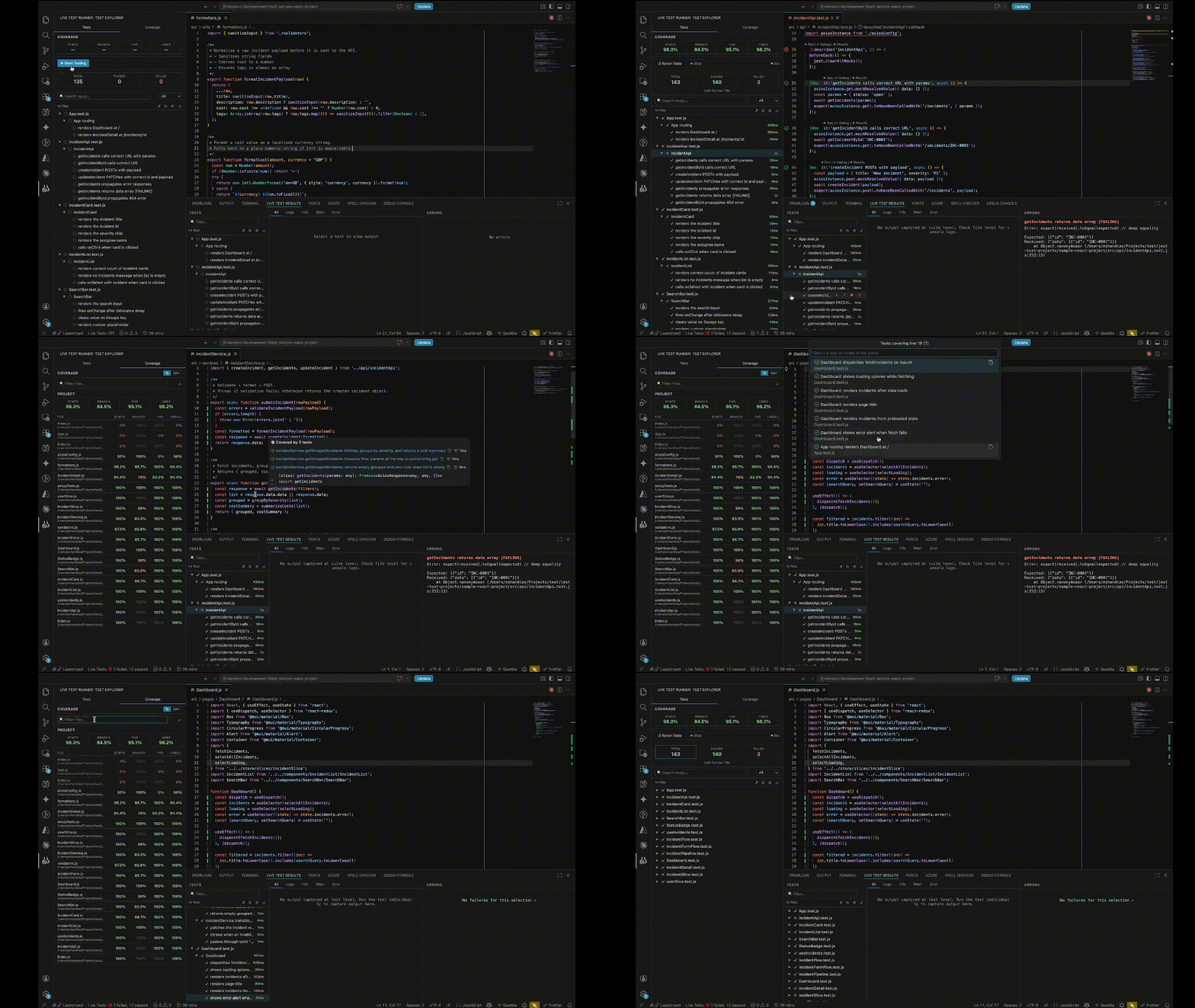
What you get
|
Feature |
|
| ⚡ |
Live reruns on save — targeted, file or test level |
|
| 🌳 |
Test tree in the sidebar — file → suite → test, instant on open |
|
| 🎨 |
Editor decorations — gutter icons, inline duration, CodeLens buttons |
|
| 📊 |
Per-line code coverage — coloured bars + hover shows which tests hit each line |
|
| 🔍 |
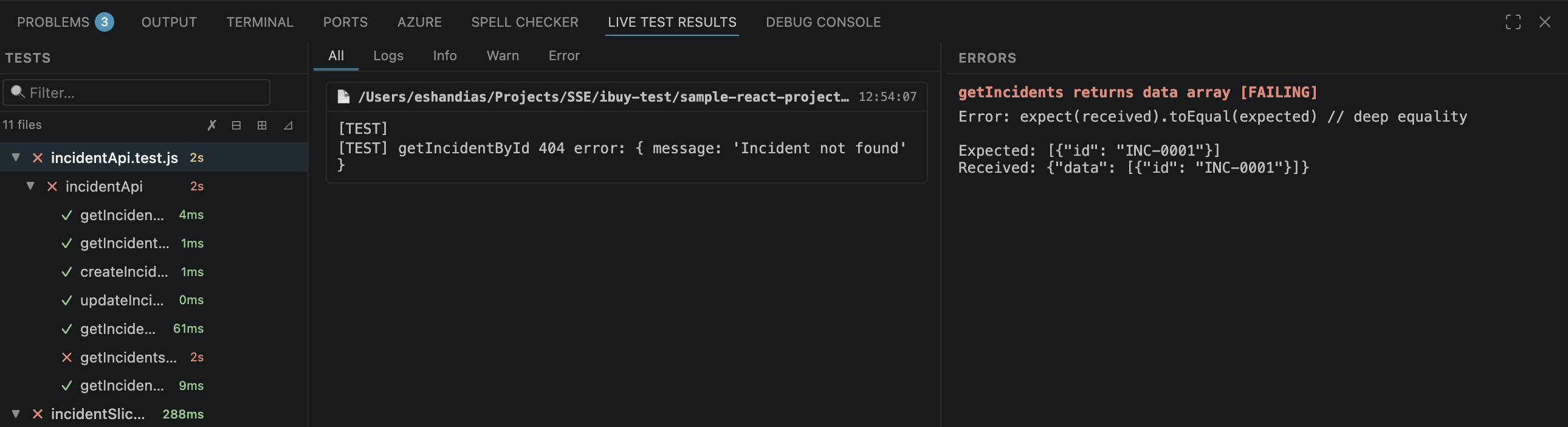
Results panel — 3-column view: test list · console output · errors |
|
| ⏱ |
Timeline Debugger (coming soon) — step through a test like a time-travel debugger |
|
Quick Start
- Open a Jest project in VS Code
- Click the beaker icon in the Activity Bar
- Click ▶ Start Testing
- Save any file — results update instantly
No jest.config changes. No extra installs.
Features
Test tree & always-on watching
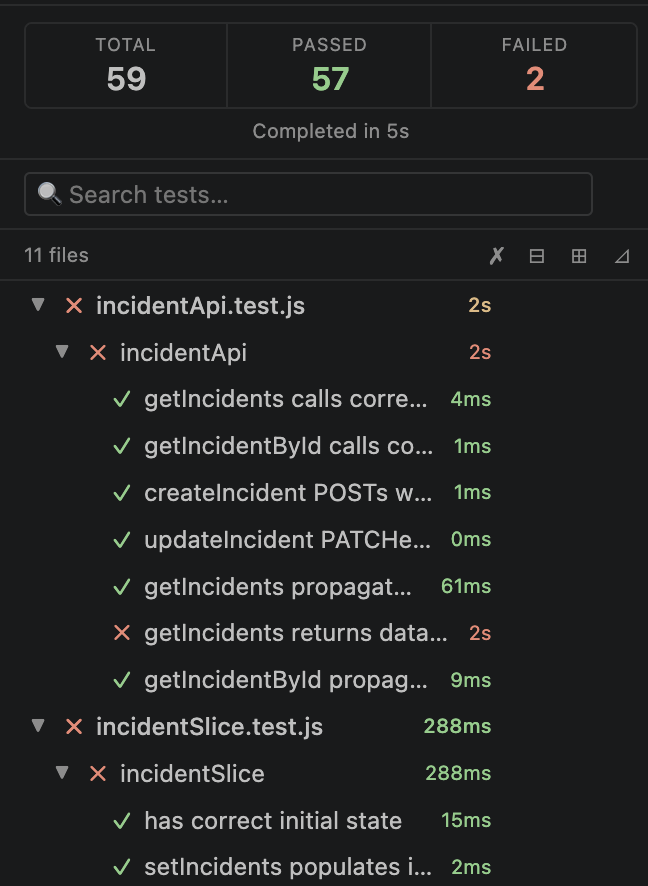
Your full suite — every file, suite, and test — appears in the sidebar on project open before any run. Tests rerun on every save. The status bar shows a live pass/fail count.
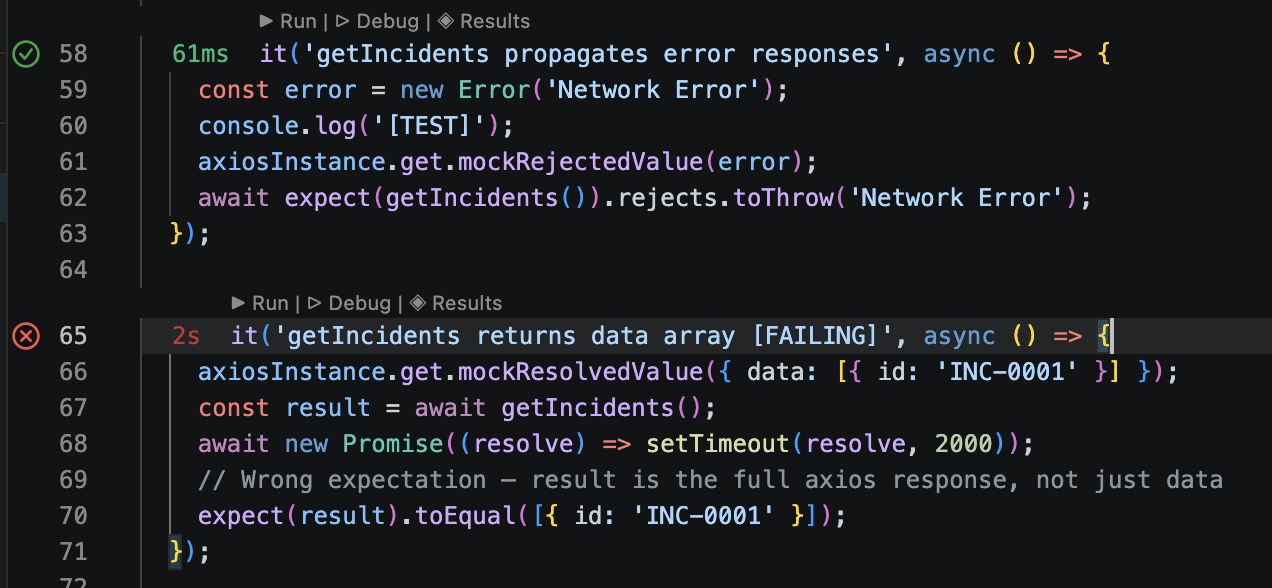
Editor decorations & CodeLens
Every it() / test() line gets a gutter icon, inline duration, and action buttons:
- ✓ / ✗ / ⟳ / ○ gutter icons — live from project open
▶ Run · ▷ Debug · ◈ Results CodeLens above each block- Inline duration label, color-coded by threshold
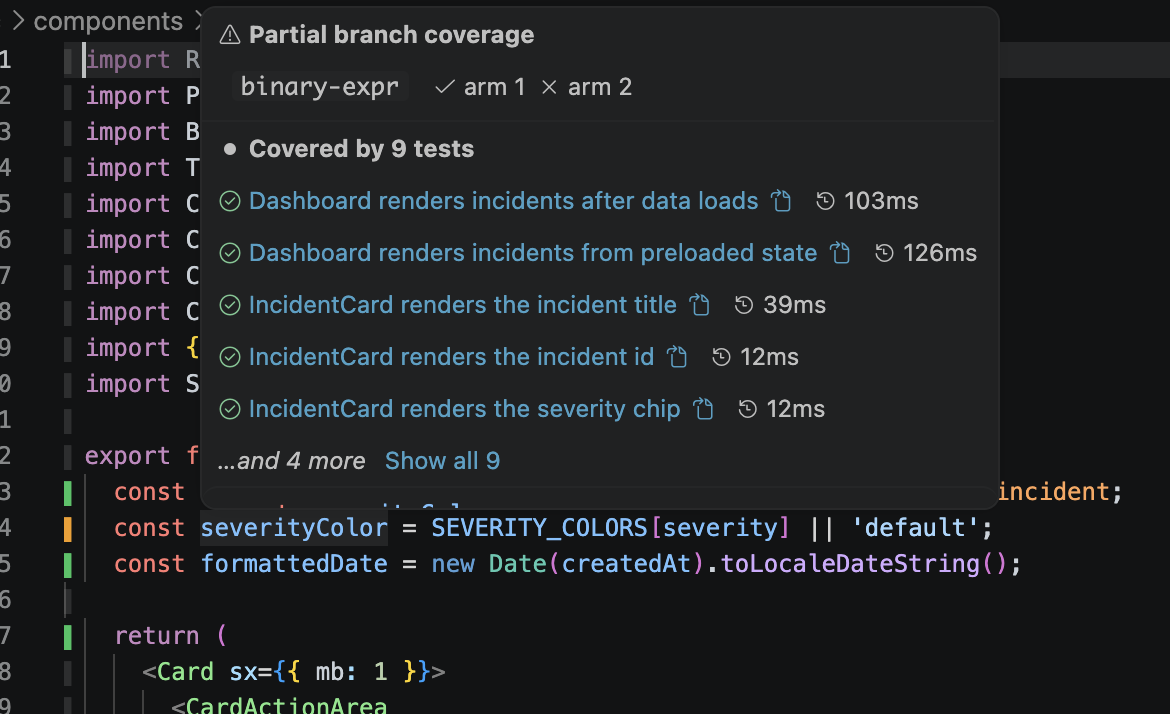
Live code coverage
After the first run, every source file shows per-line coverage — no separate command needed.
| Bar |
Meaning |
Green ▌ |
Covered by all tests |
Amber ▌ |
Covered by some tests |
Red ▌ |
Never executed |
Grey ▌ |
Not executable |
Hover any line to see which tests cover it, their pass/fail status, and duration. When more than 5 tests cover a line, click Show all N to open a searchable Quick Pick listing every covering test — select one to jump to its result. Coverage updates on every save; files show a grey overlay while a rerun is in progress.
Results panel
3-column view: test tree with search · console output tabbed by level · failure messages and stack traces.
Timeline Debugger (coming soon)
Step through any test case line by line — variable values as inline ghost text, watch panel, call stack, no breakpoints needed.
Commands
| Command |
What it does |
Start Testing |
Run all tests and start watching |
Stop Testing |
End the session |
Stop Testing and Clear Cache |
Stop + wipe discovery cache |
Clear Cache and Restart Testing |
Fresh restart |
Select Project Root |
Pick root in multi-folder workspace |
Show Raw Output |
Open raw Jest output channel |
Tip: Shift-click ⏹ Stop to stop and clear cache in one click.
Configuration
All settings under liveTestRunner.*.
| Setting |
Default |
Description |
projectRoot |
"" |
Auto-detected for single-folder workspaces |
runMode |
"auto" |
"auto" calls Jest directly; "npm" delegates to npm test |
jestCommand |
"" |
Override Jest binary path |
onSaveDebounceMs |
300 |
Debounce delay after save (ms) |
durationThresholds.testAmberMs |
100 |
Test turns amber |
durationThresholds.testRedMs |
500 |
Test turns red |
durationThresholds.suiteAmberMs |
500 |
Suite turns amber |
durationThresholds.suiteRedMs |
2000 |
Suite turns red |
durationThresholds.fileAmberMs |
1000 |
File turns amber |
durationThresholds.fileRedMs |
5000 |
File turns red |
Supported frameworks
| Framework |
Status |
| Jest |
✅ Fully supported |
| Create React App (react-scripts) |
✅ Fully supported |
| Vitest |
🗓 Planned |
Known limitations
- Individual test reruns use
--testNamePattern — may match multiple tests if names overlap
- Test-level granularity and per-test console logs are only available after the background trace pass completes for a file; whole-file reruns are used as fallback
About

Built by EshLabs (Eshan Dias) — a software engineer who wanted live test feedback without paying for third-party tools.
⭐ Star on GitHub · 🐛 Report an issue
MIT License

