Markdown Inline Excalidraw
A VS Code extension that adds inline Excalidraw diagram support to the built-in Markdown preview.
This extension is intentionally modeled after Matt Bierner's Markdown Preview Mermaid Support extension, but targets Excalidraw scenes embedded directly inside markdown.
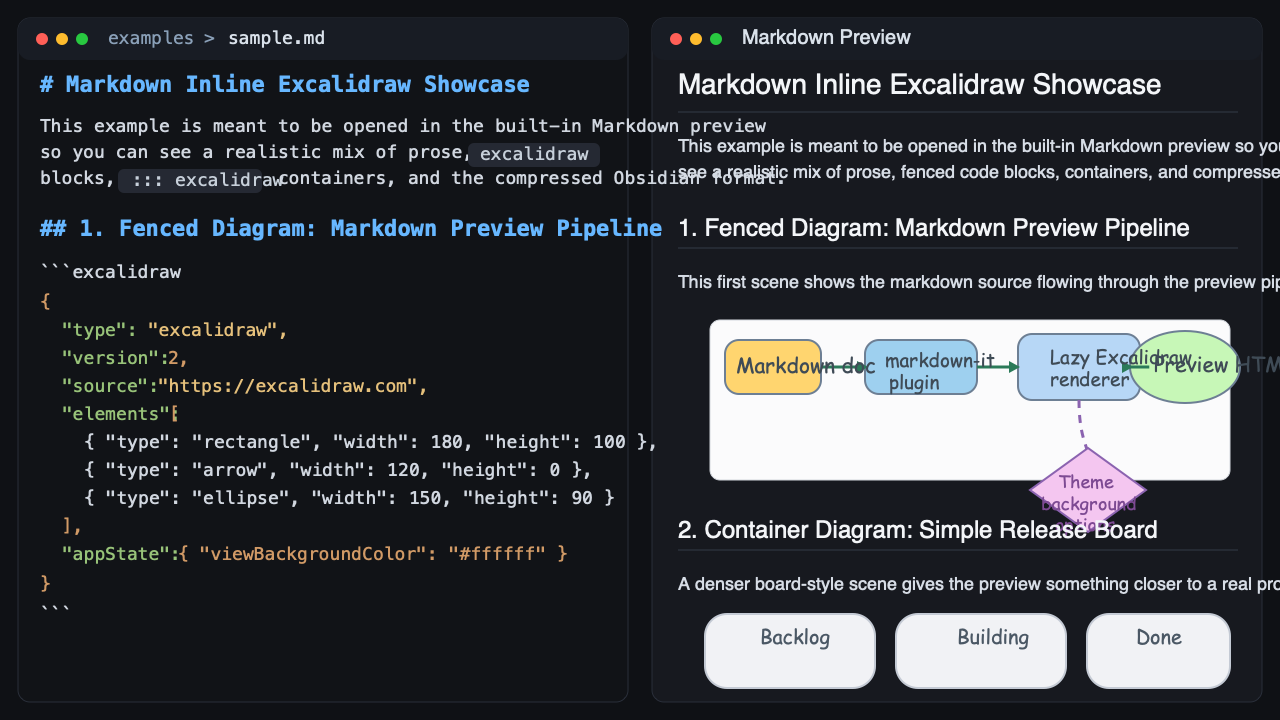
Supported syntax
Use fenced code blocks:
```excalidraw
{
  "type": "excalidraw",
  "version": 2,
  "source": "https://excalidraw.com",
  "elements": [],
  "appState": {
    "viewBackgroundColor": "#ffffff"
  },
  "files": {}
}
```
Or use ::: containers:
::: excalidraw
{
  "type": "excalidraw",
  "version": 2,
  "source": "https://excalidraw.com",
  "elements": [],
  "appState": {
    "viewBackgroundColor": "#ffffff"
  },
  "files": {}
}
:::
This extension also supports the Obsidian Excalidraw markdown drawing section, including both plain json and compressed compressed-json payloads under a Drawing heading.
## Drawing
```compressed-json
...Obsidian Excalidraw payload...
```
Settings
markdown-inline-excalidraw.languages: language ids treated as Excalidraw blocks. Default: ["excalidraw"]markdown-inline-excalidraw.exportBackground: include the scene background in rendered diagrams. Default: truemarkdown-inline-excalidraw.theme: auto, light, or dark. Default: automarkdown-inline-excalidraw.maxTextSize: max inline diagram source length. Default: 200000
Development
npm install
npm run build
Then press F5 in VS Code to launch an Extension Development Host.
Useful scripts:
npm run watch: cross-platform watch mode for the extension and preview bundlesnpm run analyze:preview: emit esbuild bundle metadata for the preview bundle and print a size analysis
The Markdown preview relies on a contributed preview script, so if you see a banner saying that content has been disabled, run Markdown: Change Preview Security Settings and allow extension content for the preview.
Open examples/sample.md and run Markdown: Open Preview to the Side.

