Skip to content
| Marketplace
Sign in
Visual Studio Code>Formatters>Format JS in PHPNew to Visual Studio Code? Get it now.
Format JS in PHP

Format JS in PHP

ErPrabin

|
4 installs
| (0) | Free
Format JavaScript code in PHP files using Prettier - supports selection-based formatting.
Installation
Launch VS Code Quick Open (Ctrl+P), paste the following command, and press enter.
Copied to clipboard
More Info

Format JS in PHP

Format JavaScript code in PHP files using Prettier - Fast and lightweight!

This VS Code extension allows you to format JavaScript code embedded in PHP files. Works cross-platform (Windows, macOS, Linux) and supports Format on Save.

Features

  • Format JavaScript files (.js) using Prettier
  • Format JavaScript code within PHP files (.php)
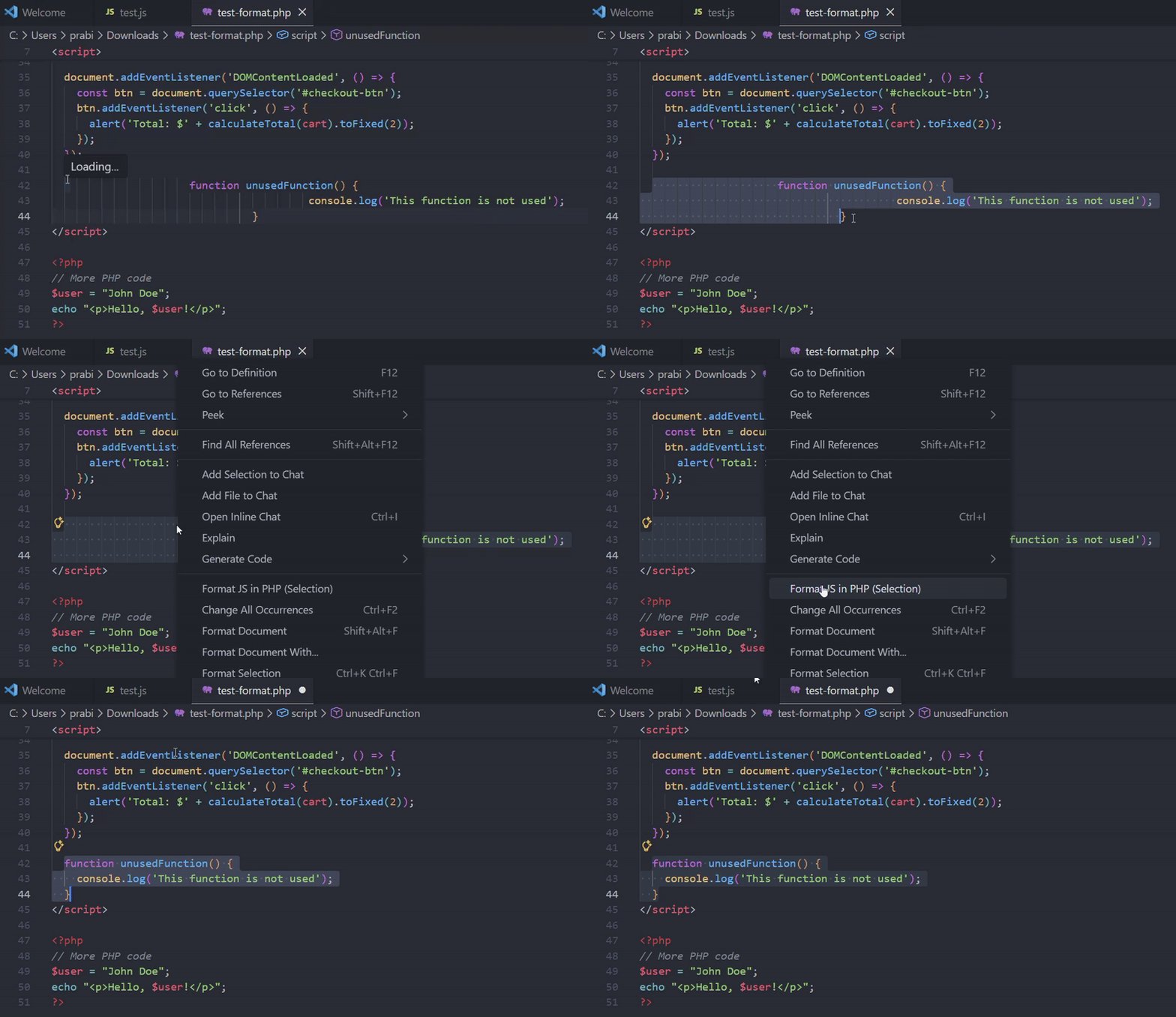
  • Selection-based formatting - Format only selected code
  • Lightning fast - Direct Prettier integration (no external processes)

  • Cross-platform support
  • Format on Save (for .js files)
  • Respects .prettierrc configuration
  • Lightweight and easy to use

Requirements

  • Node.js (for Prettier)
  • Prettier is bundled via npm in the extension

Usage

Format Entire JavaScript File

  1. Open a JavaScript file in VS Code
  2. Press Ctrl+Shift+P (Windows/Linux) or Cmd+Shift+P (macOS)
  3. Run Format JS using PHP
  4. Or save the file if Format on Save is enabled

Format JavaScript in PHP Files (Selection)

  1. Open a PHP file containing JavaScript code
  2. Select the JavaScript code you want to format
  3. Right-click and choose Format JS in PHP (Selection)
  4. Or use Ctrl+Shift+P and run Format JS in PHP (Selection)
  • Contact us
  • Jobs
  • Privacy
  • Manage cookies
  • Terms of use
  • Trademarks
© 2026 Microsoft