

|



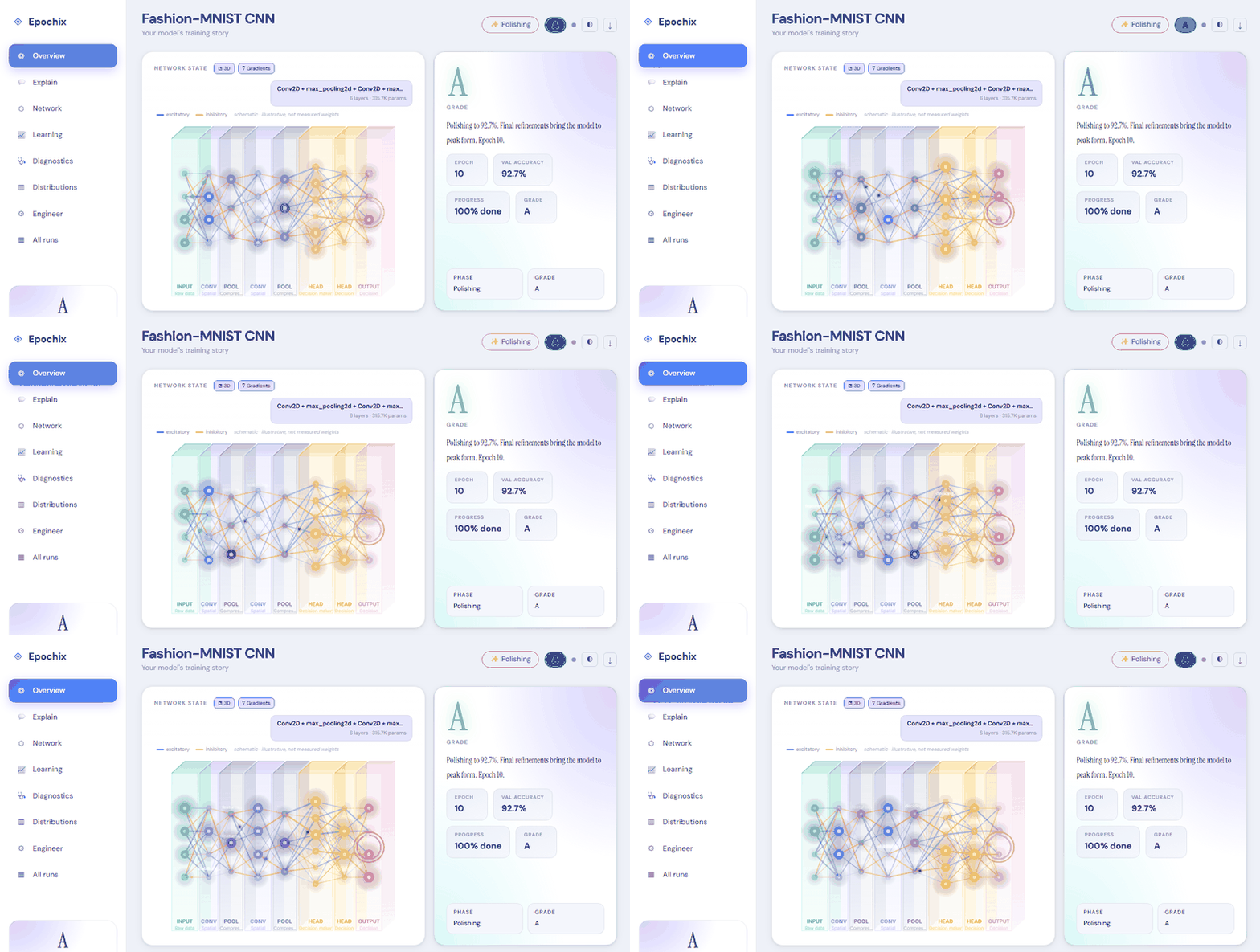
| Panel | What it shows |
|---|---|
| Network State | Auto-detected model architecture (real layer names + param counts), animated activation flow, accuracy ring on the output, overfitting halo |
| Learning Curve | Per-epoch primary-metric trajectory with grade-threshold reference lines and a smoothing slider |
| Phase Journey | Awakening → Learning → Understanding → Mastering → Polishing ribbon with per-phase grades |
| Skill Dimensions | Task-aware radar — mAP50 / Precision / Recall / Localisation for detection runs, Accuracy / Fitting / Generalisation for classification, 1−EER / TAR for biometrics, and so on |
| Live Metrics | TensorBoard-style scalar cards — latest value, ▲/▼ delta vs previous epoch, gradient-area sparkline of the full trend |
| Distributions | Parameter share by layer, min/IQR/median/max metric box-summary, value histograms |
| Engineer Panel | Loss / Accuracy / Overfitting-gap / LR-schedule (log-y) charts with EMA smoothing, log-scale, x:epoch/step toggles, best-epoch markers, and a stats table |
| Training Diagnostics | Health score gauge + interpreted cards for overfitting, convergence (least-squares slope), stability (σ of Δ), generalisation |
| In Plain English | Non-technical narrative for the manager / collaborator who just wants to know "is it good?" |
Two ways to run
Sidecar mode (recommended — full features)
Install the Python sidecar once:
pip install epochix
Then in VS Code:
- Press
Ctrl+Alt+M(orCmd+Alt+Mon macOS) to open the dashboard - Right-click any
.logfile → Epochix: Open Log File… - Or run Epochix: Watch Active Terminal to stream a live training session
The extension spawns the local server, points the webview at it, and streams metrics + architecture into the dashboard live.
Standalone mode (no Python required)
If pip install epochix isn't available, the extension still parses logs
in-process using a built-in TypeScript engine. Open a log file exactly the
same way; you'll get the core story (grade, phase, narrative, learning curve).
Some panels (per-metric series, detected architecture) stay sparse — that
data only exists in sidecar mode.
Commands
| Command | Default keybinding |
|---|---|
Epochix: Open Dashboard |
Ctrl+Alt+M / Cmd+Alt+M |
Epochix: Open Log File… |
(right-click any .log) |
Epochix: Watch Active Terminal |
— |
Epochix: Export Current Run |
— |
Epochix: Compare Two Runs |
— |
Settings
| Setting | Default | What it does |
|---|---|---|
epochix.autoWatchTerminal |
true |
Auto-open the dashboard when ML training is detected in an integrated terminal |
epochix.taskHint |
auto |
Force a task type: classification / detection / regression / biometric / gaze / nlp |
epochix.useSidecar |
auto |
Whether to use the Python sidecar when present (auto / always / never) |
epochix.sidecarPath |
(empty) | Override the path to the epochix executable |
epochix.theme |
auto |
Dashboard theme — auto follows VS Code's colour theme |
epochix.locale |
en |
UI language — en / fa (RTL) / fr |
Your own grade thresholds. Put a .epochix.yaml in the workspace folder
(or in ~/.epochix/) and the panel grades with it, as the epochix command
line does. See Grade thresholds.
Supported log formats
PyTorch Lightning · Keras / TensorFlow · HuggingFace Trainer · Ultralytics YOLO ·
FastAI · Accelerate · plus a universal key=value / key: value / JSON
fragment fallback for arbitrary logs.
Task auto-detection looks at which canonical metrics show up (mAP for detection, perplexity for NLP, EER for biometric, MAE for gaze, accuracy for classification, etc.) and grades against task-appropriate thresholds.
Repository · Issues · Docs
- GitHub: https://github.com/epochix-dev/epochix
- Issues: https://github.com/epochix-dev/epochix/issues
- Docs: https://epochix.dev
Apache-2.0 licensed.