Skip to content
| Marketplace
Sign in
Visual Studio Code>Programming Languages>Eneve GenScript SyntaxNew to Visual Studio Code? Get it now.
Eneve GenScript Syntax

Eneve GenScript Syntax

Eneve

|
4 installs
| (0) | Free
Eneve GenScript syntax highlighting
Installation
Launch VS Code Quick Open (Ctrl+P), paste the following command, and press enter.
Copied to clipboard
More Info

Syntax highlighting for GenScript

Helper package to work with EBASE and GenScripts that provides syntax highlighting for .gen scripts.

For more information regarding EBASE visit Eneve

Preview

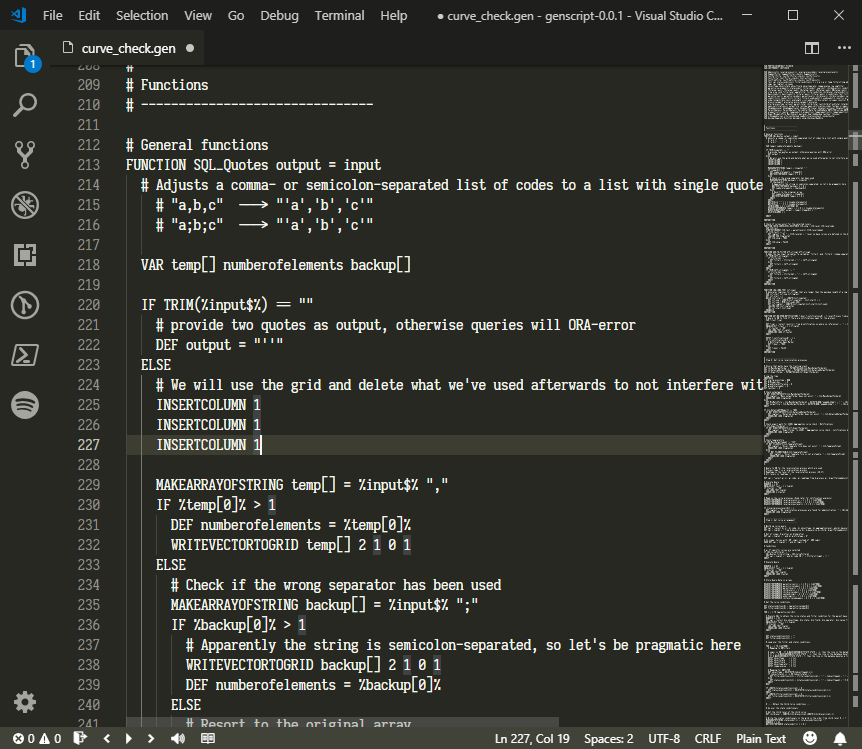
This extension turns this

Before

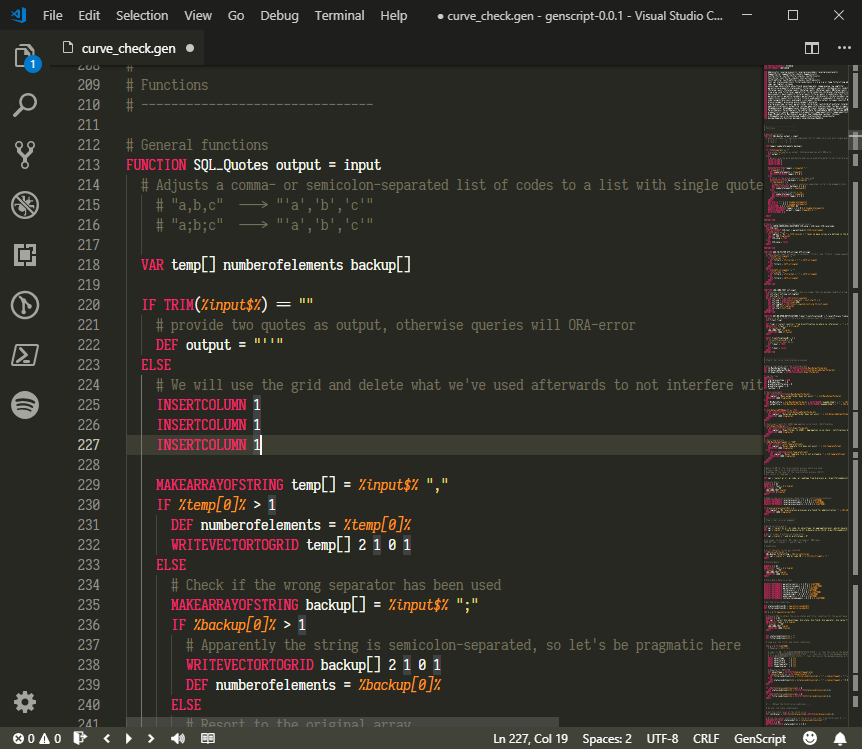
Into this

After

Snippets for autocompletion are also included.

How to Install

To get the latest version, go to Gitlab and copy/paste the content in the extension folder.

  1. Go to Gitlab Genscript syntax highlighting project
  2. Go to 'VS Code' folder and download the folder as a zip file.
  3. Unzip de downloaded file.
  4. Copy/paste the content of that unzipped folder into the your VScode extension folder (C:\Users\FirstName.LastName.vscode\extensions\eneve.genscript) + (note: I named the extension folder 'eneve.genscript' which is easier to read the )

  5. Fire up VScode and enjoy!
  • Contact us
  • Jobs
  • Privacy
  • Manage cookies
  • Terms of use
  • Trademarks
© 2026 Microsoft