Spec42 for VS Code
Spec42 is open, local-first tooling for SysML v2 and KerML: edit textual models with live feedback, understand structure and behavior beyond the source, and keep the same analysis engine in the editor, CI, and assistant workflows.
This extension is the primary modeling surface. Marketplace builds include the matching language server, standard library, and Elan8 domain/method libraries — install, open a .sysml or .kerml file, and start modeling.
Why Spec42 in the editor
Textual SysML v2 is only as useful as the feedback around it. Spec42 focuses on three things that matter while you work:
- Confidence while editing — diagnostics, navigation, and completion that stay with you as the model grows across files.
- Understanding beyond the source — Feature Inspector shows resolved semantics, not just tokens.
- Continuity outside the IDE — the same engine powers CLI checks, GitHub Actions, and assistant tools, so editor results and automation stay aligned.
Everything runs locally. Models stay in your workspace; Spec42 does not require a cloud modeling runtime.
What you get
- Live diagnostics, semantic highlighting, completion, hover, snippets, and formatting.
- Definitions, references, rename, document symbols, and hierarchy navigation.
- Workspace-aware indexing for multi-file models and configured libraries.
- Feature Inspector for resolved typing, inheritance, relationships, values, and keyword help.
- Bundled SysML standard library plus searchable Elan8 domain and method libraries.
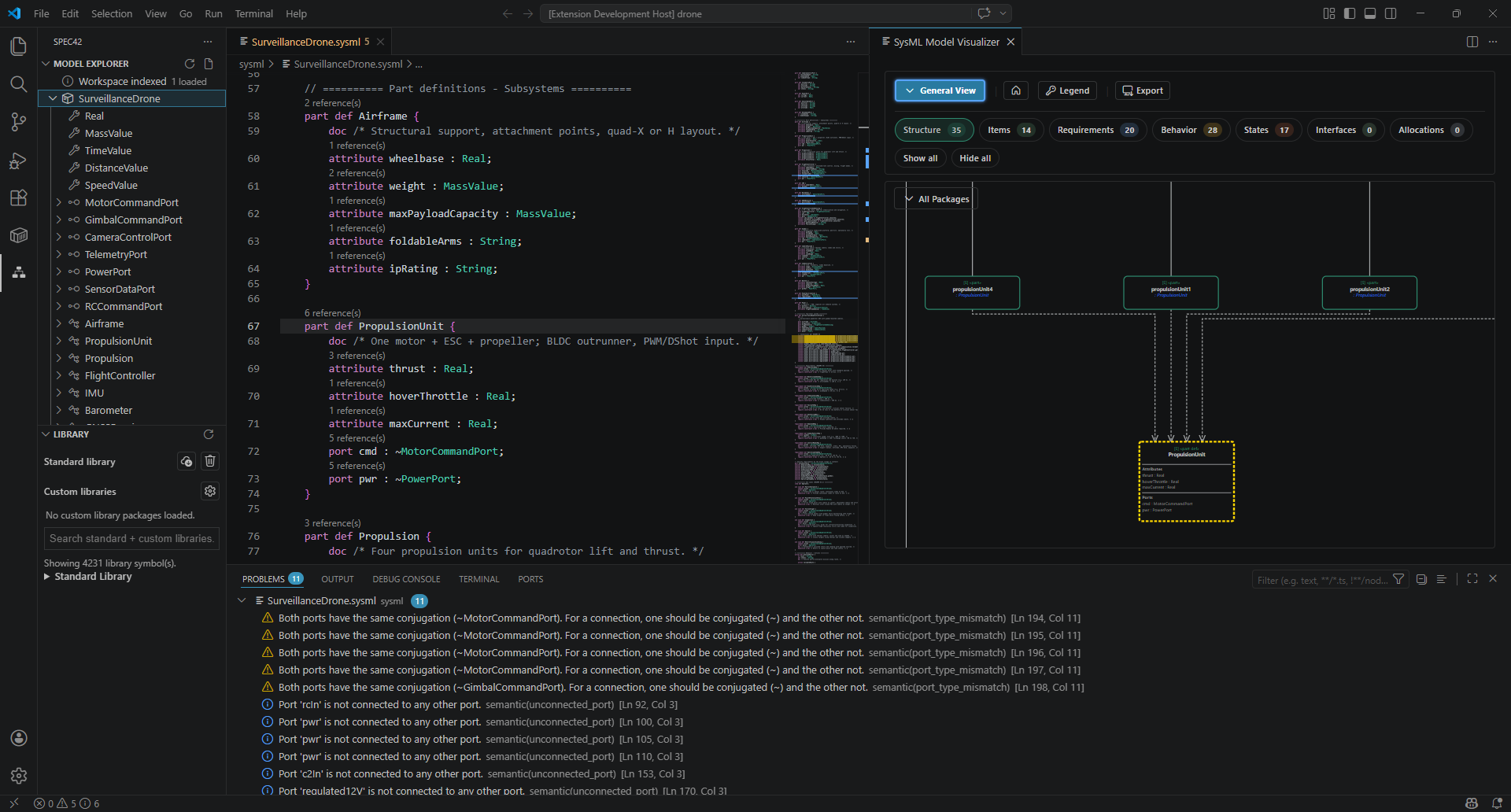
- A persistent Diagram view in the secondary side bar, backed by the packaged Rust WASM
generator and the bundled renderer. It lists every authored diagram view in the model, renders
the selected one, regenerates on its own whenever the model changes, and offers
Home /
JSON / SVG / PNG. Spec42: Open Diagram focuses it. Where a view's typed projection is
still incomplete the panel reports the typed reason rather than guessing.
- Built-in Copilot Language Model Tools for check, doctor, model summary, and diagnostic explanation.
Views
| View |
What it is for |
| General View |
Structure and relationships across the exposed model. |
| Interconnection View |
Parts, ports, connectors, and architecture wiring. |
| Action Flow View |
Control and data flow through actions. |
| State Transition View |
States and transitions for lifecycle behavior. |
| Sequence View |
Lifelines and messages for interaction-oriented models. |
| Browser View |
Hierarchical membership browsing. |
| Grid View |
Tabular arrangement of exposed elements and relationships. |
| Geometry View |
Spatial items (partial while authored geometry and 3D catch up). |
Get started
- Install SysML v2 Editor from the Visual Studio Marketplace.
- Open a
.sysml or .kerml file — or pick the starred timer example from the Spec42 sidebar.
- Use navigation, diagnostics, Feature Inspector, and Open Diagram as you explore.
Full walkthrough: Getting Started.
For CLI checks, CI, environment diagnostics, and other AI hosts, see the main Spec42 README and the docs linked below. Editor and automation share the same analysis engine.
Learn more
Settings, advanced configuration, and contributor notes live in docs/ and the repository development guide rather than this Marketplace overview.
| |

