
Mail MCP
Give AI assistants secure, human-in-the-loop access to your email.
Mail MCP is an MCP (Model Context Protocol) server + VS Code extension that lets AI assistants like Copilot and Claude read, search, organize, and clean up your email — with you approving every destructive action.
Features
- 24 MCP Tools — List, search, read, move, delete, unsubscribe, cache, and review emails
- Human-in-the-Loop Review — AI proposes actions, you approve or reject in a visual checklist before anything happens
- High-Performance Cache — Sync 500+ emails to memory for instant regex search & filtering without API calls
- Provider-Agnostic — Plugin architecture with built-in setup guides for each provider
- Built-in Documentation — Overview, setup guides, tool reference, and workflow examples right in the panel
- Custom Instructions — Override or extend the AI's default behavior from extension settings
How It Works
AI Agent (Copilot / Claude) ←─ MCP ─→ Mail MCP Server ←─ IPC ─→ VS Code Extension ←─→ Review UI
- Your AI assistant connects to the MCP server
- It can read, search, and analyze your email
- When it wants to modify anything (delete, move, unsubscribe), it creates a review
- You see the review in the Mail MCP panel with checkboxes
- You approve or reject — the AI only acts on what you approved
Screenshots
Sign-In Flow
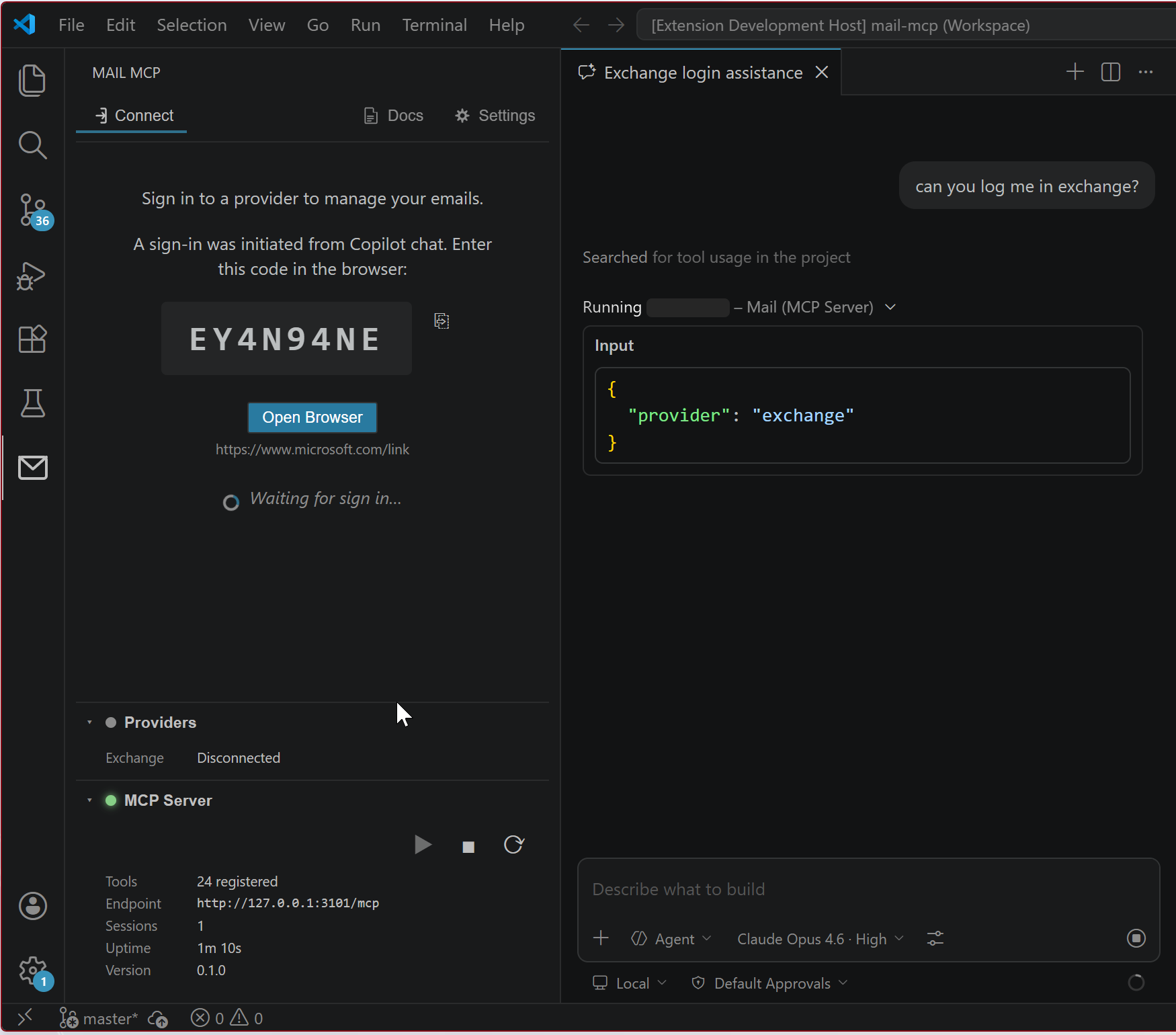 Ask the AI to log you in — it triggers a device code flow. The code is auto-copied and the browser opens automatically.
Review Building
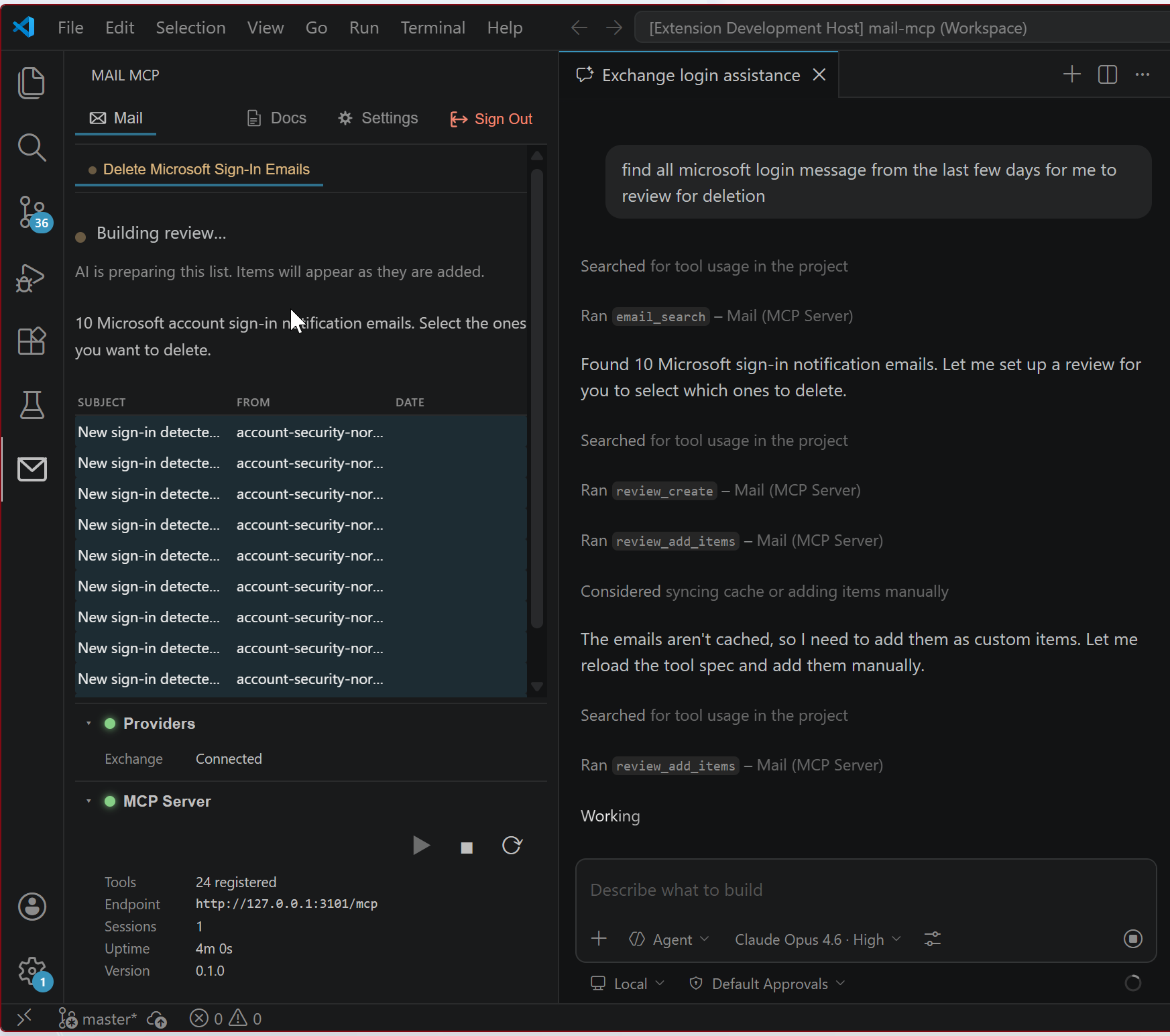 The AI searches for emails, creates a review, and adds items. You see them appear in real-time.
Review Approval
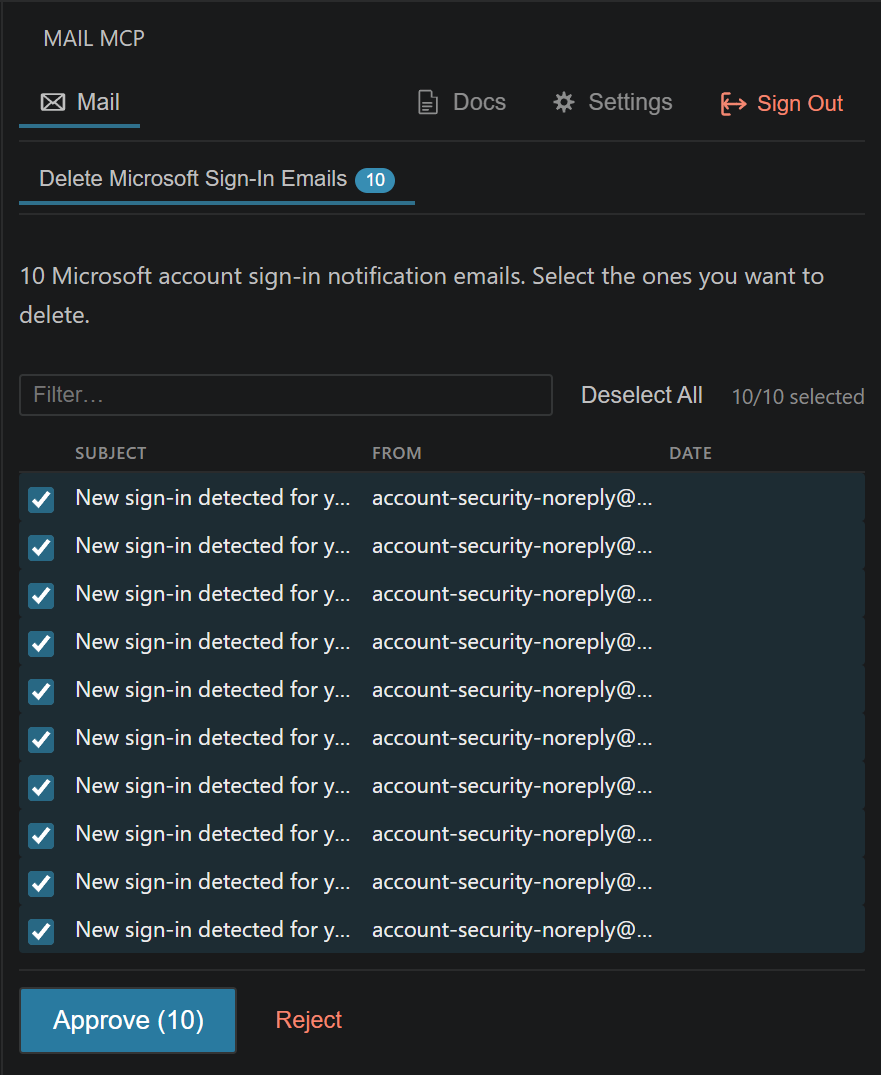 All items are pre-selected. Filter, deselect what you want to keep, then approve or reject.
Chat: Full Workflow
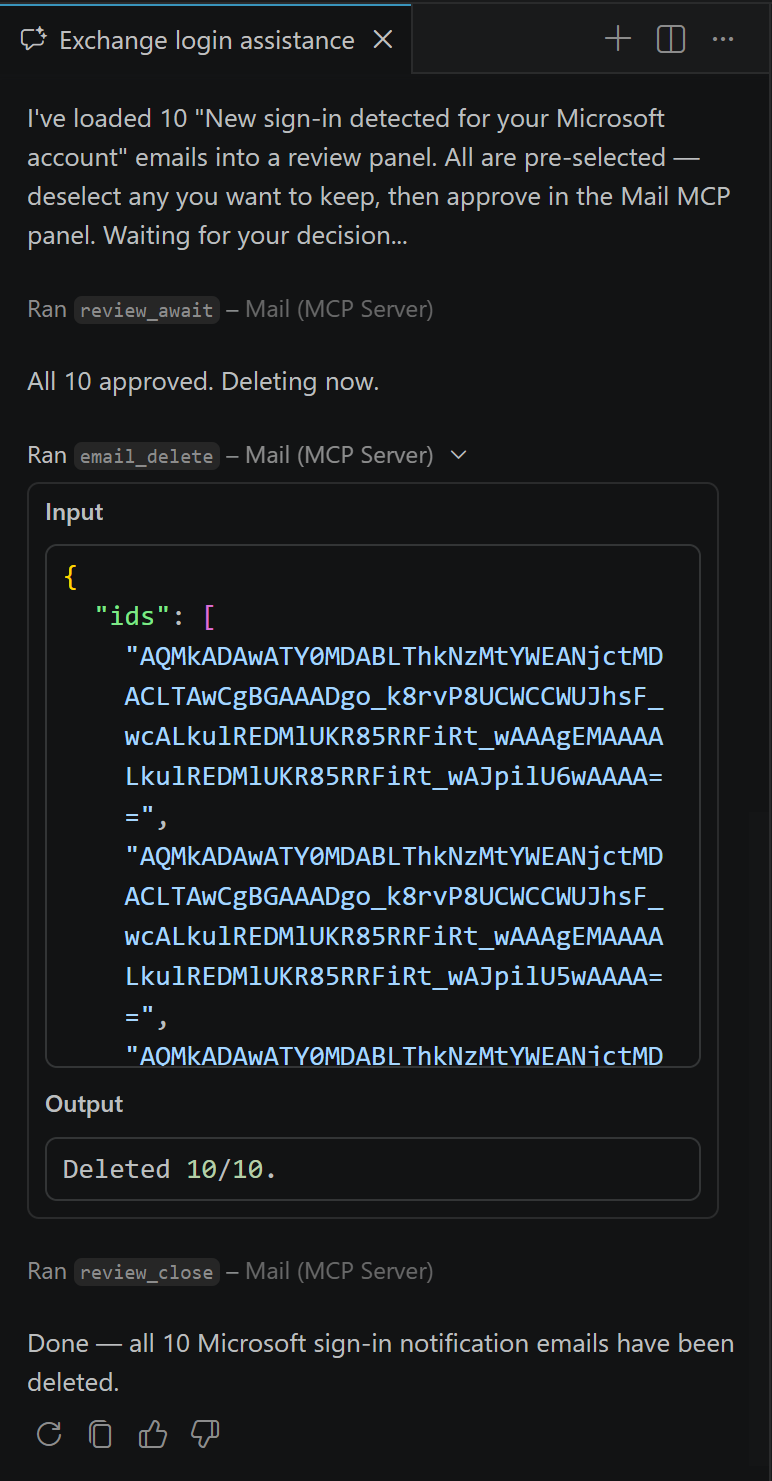 The AI waits for your approval, executes on approved items, and closes the review.
Chat: Deletion Result
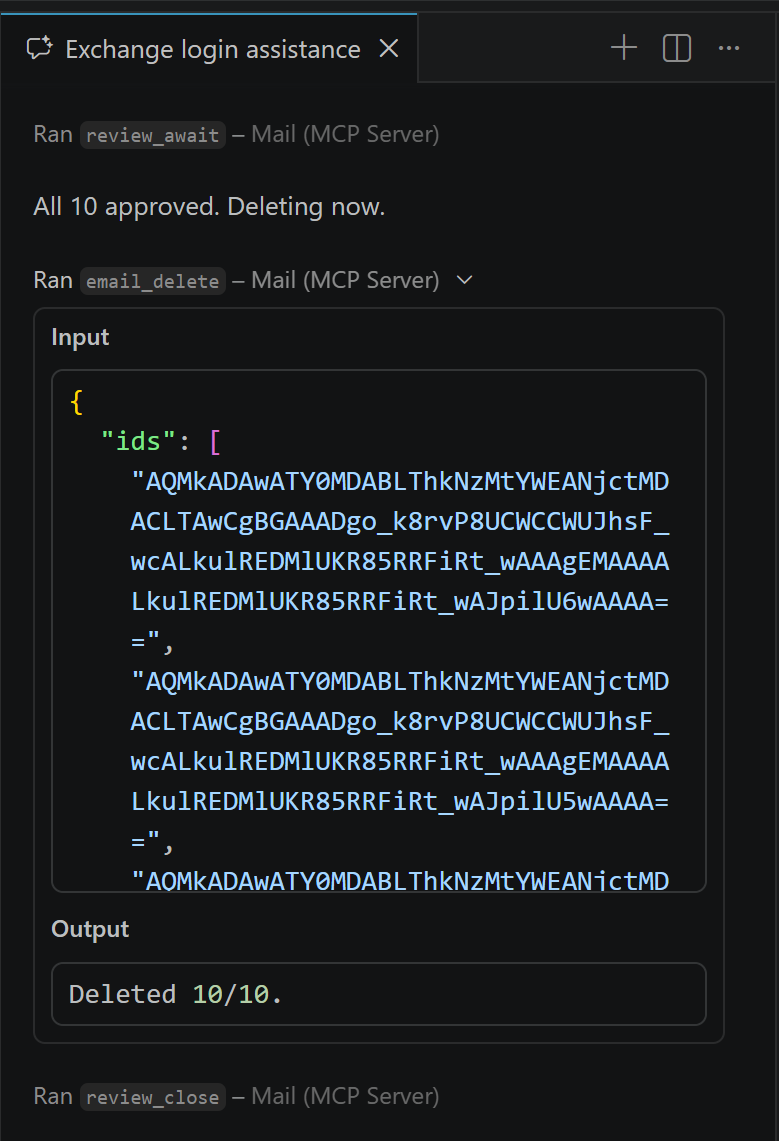 Confirmed deletion with full tool input/output transparency.
Documentation
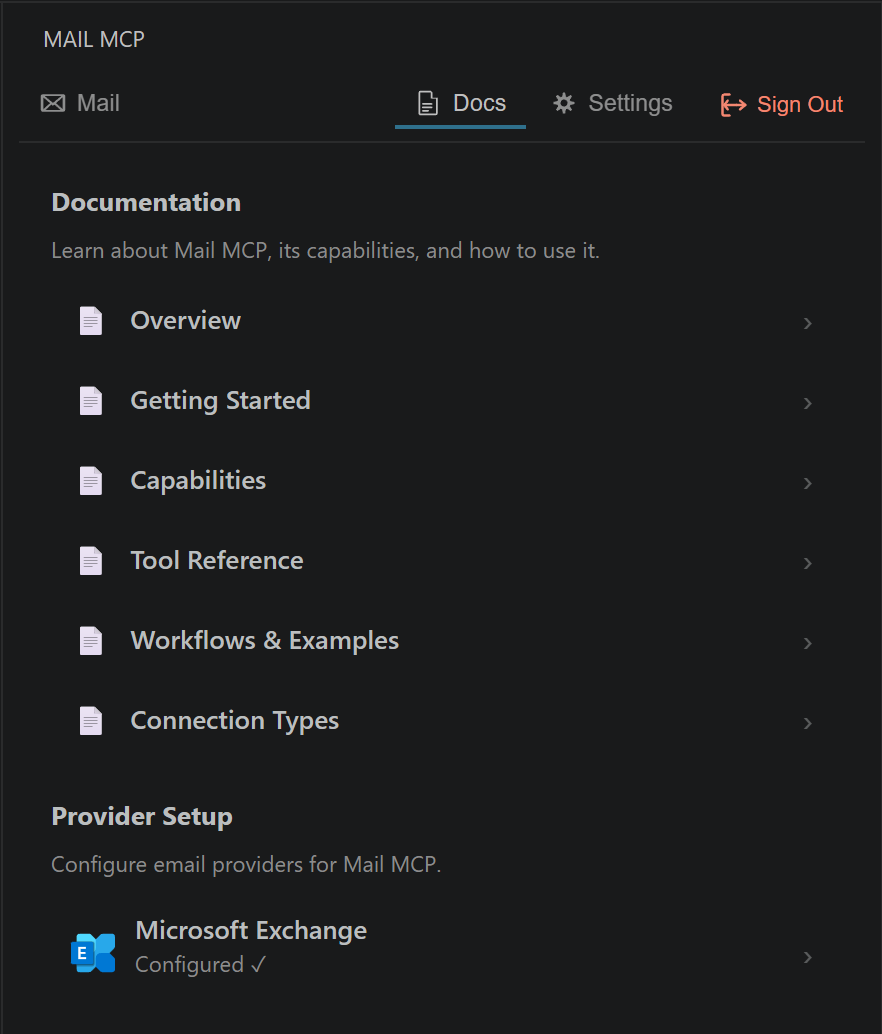 Overview, getting started, capabilities, tool reference, workflows, and provider setup — all in the Docs tab.
Settings
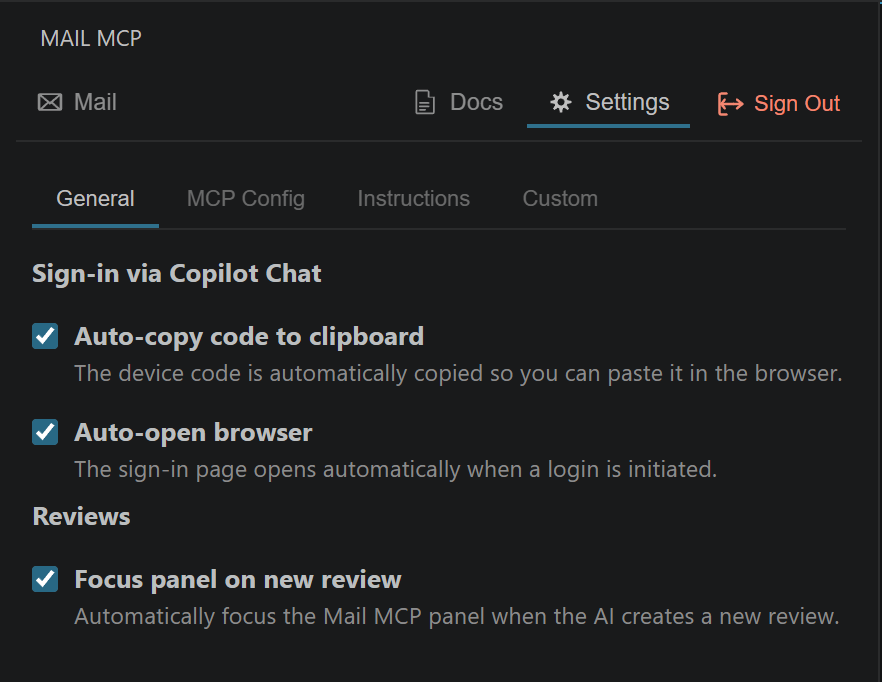 Configure auto-copy, auto-open browser, review focus, MCP config, and custom AI instructions.
Getting Started
1. Install the Extension
Install Mail MCP from the VS Code Marketplace.
2. Set Up Your Provider
Open the Mail MCP sidebar panel → Docs tab → Provider Setup and follow the guide for your email provider.
3. Connect
- Open the Mail MCP panel (envelope icon in the activity bar)
- Click Connect
- Complete the sign-in flow for your provider
- Done! The MCP server starts and your AI can access your email
Supported Providers
| Provider |
Auth Method |
Setup Guide |
| Microsoft Exchange (Outlook, Microsoft 365) |
Device Code Flow |
See Docs → Provider Setup in the extension |
More providers can be added through the plugin architecture.
Example Workflows
| Ask your AI... |
What happens |
| "Clean up my inbox" |
Syncs emails → categorizes → presents review → you approve deletions |
| "Find all newsletters and unsubscribe" |
Scans for unsubscribe headers → presents list → you pick which to unsub |
| "Move bank emails to Finance" |
Searches by sender → presents matches → you approve the move |
| "Delete all Microsoft sign-in notifications" |
Searches → presents review → you select & approve → deleted |
Extension Settings
| Setting |
Description |
Default |
mail-mcp.clientId |
Provider application/client ID |
— |
mail-mcp.autoCopyCode |
Auto-copy device code to clipboard |
true |
mail-mcp.autoOpenBrowser |
Auto-open browser for sign-in |
true |
mail-mcp.focusOnReview |
Focus the panel when AI creates a review |
true |
mail-mcp.customInstructions |
Custom instructions sent to the AI |
— |
Requirements
- VS Code 1.96+
- Node.js 18+
- A supported email provider (see Supported Providers above)
Security
You are responsible for controlling your AI assistant.
The review system instructs the AI to present actions for approval before executing them. However, there is no technical enforcement preventing the AI from calling tools directly. Monitor what the AI is doing and revoke access if it misbehaves.
Links
License
MIT © Drizztdourden_

