Skip to content
| Marketplace
Sign in
Visual Studio Code>Visualization>Doc ViewNew to Visual Studio Code? Get it now.
Doc View

Doc View

Doc Viewer

|
6 installs
| (0) | Free
Open Word, Excel, PowerPoint, PDF, VectorCraft and design (FigCraft, Figma .fig) files in VS Code. View only: nothing is ever edited, saved or sent anywhere.
Installation
Launch VS Code Quick Open (Ctrl+P), paste the following command, and press enter.
Copied to clipboard
More Info

Doc View

Open Word, Excel, PowerPoint, PDF, VectorCraft and design files (FigCraft, Figma .fig) in a VS Code tab, with the same viewer as the ViewDocs desktop app.

View only. Doc View never edits, saves or exports a document, never writes next to it, and sends nothing anywhere: no telemetry, no network, no account.

Today VS Code says "The file is not displayed in the text editor because it is either binary or uses an unsupported text encoding" for a .docx, .xlsx, .pptx or .fig. With Doc View those files simply open.

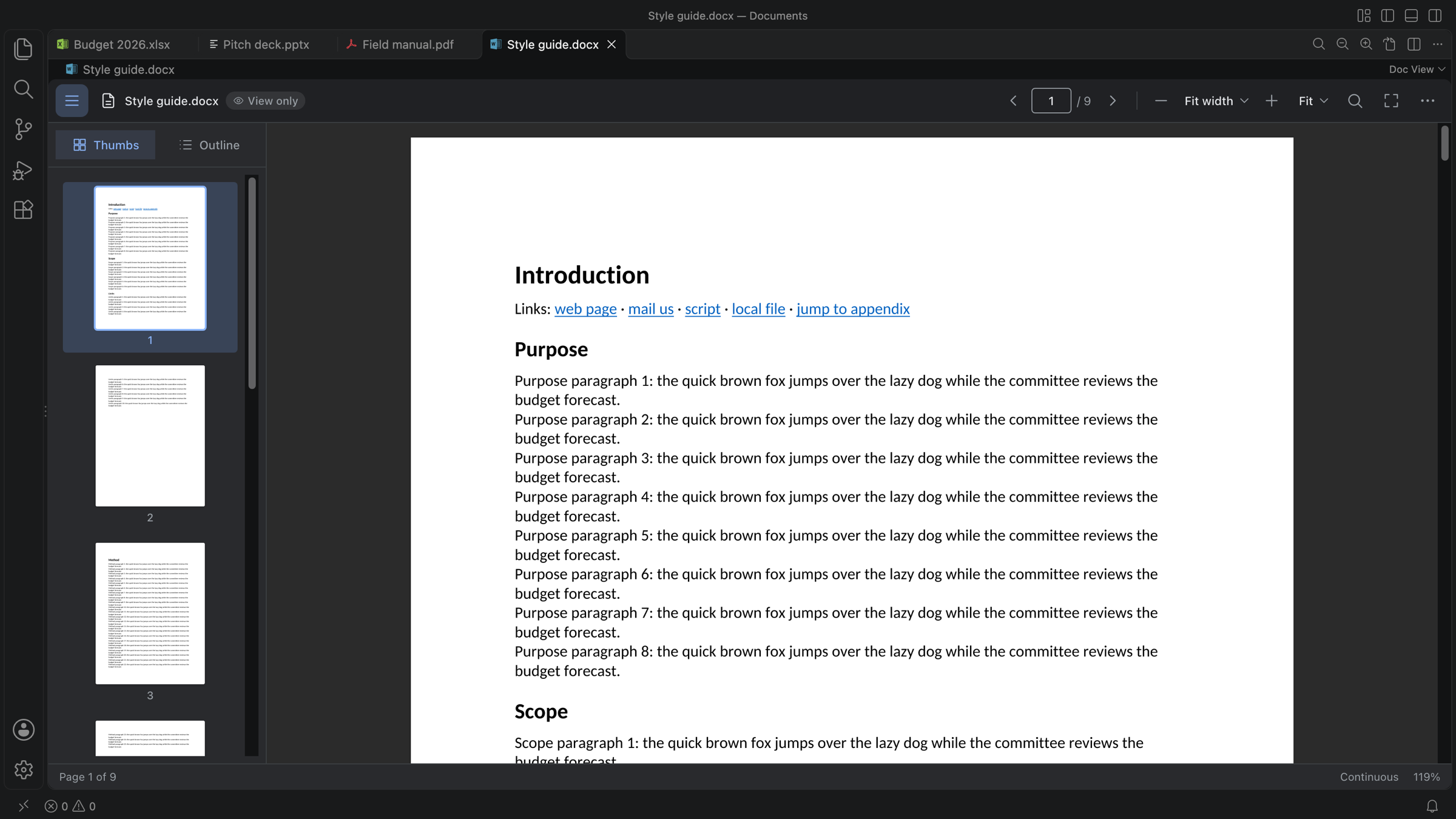
A Word document in Doc View, dark theme: page thumbnails on the left, tabs for an Excel workbook, a PowerPoint deck and a PDF above

What you get

  • Word and PDF: a paged view with thumbnails and outline, zoom, fit width or page, go to page (Ctrl+G) and find (Ctrl/⌘ F).
  • Excel: a spreadsheet grid with sheet tabs, frozen rows, a cell details bar and charts.
  • PowerPoint: slides, speaker notes, a slide grid and a full-screen slide show (F5).
  • VectorCraft and design files: canvases with their artboards and screens.
  • Search Open Documents across every open tab (Ctrl/⌘ Shift+F inside a Doc View editor); choosing a hit opens that tab at the match.
  • Password-protected Word, Excel and PDF files: the password is asked in the editor and never stored.
  • Stays current and clear. A reload banner appears when the file changes on disk, and damaged or too-large files get a clear message with Reopen with Text Editor.
  • Open it your way. Click a file, use Open With… → Doc View, run Doc View: Open File…, or open a preview beside your text with Doc View: Open Preview to the Side.

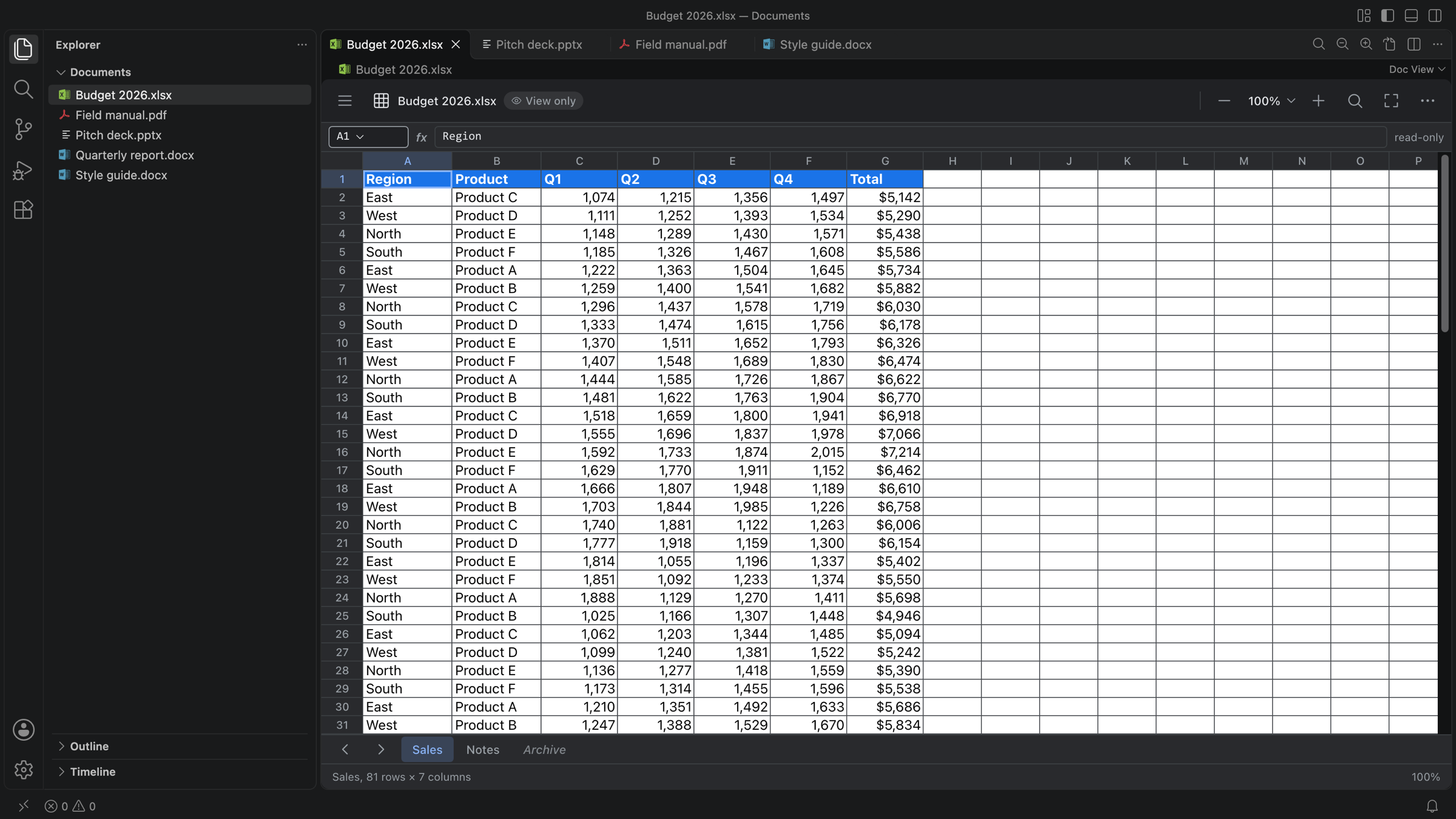
An Excel workbook in Doc View: sheet grid with a header row, a read-only formula bar and sheet tabs

Press F1 and type Doc View for every command. In a Doc View editor, Ctrl/⌘ K opens the document palette, F4 toggles the sidebar, and Keyboard Shortcuts lists the rest.

Light and dark themes

Doc View follows your VS Code theme (light, dark or high contrast), or you can pin it to light or dark with docViewer.theme.

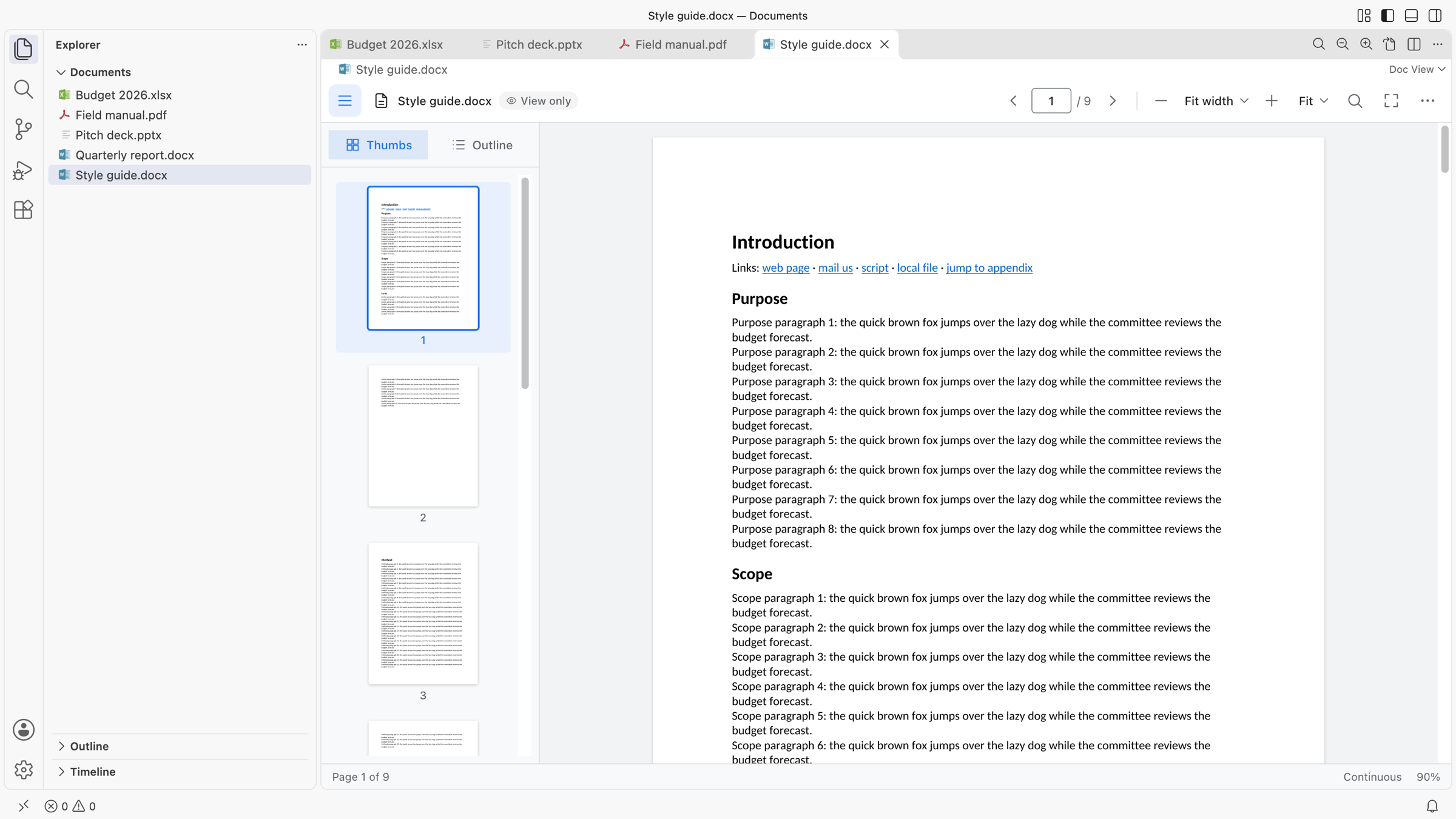
A Word document in Doc View, light theme

What you can open

Formats
Word and text docx docm dotx dotm doc dot odt rtf html htm md txt
Excel xlsx xlsm xltx xlsb xls ods csv tsv
PowerPoint pptx ppsx potx
PDF pdf
Vector and design vectorcraft drawcraft figcraft fig

Binary formats open in Doc View by default. Text-like formats (txt, md, html, csv, tsv, rtf, VectorCraft and FigCraft files) stay in VS Code's text editor; choose Open With… → Doc View, or Doc View: Open Preview to the Side, to see them as documents.

Safe by design

A document is untrusted input. It is parsed in a separate worker thread, never on the thread that runs your other extensions: a damaged or hostile file costs that worker, which restarts by itself. Limits apply to size, pages and memory; links are checked (only http, https and mailto, after a confirmation); nothing a document references is fetched or run. The editor page has a strict content security policy and never sees a file path.

It reads files through VS Code's file system, so a file on a virtual file system opens like a local one. The extension declares support for restricted (untrusted) workspaces and remote windows (SSH, WSL, Dev Containers), where it runs on the local side.

Requirements

VS Code 1.101 or newer. Nothing else: no Office, no Node, no Python, no network.

Doc View has been tested on macOS. Windows, Linux, remote windows and Restricted Mode are supported by design (one universal package, pure JavaScript) but have not been checked on real setups yet; please report what you find.

Settings

Setting Default What it does
docViewer.theme followVSCode followVSCode, light or dark
docViewer.engine.memoryLimitMb 3072 Heap limit of the document engine; a document that needs more ends the engine, not VS Code
docViewer.engine.idleStopSeconds 300 Stop the engine after this long without an open document (0: never)
docViewer.engine.hangTimeoutSeconds 30 Restart an engine that stays silent this long while busy

View preferences (sidebar, status bar, review markup, paper) are remembered by the viewer itself.

Commands

Open File…, Open Preview to the Side, Reopen with Text Editor, Search Open Documents, Find, Go to Page…, Zoom In / Out, Actual Size, Fit Width / Page, Toggle Sidebar, Show Outline, Start Slide Show, Document Properties, Keyboard Shortcuts, Reload from Disk, Restart Engine, Show Logs, About.

Licence

The licence of the ViewDocs project is still to be decided; see LICENSE. The bundled fonts (Carlito, Caladea, Liberation) are under their own open licences, listed in the extension's dist/fonts/licenses folder.

  • Contact us
  • Jobs
  • Privacy
  • Manage cookies
  • Terms of use
  • Trademarks
  • Your Privacy Choices
  • Consumer Health Privacy
© 2026 Microsoft