TreeView Studio
A Visual Studio Code extension that generates a beautiful directory tree visualization of your project. Perfect for documentation, sharing project structure, or understanding codebase organization.
Screenshots
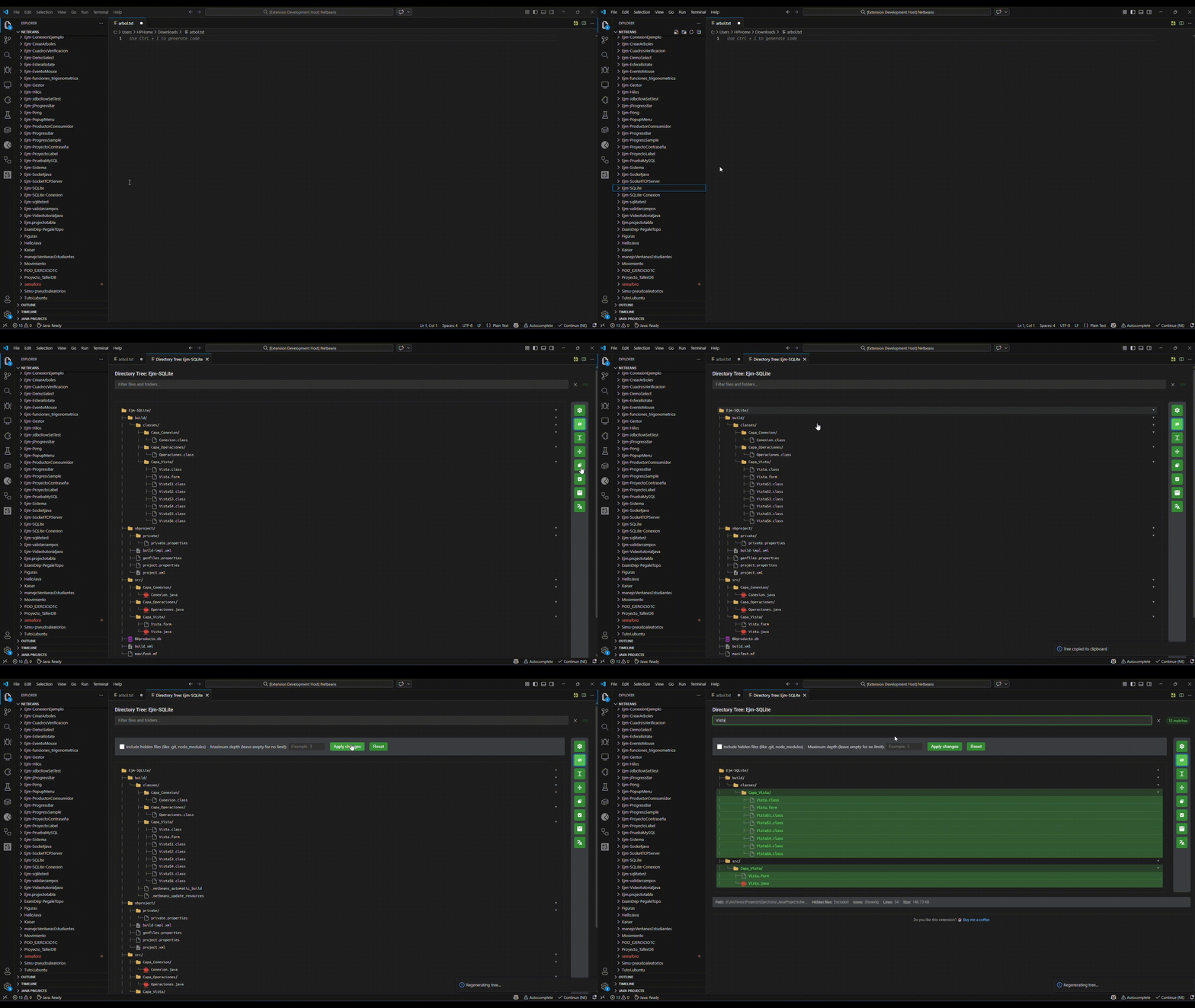
Features
Core Features
- Directory Tree Generation - Creates a visual tree structure of any folder in your project
- Interactive WebView - View your tree in a beautiful, interactive interface
- Context Menu Integration - Right-click on any folder to generate its tree
- Configurable Depth - Set the maximum depth for the tree visualization
- Hidden Files Support - Option to include hidden files (
.git, node_modules, etc.)
Version 0.3.0 Features
Multilingual Support
- 6 Languages: English, Spanish, French, German, Chinese, Japanese
- Auto-detects your VS Code language
- Switch languages via Command Palette
Enhanced UI/UX
- Real-time options panel (no regeneration needed)
- Search & filter files and folders
- Expand/Collapse all navigation
- Customizable fonts and sizes
- Collapsible entries by default
Export & Share
- Copy entire tree to clipboard
- Export to text file
Usage
- Right-click on any folder in the VS Code Explorer
- Select "Generate Directory Tree"
- Follow the prompts
Method 2: Command Palette
- Press
Ctrl+Shift+P (or Cmd+Shift+P on Mac)
- Type "Generate Directory Tree"
- Press Enter
WebView Interface
The tree is displayed in an interactive WebView with:
- Search Bar - Filter files and folders in real-time
- Options Panel - Show/hide hidden files, adjust depth, toggle icons
- Expand/Collapse All - Navigate large trees easily
- Copy & Export - Copy to clipboard or save to file
- Statistics - Shows path, file count, line count, and size
Supported File Types
The extension includes icons for 50+ file types:
| Category |
Extensions |
| Web |
.html, .css, .scss, .sass, .less |
| JavaScript/TypeScript |
.js, .jsx, .ts, .tsx, .mjs, .cjs |
| Frameworks |
React, Vue, Angular, Svelte, Next.js, Node.js |
| Data |
.json, .xml, .yaml, .yml, .toml, .ini |
| Documents |
.md, .txt, .pdf |
| Images |
.png, .jpg, .jpeg, .svg, .ico, .gif |
| Video/Audio |
.mp4, .mp3, .wav, .ogg |
| Database |
.sql, .db, .sqlite, PostgreSQL, MongoDB |
| DevOps |
Docker, Kubernetes, Terraform |
| Programming |
Python, Java, C#, Ruby, Go, Rust, Swift, Kotlin, PHP |
Configuration
Customize the extension via VS Code Settings:
{
  "tree-generator.fontFamily": "Consolas, Monaco, Courier New, monospace",
  "tree-generator.fontSize": 13,
  "tree-generator.showIcons": true,
  "tree-generator.includeHidden": false,
  "tree-generator.maxDepth": 10,
  "tree-generator.collapseEntries": false
}
| Setting |
Type |
Default |
Description |
fontFamily |
string |
Consolas, Monaco, Courier New |
Font family for the tree |
fontSize |
number |
13 |
Font size for the tree |
showIcons |
boolean |
true |
Show file type icons |
includeHidden |
boolean |
false |
Include hidden files |
maxDepth |
number |
10 |
Maximum directory depth |
collapseEntries |
boolean |
false |
Start with folders collapsed |
Example Output
mi-proyecto/
├── src/
│   ├── components/
│   │   ├── Header.tsx
│   │   ├── Footer.tsx
│   │   └── Sidebar/
│   │       ├── Menu.tsx
│   │       └── Navbar.tsx
│   ├── styles/
│   │   ├── main.css
│   │   └── variables.css
│   └── index.ts
├── public/
│   ├── index.html
│   └── favico.ico
├── package.json
├── tsconfig.json
└── README.md
Requirements
- Visual Studio Code version 1.85.0 or higher
- Node.js 16.x or higher
License
MIT License - see the LICENSE file for details.
Author
Created by Digno Dev with ❤️ for the VS Code community.
Enjoy generating directory trees! 🌳
| |