Grid Master


The fast data grid for VS Code. Open CSV, Parquet, Arrow, Excel, JSON, SQLite, Avro and ORC files as an interactive spreadsheet — sort, filter, search, edit and color-code columns without ever leaving the editor.






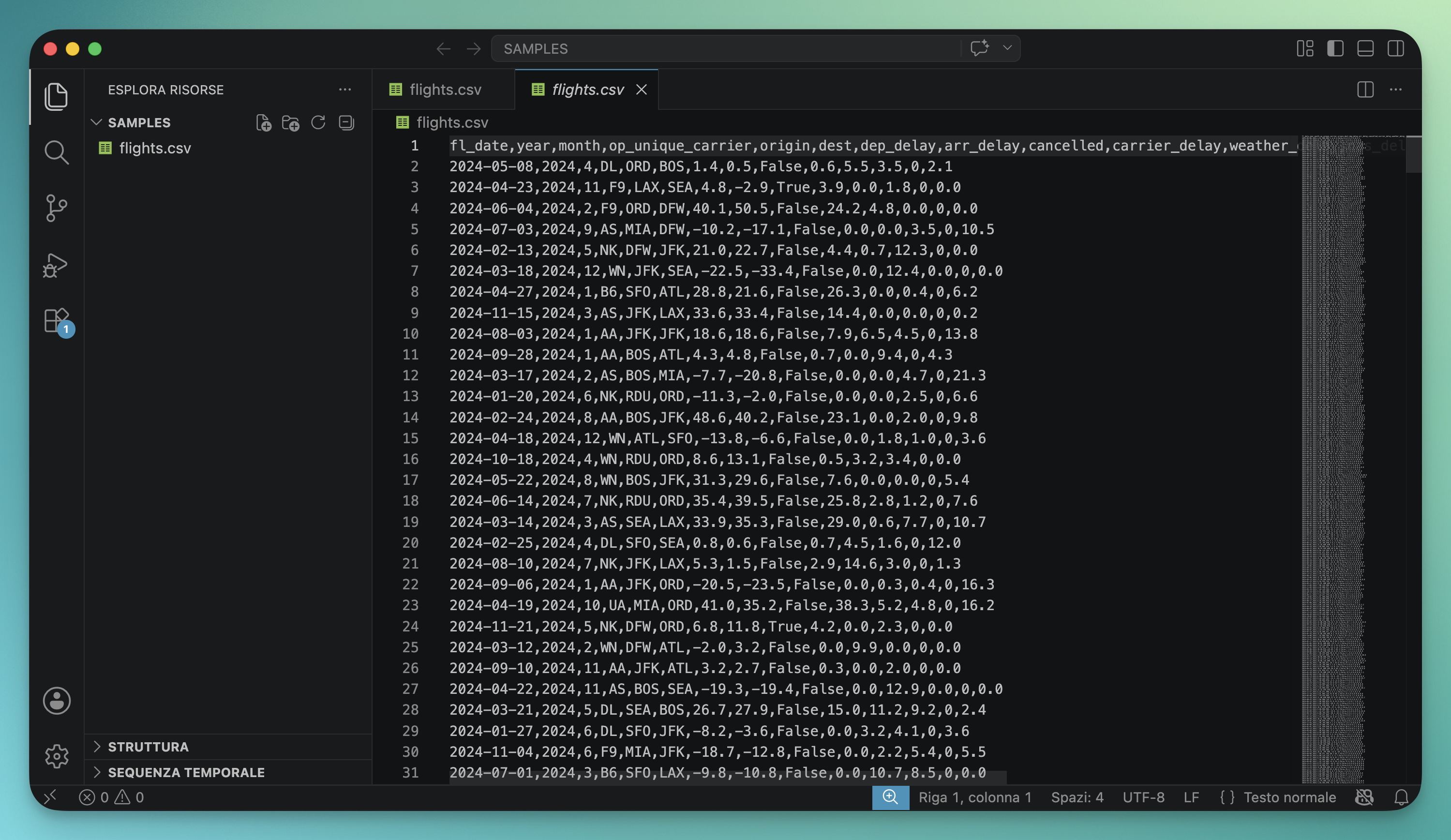
Without Grid Master
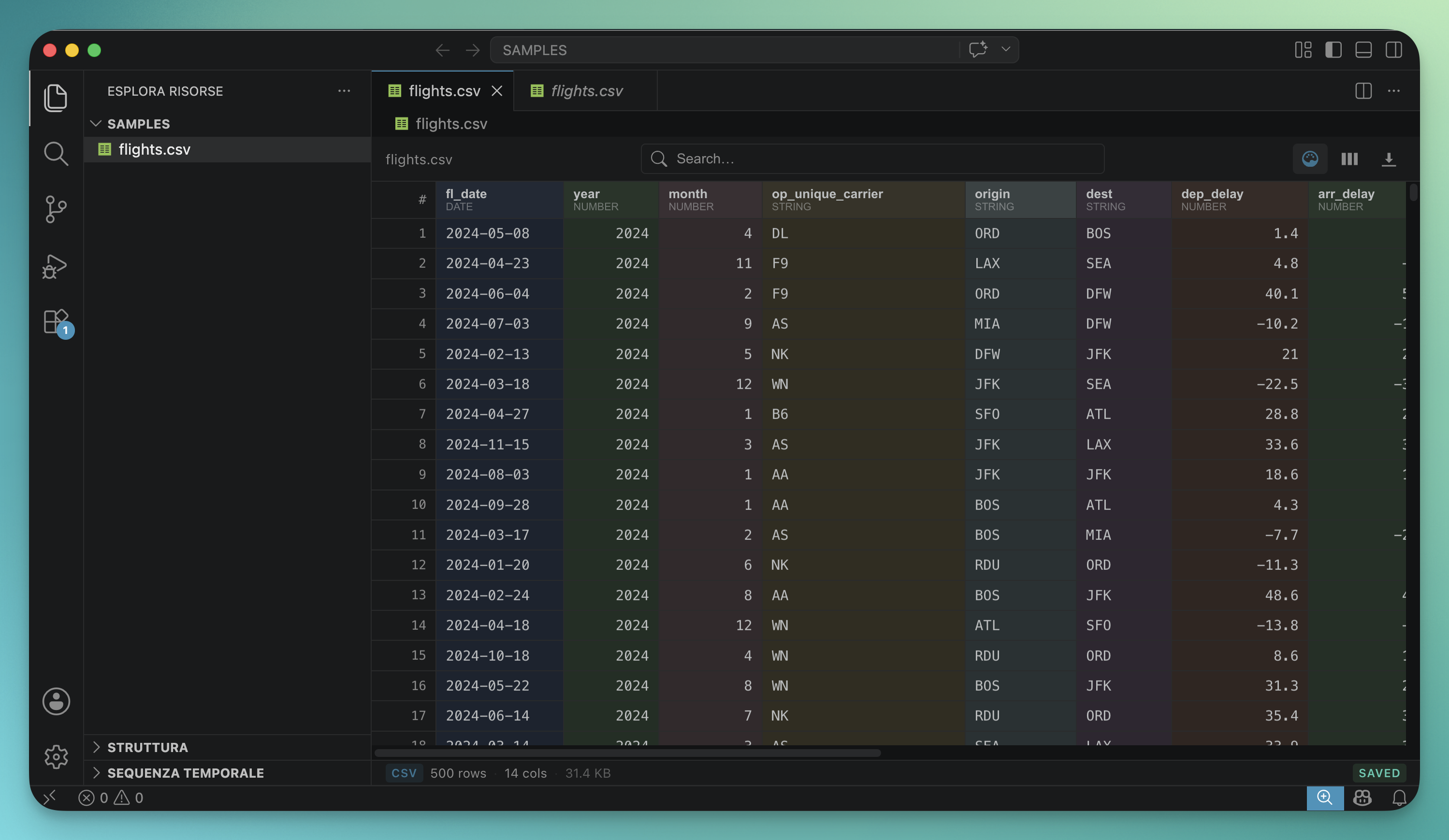
With Grid Master
| Format |
Extensions |
Notes |
| CSV / TSV |
.csv .tsv |
Auto-detects delimiter; instant open |
| Apache Parquet |
.parquet .parq |
WASM-based; partitioned directories supported |
| Apache Arrow / Feather |
.arrow .feather |
Direct Arrow IPC decoding |
| JSON |
.json |
Right-click → Open with Grid Master |
| Newline-delimited JSON |
.jsonl .ndjson |
Opens as default editor |
| Excel workbooks |
.xlsx .xlsb .xls .xlsm .ods |
First sheet loaded via SheetJS |
| Apache Avro |
.avro |
Decoded on extension host via avsc |
| SQLite |
.db .sqlite .sqlite3 |
Multi-table support with quick-pick |
| Apache ORC |
.orc |
Requires Python 3 + pip3 install pyorc |
Partitioned Parquet/Arrow datasets (Spark-style *.parquet directories containing part-*.snappy.parquet files) are detected automatically and loaded as a single merged table.
Features
Fast rendering
- Virtualised grid — only the rows in the visible viewport are rendered. Scroll through million-row Parquet files at 60 fps.
- Lazy loading for large files — tables over 100k rows are served in chunks; the grid is interactive immediately while data streams in the background.
- LRU chunk cache — memory stays bounded no matter the file size.
Sort, filter, search
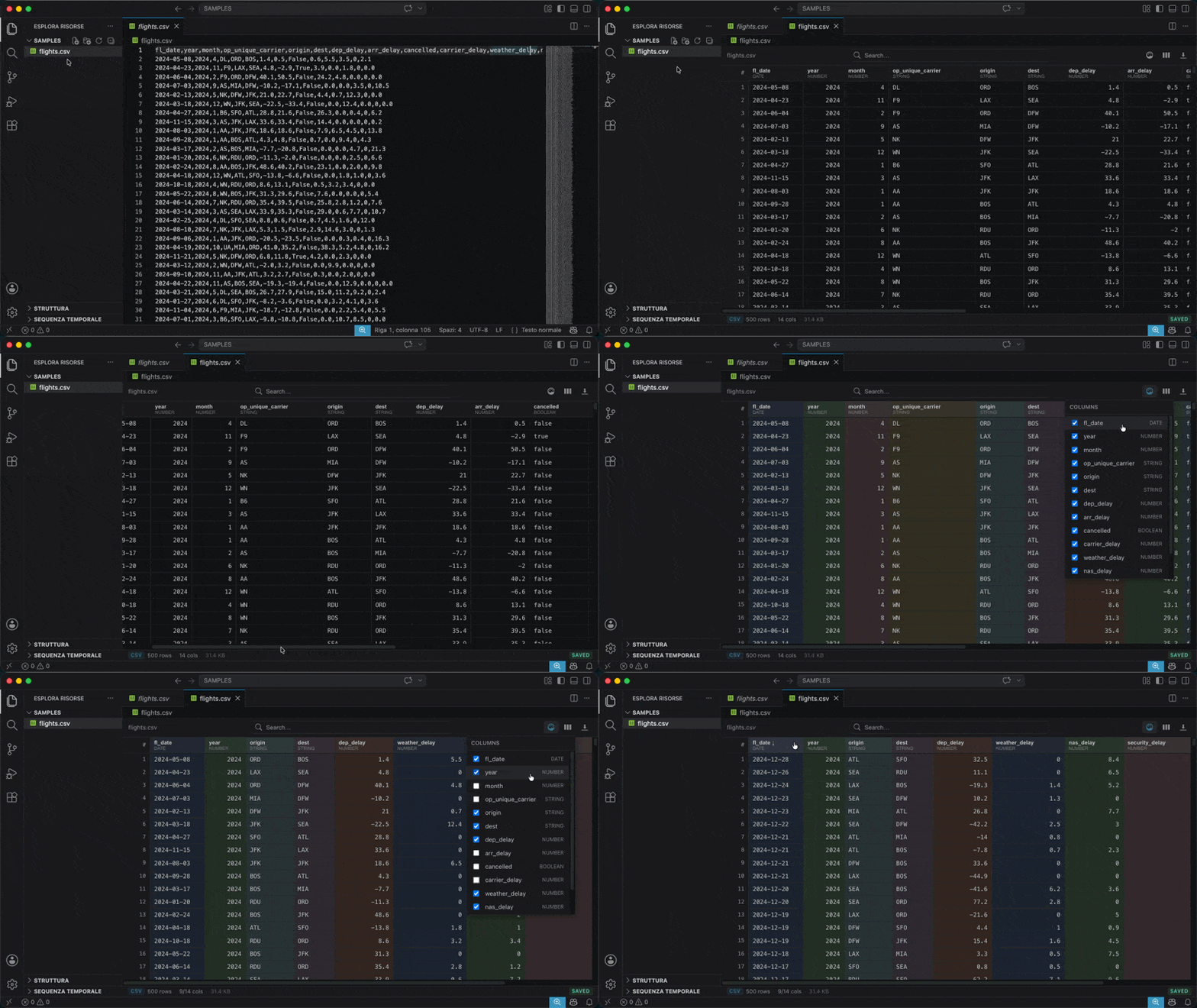
- Sort, filter & more from the column header — right-click any header for ascending / descending sort, per-column filter, copy column, rename, duplicate, hide and delete.
- Per-column filters — equals, contains, greater than, regex, is null, and more.
- Global search — instantly filters all rows across every column.
- Live row count — see how many rows match the current query.
Selection & navigation
- Click a row number to select the entire row — right-click for a row context menu (insert above/below, duplicate, delete, copy).
- Click a column header to select the whole column — right-click for the full column menu.
- Cross selection — select a row and a column together; the cell at their intersection is highlighted distinctly so you can quickly read the value at any pivot.
- Range selection — click a cell, then shift-click another to select a rectangle. Ctrl/Cmd + C copies the range as TSV (paste straight into Excel, Numbers or another spreadsheet).
- Keyboard navigation — arrow keys, Tab, Home/End, PageUp/PageDown, Enter to start editing, Escape to cancel/clear; hold Shift while moving to extend the range.
- Freeze first column — toolbar toggle keeps the first data column (and the row numbers) anchored on screen while you scroll horizontally through wide datasets.
- Freeze row — right-click a row number and pick Freeze row to pin any row below the header as a reference while you scroll vertically. The pinned row is added above the data (it never covers a row); freezing another row replaces it, and it clears automatically when you change the filter, sort or search.
- Click a cell to focus it; double-click to edit inline.
- Clickable links —
http(s):// URLs in a cell are underlined. A single click still selects the cell and a double-click still edits it; Ctrl/Cmd-click or right-click → Open link in browser opens the URL (right-click also offers Copy link). A cell can hold several space-separated URLs and each is its own link.
Editing
- Inline editing — double-click any cell to edit in place.
- Insert / duplicate / delete rows straight from the row context menu (CSV).
- Insert / duplicate / delete columns + rename straight from the header context menu (CSV).
- Full undo history — Undo steps back through every change, including row and column structural edits.
- Discard all — revert every pending edit (cells and structural changes) in one click.
- Save — write changes back to the file (CSV/TSV).
- Drag-to-resize column borders, Excel-style. Double-click the border to auto-fit the column to its widest value (header included).
- Auto-fill the view — when a table has few enough columns to fit without horizontal scrolling, their widths are distributed proportionally so the grid fills the pane instead of leaving blank space; manually-resized columns keep the width you set.
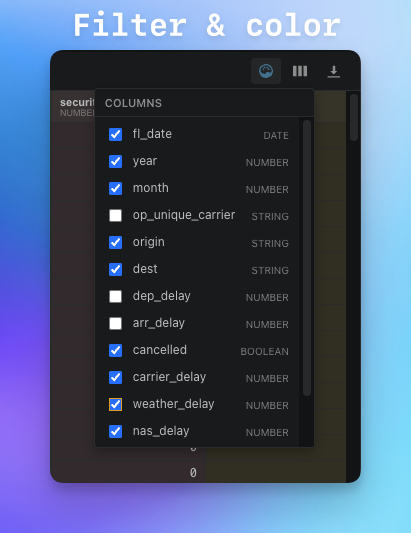
- Hide/show columns from the toolbar dropdown.
- Column color coding — pastel palette makes wide tables easier to scan; selection styles adapt automatically so colours and highlights stay readable together.
- Copy a row or column to the clipboard as TSV.
Statistics
- Per-column statistics panel — min, max, mean, median, stddev, distribution histogram, top 10 values and null/distinct counts. Open from the column right-click menu.
- Dataset overview — total rows / columns / cells, null density, type distribution and a per-column summary table. One click on the chart icon in the toolbar.
Persistence & privacy
- Sidecar — column widths, hidden columns, active filters, sort, column order, frozen columns, frozen row, palette and rename history are saved to a tiny
.gridmaster.json file next to your data. Reopen the file and pick up exactly where you left off.
- Live status bar — the bar at the bottom shows file type and size, total / filtered / visible rows and columns, the active cell address with its value, and the size of the current range selection.
- 100% offline — files are never uploaded. No telemetry, no network requests. Parquet and Arrow WASM are bundled inside the extension.
See it in action
Details
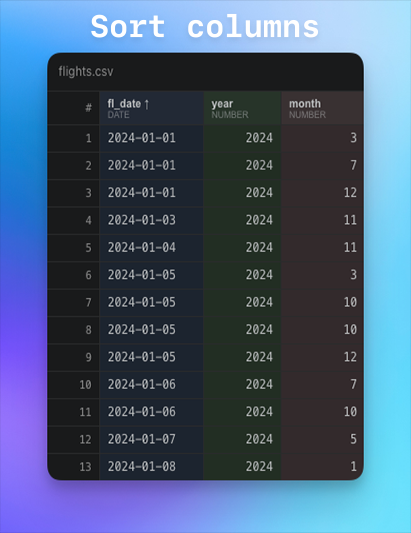
Getting started
- Install Grid Master from the VS Marketplace or Open VSX.
- Open any supported file — Grid Master activates automatically for
.csv, .tsv, .parquet, .arrow, .feather, .jsonl, .ndjson, .xlsx, .xlsb, .xls, .xlsm, .ods, .avro, .db, .sqlite, .sqlite3, .orc.
- JSON files (
.json) are not set as default to avoid overriding the built-in editor. Right-click in the Explorer and choose Open with Grid Master.
- ORC files require Python 3 with pyorc:
pip3 install pyorc.
- Partitioned datasets — right-click the folder in the Explorer and choose Open with Grid Master, or just open any part-file and accept the popup.
Commands
| Command |
Description |
Open with Grid Master |
Open the selected file or folder in the grid (Explorer context menu) |
Grid Master: Open as Text |
Re-open the current file in VS Code's plain-text editor |
Grid Master: Set as Default Editor |
Register Grid Master as the default editor for all supported formats |
Grid Master: Export as CSV |
Save the current filtered/sorted view to a CSV file |
Grid Master: Show Column Statistics |
Min, max, distinct count and null count for the focused column |
Grid Master: Open Partitioned Dataset Folder… |
Pick a Parquet/Arrow folder from a dialog |
Configuration
| Setting |
Default |
Description |
gridMaster.csvDelimiterAutoDetect |
true |
Auto-detect CSV/TSV delimiter |
gridMaster.csvDelimiter |
, |
Fallback delimiter when auto-detect is off |
gridMaster.maxRowsInMemory |
25000 |
Maximum rows kept in the LRU cache |
gridMaster.chunkSize |
500 |
Rows per virtual-scroll chunk |
gridMaster.dateFormat |
auto |
Date display format: auto, ISO, or locale |
| Format |
Where parsed |
Notes |
| CSV / TSV |
Main thread |
PapaParse; up to ~500 MB in under a second |
| Parquet / Arrow |
Web Worker (WASM) |
parquet-wasm + Apache Arrow JS; chunk-based lazy reads |
| JSON / NDJSON |
Web Worker |
Inline parser; no eval, fully CSP-compliant |
| Excel |
Web Worker |
SheetJS; first sheet only |
| SQLite |
Extension host |
sql.js WASM; multi-table quick-pick |
| Avro |
Extension host |
avsc decoder |
| ORC |
Extension host |
python3 -m pyorc subprocess |
Privacy
Grid Master is 100% offline. Files never leave your machine. There is no telemetry, no analytics and no network requests of any kind. The Parquet and Arrow runtimes (parquet-wasm, apache-arrow) are bundled as WebAssembly inside the extension itself, so even the WASM modules are local. SQLite, Avro and ORC are decoded in the extension host (Node.js) without any external service.
If you want to verify: open the extension's webview developer tools and watch the Network panel — it stays empty.
Requirements
- VS Code 1.74 or later.
- ORC files: Python 3 with
pip3 install pyorc.
- All other formats: no additional dependencies (WASM runtimes are bundled).
Issues & feedback
Found a bug or want a new feature? Open an issue on GitHub.
License
MIT © 2026 Diego Scirocco
| |

