ToDoOS - Kanban Board
A modern Kanban board for VS Code that automatically turns your code comments into interactive tasks. Manage your TODO, FIXME, and custom tags directly from the sidebar.
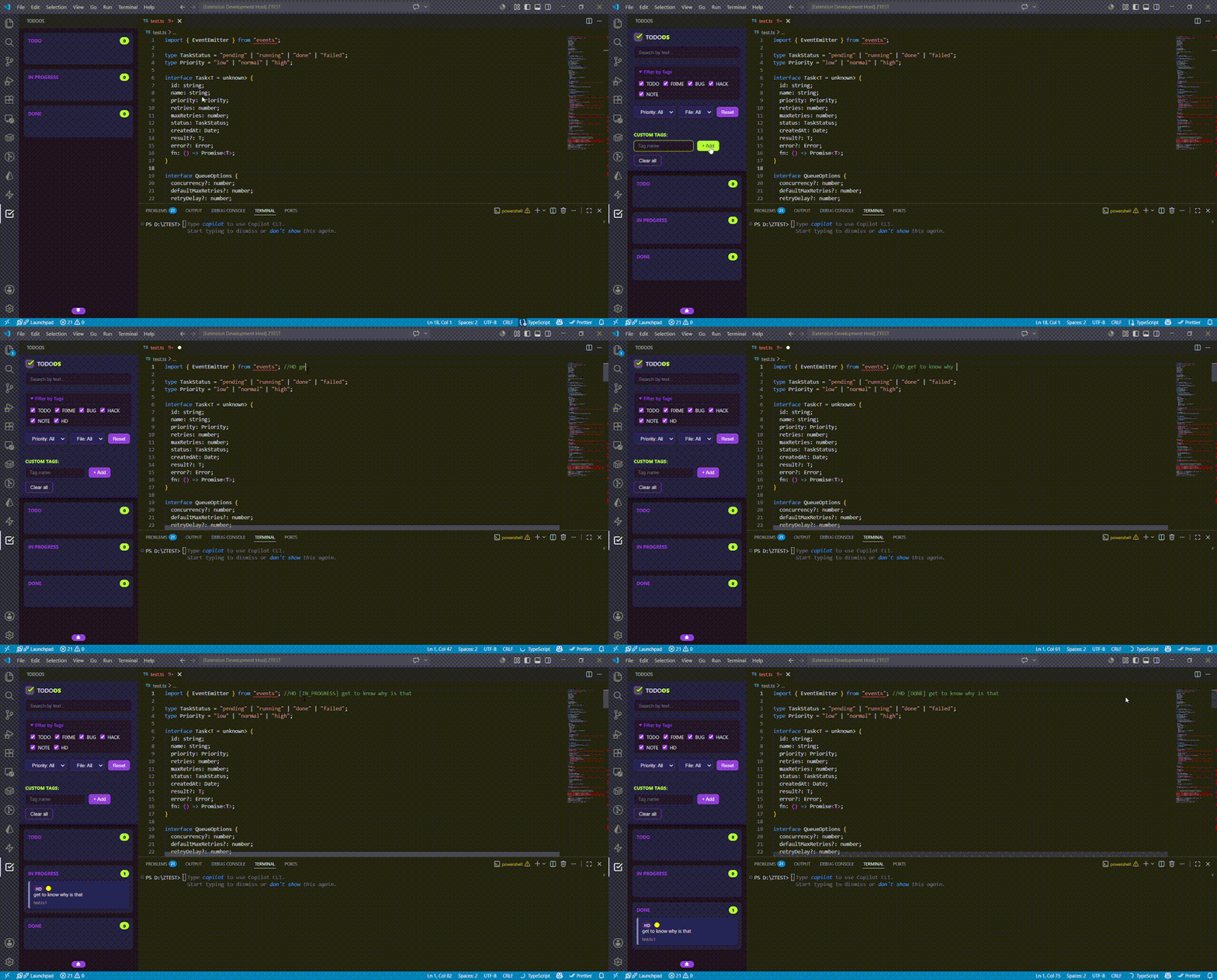
Features
- 📦 Interactive Kanban Board: View your tasks automatically categorized into
TODO, In Progress, and Done columns.
- 🔄 Drag & Drop Code Updates: Drag a card between columns and the extension updates the comment text directly in your source code.
- ⚡ Smart Priority System: Set task priorities in your comments using simple syntax. Cards are sorted by priority automatically.
- 🏷️ Custom Tags Support: Add your own tags (e.g.,
REVIEW, WIP) from the UI. The extension instantly finds them across your workspace.
- 🔍 Advanced Filtering & Search: Find tasks via live text search, or filter by file, priority, and tag using the collapsible menu.
Syntax
The extension scans your files for standard tags (TODO, FIXME, BUG, HACK, NOTE) and any custom tags you define.
Setting Priorities
Add a modifier right after your tag:
| Priority |
Modifier |
Example |
| 🔴 High |
! or !! |
// FIXME!!: Critical memory leak |
| 🟡 Medium |
(none) |
// TODO: Refactor this function |
| 🟢 Low |
- |
// NOTE-: Update documentation later |
Status Tracking
When you drag a card to a new column, the extension appends the status to your comment automatically:
// FIXME!! [IN_PROGRESS]: Critical memory leak
Dragging it back to TODO cleans up the status tag.
Extension Management
- Custom Tags: Open the ToDoOS sidebar, type a tag name in the "Custom Tags" input, and click + Add.
- Auto-Refresh: The board refreshes automatically whenever you save a file (
Ctrl+S / Cmd+S).
Known Issues
- Currently optimized for JavaScript (
.js) and TypeScript (.ts) files.
- Manually editing
[IN_PROGRESS] or [DONE] brackets with incorrect formatting may affect how that card renders.
ToDoOS — Your tasks, right where your code lives.

