OSDK — Oric development & debugging for VS Code
The OSDK lets you write Oric
software on your PC, in C and assembly.
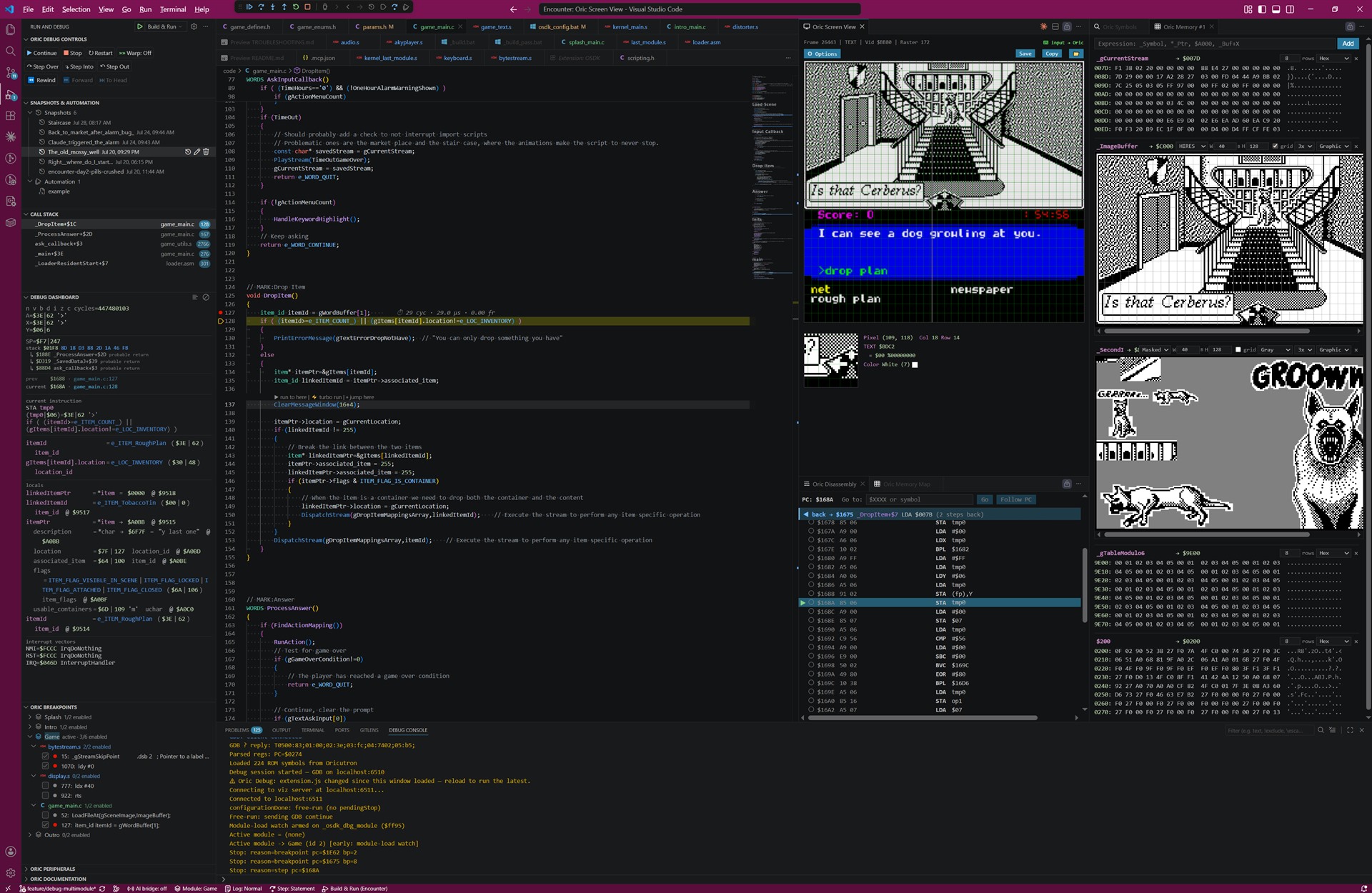
This extension complements the OSDK with quality-of-life features that make Oric development more
comfortable:
- Syntax colouring of XA source code
- Built-in references for the 6502 and XA instruction sets
- Source-level debugging for C and assembly
- Annotation support for rich assembly debugging
- Time-travel debugging with snapshots and reverse trace
- Visual inspection of the screen output and memory regions
- Test automation
- MCP support for AI system interaction
Debugging runs your program in Oricutron, which the
extension drives over the emulator's GDB stub.
Requirements
- OSDK 2.0 or later, with the
OSDK environment variable pointing at it
- Oricutron with GDB-stub support — included in OSDK 2.0
- VS Code 1.74 or later
No other dependencies: the extension is pure JavaScript on Node's built-in modules.
Get started
- Install the extension, then open your OSDK project.
- Run Oric: Set Up Project for Debugging from the Command Palette — it writes the
.vscode/
files an existing OSDK project doesn't have.
- Press F5.
Run Oric: Getting Started for a live checklist that verifies your OSDK, its version, the
emulator and the project, with a status per step.
→ Getting started guide for the full walkthrough, including the
compiler flags (OSDKDEBUG=-g1, OSDKCOMP=-O1) that C-level debugging needs.
Documentation
|
|
| Getting started |
Install, project setup, launch.json, first step |
| Feature tour |
Everything it does, area by area |
| Panels |
Every view and panel, and how to read them |
| Debugging |
Time-travel, snapshots, editing while running |
| Annotations & navigation |
@… type annotations, hover, go-to-definition |
| Automation scripting |
Drive a session from JavaScript |
| AI-driven debugging |
MCP server and the collaborative bridge |
| Reference |
Commands, shortcuts, settings, symbol format |
| Troubleshooting |
When it doesn't work |
All of it is reachable in-editor from the Oric Documentation panel.
License
MIT — see LICENSE.

