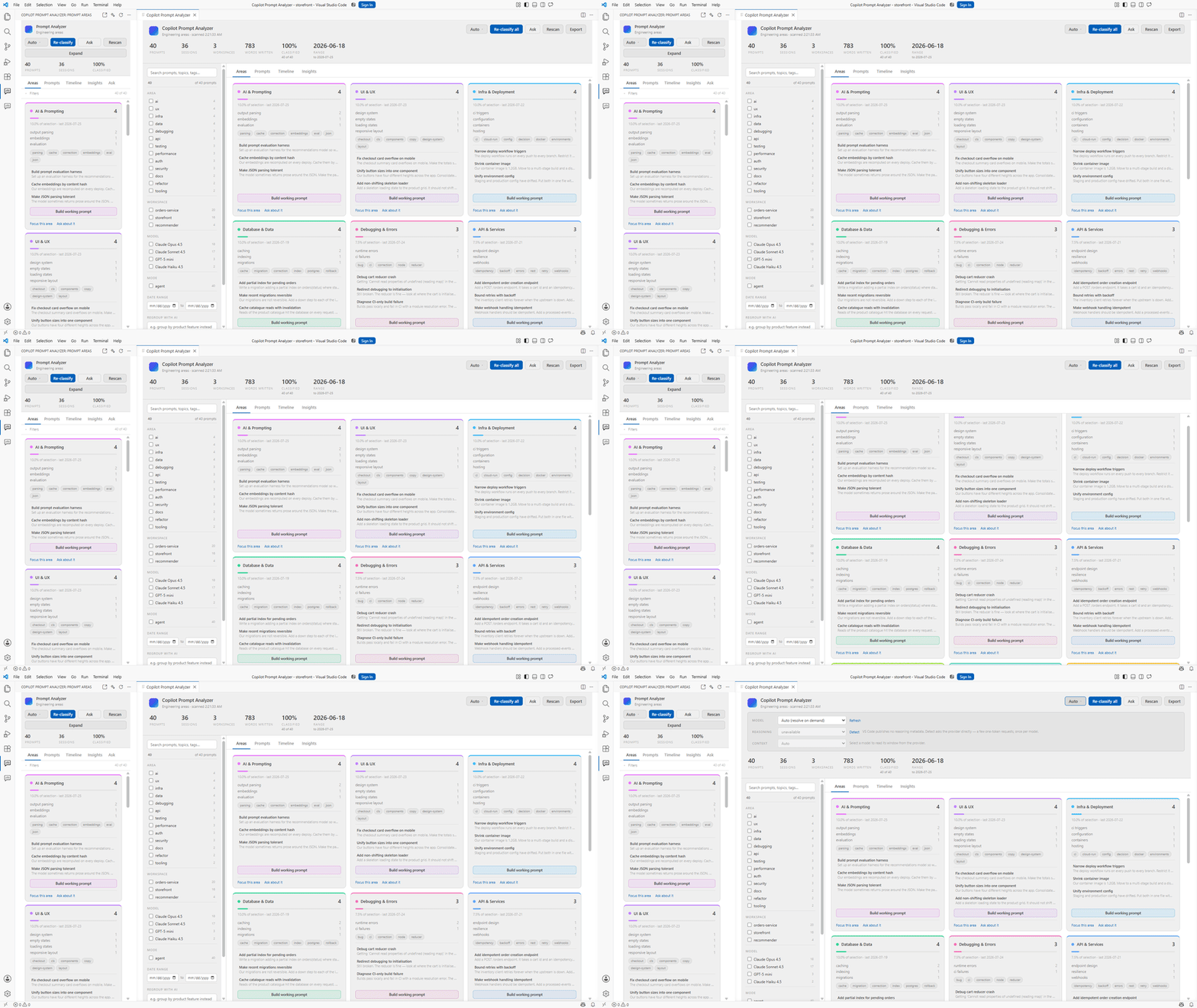
Copilot Prompt AnalyzerGroup, explore, and interrogate your GitHub Copilot Chat history by topic area. Installation Launch VS Code Quick Open ( Ctrl+P), paste the following command, and press enter.Copied to clipboard |

Copilot Prompt AnalyzerYou have already written the spec. It is buried in your chat history. Every prompt you have sent to GitHub Copilot Chat is sitting on your disk — the
requirements, the conventions, and every correction you had to make. This
extension reads all of it, groups it by topic, and distils each area into one
reusable prompt you can drop straight into Runs on your machine, through the Copilot subscription you already have. No API key, no account, no telemetry.
The one that matters: working promptsOpen the Areas view, pick an area — auth, database, UI — and press Build working prompt. It reads every request you ever made in that area and produces a single document. The default style is Portable: it generalises every specific instance into the rule behind it and names no repository, service or file path, so the result applies to any project including one you have not started yet.
The Do not section is usually the surprise. Those rules came from every time you typed "no, not like that" and then watched the reason evaporate when the session closed. Switch to Project-anchored when you want the opposite: the stack, services and file layout of the work these requests came from, as a spec for continuing it. Save it and it becomes something you use tomorrow:
The dashboardPress Dashboard — next to Expand, or run
Four of them are the point:
Then the operational set — activity heatmap, models and modes over time, response time, session length and duration, tool usage — and the exploratory one: file hotspots, topic drift, prompt length against quality, tool calls against reply length, a project timeline, estimated token spend, slash commands, and the questions you asked twice. Charts are hand-drawn SVG, so they take the editor's theme and add nothing to the download. Copy summary puts every metric on the clipboard as markdown, and Save as markdown writes it to a file — a dashboard is only useful if the numbers can leave the editor. Everything elseGrouped by topic. Prompts are classified into areas — UI, API, data, auth, security, infra, testing, performance, debugging and more. Don't like the taxonomy? Describe a different one in plain English and it regroups. Ask your own history. "What did I keep getting wrong about auth?" "Extract every bug I reported, with dates." Answers are grounded in whichever prompts your filters select, and cite them by id. Seven reports in the Insights tab. Three run entirely on your machine and cost nothing:
Improve this prompt. Open any prompt and get a rewrite plus an explanation of what changed. Getting started
Model, reasoning and contextNothing here is a hardcoded list.
Open any working prompt or AI report and the footer shows the real token cost of what will be sent, before it is sent. Commands
Settings
PrivacyStays on your machine. Chat history is read from local files and never uploaded. Classifications and generated documents are stored locally. Three of the seven reports never make a network call at all. No telemetry, no analytics, no account. Worth knowing. Classification and synthesis send prompt text to a language
model through your Copilot subscription, under its terms. Your prompts contain
code, paths and anything you pasted into chat — filter to a project first if some
of it is sensitive. Prompt text is truncated to
RequirementsVS Code 1.95 or later, and an active GitHub Copilot subscription with chat. Only chat history still on disk is visible — VS Code prunes old sessions, so running the extension periodically preserves more of it going forward. Not affiliated with GitHub or Microsoft. |