ConEmu Integration

ConEmu Integration provides a seamless experience for using the ConEmu console emulator directly within the Visual Studio IDE.
⬇️ Download from the Visual Studio Marketplace
Choose the version that matches your Visual Studio environment:
✨ Features
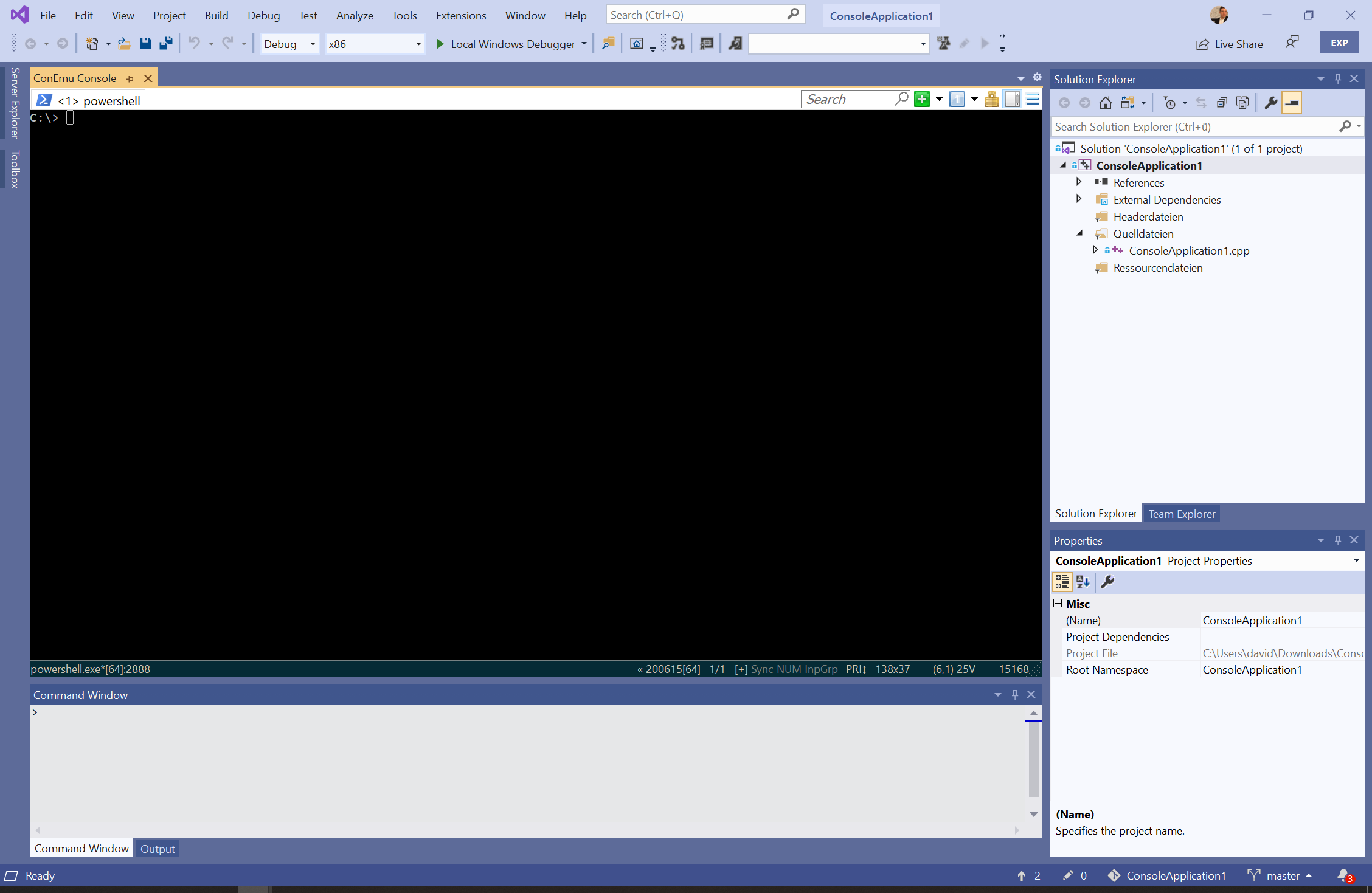
- 🖥️ Integrated Tool Window: Host ConEmu as a native, dockable tool window within Visual Studio.
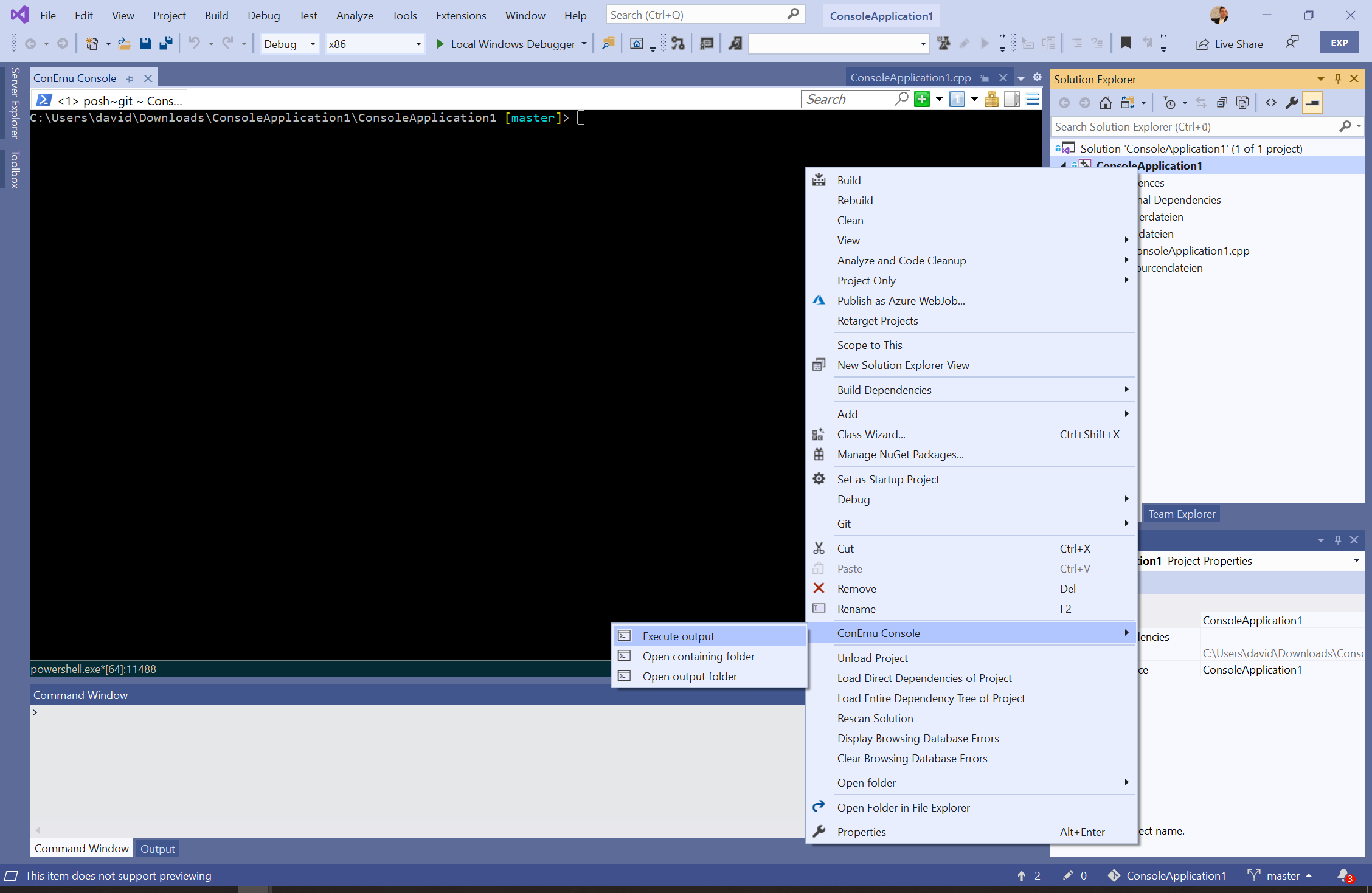
- 📂 Solution Explorer Integration:
- Open the containing folder of any file or project directly in ConEmu.
- Open the project's build output directory.
- Execute the project's compiled binary using ConEmu.
- Fully compatible with the Folder View mode in Solution Explorer.
- 🚀 Quick Access: Launch or focus the ConEmu tool window instantly from the View menu.
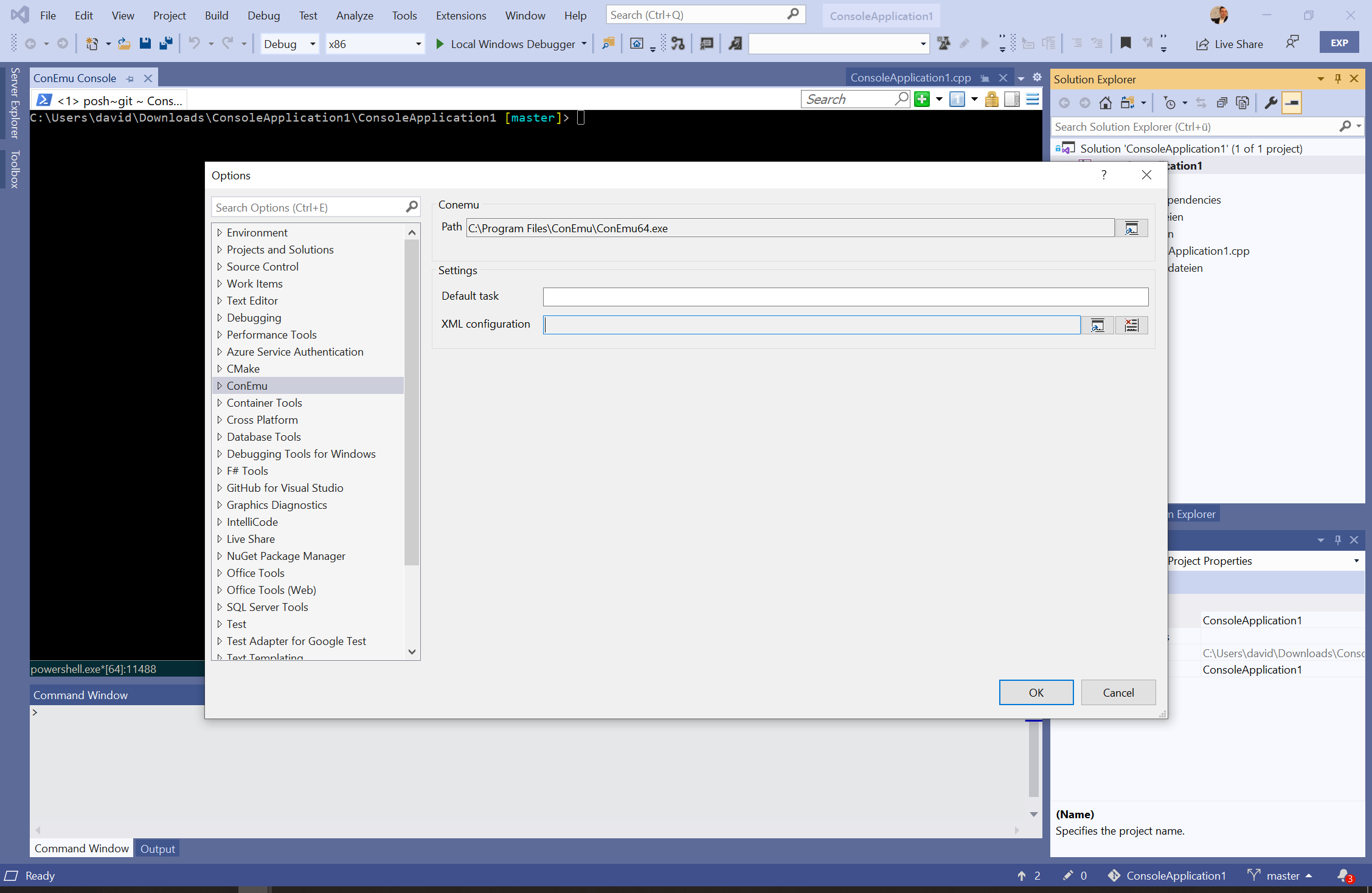
- ⚙️ Advanced Customization: Dedicated options page for managing ConEmu executable paths, shell settings, and custom tasks.
💻 System Requirements
- Visual Studio: Version 2015 or newer (latest updates recommended).
- ConEmu: Build 151201 or higher (Compatible with Installed or Portable versions).
- Architecture: Supports both
x86 and x64 versions of ConEmu.exe.
- Visual Studio on ARM64: Currently not supported due to missing native support in ConEmu #1488.
- Configuration: Requires the path to
ConEmu[64].exe to be defined in the Visual Studio settings.
📸 Usage & Screenshots
The extension hosts ConEmu as a first-class tool window, allowing you to use your favorite terminal alongside your code.

Right-click on any item in the Solution Explorer to access ConEmu-specific commands, including opening folders or executing binaries.

🔧 Configuration
Executable Path
ConEmu is not bundled with this extension. After installation, navigate to Tools > Options > ConEmu Integration to specify the path to your ConEmu executable.

Custom Tasks and XML Settings
- Default Task: You can customize the startup or default task (e.g.,
{cmd}, {powershell}, or {bash}).
- External Configuration: If you wish to use a custom
ConEmu.xml, you can specify the path in the extension settings.
[!CAUTION]
The extension utilizes an internal configuration for stability. Using an external XML file may lead to layout or compatibility issues if specific hosting settings are modified.
ℹ️ About ConEmu
ConEmu-Maximus5 is a Windows console emulator with tabs, which presents multiple consoles and GUI applications as one customizable GUI window.
🌐 Localization
en-US (English)
de-DE (German)
📜 License
This project is licensed under the Apache 2.0 License.
Note: "ConEmu" and "ConEmu Inside" are governed by their own respective licenses. Please refer to their project repositories for details.