Verso Notebook
Polyglot .NET notebooks where every language shares one variable store.
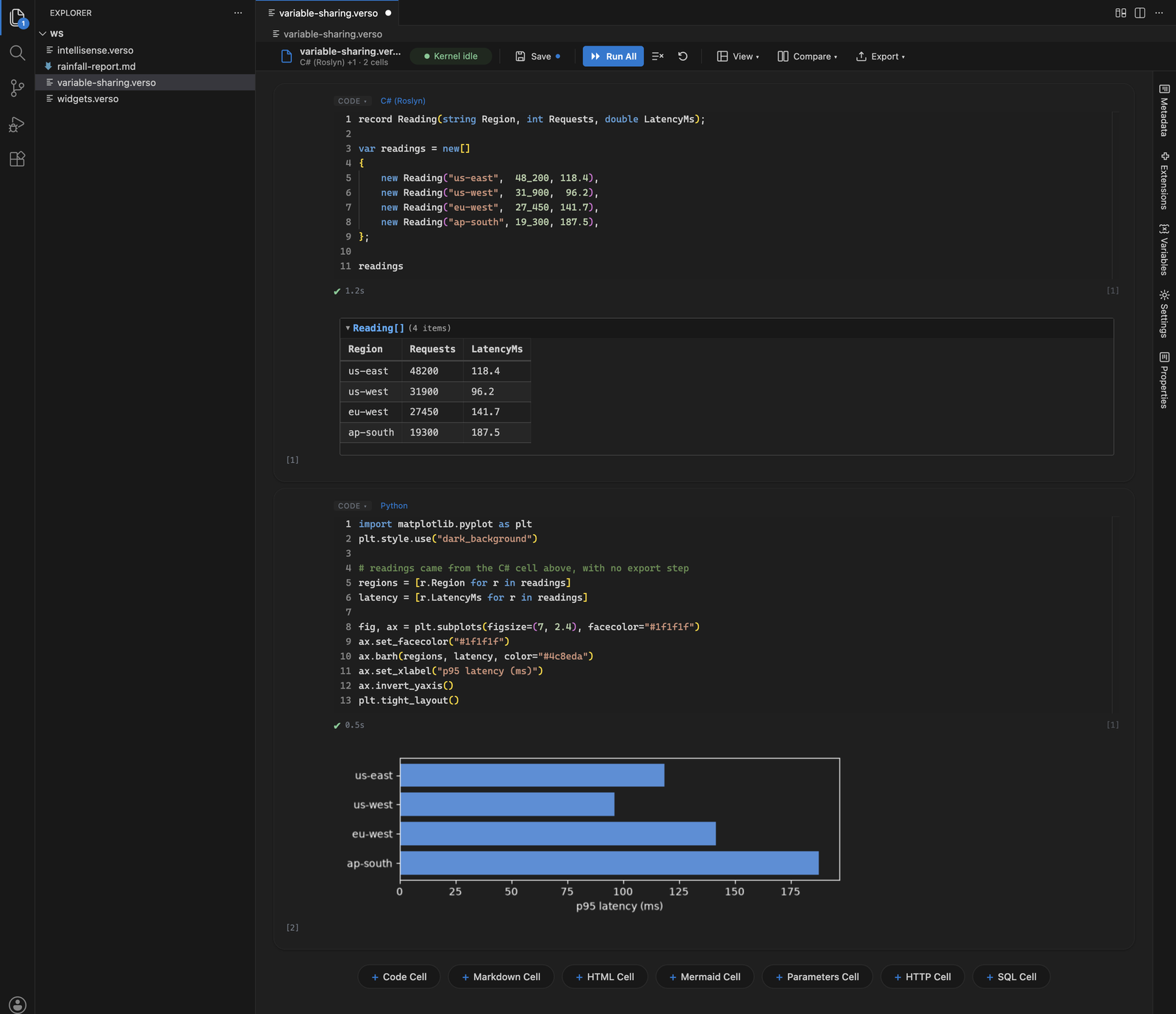
Load data in C#, query it from SQL, chart it in Python, and never write a line of glue. Verso brings C#, F#, Python, JavaScript, TypeScript, PowerShell, SQL, and HTTP cells to VS Code, each with IntelliSense, all reading and writing the same variables.
Why Verso
- One shared variable store, not one kernel per language. A variable set in C# is immediately readable in Python, SQL, F#, or PowerShell. No serialization step, no magic commands to pass values around
- Real IntelliSense in every kernel, powered by Roslyn, FSharp.Compiler.Service, the PowerShell runspace, and your own Python interpreter, rather than by text matching
- Three ways to view the same file: a linear notebook, a drag-and-drop dashboard grid, or a read-only presentation flow, switchable at any time
- Plain Markdown files run as notebooks, so runnable documentation stays reviewable in a pull request and readable on GitHub
- Copilot works inside the notebook through a
@verso chat participant and twenty agent-mode tools that can create, edit, and run cells
- Every built-in feature is an extension, using the same public API you would use to add a language, cell type, layout, or theme
Getting Started
- Install this extension
- Create a file ending in
.verso and open it
- Type code in the first cell and press
Shift+Enter
C#, F#, SQL, HTTP, Markdown, HTML, Mermaid, and JavaScript work immediately. Python and TypeScript need one more thing installed, covered next.
Requirements
| Requirement |
Needed for |
Notes |
| .NET runtime 8.0 or later |
Everything |
.NET 8, 9, and 10 are all supported. If no compatible runtime is found, Verso offers to install one when you open a notebook, using the .NET Install Tool. To use a specific installation, set verso.dotnetPath. |
| Python 3.8 or newer |
Python cells |
Including 3.13 and 3.14. Cells run in that interpreter as a separate process, so an active virtual environment or conda environment is picked up automatically and its packages are simply there. Run #!python --list in a cell to see what was found. |
| Node.js 18 or later |
TypeScript cells, npm packages, full Node APIs |
Optional. Without it, JavaScript runs on the bundled Jint interpreter, a pure .NET ES2024 engine, and TypeScript is unavailable. Auto-detected on PATH and at Homebrew, nvm, Volta, and fnm locations. |
| A ligature-capable font |
Font ligatures |
Optional. Verso respects editor.fontLigatures and prepends Cascadia Code and Fira Code to your font stack, so installing either font is all that is needed. |
Browser-based VS Code: Verso also works in environments such as GitHub Codespaces when accessed from a Chromium-based browser. The first open in a fresh codespace takes longer while the notebook runtime downloads. Safari cannot load the notebook editor in these environments due to a limitation in VS Code's browser webview host, so use Chrome, Edge, or desktop VS Code.
Sharing Variables Across Languages
Every kernel in a notebook reads and writes one variable store, so moving between languages needs no hand-off. Load a table in SQL, reshape it in C#, chart it with matplotlib, and post the result with an HTTP cell, all against the same values.
// C# cell
var readings = await LoadSensorDataAsync();
# Python cell, later in the same notebook
import pandas as pd
df = pd.DataFrame(readings)
print(df.describe())
Because Python runs in its own process, values reach it as data: records arrive as mappings answering both row.Field and row["Field"], dates arrive as real datetime objects, exact decimals stay exact, and a SQL result arrives as a list of rows ready for a DataFrame. A value with no meaning outside its own process, such as an open connection, is still bound to its name and explains itself rather than vanishing silently.
Writing Code with IntelliSense
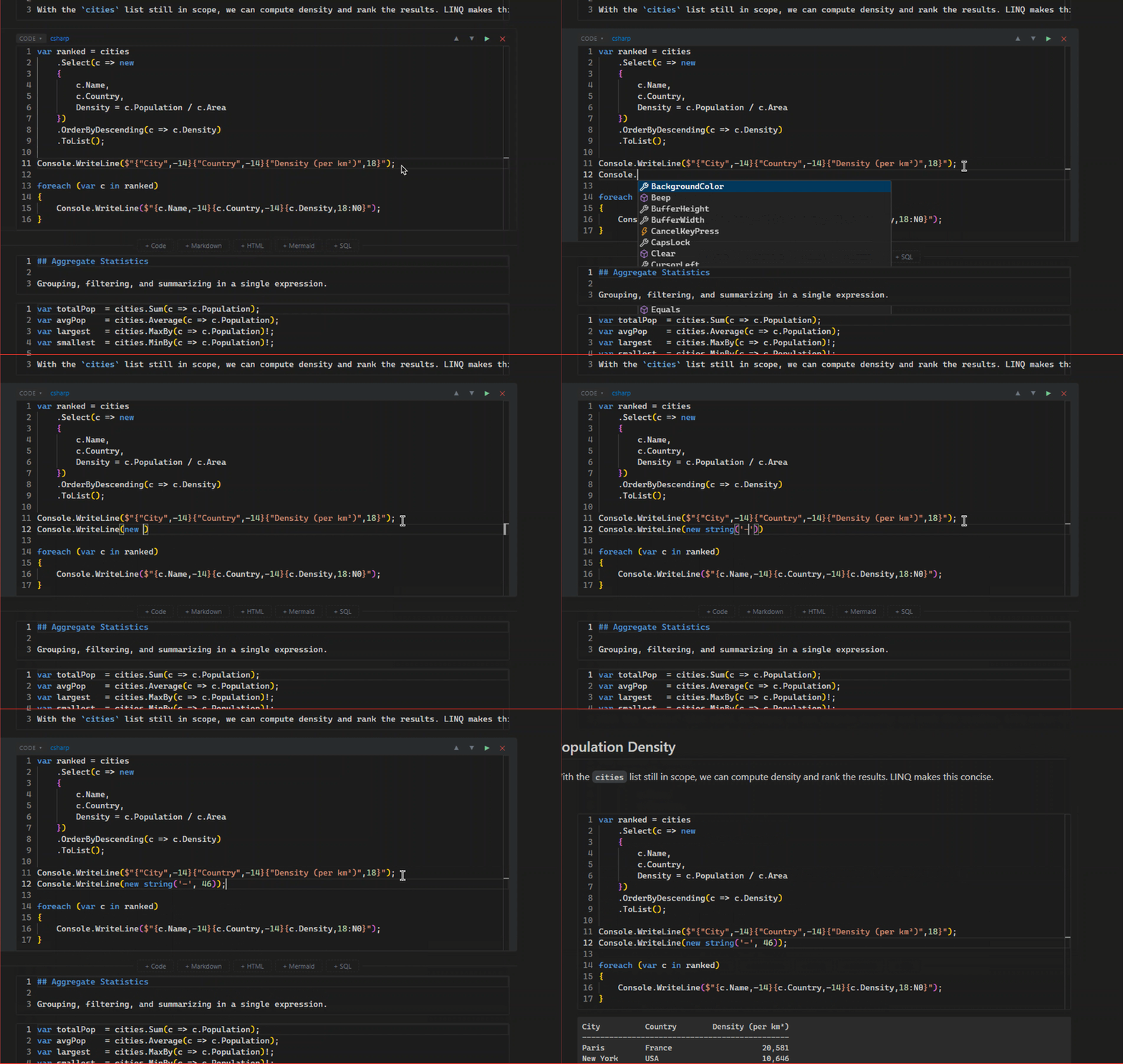
Verso's C# kernel is powered by Roslyn, giving you the latest language features, persistent state across cells, real-time error checking, and completions as you type. The F# kernel offers the same experience through FSharp.Compiler.Service. The PowerShell kernel hosts a persistent runspace with full cmdlet support, pipeline-aware output, and completions from CommandCompletion. The Python kernel answers IntelliSense from inside the interpreter your cells actually run in, so completions reflect the packages you really have.
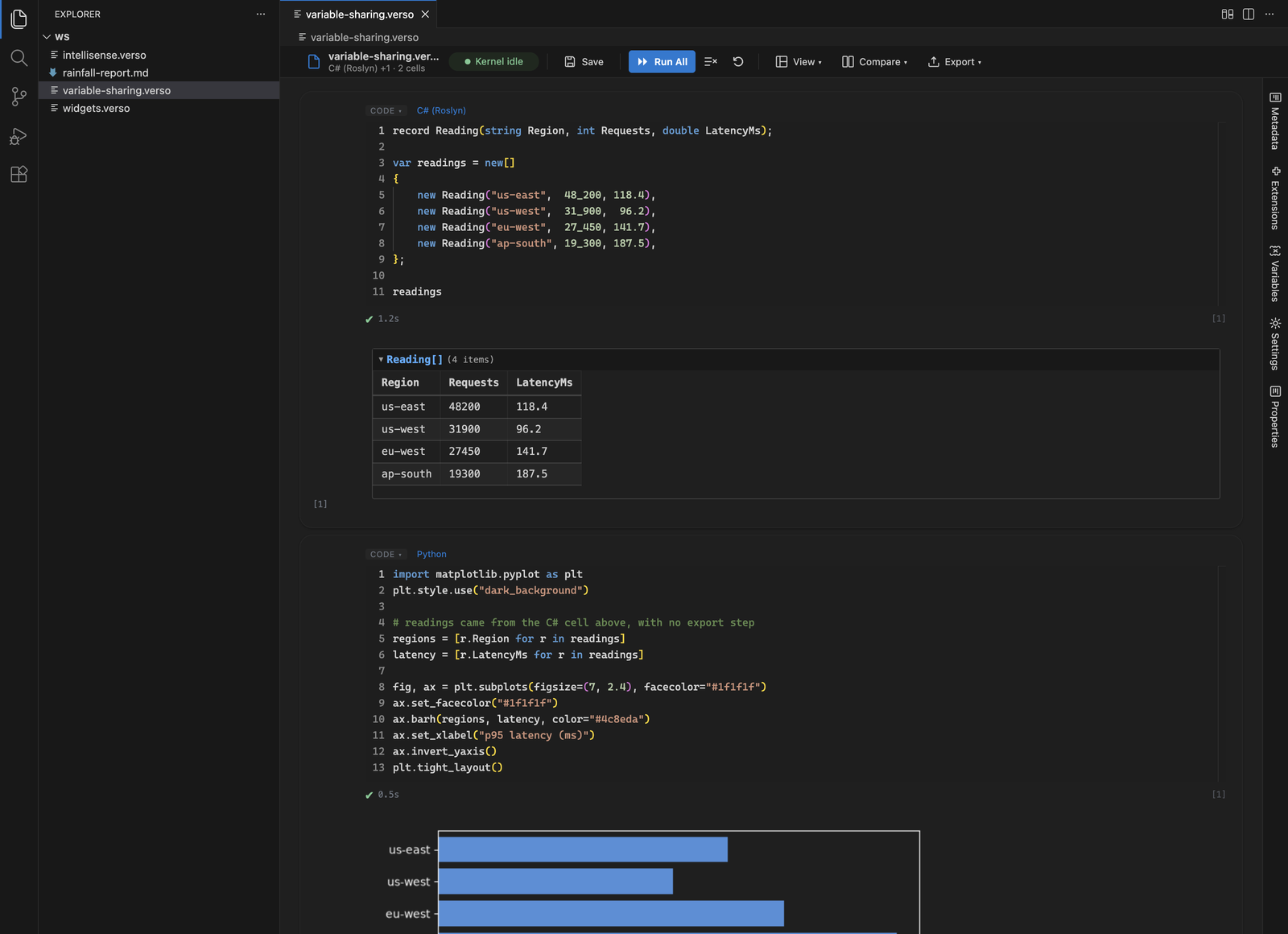
Python cells run the interpreter installed on your machine, with #!pip for packages and automatic offers to install an import the environment lacks. Anything that knows how to render itself displays directly: HTML, Markdown, SVG, images, JSON, and matplotlib figures.
Libraries that draw only as ipywidgets models are handled too, among them k3d, ipyleaflet, pythreejs, bqplot, and ipyvolume, and so is anything built with anywidget. Verso gives the widget a frame of its own in the cell, so a 3D plot renders instead of printing its object description, and keeps the interpreter behind it, so moving a control runs the Python wired to it. #!bind slider.value as threshold shares a control's value with the notebook's other languages, and writing that variable from a C# cell moves the control. Reopening a file draws each widget from the state its reader last saw, quietly and without a kernel, until the cell is run again.
Verso passes the active theme's colors into the widget frame, so a widget that styles itself from CSS matches the editor. A library that paints its own background, as k3d and matplotlib both do, keeps its own default until you tell it otherwise, with plt.style.use("dark_background") or a background_color argument.
JavaScript and TypeScript
The JavaScript kernel runs cells in a persistent Node.js subprocess with full access to require(), dynamic import(), and top-level await. Variables declared with var or assigned to globalThis persist across cells and are shared with other kernels. Install npm packages from a cell:
#!npm lodash
const _ = require('lodash');
console.log(_.capitalize('hello world'));
TypeScript cells are transpiled with the TypeScript compiler API and share the same execution environment and variable scope. The typescript module is auto-installed on first use. Packages installed with #!npm live in ~/.verso/node/.
Notebook, Dashboard, and Presentation Layouts
Every notebook can be viewed three ways. Notebook layout presents cells in a familiar top-to-bottom flow. Dashboard layout lets you drag and resize cells on a 12-column grid. Presentation layout turns the notebook into a read-only, output-focused flow for walking through results. The active layout is saved in the .verso file and you can switch from the View menu at any time.
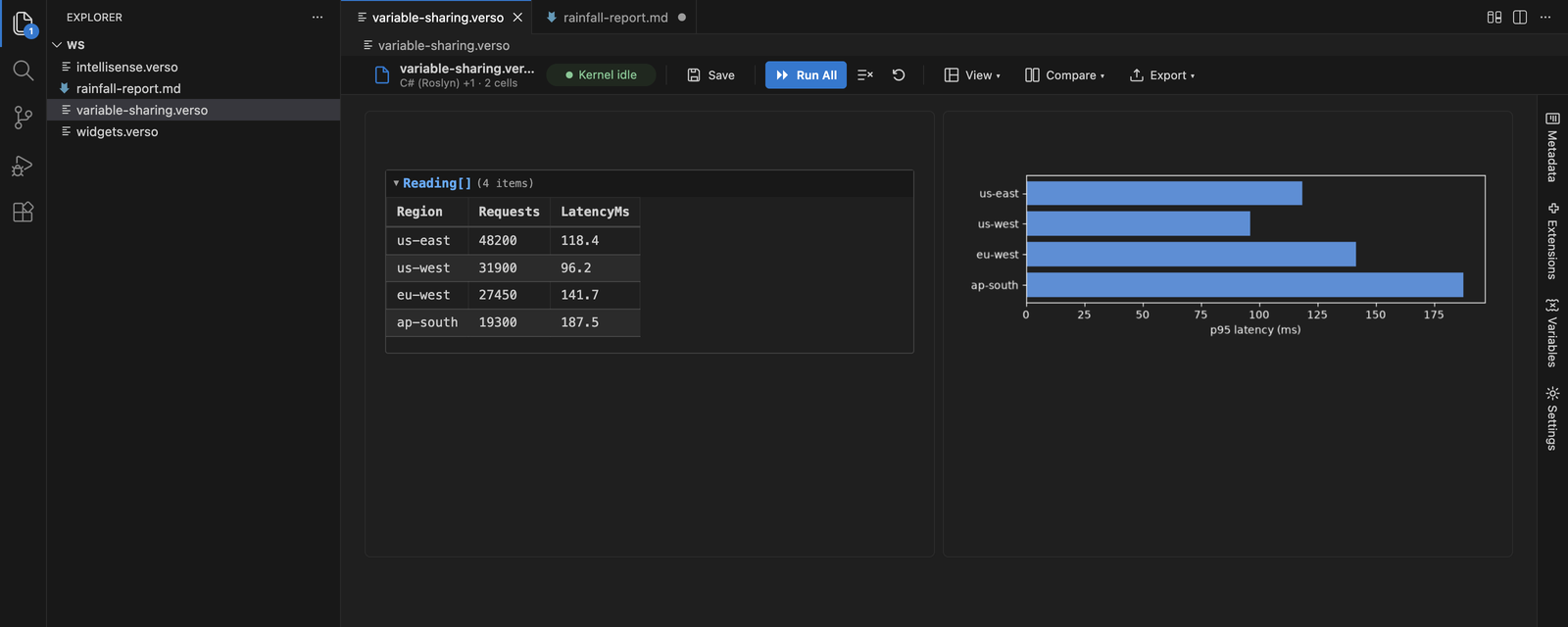
Layouts are an extension point, so installing a layout extension adds new ways to view the same notebook. The Verso.Showcase.* packages on NuGet demonstrate this with an image compositor (Image Studio), form-driven notebooks with charts (Form Studio), editable data grids (Grid Studio), and slide-deck authoring with a filmstrip and full-screen presenter (Slide Studio).
Markdown Notebooks
Verso reads and writes plain Markdown (.md) as a notebook format. Open a Markdown file and its prose becomes markdown cells while recognized fenced code blocks become executable cells. Saving writes plain Markdown back to the same file, so the document still renders on GitHub and in any preview, and still reviews as an ordinary text diff.
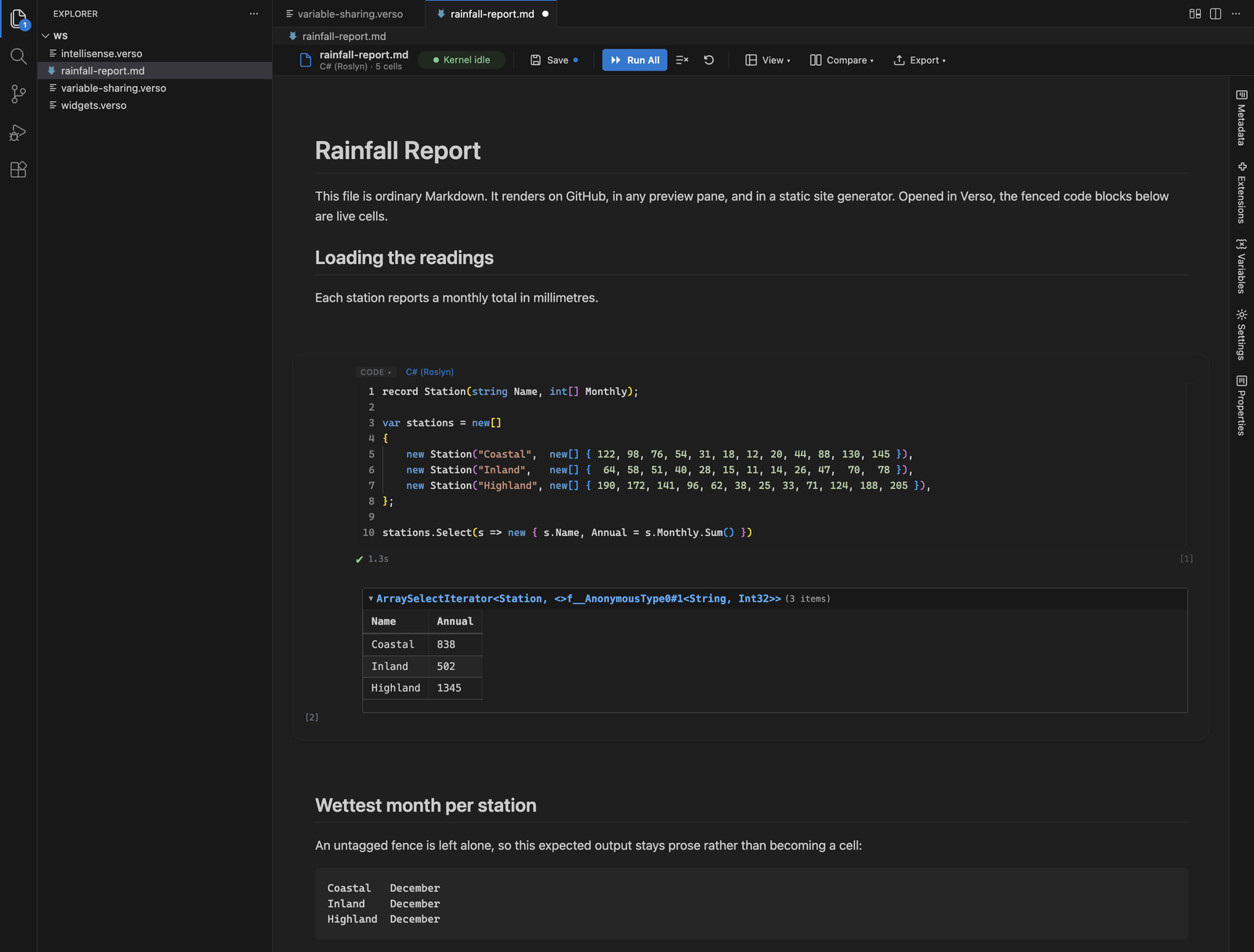
The Markdown editor stays the default for .md files and Verso is offered alongside it, through Open as Verso Notebook in the Explorer context menu or Reopen Editor With.... Set verso.showOpenInVersoMenu to false to hide the context menu entry. Outputs are not stored in the file, so when a notebook needs persistent outputs, parameters, or a layout, the toolbar's Export menu writes a native .verso copy and leaves the original alone.
Comparing Notebooks
Click Compare in the notebook toolbar, use the diff icon in the editor title bar, or run Verso: Compare Notebook with... from the command palette. Compare against the last saved file, git HEAD, any branch, tag, or commit, or another notebook file (.verso, .ipynb, .md, or .dib).
The view shows added, removed, edited, and moved cells with side-by-side source comparison, and when a cell's outputs changed, the old and new rendered outputs appear next to each other. Unsaved edits are included by design, the comparison is read-only, and git baselines use VS Code's built-in git support.
SQL Database Support
Connect to any ADO.NET-compatible database (SQL Server, PostgreSQL, MySQL, SQLite) and run queries directly in your notebook. Results render as paginated tables with column type tooltips. Share variables between SQL and C# cells, inspect schema, and scaffold EF Core DbContext classes at runtime.
HTTP Requests
Send REST requests using .http file syntax, the same format supported by VS Code's REST Client and the JetBrains HTTP Client. Responses are formatted with status badges, timing, collapsible headers, and pretty-printed JSON. Declare variables with @name = value, use dynamic variables like {{$guid}} and {{$timestamp}}, chain named requests, and send several per cell with ### separators. Response data is shared to other kernels through the variable store.
Parameterized Notebooks
A parameters cell declares typed inputs with defaults, descriptions, and required flags through a form in the editor, with no JSON editing. Verso injects the values into the shared variable store before any cell runs, so every kernel sees them as ordinary variables. Fill them in and Run All, or run the same notebook headlessly:
verso run pipeline.verso --param region=us-east --param batchSize=5000
String values are coerced to the declared type, and a missing required parameter fails validation instead of running with bad inputs. One notebook can serve as a scratchpad, a report template, and a scheduled CI job.
GitHub Copilot Integration
Type @verso in Copilot Chat with a notebook open to create cells, run code, inspect variables, and explore the notebook in natural language.
@verso add a C# cell that generates a list of 100 random numbers@verso run cell 3 and explain the output@verso change cell 2 to use LINQ instead of a for loop
Slash commands skip the model for common actions:
| Command |
Description |
@verso /cells |
List all cells with their source code |
@verso /run |
Run all cells and show results |
@verso /vars |
Show all variables currently in scope |
Agent mode: Verso registers twenty language model tools, so Copilot can list, add, edit, move, and run cells, inspect variables, manage parameters, and switch layouts as part of a larger task without you typing @verso at all. The tools are offered while a notebook is open and stay out of the way when none is. Requires GitHub Copilot Chat and VS Code 1.99 or later.
Extension Marketplace
Every built-in feature of Verso is an extension, and you can add more without leaving the editor. The extensions panel searches your configured NuGet feeds (nuget.org by default): type a package name, pick a version, and install. Because extensions are executable code, Verso asks for consent before loading a downloaded package, and trust is pinned to the exact version you approved.
Notebooks can also declare required extensions. Opening such a notebook resolves and loads them first, prompting once for anything not yet trusted, so a shared notebook brings its own kernels, layouts, and themes with it.
Themes
Verso ships Light, Dark, and High Contrast themes. In VS Code you do not choose between them: Verso follows your active VS Code color theme, and switching your VS Code theme re-themes the open notebook immediately without a reload. Cell chrome, outputs, Monaco editors, and framed Python widgets all move together.
Themes are an extension point as well, so an extension can contribute its own and layouts pick up the active theme's colors through CSS custom properties.
Importing Existing Notebooks
Already have notebooks in Jupyter or Polyglot format? Open any .ipynb or .dib file and Verso converts it automatically. SQL connection patterns, language directives, and magic commands are mapped to their native Verso equivalents during import. Set verso.preserveOriginalFormat to save .ipynb files back as .ipynb with outputs intact instead of converting to a sibling .verso file.
Notebooks can also be exported to HTML or Markdown from the editor's Export menu, or headlessly with the Verso CLI.
Supported Languages
| Language |
IntelliSense |
Variable Sharing |
| C# |
Yes |
Yes |
| F# |
Yes |
Yes |
| JavaScript |
Yes* |
Yes |
| TypeScript |
Yes* |
Yes |
| PowerShell |
Yes |
Yes |
| Python |
Yes |
Yes |
| SQL |
Yes |
Yes |
| HTTP |
Yes |
Yes |
| Markdown |
N/A |
N/A |
| HTML |
N/A |
Yes |
| Mermaid |
N/A |
Yes |
* IntelliSense for JavaScript and TypeScript comes from Monaco's built-in language services rather than the kernel.
Interface Language
The notebook interface is translated into German, Spanish, Japanese, and Simplified Chinese. It follows your VS Code display language on its own, and verso.language overrides that for Verso alone. A change applies the next time a notebook is opened.
Menu entries, command names, and the descriptions of these settings come from VS Code and always follow its display language, which no extension can override. So the Compare command in the Command Palette and the Compare panel inside a notebook can legitimately be showing two different languages at once.
Settings
| Setting |
Default |
Description |
verso.dotnetPath |
auto-detect |
Path to the dotnet executable used to run notebooks. If empty, Verso reuses an installed .NET runtime, locating it via the .NET Install Tool. |
verso.editor.maxLines |
30 |
How tall a cell's editor grows, in lines, before it scrolls inside itself. Shorter cells grow to fit their content, and a cell past the limit says so with a link back to this setting. 0 means no limit, which can make a cell with thousands of lines slow to open and scroll past. verso serve takes the same limit as --max-cell-lines. |
verso.extensionsPath |
[] |
Directories of third-party Verso extension assemblies to load on notebook open, one directory per entry. Applies on the next notebook open. |
verso.hostPath |
bundled |
Path to a custom Verso.Host.dll. If empty, the bundled host is used. |
verso.language |
auto |
Language of the notebook interface and kernel messages: English, Deutsch, Español, 日本語, or 简体中文. auto follows the VS Code display language. Applies on the next notebook open. |
verso.preserveOriginalFormat |
false |
When opening an .ipynb file, save changes back to .ipynb (cell outputs preserved) instead of converting to a sibling .verso file. |
verso.showOpenInVersoMenu |
true |
Show the Open as Verso Notebook entry in the Explorer context menu for .md files. Turning it off hides the entry only; Reopen Editor With... still works. |
verso.python.interpreterPath |
auto-detect |
Path to the Python interpreter used by Python cells. If empty, Verso discovers one from the active virtual environment, the workspace, and well-known install locations. |
verso.python.autoInstall |
prompt |
What happens when a Python cell imports a package the environment lacks. prompt asks first and declining never blocks the cell, auto installs recognized packages silently and reports names it can only guess at, off never scans or installs. |
verso.python.useUv |
true |
Use the uv tool for Python installs and environment creation when it is on PATH. When off, pip and the standard library venv module are used. |
Extensibility
Every built-in feature, from the C# kernel to the Dark theme, is implemented using the same public interfaces available to extension authors. You can create new language kernels, cell types, themes, layouts, toolbar actions, and data formatters.
See the extension authoring docs and the Verso repository for samples and the dotnet new verso-extension template.
Learn More
Support
Found a bug or have a feature request? Open an issue on GitHub, or ask a question in Discussions.
Verso is MIT licensed and free to use. If it saves you time and you would like to help fund its continued development, you can sponsor the project on GitHub.
License
MIT
Verso is a Datafication project.

