Skip to content
| Marketplace
Sign in
Visual Studio Code>Data Science>Node.js Notebooks Extended (REPL)New to Visual Studio Code? Get it now.
Node.js Notebooks Extended (REPL)

Node.js Notebooks Extended (REPL)

Preview

Danny Vernovsky

|
27 installs
| (0) | Free
Maintained Node.js notebooks for JavaScript and TypeScript, with cross-cell type checking, debugging, and rich visualizations.
Installation
Launch VS Code Quick Open (Ctrl+P), paste the following command, and press enter.
Copied to clipboard
More Info

Node.js Notebooks Extended (REPL)

This project is a maintained fork of Node.js Notebooks, originally created by Don Jayamanne. The majority of the original implementation is his work. This fork adds continued maintenance, compatibility updates, and notebook-wide TypeScript type checking. It remains available under the MIT License.

Features

  • Enhanced REPL experience for Node.js in Notebooks (with top level awaits)
  • Run & debug JavaScript, TypeScript code in node.js
  • Type-check TypeScript across cells using the nearest tsconfig.json
  • Built in support for typescript (ships with TypeScript & ts-node).
  • Built in support for plotly (plotly.js is shipped with the extension)
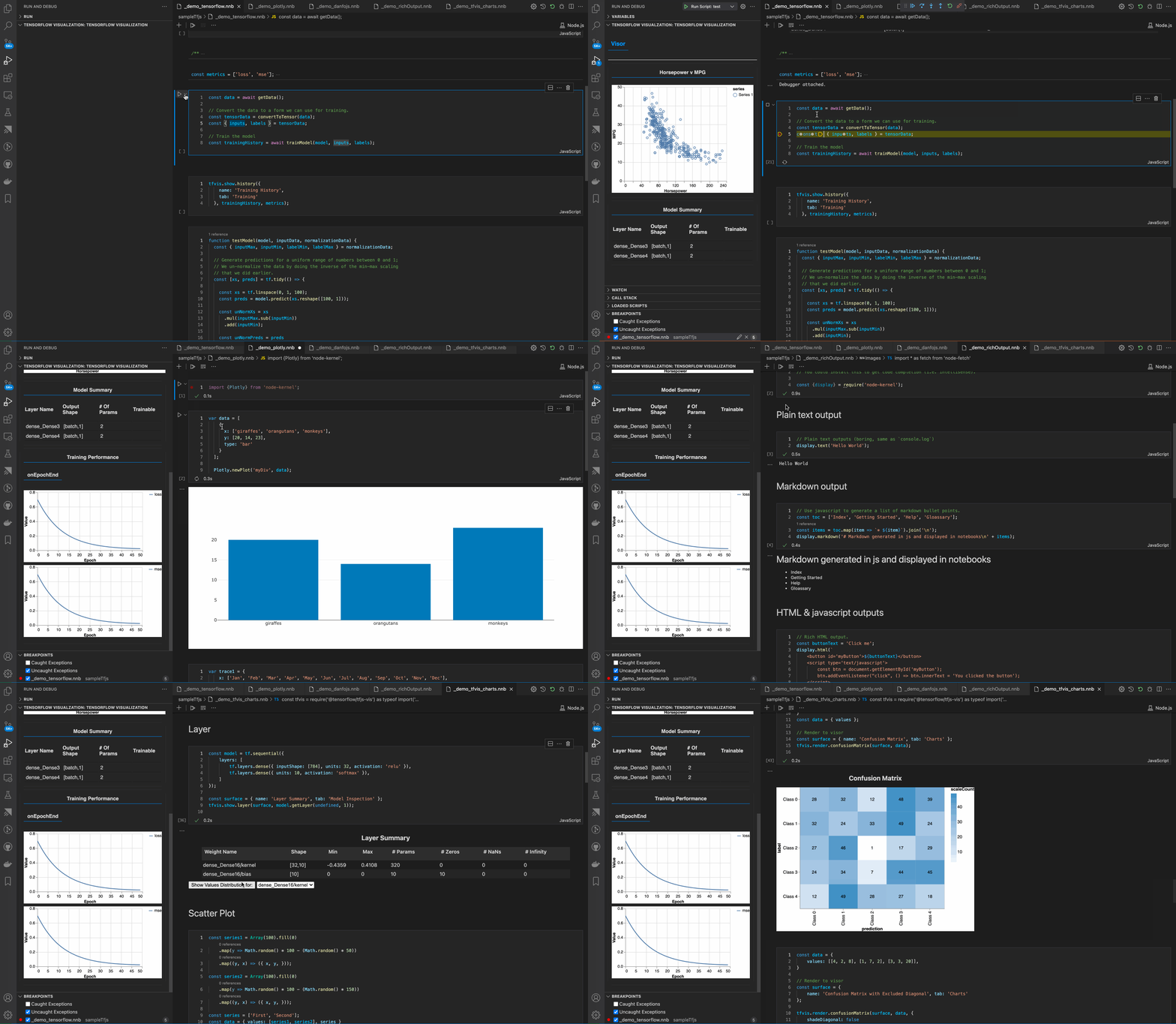
  • Rich (inline visualizations) using @tensorflow/tfjs-vis & Tensorboards
  • Excellent support for danfo.js (rich HTML output and plots)
  • Excellent support for arquero (rich HTML output)
  • Run shell scripts within the notebook cell.
  • Quickly prototype and view HTML/JavaScript/CSS output
  • Support for user input using readline
  • Run decorator-based frameworks such as NestJS, including constructor dependency injection.

Packages such plotly, tfjs-vis & danfo.js support rich visualization only in the browser, however, this extension leverages the power of Notebooks to provide the same rich visualizations when targeting node.js.

Use the command Open a sample node.js notebook to open a sample notebook to get started with plotly.js, danfo.js, tensorflow.js, etc.

Getting started

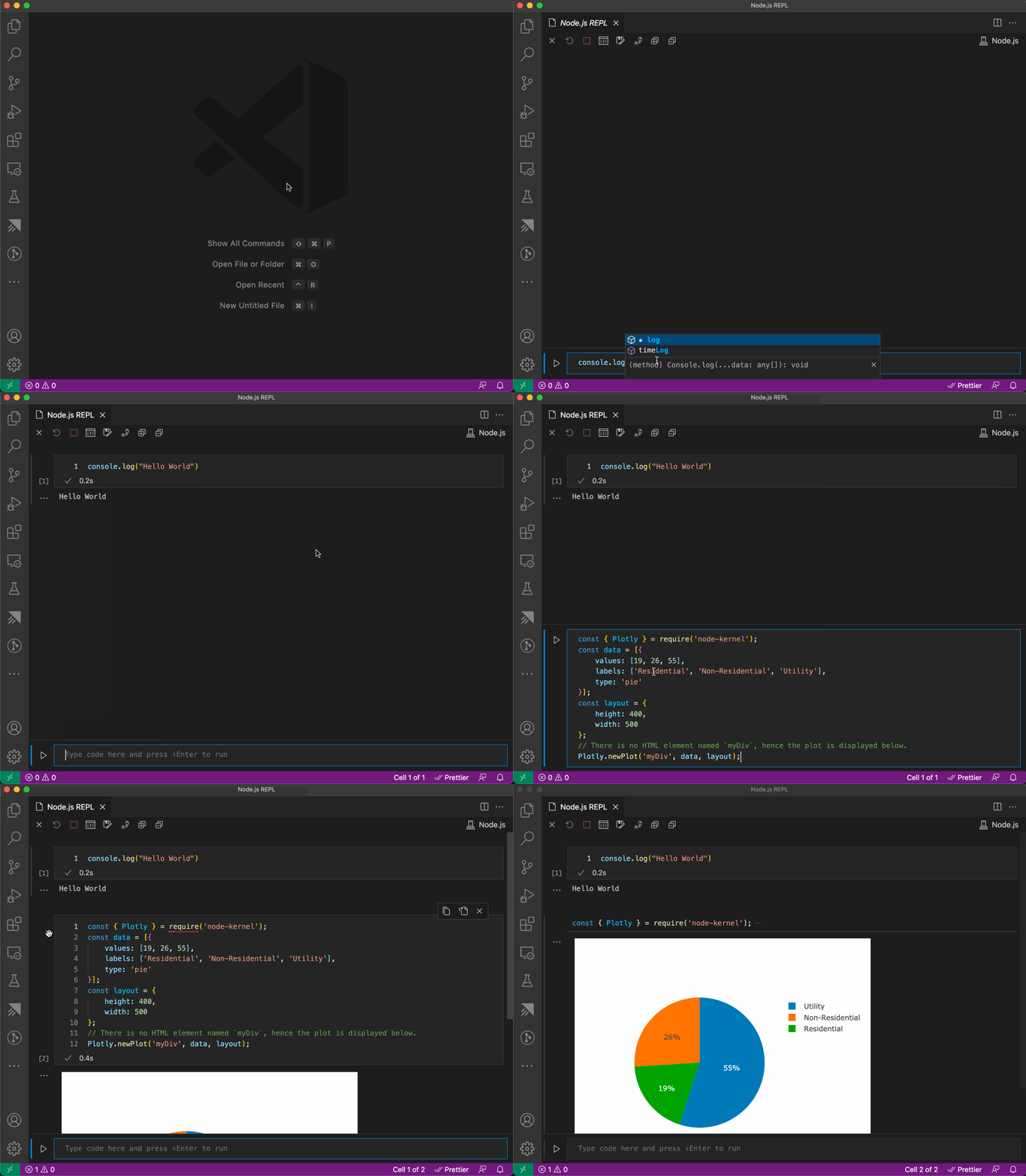
  • For a REPL experience use the command Open Node.js REPL
    • Consider installing the Jupyter extension for an enhance user interface (toolbars).
  • For a notebook experience, create a file with the extension *.nnb, e.g. sample.nnb
    • Or use the menu item New File... to create a Node.js notebook

Repl Demo

Examples

  • Use the command Open a sample node.js notebook to open a sample notebook.
  • Use the command Welcome: Open Walkthrough... to checkout the samples.

Requirements

  • node.js >= 12
  • node.js needs to be in the current path

Type checking

Type checking is enabled by default for TypeScript cells and follows document order. Configure Node.js Notebooks Extended: Type Checking as off, on, or strict. The on mode uses the nearest tsconfig.json, while strict additionally forces TypeScript strict mode.

TypeScript diagnostics are advisory: cells still execute and display output even when this or another cell has type errors. Runtime JavaScript errors can still stop execution.

Node.js declarations are supplied to both notebook-wide type checking and VS Code's TypeScript language service for .nnb cells. Project Node.js types are preferred, with bundled declarations used when the project has none. Node globals, timers, and built-in modules do not require adding dom to the project's lib option. After updating the extension, reload the window so the TypeScript server loads its notebook plugin.

TypeScript 7 Native Preview

The notebook editor plugin requires the JavaScript-based TypeScript server (TypeScript 5 or 6). TypeScript 7 Native Preview does not load TypeScript server plugins and warns when this extension is installed with Native Preview enabled globally.

To enable the notebook editor integration, choose Disable Native Preview in Workspace in that warning, then run Developer: Reload Window. Alternatively, set "js/ts.experimental.useTsgo": false in the workspace settings and reload. This leaves Native Preview enabled globally for other workspaces.

Notebook execution and this extension's notebook-wide type checking use the bundled TypeScript compiler and do not depend on Native Preview. Dismissing the warning does not enable the editor plugin under TypeScript 7.

Cell execution waits for console output to be delivered before showing completion, so console.log output is not lost when the kernel's completion message arrives before stdout.

For troubleshooting, open View: Toggle Output and select TypeScript Kernel. Logs include timestamps, notebook paths, cell numbers, request IDs, startup and connection events, stdout/stderr delivery, completion markers, and this extension's type diagnostics. Restart the kernel and reproduce the problem once, then copy the log. Logs can contain notebook code, diagnostic text, and local paths; review and redact sensitive content before sharing. Errors from another extension's Problems collection must be copied from the Problems panel separately.

This fork retains support for *.nnb files. Disable the original extension when using this fork to avoid both extensions claiming the same file type.

Roadmap

  • Open a plain js/ts file as a notebook & vice versa.
  • Better renderers for tabular data (arquero, danfo.js, etc)
  • Vega plots without having to install vega
  • Custom node arguments

Known issues, workarounds and technical details

  • See here for more details

Thanks

Thanks to the various packages we provide integrations with which help make this extension useful:

  • ts-node
  • Tensorflow.js
  • plotly
  • danfo.js
  • node-pty
  • arquero
  • Contact us
  • Jobs
  • Privacy
  • Manage cookies
  • Terms of use
  • Trademarks
  • Your Privacy Choices
  • Consumer Health Privacy
© 2026 Microsoft