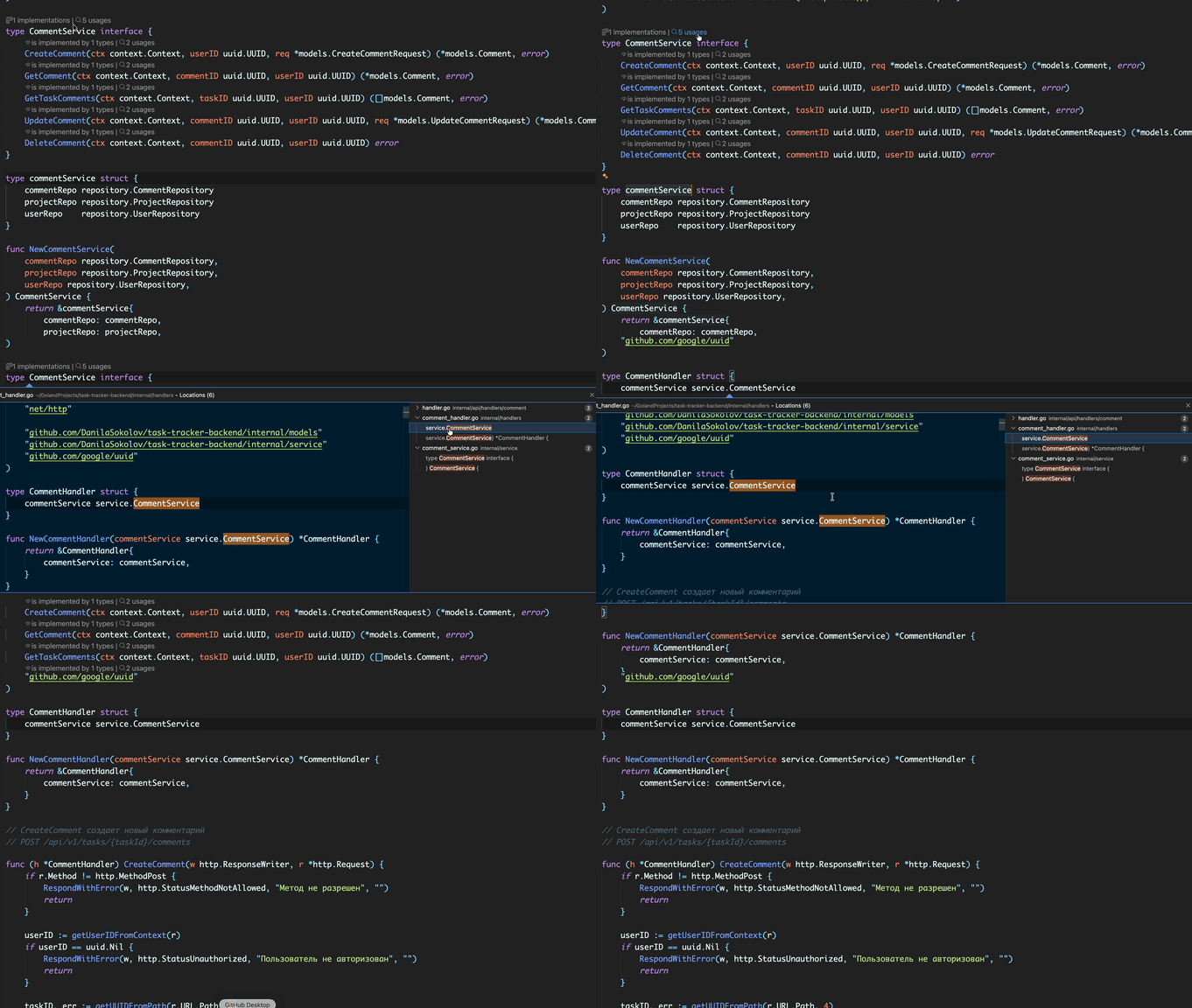
Go Vision is a high-performance navigation power-tool for VS Code that brings GoLand-style implementation hints and smart navigation directly into your Go workflow. Stop manual searching — see your project structure at a glance.
📸 Preview
💎 Core Features (GoLand Style)
Interface Implementations: Instantly see how many types implement an interface with a dedicated counter.
Method Vision: Specialized indicators for interface methods (is implemented by) and struct methods (implements interface).
Smart Navigation:
Single-click jump: Instant transition to the source file if only one implementation exists.
Peek View: A clean, interactive list with code previews if multiple implementations are found.
Integrated Usage Counters: A separate "usages" button to quickly find every call site of a method or interface across your entire workspace.
⚡ Technical Excellence
Intelligent Caching: Document-level caching system minimizes gopls calls, preserving your CPU and RAM.
Real-time Updates: Changes reflect immediately as you type, with no manual refresh required.
Lightweight & Fast: Optimized for massive monorepos. Analysis is performed only for lines currently visible on your screen.
🛠 Requirements
To ensure the best experience, you need:
Go installed on your system with the gopls language server.
Once installed, Go Vision automatically starts scanning your .go files. Interactive CodeLens hints will appear above type and method declarations. Click them to jump to definitions or search for references.
Make your Go development faster and more intuitive with Go Vision!