Skip to content
| Marketplace
Sign in
Visual Studio Code>Themes>Lume DarkNew to Visual Studio Code? Get it now.
Lume Dark

Lume Dark

Daniel Fry

|
68 installs
| (0) | Free
A muted, elegant dark color theme with warm undertones and a soft lavender identity
Installation
Launch VS Code Quick Open (Ctrl+P), paste the following command, and press enter.
Copied to clipboard
More Info

Lume icon

Lume

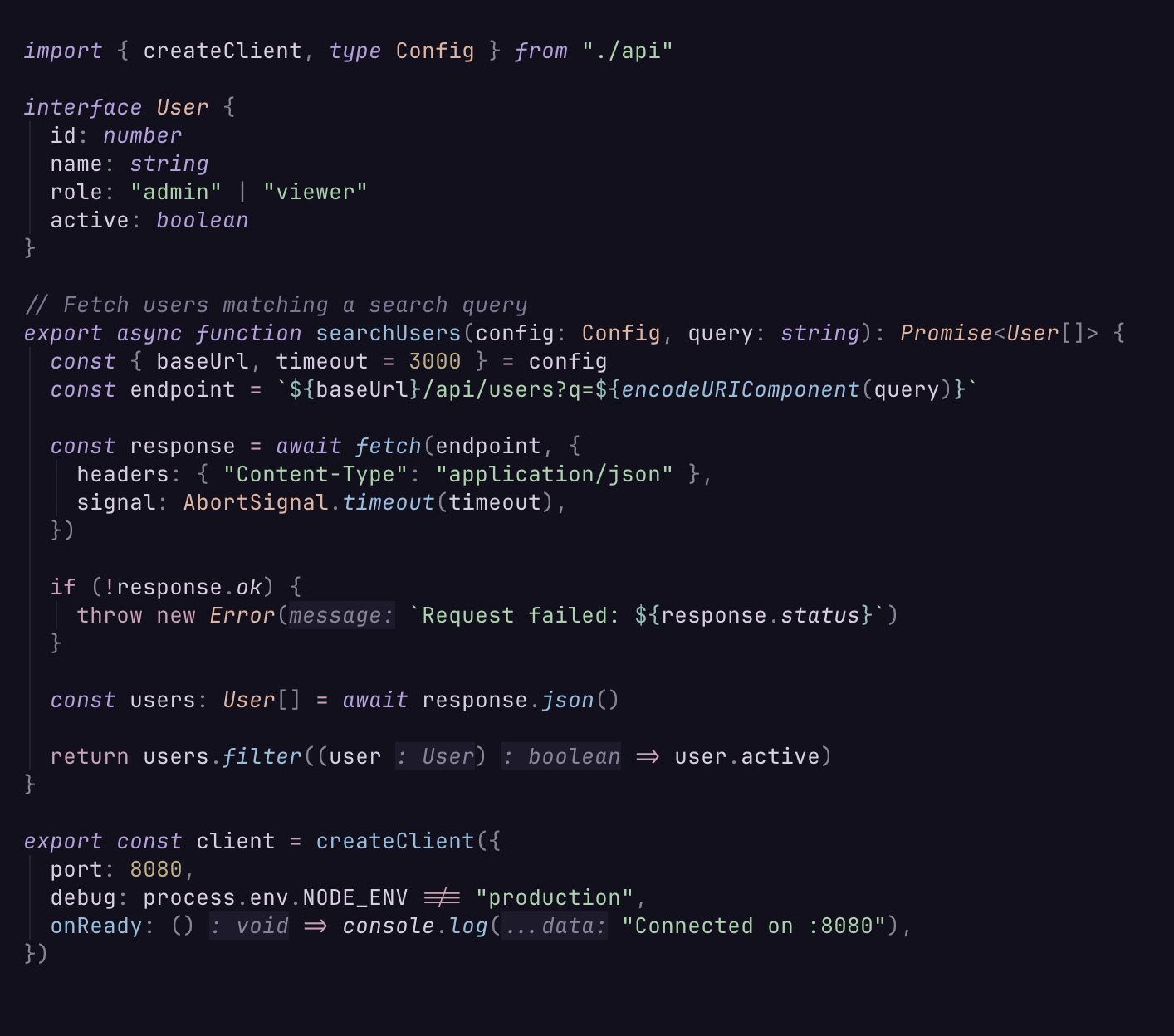
A muted, elegant dark color theme with warm undertones and a soft lavender identity.

Lume theme screenshot

Palette

Swatch Color Role
Lavender #b8a0e0 Keywords, primitives
Rose #d0a0b8 Operators, control flow
Peach #e8b4a0 Types, components
Sage #a0d4a8 Strings, additions
Sky #8cc0e0 Functions, props
Teal #88c0b8 Tags, escape
Honey #c4b080 Numbers, warnings
Ember #c49080 Errors, deletions

Features

  • WCAG AA contrast validated — never ships unreadable text
  • Semantic highlighting with fine-grained token colors
  • Full editor UI theming (sidebar, tabs, status bar, terminal, git decorations)
  • Designed for TypeScript, React, and JSX but works great with any language

Also available for

Neovim, Kitty, Alacritty, WezTerm, Ghostty, iTerm2, foot, Windows Terminal, tmux, fzf, bat, delta, and lazygit.

See the full project at github.com/danfry1/lume.

  • Contact us
  • Jobs
  • Privacy
  • Manage cookies
  • Terms of use
  • Trademarks
© 2026 Microsoft