Skip to content
| Marketplace
Sign in
Visual Studio Code>Themes>Colorful Daybreak Purple ThemeNew to Visual Studio Code? Get it now.
Colorful Daybreak Purple Theme

Colorful Daybreak Purple Theme

Danesed

|
6 installs
| (0) | Free
A standalone dark VS Code theme inspired by the Colorful Daybreak palette.
Installation
Launch VS Code Quick Open (Ctrl+P), paste the following command, and press enter.
Copied to clipboard
More Info

Colorful Daybreak Purple Theme

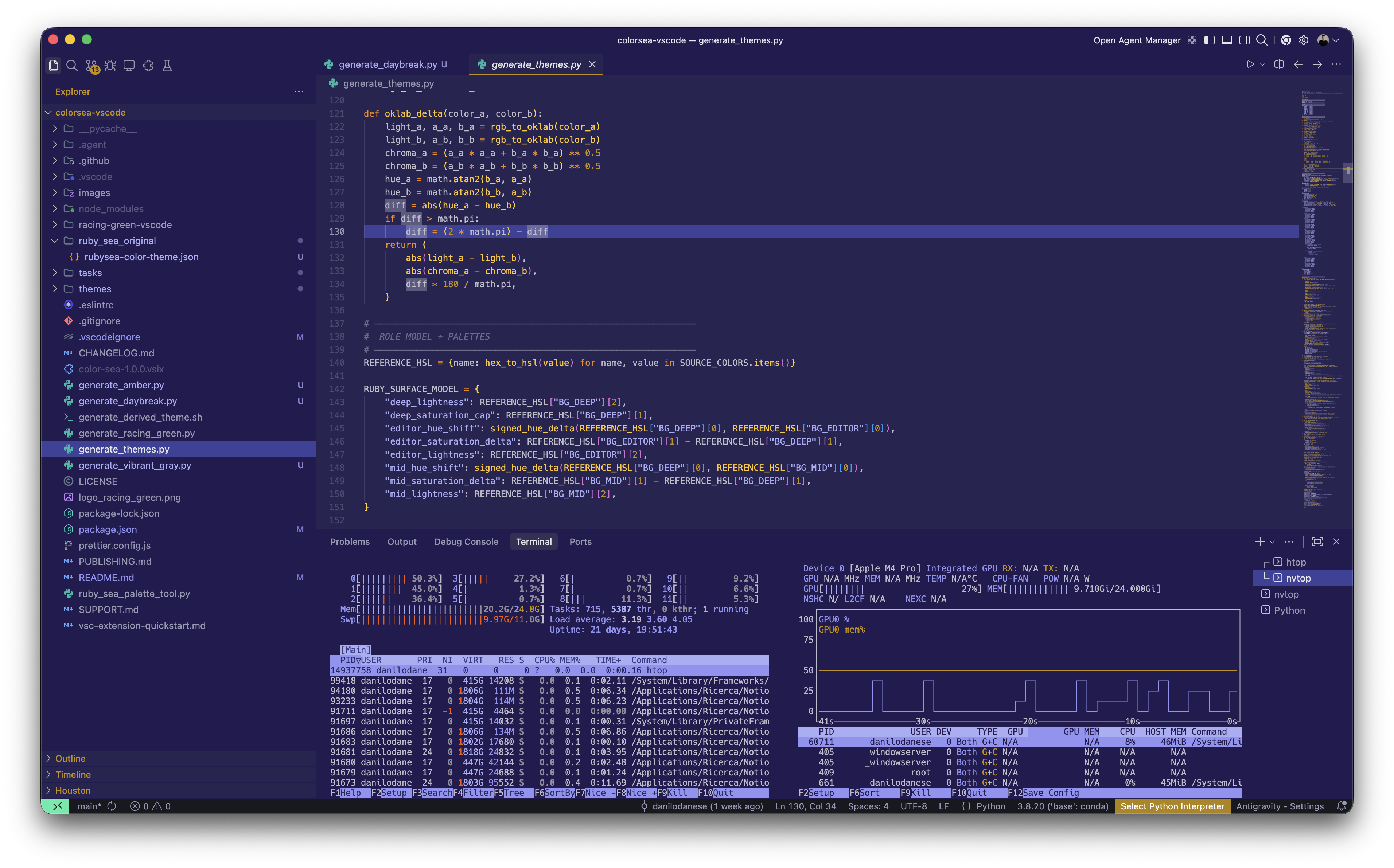
Colorful Daybreak Purple Theme demo

Colorful Daybreak Purple Theme is a standalone dark theme for Visual Studio Code built from the Colorful Daybreak palette.

It keeps deep indigo-violet surfaces, warm amber and orange highlights, and soft lavender accents for function and semantic detail. The goal is to feel energetic, optimistic, and readable across long coding sessions.

Included

  • 1 theme: Colorful Daybreak Purple Theme
  • 1 custom logo
  • 1 demo image

Inspiration

The palette is based on Colorful Daybreak:

  • Indigo Velvet #3d348b
  • Medium Slate Blue #7678ed
  • Amber Flame #f7b801
  • Tiger Orange #f18701
  • Cayenne Red #f35b04

Install

Install the packaged .vsix file in VS Code with:

code --install-extension daybreak-purple-vscode-1.0.0.vsix --force

Or use Extensions: Install from VSIX... from the command palette.

  • Contact us
  • Jobs
  • Privacy
  • Manage cookies
  • Terms of use
  • Trademarks
© 2026 Microsoft