FirstLookAdds and Surfaces verified, persistent meaning to code artifacts — available exactly where you need it, without modifying your code. Installation Launch VS Code Quick Open ( Ctrl+P), paste the following command, and press enter.Copied to clipboard |

FirstLookVerified Meaning. At First Look. FirstLook adds & surfaces verified, persistent meaning for code artifacts at the point of interaction — helping developers and AI start informed before the deep dive begins. Know what you're looking at. Understand its purpose and domain. Build familiarity before analysis — without modifying the code.
🧭 Developer Empathy in Code ExplorationDeveloper productivity helps developers work faster. Developer Empathy helps them start better. Unfamiliar code often begins with an icebreaker: cryptic file names, unknown domains, inherited systems, scattered documentation, or knowledge that lives with experienced team members. FirstLook acknowledges that first-contact friction. Instead of requiring developers to begin from zero, search for context elsewhere, or immediately ask AI to rediscover what may already be known, FirstLook surfaces a stable, verified starting point where the code is encountered. Get oriented. Build familiarity. Spark curiosity. Then deep dive with greater confidence. 🎬 Watch 2-min Demo
See how FirstLook brings meaning into the developer's existing working surface. 📸 FirstLook in Action🔍 Meaning on Hover
Get oriented instantly by surfacing known meaning without leaving the Explorer. 🧭 Control Panel & Coverage
Explore governed meaning, track coverage, manage understanding, and identify gaps across the codebase. ✍️ Add Meaning
Add or refine structured meaning for an artifact without modifying the underlying source code. 🧠 Local Insights — Your Understanding, In Context
Capture discoveries and personal notes as you work — directly associated with the artifact where they matter. ✨ What FirstLook Does
FirstLook does not need to replace documentation, AI analysis, or existing knowledge sources. They can help create the meaning. FirstLook makes that meaning available at first look. 💡 Quick Start
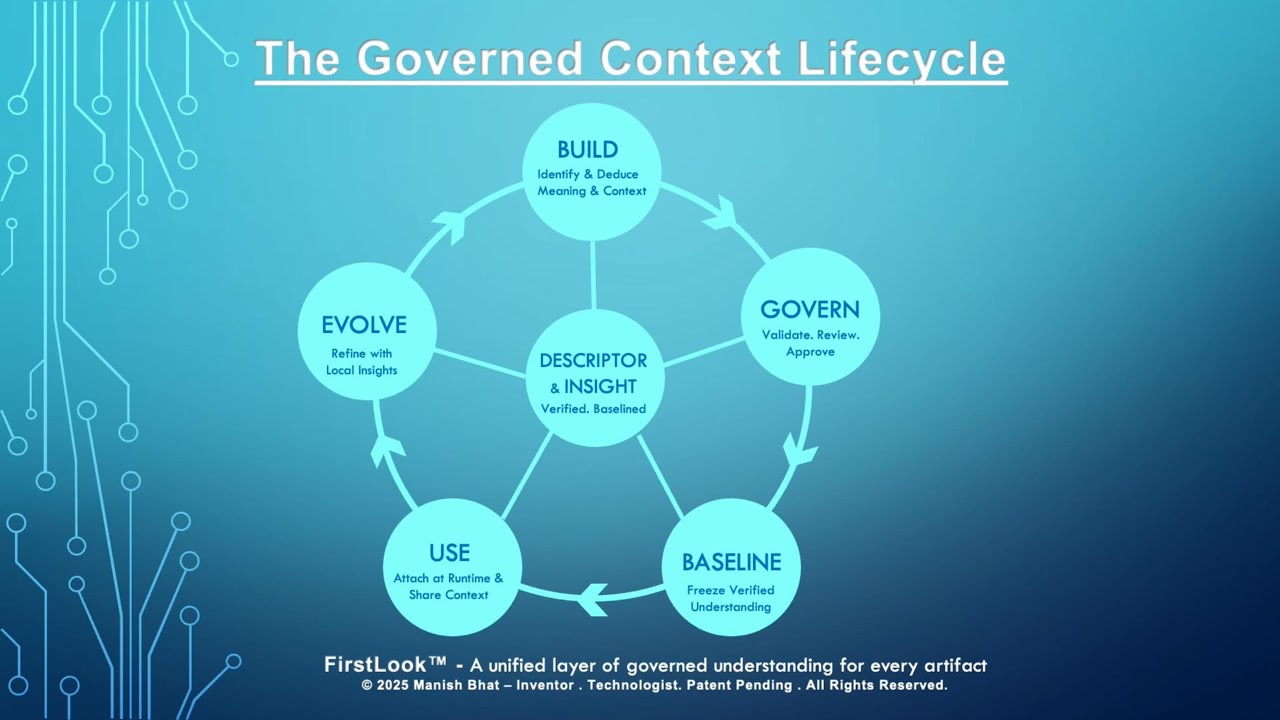
👉 FirstLook works immediately with local meaning — no enterprise baseline is required to get started. 🧠 Your Meaning LayersGoverned / Baseline MeaningVerified organizational meaning that provides a stable starting point for understanding an artifact. Baseline meaning can be loaded independently of the source code and governed as organizational knowledge evolves. Local MeaningDeveloper-defined meaning associated with a specific artifact. Use it to personalize or supplement the governed baseline without changing the code. Local InsightsCapture what you discover during the deep dive. Local Insights keep your notes and evolving understanding associated with the actual artifact, creating a living record of what you learn over time. ⚙️ How It Works
The meaning source can evolve. The goal remains simple: Surface what is already known where the developer encounters the code. ✨ AI-assisted Meaning — PreviewAI can help derive meaning. FirstLook gives that meaning a persistent place in the developer workflow. Use AI-assisted meaning draft to:
This allows AI-generated understanding to become an input to FirstLook rather than requiring the same basic context to be rediscovered repeatedly.
🔐 Enterprise-friendly by Design
FirstLook is designed to support environments where organizational knowledge needs greater stability, control, and traceability. 📂 Data FormatGoverned baseline meaning can currently be loaded using:
Typical fields include:
🚀 Current Capabilities
🛠️ Roadmap
⚠️ Early VersionFirstLook is an early release (v0.1.x). The implementation will evolve, but the underlying question is intentionally simple:
Feedback, criticism, and real-world use cases are welcome. Meaning Control™FirstLook is an implementation of the broader Meaning Control™ vision — exploring how derived knowledge can become persistent, governed, and available at the point where humans and machines need it. For code exploration, that means introducing another dimension alongside developer productivity: Developer EmpathyAcknowledge the first-contact experience. Give developers a familiar, informed starting point. Then let them do the real work. FirstLook isn't where you understand everything. Enjoy using FirstLook 🚀 |