Corrdex is an intelligent AI coding assistant and architecture enforcement extension for VS Code. It parses your codebase into a rich semantic AST, checks for real-time architectural rule violations, and seamlessly synchronizes your project context with the Corrdex Web Dashboard.
Screenshots
Live Diagnostics
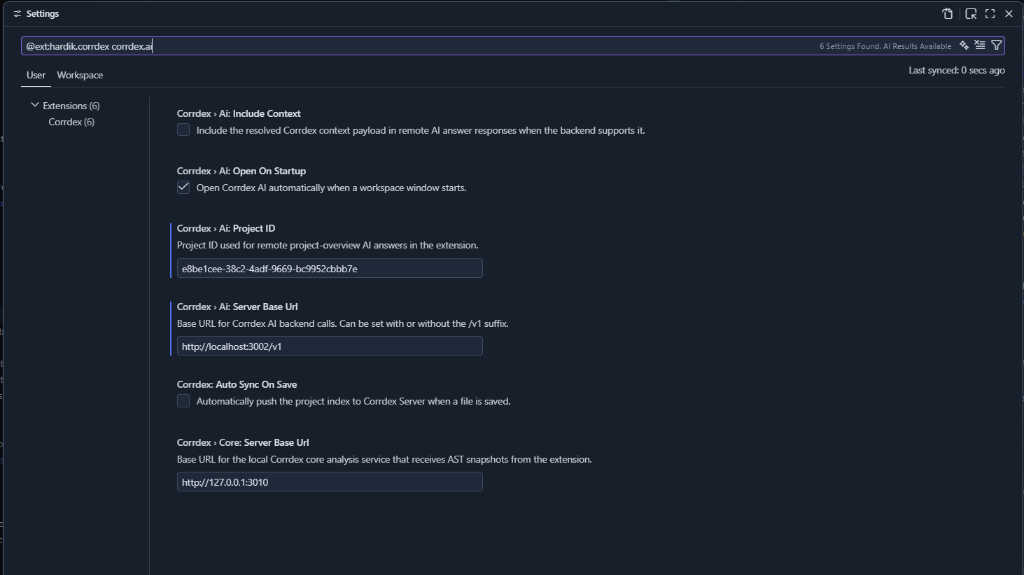
Corrdex Settings
Custom File Icons
AI Assistant Sidebar
(Coming Soon)
Cloud Synchronization
Automated Analysis
Features
Live Architectural Diagnostics: Uses the local corrdexcore engine to scan your code as you type, instantly flagging architectural violations based on your team's custom policies.
Deep Codebase AI: A dedicated AI Assistant panel embedded right inside VS Code that understands your entire project's semantic structure.
Dual Push Sync: One-click synchronization of your semantic codebase index and live scan violations to the Corrdex Cloud server.
Auto-Sync: Optionally enable Auto Sync On Save to keep the remote Corrdex AI perfectly in sync with your local edits.
Setup Instructions
Get your API Key & Project ID
Create a project on your Corrdex Server dashboard.
Generate an API Key and note your Project ID.
Configure your API Key
Open the VS Code Command Palette (Ctrl+Shift+P / Cmd+Shift+P).
Run the command: Corrdex: Set AI API Key.
Paste your API Key. It is securely stored in your local VS Code SecretStorage.
Workspace Configuration
Create a corrdex.config.json file in the root of your workspace to bind the project and define your custom rules: