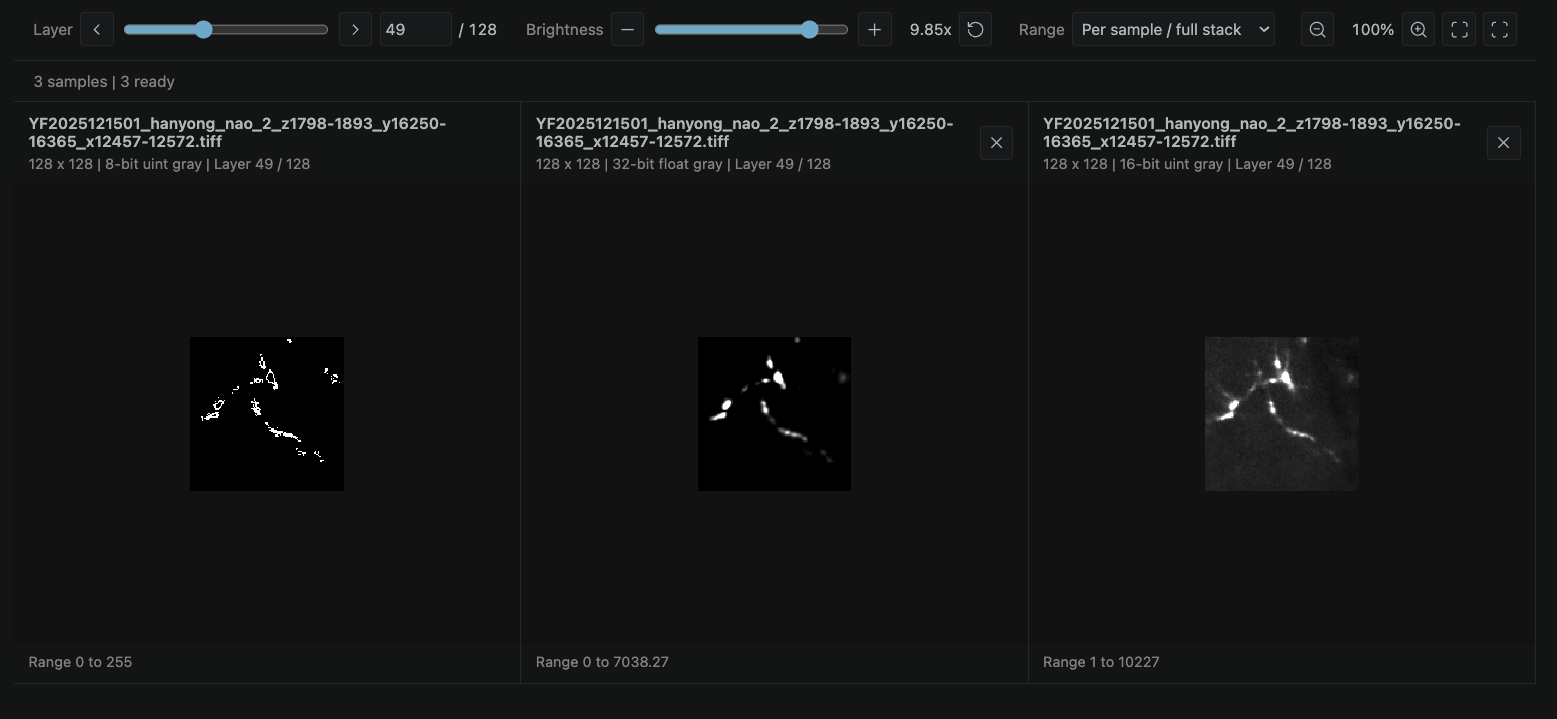
A VS Code viewer for TIFF images and image stacks, with synchronized multi-sample comparison.
Installation
In VS Code, run Extensions: Install from VSIX..., select the downloaded .vsix file, and reload the window after installation.
Open And Compare
Click a .tif or .tiff file to open the viewer. Uppercase extensions also work. If you previously configured another default editor, use Reopen Editor With... > Configure default editor > TIFF Viewer once.
Right-click a TIFF and choose TIFF: Add to Comparison. This appears while a TIFF viewer is open and adds to the most recently active viewer, including when its tab is hidden. Explorer multi-selection is supported; duplicate files are ignored.
All samples share the layer slider, brightness and zoom. Layer numbers are aligned by index, not by physical depth. A shorter stack stays on its last layer and displays (last); every sample shows its actual layer count.
Remove comparison samples using their close button. The original file remains the primary sample.
TIFF: Open in New Window creates an independent viewer in a VS Code floating editor window. The original viewer stays open. This also allows independent views of the same file. Floating windows share the VS Code workspace; their viewing controls are independent.
Zoom with Command + wheel on macOS or Ctrl + wheel. Ordinary wheel input scrolls. The toolbar also provides zoom, fit and actual-size controls. Zoom is preserved when changing layers or brightness.
Intensity Mapping
Use the brightness slider to brighten or darken every sample together. The reset button restores the default brightness. These adjustments only affect the display; the original files are unchanged.
The Range menu applies to grayscale samples:
Mode
Display range
Per sample / full stack
Each sample uses its minimum and maximum across all layers. The range is stable when scrolling through layers.
Shared / all samples
All grayscale samples use one combined minimum and maximum. Equal raw values map to equal grayscale for samples with the same photometric polarity. Use this to compare intensities in compatible units.
Data type
The full integer type range; floating-point values use 0 to 1.
The first layer appears while the rest of the stack loads. A range marked provisional may update when loading finishes; the completed full-stack range stays fixed when changing layers.
Invalid and NoData pixels are displayed transparently and do not affect the grayscale range. RGB images retain their color balance. Adding or removing a sample updates the shared range without resetting the current layer or brightness.
Signed grayscale: 8, 16 and 32 bits. Floating point: 16, 32 and 64 bits.
Grayscale with alpha, RGB/RGBA, planar RGB, palette images, and 8-bit CMYK/YCbCr/CIELab.
Classic TIFF and BigTIFF, including uncompressed, LZW, Deflate, PackBits and legacy CCITT/JPEG images.
Layers can have different dimensions. Reduced-resolution previews and transparency masks are not counted as layers.
64-bit integers, arbitrary multispectral channels and some uncommon encodings are not supported. ImageJ files containing multiple planes inside a single TIFF directory are not expanded into separate layers. Unsupported formats display an error.
Large files and many simultaneous samples can take longer to load and require more memory.
Switching tabs preserves the comparison. Hidden viewers pause loading and resume from the same progress when shown again. Closing and reopening the viewer starts a new comparison.