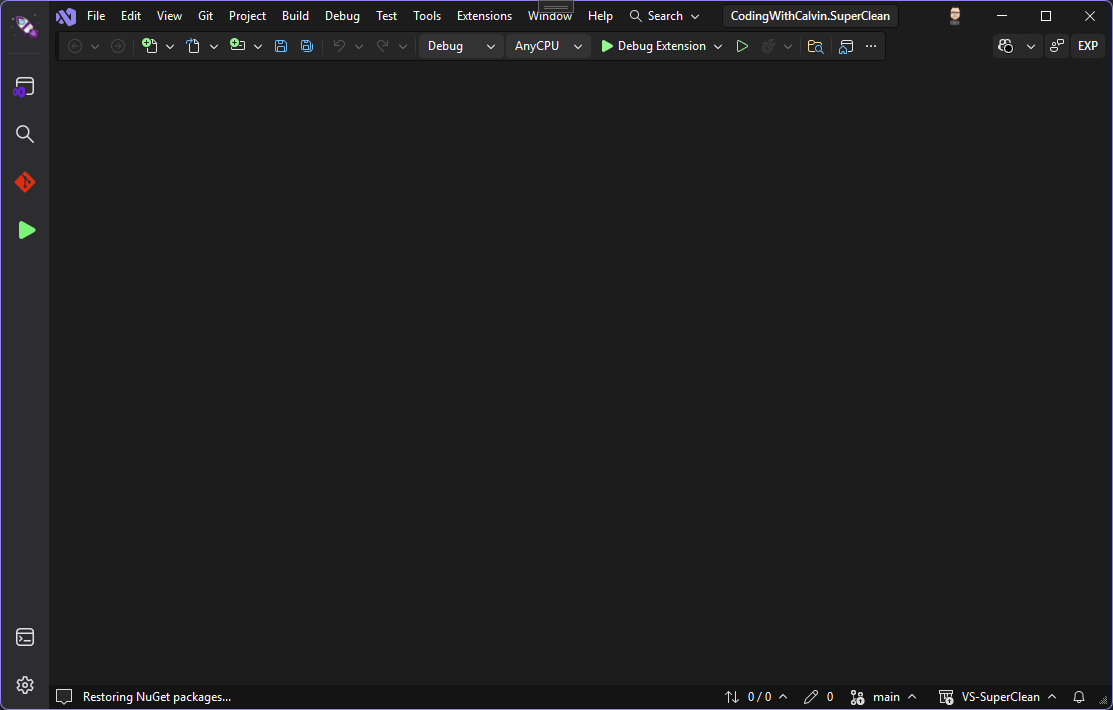
A narrow icon launcher bar for Visual Studio, similar to VS Code's Activity Bar. Launch external programs, toggle tool windows, or execute commands with a single click.
🚀 A narrow icon launcher bar for Visual Studio, similar to VS Code's Activity Bar
🤔 Why?
If you've used VS Code or JetBrains IDEs, you're probably familiar with the Activity Bar - a narrow vertical strip of icons that gives you quick access to common tools. LaunchyBar brings that same convenience to Visual Studio!
✨ Features
🎯 Quick Access - Launch frequently used tools with a single click
🪟 Tool Windows - Toggle tool windows like Solution Explorer, Terminal, and Git Changes (click again to hide)
🐞 Smart Debug Button - Automatically switches between Start and Stop based on debugger state
🎨 Native Look - Seamlessly integrates with Visual Studio's theme
🖼️ Screenshots
🛠️ Installation
Visual Studio Marketplace
Open Visual Studio 2022 or 2026
Go to Extensions > Manage Extensions
Search for "LaunchyBar"
Click Download and restart Visual Studio
Manual Installation
Download the latest .vsix file from the Releases page and double-click to install.
🚀 Usage
After installation, LaunchyBar automatically appears docked to the left side of Visual Studio
Click any icon to execute its associated action
Tool windows (Solution Explorer, Terminal, Git Changes) toggle on each click - click once to show, click again to hide
The Debug button automatically shows "Start Debugging" or "Stop Debugging" based on the current debugger state
Enjoy quick access to your favorite tools! 🎉
📋 Default Items
LaunchyBar comes preconfigured with these items:
Top Section:
📂 Solution Explorer
🔍 Find in Files
🔀 Git Changes
▶️ Debug (Start/Stop)
Bottom Section:
💻 Terminal
⚙️ Settings
🤝 Contributing
Contributions are welcome! Please feel free to submit a Pull Request.