AI coding agents pause at the worst possible moment — waiting for permission to write a file, run a command, or answer a question. CodeKey moves those waiting points from your desktop to your phone.
- Receive approval cards instantly on mobile
- Send follow-up prompts from anywhere
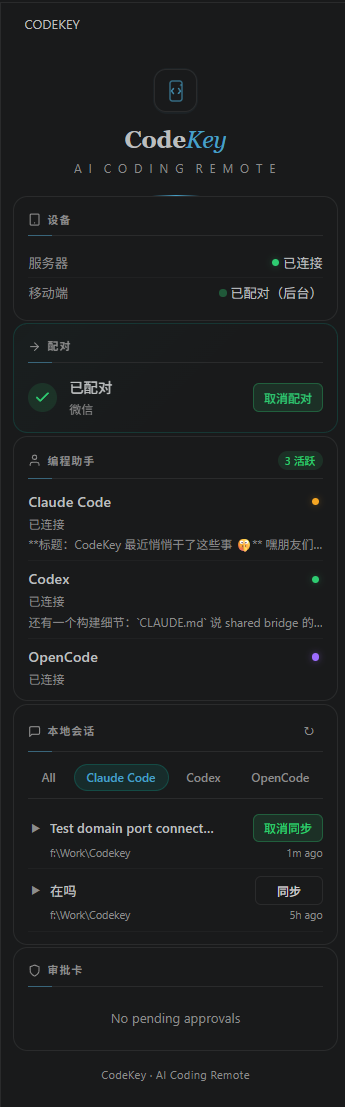
- Manage Claude Code, Codex, and OpenCode sessions in one VS Code sidebar
- E2E encryption protects prompts, commands, and summaries
- Works with WeChat Mini Program and Telegram Mini App
Features
|
Feature |
What it does |
| 📱 |
Mobile Approvals |
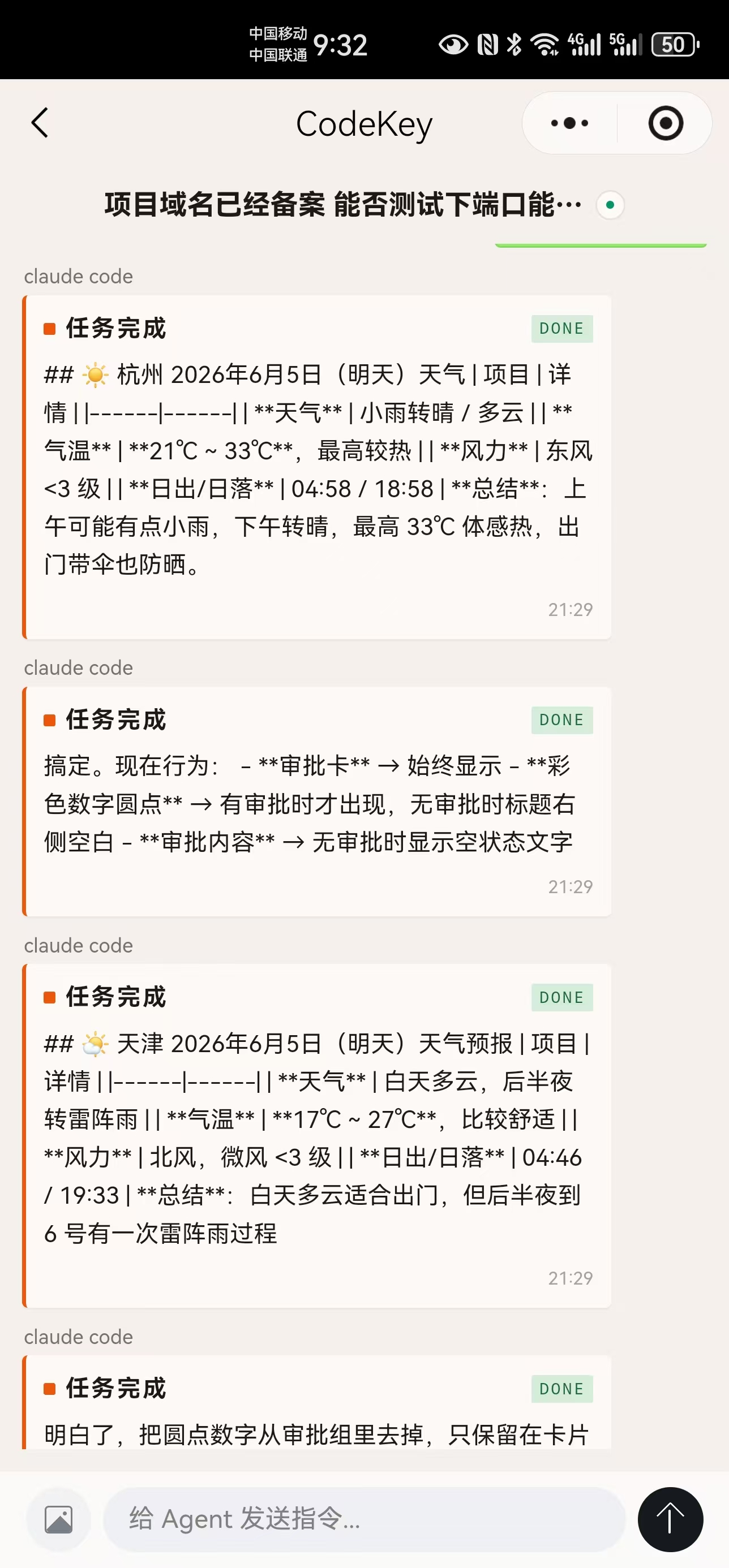
Permission requests from Claude Code, Codex, and OpenCode appear on your phone with approve, deny, and reply actions. |
| ⌨️ |
Remote Prompts |
Type a prompt on mobile and your local VS Code agent continues the task. |
| 📋 |
Session Sync |
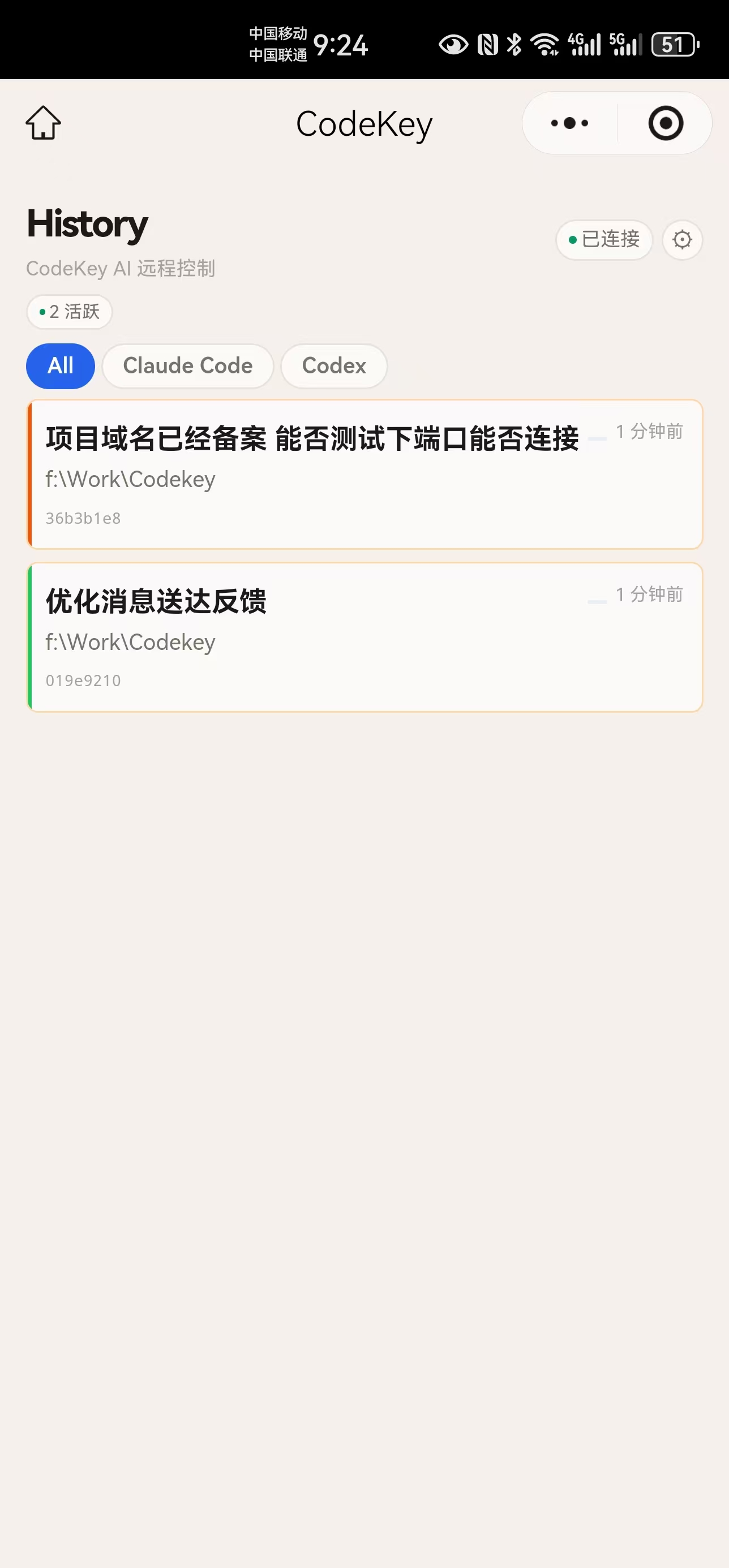
View local agent sessions by runtime, status, and recent activity. |
| 🎛️ |
VS Code Dashboard |
Pair devices, manage sync, inspect sessions, and watch approval cards from the sidebar. |
| 🔒 |
E2E Encryption |
User prompts, phone commands, and task summaries are encrypted before they pass through the relay. |
| 📲 |
Multi-Platform |
Works with WeChat Mini Program and Telegram Mini App. |
Quick Start
# 1. Install the CodeKey VS Code extension
# 2. Open the CodeKey view from the Activity Bar
# 3. Click "Pair Device" and scan the QR code
# 4. Start Claude Code, Codex, or OpenCode
# 5. Approve, monitor, and send prompts from your phone
Privacy
CodeKey combines end-to-end encryption with a local privacy pipeline. You decide how much session history is visible on mobile.
| Mode |
What mobile can see |
Best for |
| Off |
Approval cards only. No session history shared. |
Maximum data minimization |
| Summary |
Safe status summaries without raw prompt or agent output text. |
Progress tracking with less content exposure |
| Full |
Full session history after local secret scanning and blocklist checks. |
Rich remote monitoring and follow-up prompts |
Privacy controls include:
- E2E encryption — user prompts, mobile commands, and task summaries are sealed with AES-GCM before leaving your device
- Secret scanning — API keys, tokens, and passwords are redacted locally
- Blocklist /
.codekeyignore — prevent selected files and paths from being forwarded
- Per-agent policy — configure Claude Code, Codex, and OpenCode independently
- Audit panel — inspect forwarded, blocked, and sanitized event counts in the sidebar
Mobile Apps
| Platform |
How to use |
| WeChat Mini Program |
Scan the QR code from the CodeKey sidebar to pair instantly. |
| Telegram Mini App |
Pair via Telegram and manage sessions from the chat. |
Commands
| Command |
Description |
CodeKey: Pair Device |
Pair a mobile device |
CodeKey: Show Dashboard |
Open the management dashboard |
CodeKey: Enable Hook |
Enable Claude Code hooks |
CodeKey: Enable OpenCode Integration |
Enable OpenCode integration |
CodeKey: Start Codex Session |
Start a Codex session |
CodeKey: Toggle Debug Log |
Toggle verbose debug logging |
Requirements
- VS Code 1.96+
- Claude Code CLI, Codex CLI, or OpenCode
- WeChat Mini Program or Telegram Mini App
Contributing
Found a bug or have a feature request? Open an issue or submit a PR.
License
Apache 2.0
| |